Yes — a temp email for PocketBase is useful for short-lived auth tests, local or hosted prototypes, and one-off demos when you only need verification and early setup.
No — it is the wrong long-term choice once the PocketBase instance matters for production admins, real users, password resets, or account recovery.
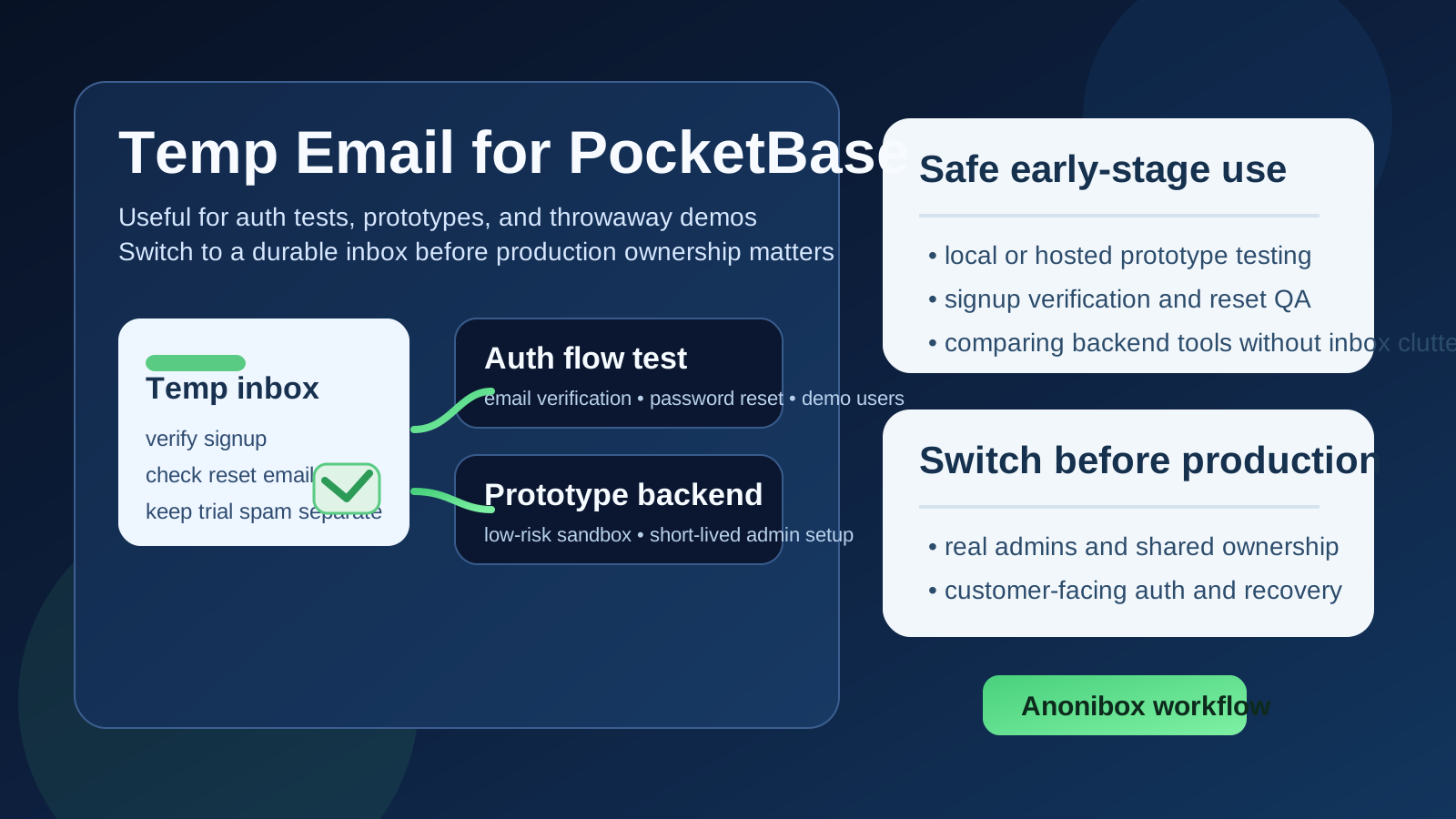
PocketBase is exactly the kind of tool that starts small and becomes important faster than expected. A developer spins up a quick backend for a side project. A founder uses it for a prototype. A team tests authentication flows, admin access, or a lightweight internal app. At the beginning, it feels temporary. Later, the same instance may end up holding real user records, powering sign-in, or becoming the backend someone else depends on.
That is why the question behind temp email for PocketBase is more practical than it looks. A temporary inbox can absolutely help during the first stage of evaluation. It keeps verification emails and trial messages out of your main inbox, lets you test fast, and gives you a cleaner boundary between experiments and accounts you actually plan to keep. But once the backend becomes persistent, the inbox attached to that account stops being a minor detail and starts becoming part of your continuity, security, and recovery plan.
If you want the short version: use a temp email only while the PocketBase environment is clearly disposable. The moment the project becomes shared, customer-facing, or worth recovering later, move it to a stable inbox you control.
Why people use a temp email for PocketBase in the first place
Most people searching for this are not looking for anything complicated. They are trying to avoid the same problem that shows up with almost every developer tool: you want to explore the product before committing your long-term email address to another stream of setup prompts, product updates, and follow-up messages.
PocketBase attracts exactly that kind of curiosity-driven testing. It is lightweight, easy to try, and often sits inside experimental projects. You may want to:
- check how fast you can get a backend running,
- test email/password authentication flows,
- review admin setup and record collections,
- compare PocketBase with other small-backend or backend-as-a-service options,
- build a demo for a client, teammate, or classroom project,
- keep one more trial account out of your everyday inbox until you know it matters.
That is a sensible use case. A temporary inbox from a service like Anonibox can help you receive the verification message, complete the initial setup, and keep the early test isolated from your permanent personal or work email.
When using a temp email for PocketBase makes sense
A disposable address is reasonable when the backend is still disposable in practice. That usually means you are testing something that can be deleted, rebuilt, or ignored without causing problems later.
1. You are running a first-pass evaluation
If your goal is just to see whether PocketBase feels right, a temp inbox is fine. Maybe you want to inspect the admin interface, create a few collections, check how auth behaves, or decide whether the tool belongs on your shortlist. In that phase, the account exists to answer questions, not to anchor long-term ownership.
2. You are testing authentication flows
PocketBase often gets used for user signup, email verification, password reset, and similar login-related workflows. A temporary inbox is useful when you want to click the verification link, trigger a reset email, or validate the experience from the user side without tying every test account to your real address.
3. You are building a prototype or throwaway demo
For hackathons, internal proof-of-concepts, lightweight demos, or learning projects, speed matters more than permanence. If the backend may be wiped in a day or two, using a temp email is not inherently a problem.
4. You are comparing several tools at once
Many people evaluate PocketBase alongside alternatives. Keeping those evaluations in separate inboxes can make the process less messy. Instead of mixing every verification email and onboarding message into one overloaded mailbox, you preserve clean boundaries between trials.
Where a temp email becomes risky surprisingly fast
The danger is not usually on day one. It shows up when a project quietly stops being temporary.
Production admin ownership
If the PocketBase instance has become the real backend for an app, the account email now matters. Admin access, change notifications, and recovery all depend on a mailbox you can reliably reach later. A disposable inbox is the opposite of reliable.
Real users and real recovery flows
Once your app has actual users, auth stops being a sandbox concern. You need to think about continuity. If you cannot access the inbox behind the admin account, recovery becomes harder at exactly the wrong moment.
Team handoffs and shared responsibility
Even small backends stop being personal very quickly. A colleague may need access. A contractor may help with setup. A founder may hand the prototype to an engineer. Temporary inboxes are terrible handoff infrastructure because they do not create durable, accountable ownership.
Anything tied to billing, domains, or external services
If your PocketBase setup is attached to hosting, transactional email, custom domains, or other production services, the email behind the main account becomes part of your operating stack. At that point, using a burner inbox is asking for avoidable headaches later.
A practical workflow if you want to use a temp email safely
The best approach is not “never use one” or “always use one.” It is to treat temporary email as an early-stage tool with a clear expiration point.
Start with a disposable environment
Only use a temp email when the PocketBase instance is clearly low-stakes. That could be a quick hosted test, a demo environment, or a backend you would not mind deleting and rebuilding.
Do the testing you actually came for
Use that window to answer real questions:
- Does the setup feel fast enough for your workflow?
- Do email verification and password reset flows behave the way you expect?
- Is the admin experience simple enough for the project?
- Does the tool still feel right after a hands-on test instead of just reading docs?
If the answer is no, great — the temporary inbox helped you avoid clutter for a tool you are not keeping. If the answer is yes, that is your signal to stop treating the environment like a throwaway.
Promote the account before the backend becomes important
Do not wait until production day. If the PocketBase setup is becoming part of a real app, move the account to a durable mailbox early. A dedicated project inbox is usually smarter than a purely personal one because it gives you both control and continuity.
Document what changed
Once you switch away from the temp inbox, record who owns the account, where recovery messages should go, and how the rest of the team can manage access. This sounds boring, but it prevents the classic problem where a prototype becomes critical and nobody remembers who controls the original login.
Temp email vs. a separate permanent project inbox
People sometimes assume there are only two options: use your main address everywhere or use a disposable inbox forever. There is a better middle ground. Use a temp inbox for the earliest testing stage, then move to a separate permanent project mailbox when the project proves it has legs.
That second inbox solves most of the real problems:
- your primary personal inbox stays cleaner,
- the PocketBase account still has a stable long-term owner,
- recovery and admin continuity become manageable,
- handoffs become much less messy if other people later join the project.
For many teams, that is the most rational progression: temporary inbox for evaluation, durable project inbox for anything that survives evaluation.
Questions to ask before you keep using the temp inbox
If you are unsure whether you have crossed the line from safe testing to risky dependence, ask yourself:
- Would I care if I lost access to this instance next month?
- Is this backend now connected to real users or real data?
- Would another person need to inherit or manage this account?
- Am I relying on email-based recovery or important notifications?
- Would rebuilding from scratch be annoying, expensive, or disruptive?
If several answers are yes, you are already beyond the stage where a temporary inbox is the right long-term choice.
Common mistakes to avoid
- Letting a prototype become production by accident: this is the biggest one. The backend grows up, but the account setup does not.
- Testing auth thoroughly but ignoring recovery ownership: verification and reset tests are useful, but account durability matters too.
- Using a temp inbox for a shared team project: convenience today often creates confusion later.
- Assuming “I can switch later” means you will: later has a way of arriving after the account is already important.
Final answer: should you use a temp email for PocketBase?
Yes, if the PocketBase environment is truly temporary. A temp email for PocketBase is a practical way to test auth flows, inspect the backend, and keep another experiment out of your permanent inbox.
No, if the instance is becoming real infrastructure. Once production admins, real users, shared ownership, or account recovery matter, a disposable inbox becomes the wrong foundation. The smart move is to use temporary email only during the evaluation stage, then switch to a stable address before the backend becomes something you would hate to lose.
That gives you the best of both worlds: fast low-friction testing up front, and responsible long-term ownership once the project is worth keeping.