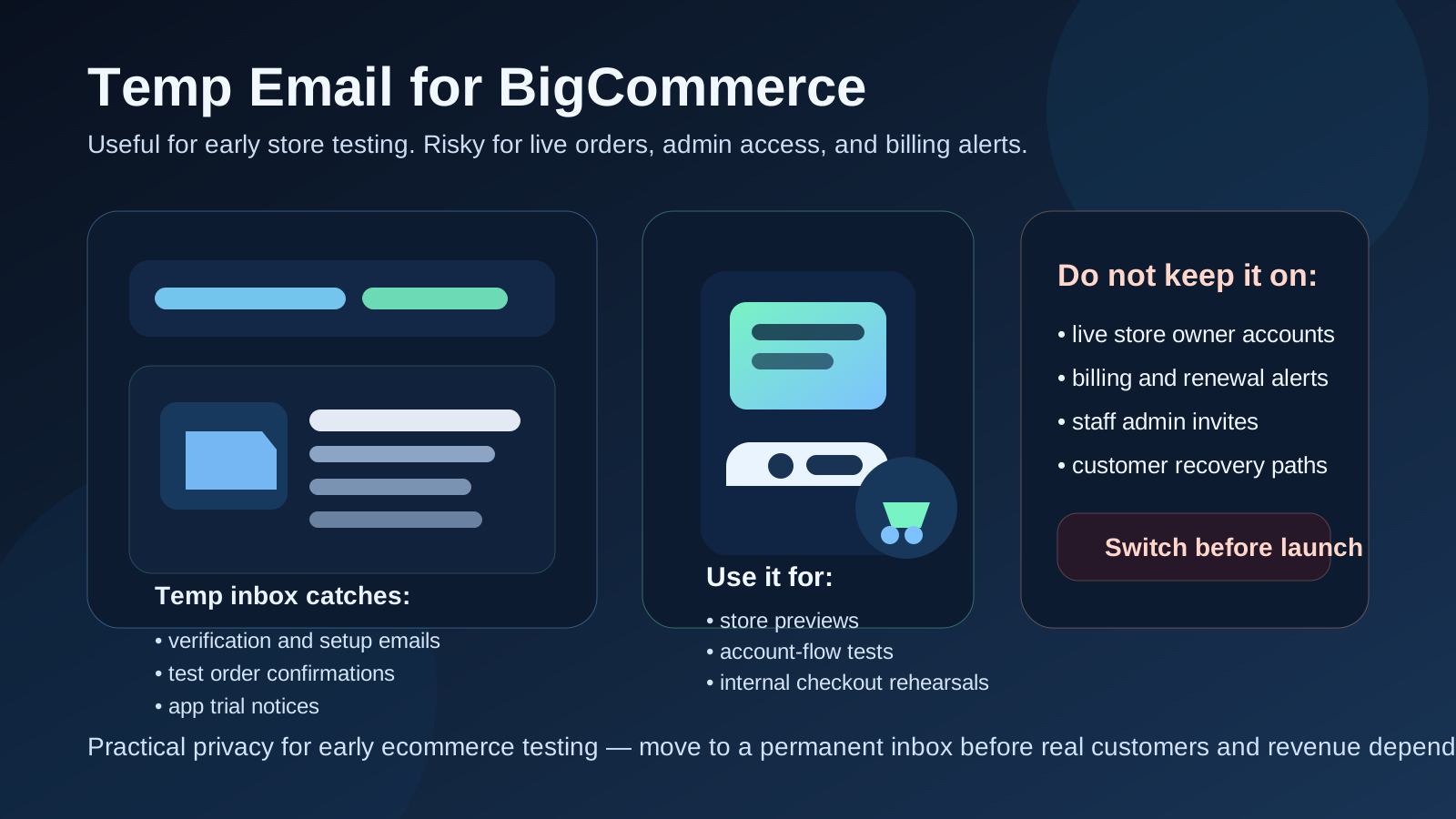
Yes, you can use a temp email for BigCommerce when you are testing a new store, trying apps, or checking customer account flows. It helps during short-lived setup, but it becomes risky for the real store owner account because live orders, admin access, billing alerts, and recovery emails need a permanent inbox you control.
So the practical answer is simple: use a temporary inbox for early evaluation and throwaway testing, then switch to a durable address before real customers, real revenue, or real team operations depend on it.
Why this question comes up with BigCommerce
BigCommerce is the kind of platform people often evaluate quickly but seriously. A founder may want to compare it with Shopify or WooCommerce. An agency may spin up a store preview for a client. An operations lead may want to test product import, theme behavior, checkout settings, app integrations, staff permissions, and customer account emails before committing to a migration.
That evaluation process creates a lot of messages. Welcome emails, verification links, app notices, order confirmations from test checkouts, password resets, staff invitations, abandoned-cart tests, and billing-related prompts can pile up surprisingly fast. If you do this kind of work often, your main inbox can end up full of half-finished store experiments you do not even plan to keep.
That is where a temporary inbox can help. A tool like Anonibox gives you a clean place to catch the emails you need for early setup without turning your long-term work inbox into a graveyard of ecommerce experiments.
When a temp email makes sense for BigCommerce
A temporary address is most useful when the store is clearly in a testing, staging, or comparison phase. In that stage, you usually care about speed and isolation more than long-term continuity.
- Comparing BigCommerce with other ecommerce platforms before choosing one
- Creating a short-lived sandbox or proof of concept
- Testing customer signup, login, and reset flows on a draft store
- Trying app installs or extensions that trigger confirmation emails
- Running fake or internal checkout rehearsals on a non-live environment
- Checking how store notifications behave before launch
- Keeping client demos or internal experiments out of your permanent inbox
In all of those situations, the account exists to help you learn something. It does not yet own anything critical. That is the sweet spot for temporary email.
When a temp email is a bad idea
The problem starts when a store stops being disposable but the inbox behind it still is. That happens more often than people expect. A quick proof of concept turns into the real store. A draft admin account becomes the one everyone keeps using. A test checkout flow suddenly matters because the store is almost ready to go live.
A temp email is a bad fit if it is attached to:
- The main store owner or primary admin account
- Live order notifications you need to monitor consistently
- Billing notices, subscription changes, or payment-related alerts
- Real customer account recovery or support workflows
- Staff invitations and permissions for an ongoing team
- Any account your business would struggle to recover if the inbox disappeared
Once the store matters, email stability matters too. A disposable inbox is a convenience tool, not a governance strategy for a revenue-producing ecommerce account.
A good rule of thumb
If the account exists to test the store, a temp email can be reasonable. If the account exists to run the store, secure the store, or recover the store, use a permanent address you control.
That rule keeps the line clean. It prevents you from dragging a temporary inbox into production just because it was convenient on day one.
How to use a temp email for BigCommerce safely
1. Decide whether this is a test store or a real store before signup
The decision should happen before the first account gets created. If you think the store may become the real owner environment, skip the temp inbox and start with a durable address from the beginning. If it is clearly a short evaluation, temporary email is fine.
2. Keep one inbox per store experiment
Using the same disposable inbox for three different ecommerce tests gets messy fast. You forget which password reset belongs to which store, which order email belongs to which checkout rehearsal, and which invite is still relevant. One inbox per store keeps the trail understandable.
3. Save the messages that actually matter
Temporary inboxes are helpful because they are lightweight, but that also means you should not treat them like permanent records. If a verification link, app approval email, or important setup message matters, save what you need right away.
4. Test the full email-driven workflow, not just the first login
Plenty of store setups look fine until you test what happens after the first happy-path signup. Trigger password resets. Create a test customer account. Send a staff invite if your environment supports it. Run a dummy order flow where appropriate. The goal is not just to get in once. The goal is to see whether the store behaves reliably across the actual email events your team or customers will face.
5. Switch before launch, not after a problem
The worst time to replace a temporary inbox is after live orders start coming in or after someone loses access. Move to a permanent address before launch, before customer support depends on the mailbox, and before billing or recovery settings matter.
What to test inside BigCommerce while you still have the disposable inbox
If you are going to use a temp email during the evaluation stage, use that window well. A good test is not simply “did the signup email arrive?” It is whether the store feels operationally solid once email touches the workflow.
Admin setup and first access
How easy is it to create the account, confirm the address, and start configuring the store? Even this early step tells you something about how smooth or clunky the overall platform feels.
Customer account flows
If your store will allow customer accounts, test what that experience feels like. Is account creation straightforward? Do password reset emails show up clearly? Are confirmation steps obvious? Temporary inboxes are useful here because you can safely test the recipient side without mixing it into your permanent personal inbox.
Order and notification behavior
If your test environment allows safe internal checkout rehearsals, see what messages get sent and when. Order confirmations, status updates, and notification timing matter because they shape both internal operations and customer expectations. This is especially important if you are comparing several platforms and want to understand how noisy or clear the email layer really is.
App and integration trials
Many store experiments are not only about the storefront. They are also about apps, automation, marketing tools, subscriptions, search, reviews, analytics, or shipping workflows. If an app trial sends setup instructions, confirmation links, or security notices, a disposable inbox helps you test the integration without committing your main address too early.
Staff access and permission flow
If you plan to involve a teammate, developer, or client later, think ahead about how invitation and access management will work. Even if you are not inviting the real team yet, it helps to understand how those emails behave so you know when a temporary inbox stops being appropriate.
Common mistakes people make
- Letting the test inbox become the owner inbox: convenience quietly turns into operational risk.
- Using a disposable address on a live store: the store may work until you need a recovery email you no longer control.
- Testing signup but not recovery: reset and access problems often matter more than the initial setup.
- Mixing multiple stores into one inbox: notifications become confusing and easy to misread.
- Forgetting billing and admin alerts: the account email is not only for login, it often becomes the destination for important operational messages.
When to switch to a permanent inbox
The right time is earlier than most people think. Switch as soon as the store starts looking real rather than disposable. Good triggers include:
- You are keeping the store beyond the evaluation phase
- You are preparing for launch
- You are inviting real staff or outside collaborators
- You are connecting important apps or workflows
- You expect live billing, order, or admin notices to matter
- You want a stable recovery path if anything goes wrong
At that point, a dedicated permanent operations inbox is usually better than a personal inbox. It gives the business continuity while still keeping store traffic separate from your everyday email.
Temp email vs separate store operations inbox
These are related but different tools:
- Temp email: best for early testing, throwaway trials, short-lived demos, and isolated experiments
- Separate permanent store inbox: best for long-term ownership, billing notices, staff continuity, and secure recovery
People sometimes treat temporary email as if it solves every privacy problem forever. It does not. It solves the early-stage clutter problem. A stable business inbox solves the long-term control problem. For a serious BigCommerce workflow, you often want both at different stages.
A practical workflow that works well
- Create a temp inbox for the BigCommerce test store.
- Use it to verify the account, check early notifications, and test customer or reset flows.
- Decide whether the store is disposable, ongoing, or headed toward launch.
- If the store survives the test phase, move ownership to a permanent inbox you control.
- Only then tie important admin access, billing, or long-term operations to that account.
That sequence keeps the evaluation stage clean without turning convenience into a future recovery headache.
Final takeaway
A temp email for BigCommerce is useful when you are evaluating the platform, rehearsing store setup, or testing email-driven workflows in a non-live environment. It keeps your primary inbox cleaner and lets you move quickly through short-lived experiments.
But once the store becomes real, the inbox behind it needs to become real too. Do not leave live orders, billing alerts, staff access, or account recovery tied to a mailbox you may lose. Temporary email is great for early store testing. It is a poor foundation for long-term ecommerce ownership.