Yes — a temp email for OpenCart can be a smart way to test a staging store, create throwaway customer accounts, or verify early setup messages without handing every experiment your permanent inbox.
It stops being smart the moment the store is tied to real orders, billing, admin recovery, extension licenses, or customer communication that you cannot afford to miss.
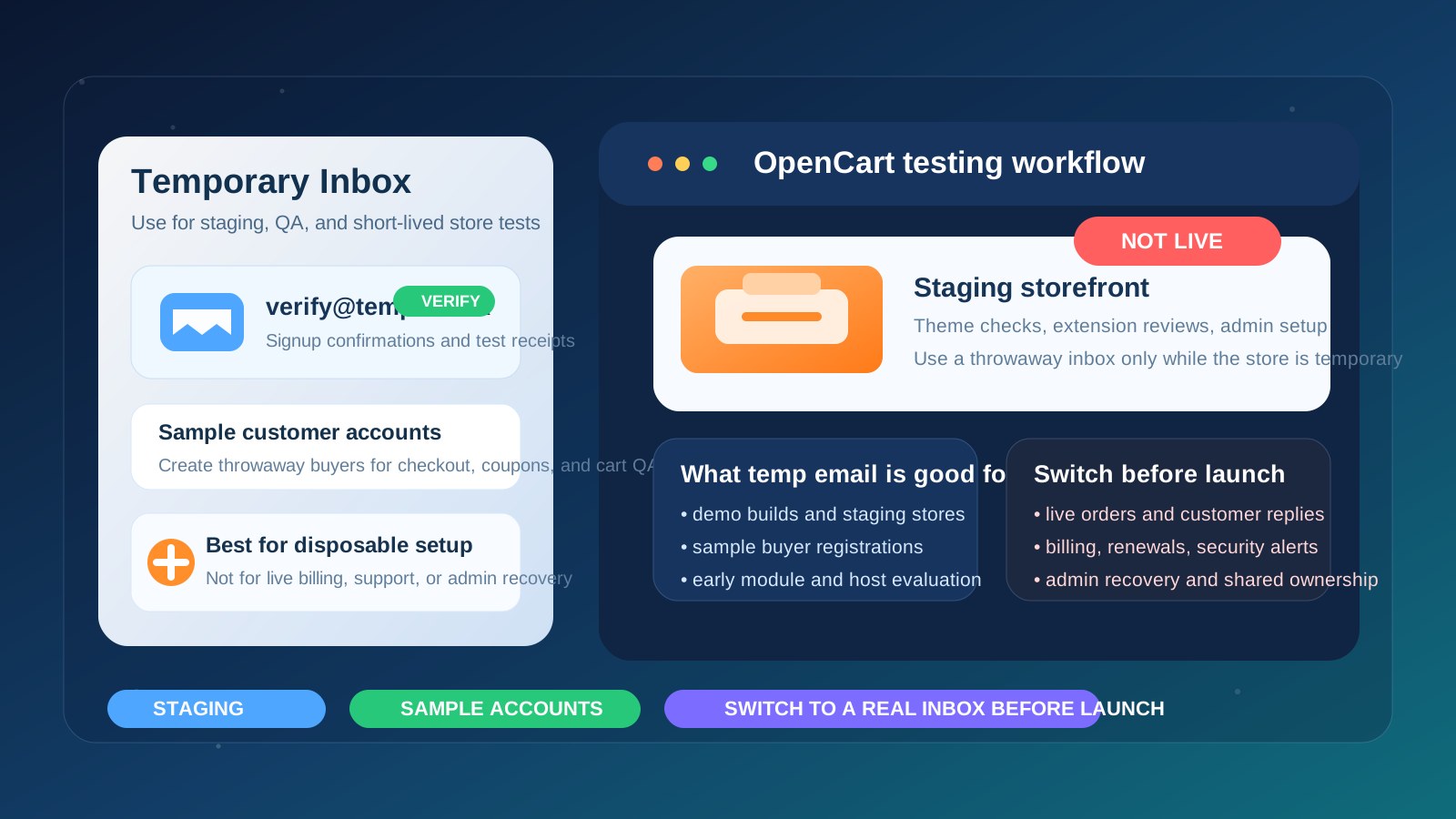
Why people use a temp email with OpenCart
OpenCart projects often begin in a messy phase. You might be comparing themes, testing a new host, installing extensions, building a client demo, checking checkout behavior, or spinning up a short-lived staging store before deciding whether the setup deserves a permanent home. During that phase, the inbox attached to the project can collect far more noise than value: verification messages, extension marketplace emails, onboarding sequences, support follow-ups, trial notices, and general sales outreach from tools you may never keep.
That is where a temporary inbox helps. If the store is clearly experimental, a disposable address creates separation between a short evaluation and your long-term business communication. You still get the messages needed to confirm an account or inspect a workflow, but you avoid turning every OpenCart experiment into a lasting inbox obligation. If you already use a privacy-first tool like Anonibox for low-stakes signups, this is one of those cases where the habit is practical rather than paranoid.
When a temp email for OpenCart makes sense
A temporary email is most useful when the OpenCart setup is disposable by design. Good examples include:
- building a staging or demo store that may be deleted after testing,
- creating sample customer accounts to review registration and checkout flows,
- comparing themes, modules, or managed hosting options before committing,
- setting up a client proof of concept that is not yet the live production store,
- verifying a one-off account with an add-on vendor or support portal during early evaluation,
- keeping short-term store experiments separate from the inbox used for real orders and operations.
The common thread is simple: the account or store exists to answer a limited question. Does the theme behave well? Does the checkout flow feel right? Does the module look worth buying? Can the client review the concept? If the project may disappear next week, a throwaway inbox can be a clean fit.
When it is the wrong choice
A temp email becomes a bad idea once the store starts to matter. OpenCart may begin as a sandbox, but many ecommerce projects quietly cross the line into real business use faster than expected. The moment that happens, your contact email needs to be stable.
Do not rely on a temporary inbox for:
- the primary admin account you will need to recover later,
- live order notifications or customer replies,
- billing, renewal, and payment-related notices,
- license keys or renewal emails for paid themes and extensions,
- security alerts, maintenance notices, or hosting-related communication,
- shared team ownership where multiple people depend on a durable point of contact.
That is the dividing line: temporary email for temporary testing, permanent email for anything operationally important. People get in trouble when they forget to make that switch before launch.
Practical OpenCart situations where a temp inbox helps
Testing customer signup and account confirmation
If you want to review how an OpenCart storefront handles account creation, welcome emails, or basic confirmation flows, a temporary inbox is convenient. You can create one or more sample buyer accounts, inspect what customers actually receive, and then discard those accounts when the test is done.
Creating throwaway accounts for checkout and coupon QA
Store owners and agencies often need repeatable test orders. A temp inbox makes it easy to create clean customer identities for coupon checks, shipping rule tests, or abandoned-cart experiments without cluttering a permanent mailbox with fake purchase receipts and repeated test messages.
Reviewing extensions, themes, or third-party store tools
Some tools connected to an OpenCart project may ask for an email address before they unlock downloads, demos, helpdesk access, or onboarding material. If you are still deciding whether the add-on is worth keeping, a disposable inbox can keep those early-stage messages boxed into one place.
Agency and freelancer demo builds
OpenCart is still common in client work, especially when someone wants a familiar self-hosted store rather than a recurring SaaS storefront. Agencies and freelancers may spin up multiple prototypes while pitching layouts, workflows, or migration approaches. A temp inbox fits that world well, because many of those stores are stepping stones rather than permanent assets.
How to use a temp email for OpenCart without creating future problems
1. Decide whether the store is truly disposable
Before you sign up for anything, ask a blunt question: is this a real store in the making, or just a short test? If the answer is “this might become the live store,” then a disposable inbox may already be the wrong starting point. If the answer is “I only need to evaluate this build for a few hours or days,” then a temp address is reasonable.
2. Limit the temp inbox to verification and first-pass testing
The cleanest use of temporary email is narrow. Use it to confirm access, inspect initial messages, review a staging workflow, and complete a first-pass evaluation. The more pieces you attach to that inbox, the more annoying cleanup becomes later.
3. Keep a permanent business inbox ready for promotion
Even if you start with a temp inbox, know in advance which durable address will take over if the project survives. That might be a store operations mailbox, a founder inbox, or a team-managed address. What matters is having a stable destination ready before the store moves from experiment to asset.
4. Save the few messages that actually matter
Temporary inboxes are convenient, but they are not archives. If an email contains an important link, an initial credential flow, or setup information you may need during migration, save it somewhere you control. Do not assume the inbox will still be there when you remember it next week.
5. Replace temp addresses before go-live
Before launch, update every place where the disposable inbox appears. That includes the OpenCart admin email, any marketplace or vendor accounts tied to the store, relevant payment or billing tools, hosting control panels, monitoring notices, and support addresses used in customer communication. A store is only as reliable as the contact channels behind it.
What can go wrong if you forget to switch
Missed order and support notifications
If the store or connected tools still point at a disposable inbox after launch, important operational messages may vanish into a mailbox nobody is watching. That can mean delayed customer responses, missed order issues, or confusion around store activity that should have been noticed immediately.
Admin recovery becomes painful
Password resets are easy when the inbox exists and is under your control. They are much less fun when the original admin email was temporary and no longer accessible. This is one of the most predictable ways a short-term shortcut turns into a long-term headache.
Billing and license emails go missing
OpenCart stores often depend on a mix of hosting accounts, payment providers, plugins, modules, and commercial themes. If renewal, license, or billing notices keep going to a throwaway inbox, you can end up solving preventable problems at the worst possible time.
Staging and production get blurred together
One of the hidden risks of temp email is organizational. If every test and every real environment are handled loosely, it becomes harder to remember which logins were disposable and which ones became important. Clean inbox separation only works if you also keep clean environment boundaries.
A better long-term pattern: temp inbox, alias, or dedicated mailbox?
Not every OpenCart project fits neatly into “throwaway” or “permanent.” Sometimes you are somewhere in the middle: a test that may last a few weeks, an extension evaluation you might revisit, or a client build that is serious but not ready for full launch. In those cases, a short-lived inbox may not be the best option.
A practical decision framework looks like this:
- Temp inbox: best for staging stores, disposable customer accounts, and short experiments.
- Email alias or secondary mailbox: better for evaluations that may stretch beyond a quick test but are still not final production.
- Permanent business or team inbox: required for live stores, real admin ownership, billing, customer support, and anything revenue-related.
This middle-ground approach is often smarter than people think. If you expect to revisit the store repeatedly, a dedicated secondary mailbox may give you the organizational benefits of separation without the fragility of a temporary inbox.
A simple checklist before using a temp email with OpenCart
- Is this store definitely a test, staging environment, or disposable demo?
- Do you only need the email for signup verification or short-term QA?
- Would it be acceptable to lose access to this inbox later?
- Are you avoiding it for anything tied to real orders, billing, or admin recovery?
- Do you already know which permanent email will replace it if the store becomes real?
If you can answer yes to most of those questions, a temp inbox is probably appropriate. If not, you are better off starting with something more durable.
Launch checklist: what to change before an OpenCart store goes live
If the staging build graduates into a real store, do not just change one address and assume the job is done. Run through a short launch review:
- update the main store contact and admin email,
- replace temp inboxes on any extension, marketplace, or vendor accounts you plan to keep,
- confirm billing and renewal messages go to a real monitored inbox,
- test password reset and account recovery with the permanent address,
- review customer-facing reply-to and notification addresses,
- remove leftover test accounts that no longer serve a purpose.
This is boring work, but it is exactly the kind of boring work that prevents avoidable store problems later.
Where Anonibox fits naturally
If you are the kind of person who regularly tests store ideas, compares plugins, or builds short-lived ecommerce proofs of concept, a tool like Anonibox fits neatly into the early evaluation stage. It helps you keep low-stakes signup traffic out of your main inbox while still letting you capture the confirmation and onboarding messages needed to move forward. The important part is not treating that convenience as a permanent identity layer for the store.
Conclusion
A temp email for OpenCart is useful when you are testing a staging build, creating sample customer accounts, checking extension workflows, or comparing store setups without wanting every experiment attached to your real business inbox.
It is the wrong tool for live operations. Once an OpenCart project touches real orders, billing, admin recovery, customer support, or ongoing store ownership, switch to a stable monitored address immediately. Used at the right stage, temporary email keeps testing clean. Used too long, it creates exactly the kind of avoidable chaos that store owners hate.