A temp email for Magnolia CMS is useful for short-lived trials, admin-flow checks, and one-off invite testing, but it is a poor choice for production owner accounts, long-term admin access, and account recovery.
Use it while you are evaluating Magnolia, testing a staging setup, or comparing enterprise CMS tools, then switch to a stable address before the project, site, or team depends on that inbox.
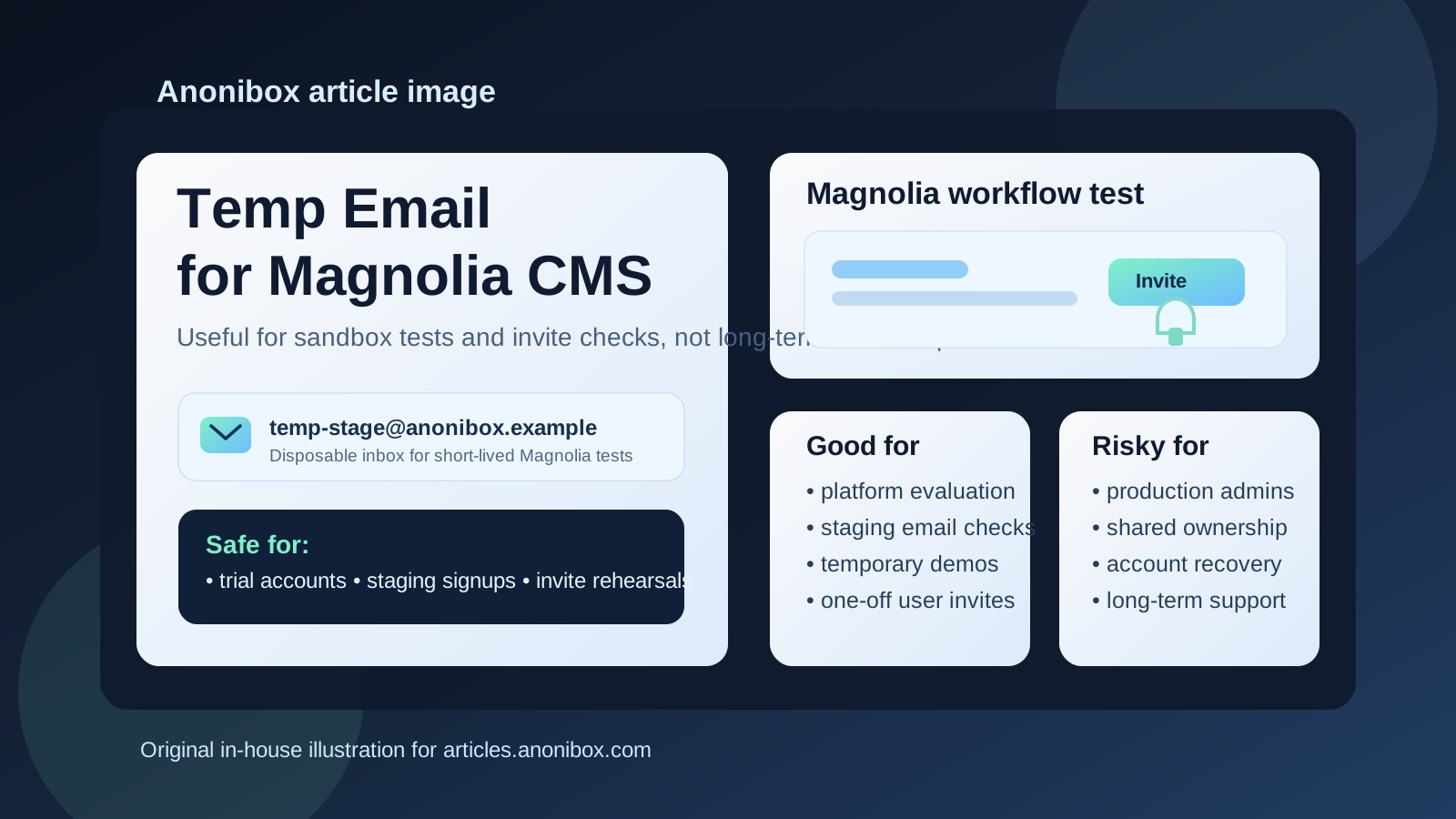
Why people look for a temp email for Magnolia CMS
Magnolia CMS evaluations rarely stay at the “read the homepage and leave” stage. Teams usually want to create an account, review the admin interface, test authoring workflows, check invite behavior, and see how the platform feels in a real project. That often means welcome emails, verification messages, password resets, environment invites, and assorted follow-up mail before the project is even approved.
If Magnolia is only one option in a broader enterprise CMS review, giving your permanent work inbox to every vendor and test environment gets messy quickly. A temporary inbox can keep those early messages contained. You still receive the links you need to verify access, but you do not automatically turn an exploratory trial into months of inbox clutter.
That is where a service like Anonibox fits well. It lets you isolate the disposable stage of the process: the quick proof of concept, the staging login, the invite rehearsal, or the short-lived environment your team may delete next week.
When a temporary email makes sense
1. Early platform evaluation
If you are still deciding whether Magnolia belongs on the shortlist, a temp inbox is reasonable. At that stage, you may only need access long enough to inspect the interface, review initial setup steps, or compare it with other CMS options. A disposable address helps you gather those first emails without exposing your main inbox to every product evaluation.
2. Staging or sandbox tests
Teams often create limited environments to test login behavior, editorial workflows, forms, or approval-related actions. If the environment itself is temporary, the inbox attached to that test can be temporary too. This is especially useful when you want to trigger email-based actions on purpose and keep the messages separate from your day-to-day work.
3. Invite-flow rehearsals
Before you onboard real editors, marketers, or stakeholders, it is sensible to check how invitations and account setup behave. A temp email is handy here because you can experience the invite as a recipient, confirm that the message arrives, and see what the first-login flow feels like without creating a permanent account you may never use again.
4. Agency or client proofs of concept
Agencies and implementation partners sometimes spin up rough Magnolia concepts before a project is formally approved. In that phase, a temporary inbox can reduce exposure while you figure out whether the work will become a real engagement. Once the prototype turns into a live client project, though, the temporary phase should end.
When a temp email becomes risky
Production admin ownership
A production admin account should not depend on a mailbox you may lose tomorrow. If the inbox disappears, password resets, security notices, and recovery steps become much harder than they need to be. For long-term ownership, use a stable address that the right team can manage.
Shared team access
As soon as multiple people depend on the account or the environment, continuity matters more than convenience. Editors, developers, agencies, and clients all need predictable access to account-related communication. A disposable inbox is fine for a test. It is not a good foundation for shared operations.
Support, billing, and vendor communication
If Magnolia moves from evaluation to contract, implementation, or ongoing support, you need an inbox that lasts. Support threads, commercial conversations, and administrative notices should go to an address your team intentionally controls, not one that existed only to speed through a trial signup.
Recovery and security workflows
Email-driven recovery is easy to ignore until it matters. But the day you need to reset a password, confirm a security action, or prove account ownership is exactly the day a disposable inbox becomes a liability. That is why the line between testing and ownership needs to be clear from the start.
A simple rule that works
If the account exists to test something, a temp email can be sensible. If the account exists to own something, protect something, or hand something off to a real team, use a permanent inbox instead.
That single distinction prevents most of the common mistakes. It keeps temporary email where it belongs: in the early, low-stakes stage of the project.
How to use a temp email for Magnolia CMS safely
Decide the scope before signup
Be clear about what you are testing. Is this a two-hour proof of concept, a staging login check, a workflow rehearsal, or an environment that might become real? If there is a serious chance the account will become long-term, start with a durable address now instead of cleaning up a risky setup later.
Use one inbox per environment
Do not mix several CMS experiments into a single disposable mailbox. One inbox per platform or environment makes it much easier to track which verification email belongs where. It also makes cleanup cleaner once the test is over.
Save the important messages immediately
If the setup sends a verification link, invite email, or reset message, copy what you need right away. Temporary inboxes are useful precisely because they are lightweight, so treat them as short-term tools rather than dependable archives.
Migrate early, not late
The safest time to move to a permanent inbox is before real collaborators, clients, or production workflows depend on the account. Once the project starts feeling important, make the switch. Waiting until after the environment becomes shared only makes the handoff messier.
What to test while you still have the disposable inbox
Admin onboarding
How smooth is the initial setup? Can you create the account, access the workspace, and understand the next configuration steps without unnecessary friction? A short-lived inbox is perfect for testing the first-run experience from end to end.
Invite and first-login behavior
If Magnolia will involve editors or contributors, test the invite flow on purpose. Does the email arrive promptly? Is the message clear? Is the first-login path obvious for non-technical users? These are practical questions worth answering early.
Password reset and recovery flow
A lot of teams test signup and ignore recovery until much later. That is backwards. Recovery behavior often matters more than the first login, because it tells you how painful account maintenance will be once the project is busy. Trigger a reset while the environment is still safe to experiment with.
Notification behavior
If your setup sends workflow, approval, or account-related messages, note how often they appear and how useful they are. Early tests are not just about “does email send?” They are also about whether the messages feel manageable or noisy in a real team workflow.
Overall operational fit
The bigger question is whether Magnolia fits the way your team works. Does the system feel understandable enough for the people who will actually use it? Are the roles and workflows clear? Can you imagine the setup still making sense after months of real content work instead of one afternoon of technical curiosity?
Common mistakes to avoid
- Leaving the temp inbox attached too long: a trial quietly becomes a real environment without a proper ownership handoff.
- Using one disposable address for multiple tests: verification, invite, and recovery trails become confusing fast.
- Forgetting who controls the admin account: later, nobody remembers which inbox owns the environment.
- Testing signup but not recovery: reset and invite paths often reveal the more important issues.
- Treating a disposable inbox like a governance plan: it is a convenience tool, not a durable operating model.
Temp email vs a separate permanent project inbox
It helps to separate two different ideas:
- Temp email: best for trials, staging checks, disposable environments, and early invite testing
- Separate permanent project inbox: best for production admin ownership, team continuity, support communication, and recovery
Many teams need both at different stages. A temporary inbox helps you keep the evaluation phase clean. A permanent shared project inbox helps you run the real environment responsibly. They solve different problems, and using the right one at the right moment makes everything calmer.
A practical workflow that works well
- Create a temporary inbox for the Magnolia proof of concept or staging test.
- Use it to verify the account, test invites, and trigger recovery emails on purpose.
- Decide whether the environment is disposable, ongoing, or likely to become production.
- If the project survives the test phase, migrate ownership to a stable controlled inbox.
- Only then invite real collaborators or rely on the account for long-term admin access.
This approach gives you the privacy and cleanliness of a throwaway inbox without carrying throwaway risk into the live project.
Conclusion
A temp email for Magnolia CMS is a smart tool for early testing, temporary environments, and one-off invite checks. It helps you verify email-based workflows without handing your main inbox to every trial or prototype.
But once Magnolia is tied to a real team, real content operations, or real ownership, move to a permanent address immediately. Temporary email is useful for exploration. Stable inboxes are what you want for production admins, recovery, and long-term control.