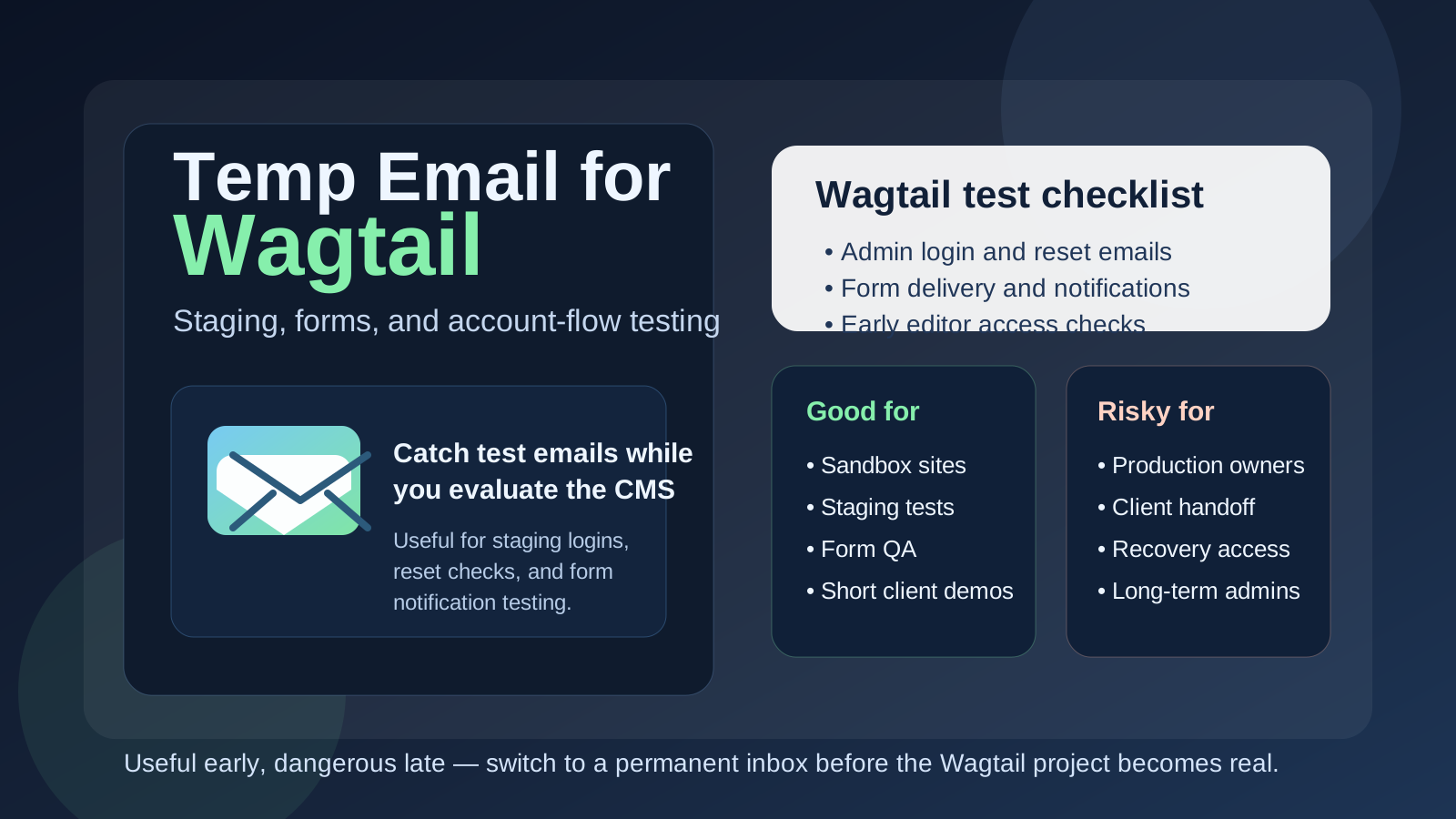
Yes, you can use a temp email for Wagtail when you are testing a staging site, trying a short-lived CMS setup, or checking account and notification flows without exposing your main inbox. No, you should not leave a disposable inbox attached to the real owner account once the Wagtail project becomes important, shared, or long-term.
That is the practical line. Temporary email is useful during early Wagtail evaluation, but it becomes a liability when password recovery, editor access, or client handoff starts to matter.
Why this question comes up with Wagtail
Wagtail is often tested in the kind of environment where temporary email feels convenient. Teams spin up a staging build, review the admin interface, create an initial user, test password reset behavior, check contact forms, or explore how editorial workflows may feel before committing to a full rollout. Sometimes that happens during an internal prototype. Sometimes it happens for a client preview. Sometimes it is simply part of comparing Wagtail with other CMS options.
During that phase, a normal inbox can fill up quickly with account messages, form tests, reset emails, and notifications from projects that may never go live. That is why a disposable inbox from a tool like Anonibox can be genuinely helpful. It keeps the experiment isolated while still letting you complete the email-dependent parts of setup.
The catch is that Wagtail projects do not always stay “temporary” for long. A staging site can quietly turn into the real project, and the email address used during the first afternoon of testing can become the hidden recovery point for a system people later depend on. That is the risk worth avoiding.
When a temp email makes sense for Wagtail
A temp inbox is most useful when the Wagtail environment is clearly short-lived, exploratory, or disposable. Good examples include:
- Staging site evaluation: you want to see how Wagtail feels before treating it as part of your real workflow.
- Admin setup tests: you are checking how login, password reset, or user creation behaves in a fresh environment.
- Form and notification checks: you want to confirm that test messages arrive without mixing them into your main inbox.
- Prototype editorial flows: you are exploring how a small team might use the CMS before deciding whether the project deserves permanent setup.
- Vendor or agency demos: you need quick access for review, but do not want another semi-permanent account tied to your everyday email.
In those situations, temporary email does what it should do. It reduces inbox clutter, limits unnecessary exposure of your main address, and keeps one-off testing neatly separated from long-term operations.
When it becomes a bad idea
The moment the Wagtail project starts looking real, the disposable inbox stops being a clever privacy trick and starts becoming operational debt. That is especially true if the account might become the main path back into the system later.
A temp email is a poor choice if it is connected to:
- The primary owner or superuser account for a live Wagtail site
- Client handoff where another team may need stable access later
- Long-term editorial access for real writers, marketers, or administrators
- Password recovery you may need after the testing window has passed
- Security notifications or admin notices that should not disappear
- Billing, support, or contractual communication tied to a real project
If you would be annoyed, blocked, or nervous about losing access to that inbox in a month, it should not be the long-term email behind the important account.
A simple rule that works
If the Wagtail account exists to test something, a temp email can be reasonable. If the account exists to own something, recover something, or hand something off, use a permanent address you control.
That rule covers most cases. It prevents throwaway decisions in the early stage from becoming hard-to-fix problems later.
How to use a temp email for Wagtail safely
1. Decide whether the environment is really temporary
Before you create the account, be honest about the purpose. Is this just a staging experiment? A QA environment? A short client preview? Or is there a real chance it could become the base of a live project? If it might become the real thing, start with a durable address instead of planning to clean it up later.
2. Use one inbox per project or test cycle
If you run several CMS evaluations or staging builds at once, do not funnel everything into one disposable inbox. That creates confusion around which reset link, form message, or admin notification belongs to which environment. A separate inbox per test is much cleaner.
3. Save the messages that matter immediately
Temporary inboxes are lightweight by design. If a reset email, login link, or useful setup message matters, capture it right away. Do not assume it will still be there when you remember you need it later.
4. Migrate to a permanent inbox before real collaboration starts
The best time to switch is earlier than most teams think. Move away from the temp inbox before you add real editors, before you rely on the project for regular work, and before the account becomes the one people expect to recover in an emergency.
5. Treat privacy and continuity as different needs
A temp inbox solves short-term privacy and clutter. A permanent team-controlled inbox solves long-term continuity. For a serious Wagtail project, you often want both at different stages, not one pretending to solve both jobs forever.
What to test while you still have the disposable inbox
If you are going to use a temp email during the test phase, use that window well. Focus on the parts of the workflow where email actually matters.
Admin login and password reset
Even if the initial login works, you should still test reset behavior. Recovery often becomes more important than first access once a project has real users and real deadlines.
Contact form and notification delivery
Many Wagtail projects include forms, submissions, moderation notices, or other message-based alerts depending on configuration. A disposable inbox is a safe place to confirm those flows work without cluttering your main address.
User creation and role handoff
If your setup sends email during account creation or access changes, test that process before it matters. You want to know whether the path is clear and reliable before real editors or clients depend on it.
General operational fit
The bigger goal is not only to see whether emails arrive. It is to judge whether Wagtail feels workable for the kind of content operation you want to run. Is the admin experience understandable? Are permissions manageable? Does the workflow feel maintainable once the project grows beyond a technical test?
Common mistakes people make
- Letting the temporary setup linger: the staging site quietly becomes the real site.
- Using one inbox across multiple projects: reset links and notifications get messy fast.
- Forgetting who controls the original account: later nobody knows how to recover or update access safely.
- Testing only the happy path: first login works, but password reset or notification flows were never checked.
- Confusing disposable with safe forever: a temp inbox is useful, but it is not a governance plan.
Temp email vs a separate project inbox
It helps to separate two different strategies:
- Temp email: best for early testing, short-lived prototypes, and disposable staging work
- Separate permanent project inbox: best for production ownership, shared admin responsibility, long-term support, and account recovery
People sometimes treat these as interchangeable, but they are not. Temporary email keeps early evaluation light. A durable project inbox creates stability when the project becomes real. Mature teams usually move from the first to the second instead of pretending one disposable address can handle everything.
A practical workflow that keeps things clean
- Create a temp inbox for the Wagtail prototype or staging test.
- Use it for login, reset, notification, and form-delivery checks.
- Decide whether the environment is disposable or likely to continue.
- If it has real long-term value, move ownership to a permanent controlled inbox.
- Only then treat the project as something shared, client-facing, or production-bound.
That workflow preserves the privacy and convenience benefits of temporary email without leaving the project trapped behind a throwaway recovery path.
Final takeaway
A temp email for Wagtail is a smart tool during early CMS testing, staging work, and account-flow checks. It helps you protect your main inbox while you experiment, compare setups, and verify that the important email-driven pieces of the project actually work.
But once the Wagtail environment starts looking like something real people will own, share, or depend on, switch to a permanent address immediately. Temporary email is great for short-lived evaluation. It is not the right foundation for production admins, team continuity, or account recovery.