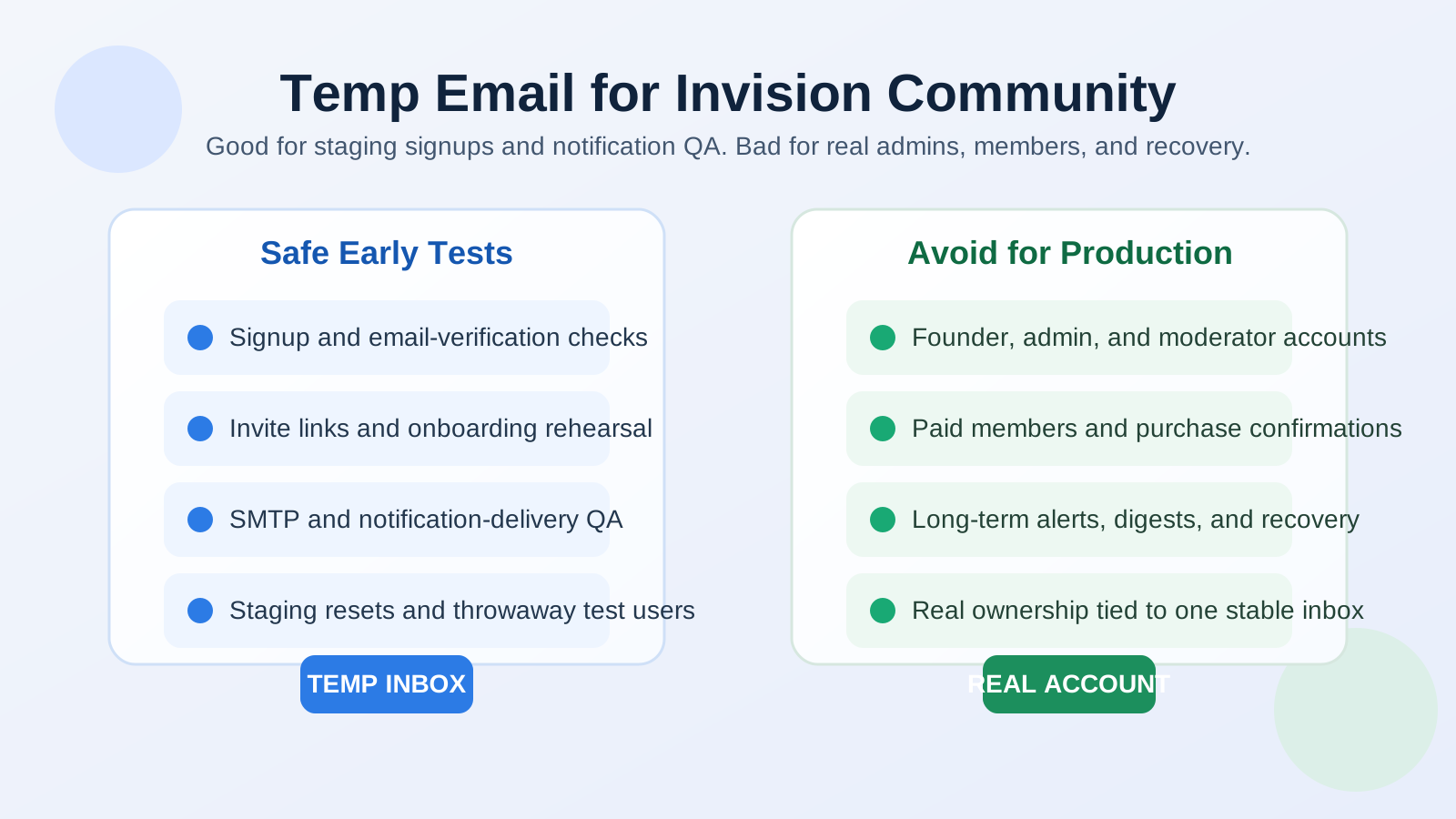
A temp email for Invision Community is useful when you want to test signups, invite flows, password resets, and notification delivery on a staging forum, but it is a poor choice for production admin accounts, real members, and any account you may need to recover later.
Use a disposable inbox for setup QA, launch rehearsals, and mail-flow checks. Switch to a stable address for community ownership, moderator roles, paid memberships, and long-term account access.
Why Invision Community is a practical match for temporary-email testing
Invision Community sits in the same category as other serious forum and community platforms: email quietly carries more of the user journey than most teams notice at first. Even if members mainly think about topics, replies, reactions, clubs, messages, or moderation tools, the account layer underneath still depends on email for important steps. Registration confirmation, invitation emails, password resets, digest notifications, alert summaries, moderation notices, and some admin workflows all end up in somebody’s inbox.
That makes Invision Community a good candidate for temporary-email testing during the early stages of setup. If you are configuring a new community, rehearsing a launch, changing your SMTP provider, or validating how invites and notifications behave, a throwaway mailbox gives you a clean receiving endpoint without cluttering your long-term inbox with test traffic. Anonibox works well for that kind of short-lived QA because you can create a fresh address, receive the critical message, verify the flow, and move on.
When a temp email makes sense on Invision Community
There are several cases where a disposable inbox is genuinely useful instead of gimmicky.
1. First-run signup tests on staging
Before inviting real members, you should walk through the entire registration path yourself. That includes the signup form, verification message, first login, profile creation, and any welcome sequence. A temporary inbox is ideal here because the account is disposable by design. You are testing whether the path works, not building a lasting identity.
2. Invite and onboarding rehearsal
Many communities launch in phases. You may test invite-only access, private sections, or early member groups before opening the site more widely. A disposable inbox helps you confirm that invite messages arrive, the acceptance links work, and the new user lands in the right permissions or onboarding path.
3. SMTP, DNS, or provider-change verification
If you switch transactional email providers, update SPF or DKIM records, move hosting, or adjust how Invision Community sends notifications, you need a fast way to verify the result. A temporary inbox lets you test registration, reset, and alert emails against a clean destination so you can see whether the change actually improved delivery.
4. Notification QA
Forums and communities can generate a lot of mail: watched topics, mentions, replies, direct messages, moderation notices, and digest summaries. Test accounts with temporary inboxes are useful when you want to confirm how those emails look, whether they are too noisy, or whether certain triggers are missing entirely.
5. Upgrade, migration, or plugin rehearsal
Communities often evolve over time. You may import users from another forum, add single sign-on, change moderation rules, or adjust extensions that affect login and mail behavior. Disposable inboxes are helpful when you want repeatable, low-risk test identities while validating those changes before they affect real members.
When a temp email is the wrong choice
The same tool that helps during testing becomes a liability when the account matters long term.
Production admins and owners
Your founder account, owner account, and primary administrator accounts should always use stable inboxes you control for the long haul. If a temp mailbox disappears and that address was tied to your highest-privilege account, you may create a painful recovery problem for yourself.
Real moderators and team members
Moderators and managers often need ongoing access to alert emails, permission changes, security notices, and password recovery. Those roles are operational, not disposable. A stable inbox is the safer choice.
Long-term members
Members who want to follow discussions, receive reset links, or stay subscribed to digests should not build their community access around a temporary address. What feels convenient during signup becomes frustrating later when important messages stop arriving.
Paid memberships or commerce-related activity
Some Invision Community setups rely on subscriptions, purchases, renewals, invoices, or transactional notices. If money, renewals, or purchase history are involved, disposable inboxes are a bad fit. You want those receipts and account notices landing in an address that still exists next month.
The real risks of using a disposable inbox too long
The biggest risk is not that a temp email is “unsafe” by default. The risk is mismatch. You use a short-lived inbox for an account that becomes important, then discover later that email is still required for recovery, alerts, or ownership changes.
- Password resets break down: if the mailbox is gone, the reset email is gone too.
- Important alerts disappear: moderators and admins may miss notices they actually needed.
- Member continuity suffers: users who want long-term notifications lose the benefit of email-based updates.
- Ownership becomes messy: if the most important account is tied to an expired inbox, proving control can become more complicated than it needed to be.
That is why a temporary inbox should be treated as a testing tool, not a permanent identity strategy.
How to use a temp email safely with Invision Community
Keep it to a specific testing purpose
Create the disposable address because you have a defined check to run: registration QA, invite validation, notification formatting, or mail-provider testing. Once that purpose is complete, retire the account or replace the email before the identity starts to matter.
Separate staging from production
Use temp inboxes heavily on staging and lightly on live systems. On staging, they are perfect for throwaway test users. On production, they should stay limited to narrow, intentional checks rather than long-term roles.
Promote successful tests to stable accounts
If a test account is turning into a real operating account, change the email address promptly. Do not wait until the first password-reset emergency or billing notice to remember that the account still points at a disposable mailbox.
Document what each test account is for
When several people are working on a community launch, it is easy to forget which account was used for which scenario. Keep simple notes: signup test, moderator-notification test, SMTP verification, or invite rehearsal. That makes cleanup easier and prevents throwaway accounts from lingering longer than intended.
A practical decision rule
If the goal is “Does this flow work?”, a temp email is often a good fit. If the goal is “Will this account matter next month?”, use a stable inbox instead.
That simple distinction handles most edge cases:
- Staging signup test? Temp email is fine.
- Notification formatting check? Temp email is fine.
- Owner account for a real community? Use a permanent address.
- Moderator or paid member account? Use a permanent address.
- Password recovery you may need later? Use a permanent address.
Common mistakes to avoid
- Leaving a disposable address on an account after testing is complete
- Using a temp inbox for the very first administrator account
- Forgetting that invite, reset, and digest emails still matter after launch
- Treating a throwaway member profile as if it were a real long-term identity
- Using the same temp account for too many unrelated tests and losing track of what was validated
Final takeaway
A temp email for Invision Community is genuinely useful when you are testing the community, not living inside it yet. It helps with staging registration, invite flows, notification QA, and delivery checks without filling your main inbox with test traffic.
But once the account becomes important—admin access, moderator duties, member continuity, purchases, or recovery—you should move to a stable email address you control long term. Use the temporary inbox for short-lived verification. Use a permanent inbox for real ownership.