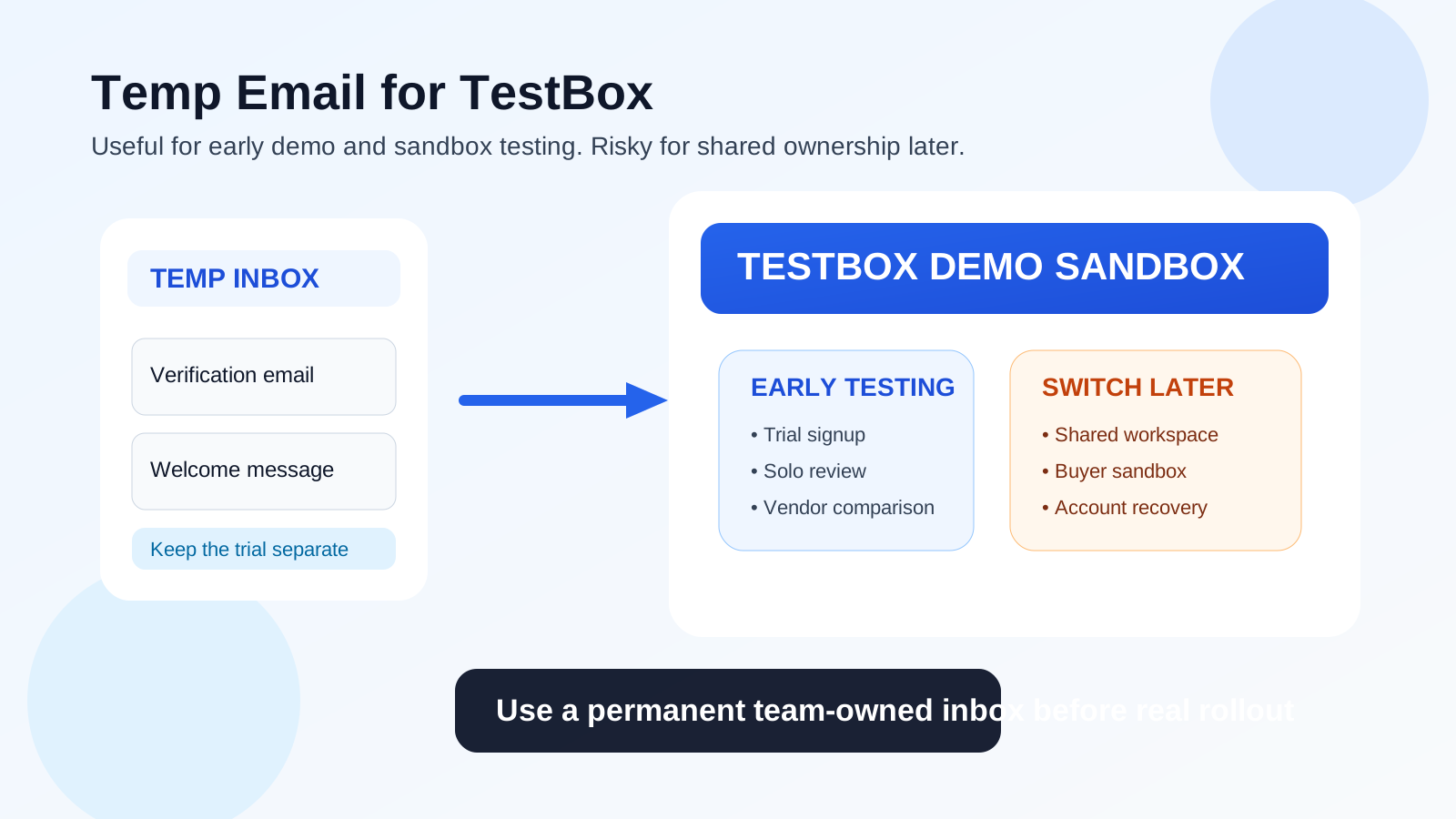
A temp email for TestBox is useful for early sign-up, demo review, and sandbox evaluation, but it is a poor long-term choice once the workspace starts involving teammates, buyer sandboxes, or ongoing account ownership.
Use a disposable inbox to keep trial noise out of your main mailbox at the start, then switch to a permanent address before shared access, support threads, or account recovery matter.
Why people look for a temp email for TestBox
TestBox sits in a category where curiosity becomes vendor follow-up very quickly. If you are evaluating demo and proof-of-concept tools, you usually want fast access to the environment so you can see whether the product feels realistic, whether the sample data makes sense, and whether the sandbox is good enough to support internal testing or buyer-facing review. The problem is that most evaluations start with a form, an inbox verification step, and then a stream of onboarding and sales email.
That is why a lot of people search for a temp email for TestBox. They do not necessarily want to hide anything. They just want a cleaner way to compare products without giving every vendor a permanent place in their main inbox on day one. A temporary inbox lets you receive the verification link, get through the front door, and decide whether the tool deserves deeper attention before your real work email becomes attached to weeks or months of follow-up.
For early evaluation, that can be completely reasonable. If you are comparing TestBox with other interactive demo, sandbox, or proof-of-concept tools, a disposable inbox can keep the research phase tidy. A tool like Anonibox is useful here because it helps separate low-stakes product exploration from the inbox you use for live projects, customer conversations, and internal work.
When a temporary inbox makes sense for TestBox
A temp email works best during the stage where you are still trying to answer a simple question: is this product worth deeper time from me or my team?
- First-pass trial access: you want to create the account, verify it, and see how the environment works before involving anyone else.
- One-person evaluation: you are exploring the platform alone and are not yet inviting teammates or external users.
- Vendor comparison: you are testing TestBox next to other demo or sandbox tools and want to avoid mixing every follow-up email into your main inbox.
- Inbox hygiene: you want the verification email, setup instructions, and maybe one or two onboarding notes without subscribing your long-term address to a full nurture sequence too early.
- Low-stakes research: you are still figuring out whether the product category is even right for your workflow.
In those situations, the temporary address is doing exactly what it should do. It buys you a little distance while you evaluate the product on its merits instead of letting the signup form turn into permanent inbox clutter right away.
When a temp email becomes a bad fit
The downside is that TestBox is not the kind of product people use only for a quick read-only glance. Even in early evaluation, the value often depends on the environment feeling realistic. Once you move closer to shared usage, internal coordination, or buyer-facing experiences, the inbox controlling the workspace matters a lot more.
- Shared workspaces: if teammates need access, comments, ownership, or admin permissions, the account should live on an address your team controls.
- Buyer sandboxes or prospect-facing experiences: if the environment becomes part of a real evaluation flow, anchoring it to a throwaway inbox is asking for preventable friction later.
- Support conversations: when you start troubleshooting setup details, permissions, or environment behavior, using a real business address usually makes support smoother.
- Security and account recovery: if the inbox disappears and the workspace matters, recovering access may become much harder than it needs to be.
- Billing or procurement: any tool that moves beyond trial status should be attached to a stable inbox your organization can keep.
That is the key line to remember: disposable email is fine for low-commitment exploration, but risky once the product starts touching real team processes or anything customer-facing.
A practical way to use a temp email for TestBox
1. Generate the inbox before you open the signup form
Create the temporary address first. That keeps the full evaluation thread in one place from the beginning. It also makes it easier to track which vendor sent what while you compare tools.
2. Use it only for the first checkpoint
Use the temp address for account verification, first login, and initial orientation. Get into the product, look at the onboarding flow, and decide whether the environment feels promising. Do not assume that because a throwaway inbox worked for signup, it should remain the permanent owner if the trial becomes important.
3. Save the important early messages
You usually only need a small set of messages from the first session: the verification email, the welcome message, maybe a setup guide, and perhaps a link to documentation or a getting-started sequence. Save what matters while the inbox is still active.
4. Evaluate the actual product, not the email campaign
Once you are inside, focus on the reasons you opened the trial in the first place. For a platform like TestBox, useful evaluation questions may include:
- Does the environment feel realistic enough to support serious internal review?
- Is the sample or synthetic data believable, coherent, and helpful for understanding the workflow?
- Can the sandbox support the type of story your team actually needs to tell?
- Is the setup lightweight enough to save time compared with building or maintaining your own demo environment?
- Would the experience still work once teammates or buyers start touching it?
Those are the buying questions. The inbox is just a gate to the product. Do not let the signup process distract you from whether the platform solves a real problem for your team.
5. Switch to a permanent email before real collaboration starts
If TestBox makes the shortlist, do not wait too long to migrate the relationship to a durable address. Switch before multiple people depend on the workspace, before buyer-facing links matter, and definitely before the account becomes operationally important.
What a temp email helps you avoid
People often think about disposable email only in privacy terms, but the day-to-day benefit is often much simpler: less noise.
- Less inbox clutter: your main inbox stays focused on work that already matters.
- Cleaner vendor comparison: each trial can have its own inbox thread, which makes it easier to keep products separate.
- More deliberate commitment: you do not hand over your long-term work identity before you are ready.
- Better evaluation discipline: you are less likely to confuse a strong sales follow-up with a strong product.
That last point matters more than people admit. A polished onboarding sequence can feel productive even when the product fit is weak. A separate inbox helps you judge the tool more calmly.
Common mistakes to avoid
Keeping the disposable inbox too long
This is the biggest one. A temp email is a front-door tactic, not a long-term ownership strategy. If the product becomes important, move the account to a permanent address before you forget.
Using the same throwaway inbox for every vendor
That defeats part of the purpose. If you are comparing multiple tools, separate inboxes make it much easier to track who sent what and which trial still deserves attention.
Forgetting about recovery and continuity
If the workspace might matter next week, next month, or at renewal time, you need an inbox that will still exist. Temporary mail is useful because it expires from your workflow, but that same convenience can become a liability if you let it own something important.
Letting a buyer-facing environment sit on a disposable address
If other people outside your company may interact with the sandbox, demo, or proof-of-concept flow, the account behind it should be stable. That is not the right moment to gamble on a throwaway inbox.
When to stop using a temp email for TestBox
A good rule of thumb is to switch as soon as any one of these becomes true:
- You want teammates to rely on the workspace.
- You are talking seriously with the vendor about rollout or proof-of-concept scope.
- You expect support or admin help that you may need to revisit later.
- You are sharing the environment with buyers, prospects, or partners.
- You would care if you lost control of the account next week.
At that point, the privacy benefit of a temporary inbox is smaller than the operational risk it creates.
So, should you use a temp email for TestBox?
Yes, for early exploration. No, for long-term ownership.
If you just want to verify the account, inspect the product, and compare it with other demo or sandbox tools, a temp email for TestBox is a practical option. It helps you protect your main inbox, keep trial noise under control, and stay deliberate while you evaluate the product. But once the workspace becomes shared, buyer-facing, or operationally important, you should switch to a permanent inbox your team controls.
That is the balanced approach: use a disposable address to keep the first step lightweight, then move to a real address before the account starts carrying real weight. If you want that early separation without cluttering your everyday mailbox, Anonibox can help you handle the signup stage cleanly while keeping the rest of your workflow more private and organized.
Final takeaway
A temp email for TestBox makes sense when you are still in trial mode and simply need a low-friction way to get inside the product. It stops making sense when the account becomes part of a real buying process, shared workspace, or buyer experience. Use the throwaway inbox as a short-term testing tool, not as the permanent foundation of something your team may actually depend on.