Yes — a temp email can make sense for Showpad when you are only evaluating the platform, opening a gated demo, or testing a short-lived workflow and you do not want long-term follow-up in your main inbox.
No — it is a poor fit for shared deal rooms, team access, enablement ownership, or any Showpad account you may need to recover later.
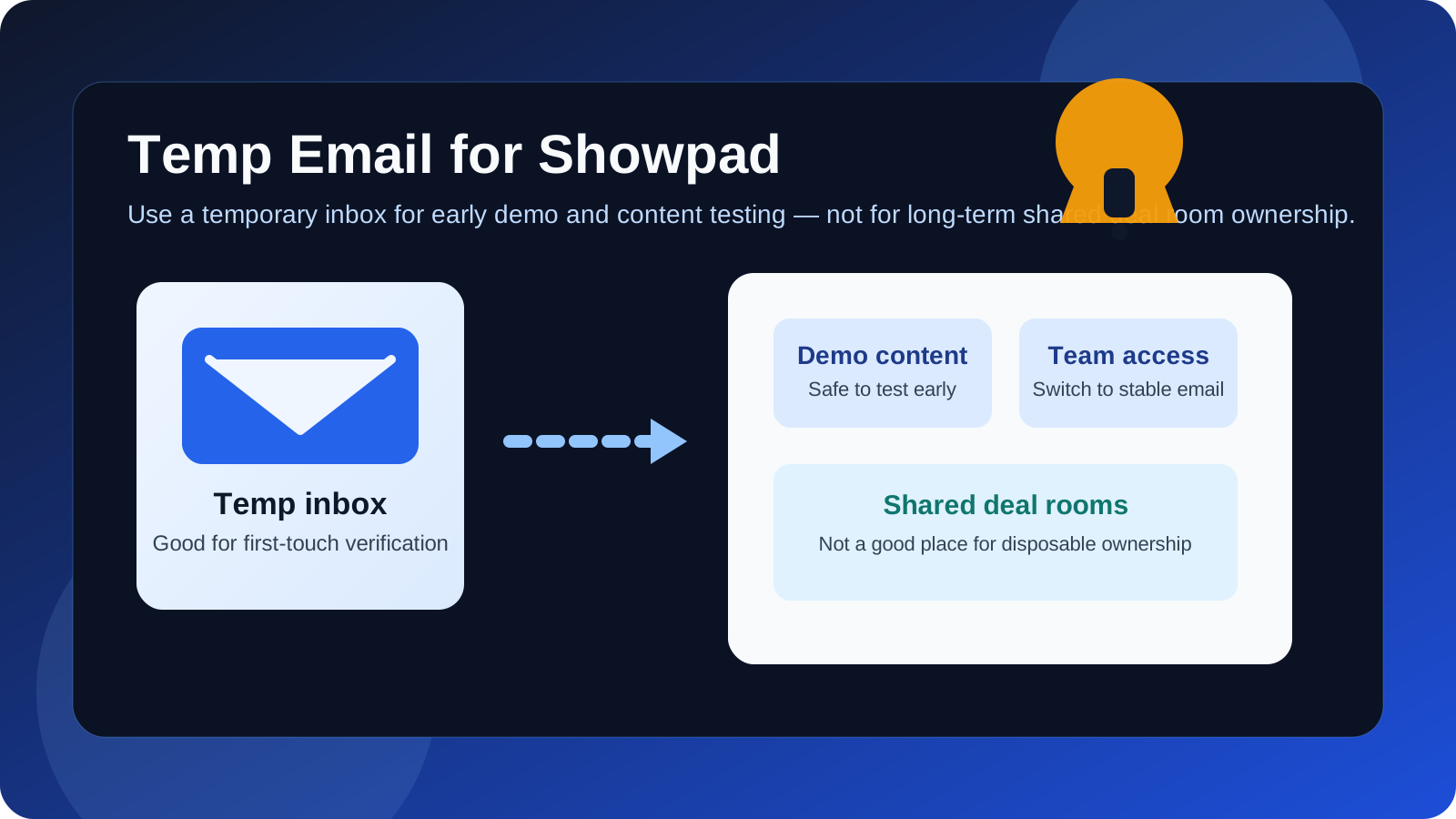
That distinction matters because Showpad sits in an awkward middle ground for privacy-minded users. On one side, it often shows up early in a buying process: you may want a product introduction, a guided demo, or access to content before you are ready to hand over your main work address. On the other side, once Showpad becomes part of real selling, training, content distribution, or buyer collaboration, the email tied to the account stops being disposable in any practical sense.
If you use a temporary address too long, the same privacy move that felt smart at the start can turn into a maintenance problem later. You may lose important messages, break collaboration flows, or make account recovery harder right when your team needs a stable owner. The best approach is to treat a temp inbox as a short-term screening tool, not as the long-term home of a serious Showpad workspace.
Why someone would use a temp email for Showpad in the first place
There are legitimate reasons to want a little distance before sharing your main address. Sales enablement platforms can trigger a lot of follow-up once you express interest: outreach from sales, onboarding emails, content invitations, meeting requests, product updates, and check-in sequences. If you are comparing multiple tools at once, that can get noisy fast.
A temporary inbox helps in a few common situations:
- Early product research: you want to see how the platform is positioned before committing your main inbox.
- One-person evaluation: you are just checking whether the product looks relevant for your team.
- Short demo access: you need to open a confirmation email or join a gated walkthrough.
- Vendor comparison: you are reviewing several enablement or digital demo tools and want to keep the first-touch traffic separate.
- Inbox hygiene: you do not want months of follow-up from a tool that never makes the shortlist.
That is the real privacy win: control. A disposable address can buy you a quieter evaluation period and prevent every exploratory signup from becoming a long-term thread in your permanent inbox.
When a temp email is usually fine for Showpad
A temp email is usually fine when you are still in the look, compare, decide phase rather than the set up, collaborate, own phase.
1. You only want a first look
If your goal is simply to access a demo, review a product overview, or judge whether Showpad belongs on your shortlist, a temporary inbox is a practical buffer. You still receive the verification message you need, but you are not committing your long-term address before the tool has earned it.
2. You are comparing several platforms at once
Many teams evaluate multiple enablement, demo, or buyer-engagement platforms side by side. In that situation, using a temporary inbox for the first round can keep the process cleaner. You can separate exploratory vendor traffic from your real work email until you know which one deserves a deeper review.
3. You want to avoid premature sales clutter
There is nothing wrong with vendor follow-up, but it is not always useful on day one. If you are still deciding whether the product category even fits your team, keeping those early messages inside a disposable inbox can save your main address from becoming a long sales trail.
4. You are testing the signup experience itself
Sometimes the point is not the platform rollout yet. You may be evaluating how the vendor handles onboarding, what arrives in the first confirmation email, what content is gated, or how much friction appears before an actual demo. A temporary address is a reasonable tool for that kind of narrow test.
When a temp email becomes a bad idea
The moment Showpad starts touching real people, shared assets, or long-term workflows, a disposable address becomes much riskier.
Shared deal rooms and buyer-facing collaboration
Showpad talks openly about collaborative deal rooms and digital demo experiences. Those are not throwaway workflows. If a workspace or room ends up connected to actual prospects, account history, or active deals, the email behind it needs to be stable, monitored, and recoverable. A temp inbox is the wrong foundation for something that may matter weeks or months later.
Team invites and role ownership
Once teammates are invited, permissions matter. If the original account owner used a temporary address that later disappears, you can create avoidable confusion around ownership, admin control, and handoff responsibility. Even if recovery is technically possible, it becomes a hassle you did not need.
Content governance and enablement operations
Showpad is not just a landing page or one-off form. It sits closer to revenue operations, enablement, coaching, and content management. If your team is uploading materials, organizing content, or relying on usage signals, the account should live behind an address your organization actually keeps.
Security, billing, and account recovery
This is the biggest reason not to stay disposable for too long. Password resets, security notices, ownership verification, product changes, and contract or billing messages all depend on durable email access. A temp inbox may solve a short-term privacy problem while creating a long-term continuity problem.
A practical workflow that keeps the privacy benefit without the later mess
If you want the upside of a temp email without creating a future recovery headache, use a staged approach.
Step 1: Use the temp inbox only for first-touch evaluation
Use a temporary address for the earliest stage only: accessing a demo, opening an introductory email, or checking whether the product seems worth your time. This is where a tool like Anonibox fits naturally. It lets you isolate that initial verification step from your permanent inbox while you are still deciding whether the conversation should continue.
Step 2: Save the messages that actually matter
If the first few emails contain useful links, a calendar invite, or setup information, save them right away. Temporary inboxes are helpful because they are short-lived; that is also their main weakness.
Step 3: Switch to a stable address before any real collaboration starts
As soon as Showpad becomes more than a quick look, move to an address you control for the long term. Do this before you invite colleagues, join a serious demo cycle, or allow the account to become tied to deal-room activity, content ownership, or internal rollout planning.
Step 4: Use a permanent team-owned address for production ownership
If the platform progresses beyond evaluation, the best owner email is usually not a disposable inbox and often not even a single employee’s casual personal address. Use a durable work address that fits your team’s real ownership model.
A better alternative for many people: alias or secondary inbox
For Showpad specifically, a true disposable inbox is not always the best privacy tool. A better compromise is often:
- a dedicated evaluation inbox,
- an email alias, or
- a secondary work-managed address used only for vendor trials and platform research.
Why is that often better? Because it still keeps your main inbox cleaner, but it remains available if the evaluation turns serious. You get privacy and organization without the fragility of a mailbox that may disappear when you need it most.
That is especially useful for software tied to collaboration, permissions, and revenue workflows. You do not want to be forced into a messy ownership migration just because a trial account unexpectedly became the real one.
Questions to ask before using a temp email for Showpad
Before you sign up, ask yourself:
- Am I only looking at an introductory demo or am I likely to involve teammates?
- Could this account end up connected to live content, deal rooms, or buyer-facing activity?
- Will I need password resets, admin notices, or recovery messages later?
- Am I protecting my inbox from noise, or am I creating future ownership risk?
- Would an alias or secondary inbox solve the problem more cleanly than a disposable address?
If your honest answer is that this may turn into a real workspace, skip the temp inbox and start with a stable address. If it is just a narrow first-look evaluation, temporary email is much easier to justify.
Common mistakes to avoid
- Using a temp inbox for a team-owned pilot: that is where small privacy shortcuts become operational problems.
- Forgetting to save the confirmation or meeting emails: temporary inboxes are easy to lose track of.
- Letting a disposable account drift into production use: if the test becomes real, switch early.
- Assuming recovery will be painless later: sometimes it is, sometimes it is not, and you do not want to find out under pressure.
- Treating all email exposure as equal: the risk from a one-time demo request is not the same as the risk from long-term workspace ownership.
Final verdict
A temp email for Showpad is a sensible privacy move when you only want early access, a quick product look, or a low-commitment evaluation without opening the door to long-term inbox clutter. In that stage, temporary email helps you stay organized and avoid oversharing too early.
It stops being sensible once the account matters. If Showpad becomes tied to shared deal rooms, seller enablement, team access, content ownership, or recovery-critical workflows, move to a permanent address immediately. Use a temp inbox to screen the first interaction, not to own the relationship forever.
That balance gives you the best of both worlds: privacy during exploration and stability once the platform becomes real work.