A temp email for ModernLoop can be useful for a quick first-pass evaluation. It becomes a bad idea once shared calendars, recruiter coordination, interviewer availability, or account recovery depend on that inbox.
In practice, a disposable inbox works when you only need to verify the account, look around the workspace, and decide whether ModernLoop deserves a real hiring-team pilot. It should be replaced with a stable work-owned address before the tool touches real interview operations.
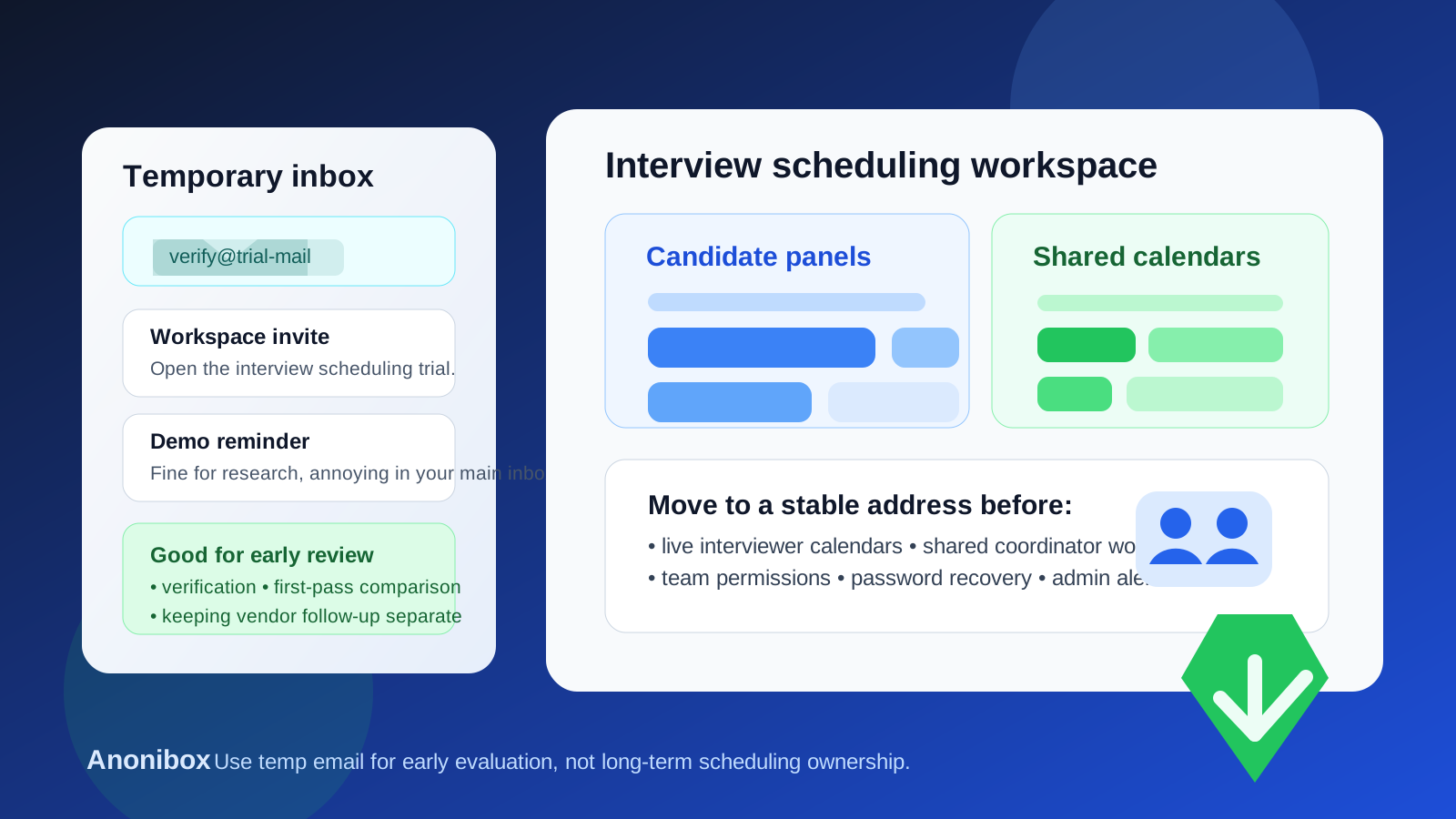
Why someone would use a temp email for ModernLoop
Interview scheduling software sits in a messy part of the hiring process. Recruiters, coordinators, hiring managers, and interviewers all need information at the right time, and every new tool usually wants an email address before it will show the product, open a trial workspace, or send setup instructions.
That is the main reason people search for temp email for ModernLoop. They want to look at the platform without turning one moment of curiosity into another stream of vendor emails, demo reminders, and follow-up sequences in their permanent inbox.
For an early evaluation, that logic is reasonable. A temporary inbox gives you a controlled place to receive the verification email, welcome messages, and first-run instructions while you decide whether the platform looks serious enough for a deeper review. A tool like Anonibox is useful for exactly that kind of low-commitment evaluation phase.
What a temporary inbox is actually good for
A disposable address helps most when you are still answering simple questions, not running real operations. That usually means you are trying to learn whether the product seems relevant, how heavy the setup looks, and whether the workflow fits your team.
- Account verification: you can receive the initial confirmation email and open the workspace without using your main address.
- First-run product review: you can inspect the interface, settings, and scheduling flow before deciding whether the tool deserves internal attention.
- Vendor comparison: if you are evaluating several recruiting or scheduling products, a separate inbox keeps the follow-up clutter isolated.
- Short exploratory demos: you can review guided setup instructions, product tours, or sandbox-style access without tying that early curiosity to a permanent mailbox.
- Inbox hygiene: you avoid mixing speculative vendor research with real hiring emails that your team actually needs.
That is the healthy use case. You are not hiding anything important. You are simply separating early research from long-term operational ownership.
Where the temp-email approach starts to break down
ModernLoop is not just another newsletter signup or single-user productivity app. Interview scheduling touches calendars, internal coordination, interviewer availability, and candidate experience. That makes account ownership matter much sooner than people expect.
The disposable-email approach stops being smart when the account begins to matter to anyone beyond the original evaluator.
1. Shared calendars and availability become part of the workflow
Scheduling tools are valuable because they reduce friction around calendar coordination. The moment real availability data, interviewer schedules, or calendar syncing enters the picture, the owner inbox should no longer be temporary. If the original login disappears, the team can lose access to an account that now sits in the middle of actual scheduling work.
2. Team access starts to matter
Recruiters, coordinators, talent-ops staff, and hiring managers may all need some level of access or visibility. Once multiple people depend on the workspace, the owner email should be stable, monitored, and clearly controlled by the company or the responsible team.
3. Candidate coordination becomes real
Even if candidate-facing communication is not sent directly from the owner inbox, the scheduling platform still becomes part of a real hiring experience. At that point, a throwaway address is a weak foundation for something that affects actual interviews.
4. Recovery, security, and admin alerts become important
Password resets, permission changes, verification prompts, unexpected sign-in notices, and billing or trial-expiration messages should not disappear into an inbox that no one expects to keep. Operationally, this is often the biggest long-term problem.
A practical rule: use temp email for evaluation, not ownership
If you want a simple rule, use a temporary address only while the account is disposable in every other sense too. That means no real workflows, no durable team dependency, no critical integrations, and no assumption that the account will become the official workspace later.
As soon as the answer changes from “we are just looking” to “we might really use this,” the inbox behind the account should change too.
How to test ModernLoop safely without creating future cleanup
Start with a narrow goal
Do not create the account unless you know what you want to learn in that session. Maybe you want to judge the setup flow, see how interview coordination is presented, or compare the platform against another scheduling tool. A narrow goal prevents the test from turning into an accidental half-implementation.
Keep the first session low stakes
Use the temporary inbox to get through verification, review the workspace, inspect the main workflow, and take notes. Avoid attaching real calendars or inviting teammates if you are still unsure whether the tool belongs in your stack.
Decide quickly whether the product is a contender
The cleanest approach is fast decision-making. If the answer is no, you walk away and your main inbox stays clean. If the answer is yes, move to a real company-owned or team-owned address before the evaluation gains momentum.
Make the permanent owner explicit before expansion
If the team wants a proper pilot, decide who should own the account. That might be a recruiting operations lead, a shared admin mailbox, or another clearly monitored internal address. What matters is continuity. The login should belong to the process, not to a temporary experiment.
Move before the tool becomes socially sticky
The worst time to fix ownership is after several people have joined, calendars are partially connected, and nobody wants to interrupt momentum. Moving early is boring, which is exactly why it works better.
Risks of keeping a burner inbox too long
- Lost recovery path: you need to reset the password or confirm ownership and the inbox is gone.
- Blurred accountability: several people use the workspace, but no one really owns the underlying account.
- Missed admin notices: trial changes, security alerts, or access requests land in an inbox no one watches.
- Calendar confusion: live scheduling setup grows around an account that was never meant to last.
- Pilot friction: a promising evaluation slows down because the original signup was treated casually.
None of these problems is exotic. They are the normal consequences of using a disposable credential in a tool that is slowly becoming operational infrastructure.
Best practices for privacy-conscious recruiting-tech trials
- Separate evaluation from adoption. Those are different stages and should not automatically share the same account identity.
- Use a temp inbox only for early access. Once the product has a real chance of staying, migrate to a durable address.
- Avoid connecting live calendars too early. Calendar sync often marks the transition from curiosity to dependency.
- Track who opened which vendor account. A simple internal note can prevent confusion later.
- Use a monitored work-owned address for pilots. The owner inbox should survive vacations, role changes, and project handoffs.
- Review recovery paths before rollout. If the product matters, account recovery should matter too.
Common mistakes teams make
Assuming the trial account can just stay as-is
This is the most common mistake. The first account feels temporary, but then the product seems useful, people get busy, and the team keeps building on top of the original disposable setup.
Treating account ownership as a minor detail
In scheduling and recruiting operations, ownership is not a minor detail. It affects access, continuity, and cleanup when the platform becomes important.
Inviting teammates before stabilizing the foundation
Shared access makes everything feel more official. If you do that before fixing the owner email, you are creating future friction for no benefit.
Waiting for a problem before migrating
Teams often postpone the change until a password reset, security prompt, or access dispute forces the issue. That is exactly the kind of avoidable mess a simple early migration prevents.
Should you use a temp email for ModernLoop?
Yes, for a narrow first-pass evaluation. If you only need to verify the account, inspect the workspace, and compare the product against other hiring tools, a temporary inbox is a practical choice.
No, for long-term ownership. Once ModernLoop is tied to shared calendars, recruiter coordination, interviewer availability, team permissions, or account recovery, the account should live behind a stable work-owned address.
Final takeaway
A temp email for ModernLoop is most useful at the exact stage where your decision is still temporary. It keeps your main inbox cleaner, helps you test the initial experience, and lets you review one more recruiting tool without committing your permanent address too early.
But interview scheduling software becomes operational quickly. Once the platform starts touching real coordination, real calendars, or real people, the smart move is to switch from disposable access to durable ownership. Use the temporary inbox to explore. Do not let it remain the foundation of a live hiring workflow.