Yes — a temp email can make sense for iSpring Learn if you are only doing a short, low-stakes LMS evaluation. It is useful for signup, inbox verification, and a quick pass through the workspace without sending long-term vendor mail to your main address.
No — it is usually the wrong choice once the account may hold real admin ownership, learner access, certifications, or recovery responsibility. If the trial survives the first pass, move it to an inbox you or your team actually control.
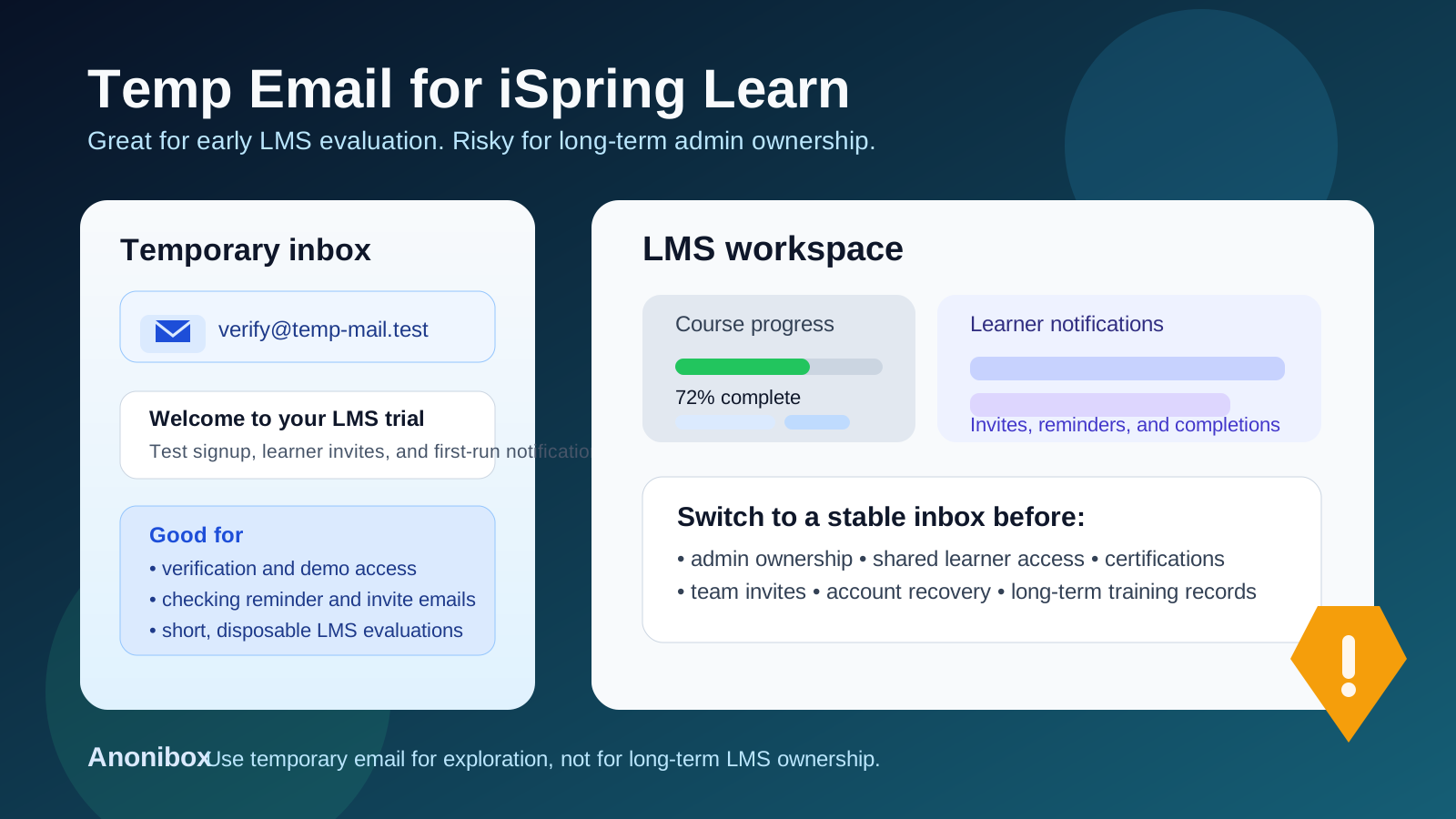
That distinction matters because iSpring Learn is not just another throwaway software signup. Even in a simple trial, email can sit at the center of the experience: account verification, learner invitations, course notifications, reminders, completion messages, and admin access all pass through it at some point. During early evaluation, a disposable inbox can be genuinely useful. A week later, the same decision can become a fragile foundation if nobody switches the account to a stable owner address.
People search for a temp email for iSpring Learn because they want to see the platform without instantly feeding their everyday inbox into another long chain of welcome emails, nurture messages, and follow-up sales outreach. That is a reasonable instinct. A temporary inbox from a service like Anonibox can help you isolate the first round of testing and keep your normal mailbox cleaner. The trick is understanding where that convenience stops being smart.
Why someone would use a temp email for iSpring Learn
Most LMS evaluations begin before a team is ready to commit to anything. You may just want to answer a few practical questions:
- Is the workspace easy to understand on first login?
- Do the welcome and verification emails arrive quickly?
- Does the learner invitation flow look clean?
- Do notifications feel usable or noisy?
- Is this product promising enough to justify a deeper pilot?
At that stage, using a temporary inbox is not strange. It helps separate casual product research from your long-term work identity. If you are comparing several LMS, enablement, or training tools in the same week, isolated inboxes can also keep each evaluation contained so you do not mix together unrelated onboarding sequences.
There is also a privacy angle. Not every trial deserves your primary work address right away. A disposable inbox lowers the cost of curiosity. You can get through the first verification step, inspect the product, and decide whether iSpring Learn belongs on the shortlist before you hand over an address that may collect follow-up mail for months.
When a temp email is a reasonable fit
1. You are doing a true first-pass evaluation
If your goal is simply to sign up, verify access, and look around the workspace, a temporary inbox can be a practical choice. You are still asking a basic question: is this platform worth more time? In that phase, the account is exploratory rather than operational.
2. You want to test email-dependent onboarding quickly
Some LMS products are easy to browse without much setup, while others reveal their strengths only after you trigger a few email-based workflows. If you want to confirm how welcome messages, admin verification, or learner invitations behave, a disposable inbox can help you test the basics without involving your permanent mailbox immediately.
3. You are comparing several LMS or enablement tools at once
iSpring Learn may be evaluated alongside tools such as LearnUpon, 360Learning, TalentLMS, LearnWorlds, Litmos, Absorb LMS, Docebo, or WorkRamp. If multiple trials are running in parallel, a separate inbox for each can reduce clutter and make comparisons easier to manage.
4. The workspace is genuinely disposable
Sometimes you are building nothing more than a scratch environment. You want to review the interface, maybe upload a sample course or trigger one invitation, then delete the whole thing if the fit is weak. In that narrow scenario, a temporary inbox lines up with the temporary nature of the account.
Where the temp email approach starts to break down
The problem is not the first twenty minutes. The problem is what happens when the account stops being temporary in practice.
1. The account becomes the real admin account
If the original signup ends up owning the workspace, billing context, integrations, or permission settings, the inbox attached to it is suddenly more important than it looked on day one. A disposable address is a poor foundation for anything that may become the administrative control point of an LMS.
2. Learner access starts to matter
Training tools are collaborative. Even a small test can quickly grow into instructor accounts, learner invitations, sample cohorts, completion notices, and stakeholder reviews. Once other people depend on that environment, the account should sit behind a durable address that will not disappear or go unmonitored.
3. Certifications, records, or compliance workflows enter the picture
Many teams evaluate LMS products for more than casual learning. They may be thinking about onboarding, recurring training, partner education, or internal certification. If the workspace starts touching any process people might rely on later, temporary email becomes the wrong long-term choice.
4. Recovery and security notices might matter later
Password resets, suspicious-login notices, admin confirmations, and recovery messages are easy to ignore during a trial. They become much more important when the account is still alive weeks later and someone actually needs access. An inbox you cannot depend on is a hidden liability.
5. Nobody remembers to switch the account later
This is the most common failure mode. The trial goes well, everyone gets busy, and the “just for testing” inbox quietly becomes the real owner address. That is not a security guarantee problem or a dramatic breach story. It is simple operational drift, and it creates avoidable cleanup later.
A better workflow: temporary first, durable fast
You do not need a rigid rule like “never use temp email for LMS trials.” The smarter rule is to match the inbox to the stage of the work.
Step 1: Use the temporary inbox only for the first evaluation pass
If all you need is initial access, a disposable inbox is fine. Use it to confirm the signup flow, inspect the workspace, and judge whether the product deserves deeper evaluation.
Step 2: Save the useful information outside the inbox immediately
Temporary inboxes are good for access and bad for memory. During your first session, write down the information that actually matters:
- workspace URL or tenant name
- notes about how clean the admin setup feels
- any friction around learner invitation or course setup
- features you still need to test
- who on the team would need access if the pilot continues
Step 3: Switch to a durable address as soon as the workspace survives the first filter
If iSpring Learn moves from “interesting demo” to “serious candidate,” do not wait. Move the account to a long-term inbox while the workspace is still easy to reorganize. That might be one evaluator’s real work address or a monitored team alias, depending on how your organization handles trials.
Step 4: Clean up ownership before you invite more people
Shared participation is usually the point where a trial stops being low stakes. If colleagues, trainers, managers, or pilot learners are about to join, stabilize ownership first.
Step 5: Keep temp email for experiments, not for ongoing operations
That is the real dividing line. Temporary inboxes are helpful for exploration. Durable inboxes are necessary for continuity.
What to evaluate while testing iSpring Learn
If you are going to use a temp email for iSpring Learn, the goal should not be “get an account and forget it.” Use the session to answer real product questions.
Admin clarity
Does the first-run experience make sense? Can you find the important settings without hunting? A good LMS should feel understandable before you ever invite real learners.
Learner communication quality
Email is part of the product experience. Look at how invitation, reminder, and completion messaging feels. Is it clear and professional? Does it seem easy to manage? Those signals matter more than a generic marketing page.
Course and workflow fit
Even in a brief test, you can learn a lot about whether the platform fits your use case. Is it better suited for onboarding, compliance, partner training, sales enablement, or customer education? Does the workflow feel intuitive enough for your team?
Ownership and handoff readiness
Imagine the evaluation succeeds and another teammate joins next week. Would ownership be easy to explain and transfer? If the answer is fuzzy, fix the account setup before the trial becomes real.
Notification noise versus usefulness
One underrated reason people use temporary email is to protect their inbox from noise. That is fair. But it is also worth asking whether the product’s emails are actually helpful. If the notification experience already feels cluttered during a simple test, that tells you something about day-to-day administration later.
Common mistakes to avoid
Letting a test account become the long-term account by inertia
This is the classic mistake. The team likes the product, keeps using the same workspace, and never upgrades the ownership model. The longer that continues, the more annoying the cleanup becomes.
Inviting real learners too early
If the owner inbox is still temporary, keep the scope of the evaluation narrow. Real learners, real managers, and real training records should wait until the workspace is anchored to a stable address.
Confusing inbox privacy with full account safety
A disposable address can reduce clutter and limit exposure of your main email. It does not magically solve governance, continuity, or account recovery. Those still depend on deliberate ownership choices.
Keeping important context trapped in the temp inbox
Verification links are one thing. Real notes, decisions, and access details belong somewhere durable. If a trial teaches you something useful, document it outside the inbox right away.
Where Anonibox fits naturally
Anonibox is most useful at the exact point where interest is real but commitment is still low. If you want to verify iSpring Learn, review the first email-driven steps, and decide whether the product deserves more serious time, a temporary inbox is convenient and tidy. It keeps low-stakes testing from spilling directly into the inbox you rely on every day.
But Anonibox is not a replacement for stable ownership. Once the workspace begins to matter for admin control, learner communication, shared access, or long-term recovery, move the account to an address that can survive handoffs, absences, and organizational changes.
Final takeaway
Temp email for iSpring Learn is useful for early LMS testing, quick verification, and short-term evaluation. It helps you keep trial traffic separate while you decide whether the platform is worth deeper attention.
It becomes a poor choice once the workspace may hold real admin ownership, learner access, certifications, or recovery responsibility. Use temp email to explore quickly, then switch to a durable inbox as soon as the account starts to matter.