A temp email for Schoox is useful for a short, low-stakes evaluation when you only need signup verification, a quick tour, and a first look at whether the platform belongs on your shortlist.
It becomes a poor choice once admin ownership, learner access, training notifications, reporting, or account recovery starts depending on that inbox.
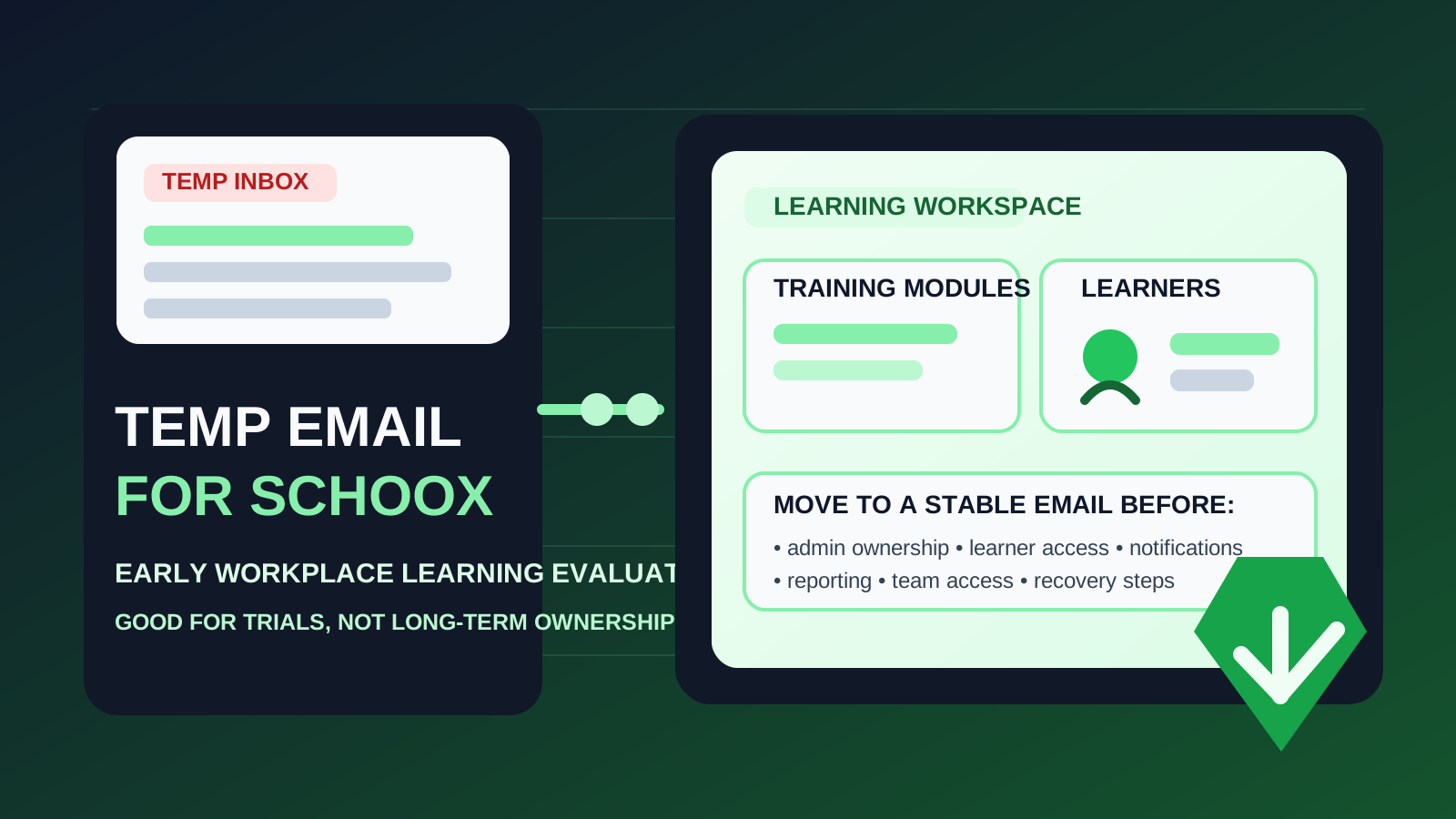
That is the practical answer behind most searches for temp email for Schoox. If you are comparing learning platforms, you may not want your main work inbox tied to every vendor trial, follow-up sequence, and demo campaign from the start. Using a disposable address can help you verify the account, browse the product, and keep the earliest stage of research separate from your long-term inbox.
That convenience is real, but it has limits. Learning software stops being disposable the moment the account starts to matter. In a platform like Schoox, that can happen quickly. A trial that begins as a simple click-around session can turn into a workspace with team members, learner invites, assignments, reporting views, and settings that someone in the organization eventually owns.
If you only want a quick first impression, a temporary inbox can make sense. If there is any serious chance the account could evolve into a pilot, internal proof of concept, or real rollout, switching to a stable work-owned email early is the safer move.
Why people consider a temp email for Schoox
The main motivation is easy to understand: software research creates inbox drag. When you are reviewing multiple workplace learning tools, every signup can trigger a welcome series, product nudges, webinar invites, sales follow-up, check-in emails, and feature announcements. Most of that is not useful if you are still deciding whether the platform is even relevant.
A temporary inbox gives you a buffer. A tool like Anonibox can help you receive the verification message and first-day onboarding emails without immediately turning your everyday work inbox into a storage bin for trial-stage vendor outreach.
Used carefully, that can help with:
- early product comparison across several learning or training platforms
- inbox hygiene while you sort serious options from weak ones
- low-commitment research where the account is only for exploration
- shortlist testing before you decide who should own a real pilot
That is the clean use case: the inbox is temporary because the account itself is temporary.
When a temporary inbox actually makes sense
You are only doing a first-pass evaluation
If the goal is simply to see whether Schoox feels worth deeper attention, a temp inbox can be fine. You log in, review the admin area, inspect the overall structure, and decide whether the platform deserves a real internal conversation. At that stage, the account may not need long-term ownership yet.
You want to avoid vendor follow-up clutter
Trials often create an email stream that outlives your interest. A temporary inbox can keep that noise contained while you test whether the platform matches your workplace learning needs.
You are testing alone
The approach is least risky when one evaluator is working independently and nobody else depends on the account. If the workspace is just a quick sandbox and no teammates or learners are involved, the downside stays limited.
You plan to discard the workspace if it is not a fit
Disposable email works best when you are willing to treat the workspace as disposable too. If the trial exists purely to answer “Is this worth pursuing?”, then using a temporary inbox is more defensible.
Where the idea starts to break down
Schoox becomes more important once the account begins to hold actual organizational value. That is where the convenience of a burner inbox starts colliding with ownership and recovery reality.
1. Admin ownership becomes the real issue
Every serious learning platform needs a durable owner. Someone eventually controls configuration, permissions, branding, user flows, and the overall structure of the environment. If that owner account is tied to a disposable inbox, the foundation is shaky from the beginning.
2. Learner access raises the stakes fast
As soon as you invite real people, even for a limited pilot, the account stops being a harmless throwaway. Learners may depend on invitations, enrollment emails, reminders, or password resets. That changes the cost of losing access to the original inbox.
3. Notifications and communication matter
Learning platforms often involve routine communication: invites, course notices, reminders, completion prompts, and admin alerts. Once those messages matter operationally, the inbox on file should be stable, monitored, and easy for the organization to control.
4. Reporting and evidence become more valuable over time
What begins as a quick demo can turn into a real review of completions, engagement, assignments, or training structure. Once reporting starts informing internal decisions, it makes less and less sense to leave the environment tied to an address that may disappear.
5. Recovery problems tend to appear later
The biggest weakness of a temp inbox usually does not show up on day one. It shows up later, when someone needs a reset link, a re-verification message, a security notice, or a way to transfer responsibility. That is when a disposable signup decision stops feeling clever.
A useful rule of thumb
Use a temp email for Schoox only while the account is temporary in every other sense too.
If the account is just a private sandbox for quick evaluation, a temporary inbox can help. If the workspace could become a real proof of concept, shared trial, or long-term training environment, move it to a durable work-owned email before more value accumulates inside the platform.
That rule preserves the privacy benefit without creating preventable ownership headaches later.
How to evaluate Schoox safely with a temporary inbox
1. Decide whether this is research or the start of a real pilot
Be honest before signup. Are you just exploring, or do you already suspect this platform could move into a serious internal review? If the answer is “just exploring,” a temp inbox is reasonable. If the answer is “this might become our pilot,” start with a durable address instead.
2. Keep the first session focused
Go in with a short checklist so you can answer the main evaluation questions quickly:
- Does the platform feel understandable for admins?
- Does the course and learning structure fit your use case?
- Would the reporting and learner experience support the kind of training you run?
- Does it seem better than the other tools on your shortlist?
A focused evaluation reduces the chance that a temporary test quietly turns into an accidental semi-production environment.
3. Avoid attaching real people too early
If the owner inbox is disposable, keep the test low stakes. Do not rush to invite large groups or treat the workspace like it already belongs to an operational learning program. Once more people rely on the account, the cost of unstable ownership increases quickly.
4. Save the information that matters
During the trial, capture the notes you would actually need later: what worked well, what felt weak, what setup steps mattered, which workflows were promising, and whether the platform deserves a second round under a permanent address. Good notes make it easier to recreate a clean account if needed.
5. Switch before the workspace becomes sticky
The safest migration point is early, before multiple stakeholders rely on the account and before the environment becomes tied to real learning operations. A boring early cleanup is much easier than recovering ownership once a team already depends on the workspace.
When a stable work email is clearly the better choice
Skip the disposable approach from the start if any of these are already true:
- the account may become a formal pilot
- multiple admins or stakeholders will need access
- real learners may be invited soon
- the environment may hold important training records or reporting
- the workspace belongs to a company process, not just one evaluator’s curiosity
In those situations, the inbox-cleanliness benefit of a temp address is smaller than the ownership risk it creates.
Common mistakes to avoid
Letting the trial account become the long-term account
This is the classic problem. A quick evaluation goes well, people keep using the same workspace, and nobody revisits the inbox choice until a reset, admin transfer, or notification issue appears.
Assuming “temporary” always means “safe”
A disposable inbox can reduce clutter, but it does not automatically make the overall setup safer. If the account becomes operational, the temporary address may be the weak point rather than the solution.
Waiting for recovery trouble before fixing ownership
Once access problems appear, the wrong inbox becomes urgent. Moving to a proper work-owned address earlier is usually much easier than repairing control later.
Adding teammates before ownership is stable
The moment a learning, HR, enablement, or operations team starts reviewing the workspace together, the owner email should already be something the organization can maintain.
A quick decision checklist
Before using a temp email for Schoox, ask yourself:
- Is this only a first-pass evaluation?
- Will anyone else need access soon?
- Could this workspace become a real pilot or rollout path?
- Would losing access to the signup inbox create unnecessary friction later?
- Am I trying to reduce inbox clutter, or am I avoiding proper account ownership?
If the account is truly disposable, a temporary inbox is fine. If the workspace may become meaningful, a permanent work-owned email is the smarter default.
Final takeaway
A temp email for Schoox is useful for a quick, low-commitment look at the platform when you only need verification, a short tour, and a clean way to keep early vendor messages out of your main inbox.
It becomes risky once admin ownership, learner access, notifications, reporting, or account recovery depends on that inbox. Use a disposable address for early exploration if you want the privacy and inbox-control benefit, then move to a stable work-owned email before the account becomes important to your team.
That way, you keep the convenience of a throwaway trial without turning a tiny signup shortcut into a bigger ownership problem later.