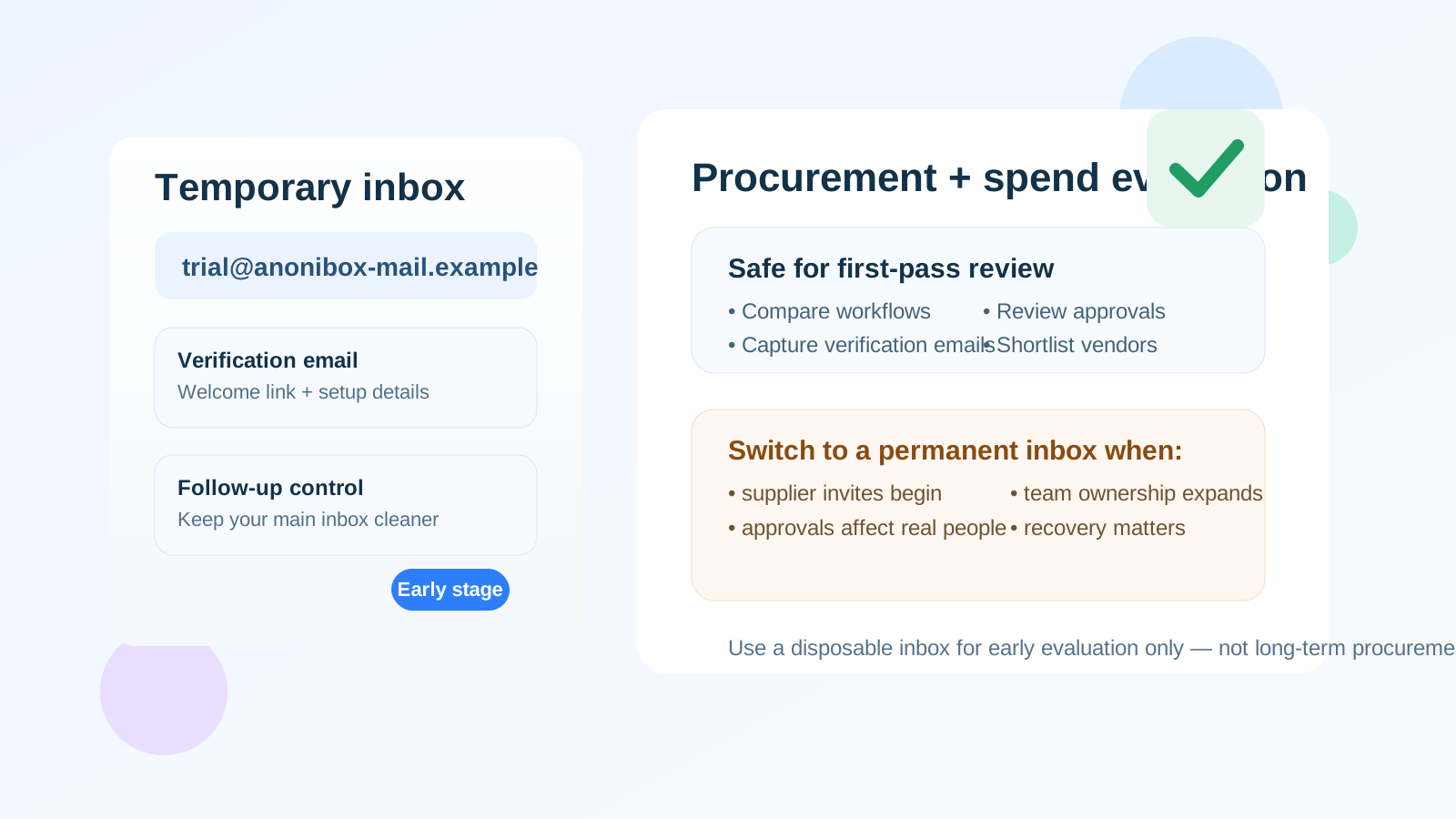
Yes — a temp email for Coupa can be useful for early research, demo access, and first-pass procurement or spend-management evaluation, but it becomes a poor choice once supplier invites, approval workflows, team access, or reliable long-term account recovery start to matter.
If you only want to inspect the platform, compare features, and keep your main inbox out of follow-up sequences, a temporary inbox is practical; if the account may become tied to real purchasing, supplier communication, or shared ownership, move to a permanent company-controlled address before the evaluation turns into a live workflow.
Why people consider a temp email for Coupa in the first place
Coupa sits in a category where evaluations often begin with a lot of friction. Teams may want to compare spend visibility, procurement controls, approvals, supplier-facing workflows, invoicing tools, or travel-and-expense features before they are ready for a long sales cycle. In that stage, it is normal to want a little distance between your real work inbox and every vendor you are exploring.
A temporary inbox can create that distance. It lets you receive the confirmation message, any initial onboarding note, and maybe the first product-tour email without committing your primary address to ongoing outreach right away. If you are reviewing several platforms at once, that alone can make the comparison process calmer and easier to manage.
That does not mean a temporary address is the right answer for the whole lifecycle. Procurement and spend tools tend to become operational quickly. The same inbox that receives a trial invite today can end up attached to approvals, supplier communications, internal ownership, or recovery flows later. That is the line to watch.
When a temporary inbox makes sense
- Early product research: you want to see how the signup or demo request flow works before sharing your permanent work email.
- Shortlisting multiple vendors: you are comparing Coupa with other spend-management, procurement, AP, or travel-and-expense platforms and do not want your main inbox flooded immediately.
- Analyst or consultant review: you need a separate inbox for quick evaluation and note-taking across several tools.
- Internal first look: your team wants to inspect the interface, positioning, and workflow depth before involving procurement, IT, or security reviewers.
- Privacy-conscious testing: you prefer to limit how widely your real address circulates until you know the platform is a serious contender.
In those situations, the temporary inbox is acting like a buffer. You are not trying to hide from the vendor; you are trying to keep the earliest evaluation stage organized and low-noise.
When it stops being a smart idea
Coupa is not just a lightweight app people poke at once and forget. Depending on what your team is evaluating, the account can start touching important business activity fast. That is where a throwaway inbox becomes a liability.
- Supplier invites are involved: if external vendors or suppliers may receive invitations or notifications, you want a stable inbox tied to a durable company identity.
- Approval chains matter: if the platform is being tested in a way that reflects real approval routing, losing inbox access becomes more than an inconvenience.
- Multiple teammates are joining: once ownership becomes shared, a disposable address can confuse who controls the account.
- Account recovery matters: a temporary inbox is weak if you may need password resets, escalation emails, or audit-trail continuity later.
- Security review has begun: as soon as IT, procurement, finance, or compliance teams are treating the environment seriously, a company-controlled email is the better default.
The simple rule is this: a temp inbox is fine for curiosity and comparison, but not for ownership.
What a good evaluation workflow looks like
1. Use the temporary inbox only for the first pass
If your goal is to understand the product category, capture the initial verification email, and see whether Coupa even belongs on your shortlist, a temporary inbox is reasonable. It keeps your main work address out of automated nurture sequences while you decide whether the product deserves more time.
2. Save the useful setup messages right away
Temporary inboxes are best when you treat them as short-lived tools, not long-term storage. Keep the welcome email, login details, or useful setup instructions that you may need during the first session. Do not assume the inbox will be there forever.
3. Evaluate the actual buying questions
Do not get distracted by the fact that you were able to sign up. Focus on the product itself. Ask practical questions such as:
- Does the platform make spend and procurement visibility easier to understand?
- Are approval rules and workflow controls clear enough for the teams who would use them?
- Does supplier interaction seem manageable for your use case?
- Can finance, procurement, and operations all work with the reporting?
- Does the product seem flexible enough for the complexity you actually have, not the complexity shown in a polished demo?
4. Switch to a permanent address before the account matters
If the evaluation keeps moving and your team wants a deeper sandbox, stakeholder access, or real process testing, move the account to a stable company-managed inbox. That handoff should happen before the platform becomes tied to real people, real suppliers, or real purchasing steps.
Why this topic is different from a basic SaaS trial
Using a temp email for a generic newsletter tool or simple productivity app is one thing. Procurement and spend platforms are different because the email address can become part of a business process instead of a casual login. That raises the stakes.
Even during an evaluation, the account may start collecting vendor messages, approvals, admin notices, or workflow alerts. If that address disappears or is not controlled clearly, your test can become messy fast. That does not mean you should never use a temporary inbox. It means you should use it intentionally and keep the test scoped to the true early stage.
Benefits of using a temp email for the early Coupa stage
- Less inbox clutter: useful when you are evaluating several enterprise tools at once.
- Cleaner comparison: you can separate early vendor outreach from your normal work traffic.
- Better privacy: your main address does not need to go everywhere before you have a shortlist.
- Faster triage: if the product is not a fit, you can walk away without months of follow-up.
That last point matters more than people admit. Enterprise software evaluations often generate a lot of email long before a team has decided the product is even relevant. A temporary inbox helps you control that noise.
Risks to keep in mind
- Lost recovery path: if the inbox expires or becomes inaccessible, recovering the account can be awkward or impossible.
- Confused ownership: teammates may not know who controls the signup address.
- Broken workflow continuity: important notices may stay tied to an inbox nobody monitors.
- Supplier or vendor confusion: a disposable address can be a bad fit when outside parties are part of the evaluation.
- Longer-term audit issues: if the trial becomes serious, email continuity starts to matter more than it did on day one.
Those are not reasons to panic. They are just reasons to be deliberate about timing.
A practical handoff plan that works
If you want the privacy benefits without the long-term risk, use a two-stage approach.
- Stage one: use a temporary inbox for signup, confirmation, and the first exploratory session.
- Stage two: if Coupa earns a deeper review, switch to a permanent, shared, company-controlled address before inviting teammates or involving real process owners.
This is where a service like Anonibox fits naturally: it can help with the earliest evaluation step when you want a clean inbox for confirmation and first-look testing. Once the product starts touching real business workflow, you should graduate to an address your team can keep and govern properly.
Quick checklist before you use a temp email
- Are you only doing first-pass evaluation, not real workflow testing?
- Do you only need the initial verification and setup emails?
- Have you avoided adding teammates or suppliers yet?
- Do you have a clear plan to move to a permanent inbox if the product makes the shortlist?
- Would losing access to the inbox create no serious operational problem today?
If the answers are mostly yes, a temp email can be a clean fit for the early phase. If the answers are turning into no, it is time to switch.
Final answer
A temp email for Coupa is a sensible choice for early evaluation, demo access, and shortlist comparison when you want to protect your main inbox from unnecessary noise. It is far less sensible once the account starts touching supplier invites, approvals, shared team access, or any workflow you may need to recover later.
Use the temporary inbox to learn whether the platform deserves attention. Then, if the evaluation becomes real, move quickly to a permanent company-controlled address. That gives you the privacy benefit upfront without turning a disposable inbox into a long-term procurement dependency.