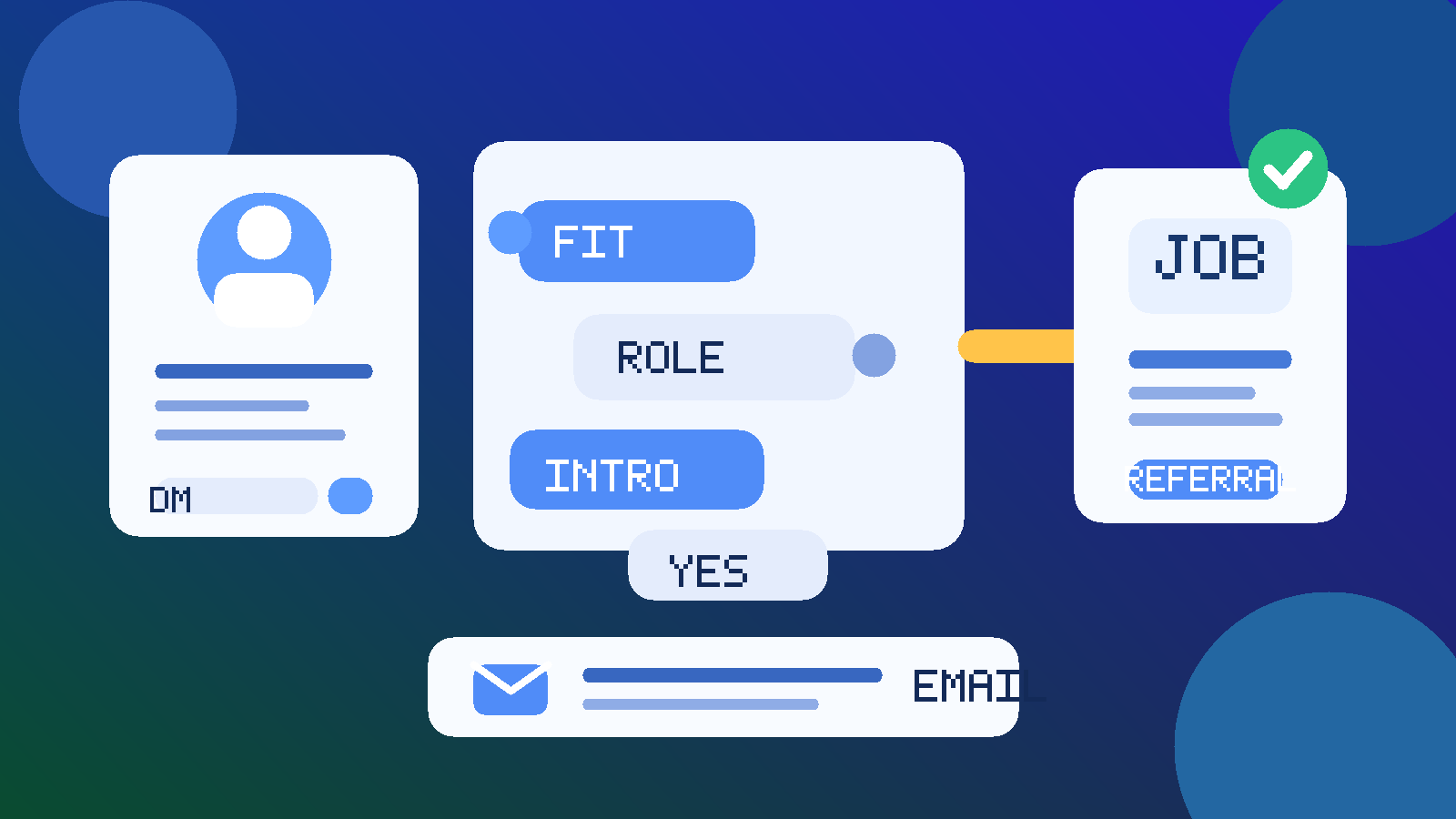
Usually yes, but only as the opening channel. LinkedIn Messages can work for job referrals when you are making a warm introduction, confirming fit for a role, or doing light follow-up, but they are usually a poor place to run the whole referral process.
The best approach is to use LinkedIn to start the conversation, then move resume sharing, scheduling, and anything sensitive to email or the employer’s normal application flow. That gives you the networking benefit without turning one message thread into a messy hiring record.
Why people consider LinkedIn Messages for referrals in the first place
Job referrals often begin in a semi-formal way. You might reconnect with a former coworker, ask a classmate about an open role, or reply to someone who offered to refer you after seeing your profile. In all of those cases, LinkedIn feels like the obvious place to reach out because it already sits between networking and job search activity.
That is what makes the question more nuanced than “should I use random DMs for hiring?” LinkedIn is not the same as Telegram, Instagram, or a cold WhatsApp message from an unknown recruiter. It is a professional platform, and many real referrals absolutely do start there. The issue is not whether LinkedIn Messages are legitimate in principle. The issue is whether they are the best primary channel once a referral moves from hello to actual next steps.
For most people, the answer is no. LinkedIn Messages are useful for getting the referral conversation moving. They are much less useful for carrying the full weight of a serious hiring process.
Short answer: good for the opener, weak for the whole workflow
If you already know the person, share mutual connections, or have a clear reason for contacting them, LinkedIn Messages are often a perfectly normal way to ask about a referral. They let you make contact without giving away your phone number immediately, and they keep the first exchange anchored to a professional identity rather than a random inbox.
But a referral usually becomes more structured very quickly. Once someone says, “Sure, send me the role link and your resume,” the conversation now has deadlines, attachments, context, and follow-up risk. That is where LinkedIn Messages start to show their limits. Important details get buried, notifications are easy to miss, and the thread is not a great long-term home for everything that comes next.
When LinkedIn Messages work well for job referrals
1. Reaching out to a real connection
If you worked with someone before, met them through a professional community, or have a genuine shared connection, LinkedIn is a reasonable place to ask whether they would be open to talking about a role. It keeps the first contact lightweight and avoids making the request feel more intrusive than it needs to be.
2. Asking a quick fit question
Sometimes the smartest first step is not “please refer me,” but “does this role actually fit my background?” A short LinkedIn message works well for that. You can share the posting, explain your interest in one or two sentences, and ask whether it looks like a realistic match before either of you invests more time.
3. Light follow-up after an initial conversation
LinkedIn is also fine for brief follow-up notes: thanking someone for offering to help, sending the role link they requested, or checking whether there is anything else they need before submitting a referral. For small updates, the platform is convenient and normal.
4. Early-stage networking that may lead to a referral later
Not every referral starts with a direct ask. Sometimes it starts with a professional conversation about a team, a product area, or a company’s hiring plans. LinkedIn Messages are strong in that early networking phase because they support context, profile review, and light conversation without forcing everything into a formal application immediately.
Where LinkedIn Messages start to break down
1. Important details get buried fast
Referral conversations often involve more than one piece of information: the exact role, the location, whether the job is still open, the version of your resume, maybe a portfolio link, and sometimes a short note about why you are a fit. That is manageable in one tidy exchange. It becomes much less tidy once the thread grows.
When key details are scattered across message bubbles, it becomes easy for both sides to miss something. The person referring you may have to scroll around to find the right link. You may forget what version of your resume you sent. Neither of those problems is dramatic, but both are common and avoidable.
2. LinkedIn is not ideal for sensitive or formal steps
A referral is not just social. It can lead to formal application steps, recruiter outreach, interview coordination, and document handling. LinkedIn Messages are not the best place for anything that needs a clean paper trail. Email is usually better for attachments, timelines, and searchability. An official careers page is better still for the actual application itself.
If the conversation moves toward personal documents, scheduling, or anything security-sensitive, staying in LinkedIn Messages for too long creates unnecessary friction.
3. Your profile reveals more than a plain email does
When you use LinkedIn Messages, the other person is not only seeing your words. They are seeing your profile, headline, activity, work history, public-facing career story, and possibly signs of how actively you use the platform. That can help in a legitimate referral situation, but it also means the channel exposes more than a simple email introduction would.
If you are trying to keep your search discreet, this matters. A message thread on LinkedIn is tied to a living profile, not just a contact address.
4. Message delivery and attention are not always reliable
Even legitimate LinkedIn conversations can suffer from slow replies, missed notifications, crowded inboxes, or the awkwardness of message requests. A referral is often time-sensitive. If someone is willing to help, you do not want the process to stall because a platform notification was easy to overlook.
That is one reason a handoff to email tends to work better once both sides are serious.
A better workflow: use LinkedIn to open the door, then switch channels cleanly
If you want the convenience of LinkedIn without the downsides of keeping everything there, this simple workflow usually works best.
Step 1: Keep the first message short and specific
A good referral opener is brief. Mention how you know the person or why you are contacting them, link the role if relevant, and say exactly what you are asking. Do not make them decode a long life story in their inbox.
For example, a strong message usually includes:
- one sentence of context about your connection
- the exact role or team you are interested in
- a concise sentence on why it fits your background
- a polite ask rather than a presumptive demand
Step 2: Send a clean referral packet once they say yes
If the person is open to helping, make it easy for them. Instead of dribbling information across five separate messages, send one tidy bundle: the job link, your current resume, maybe your portfolio or GitHub if relevant, and a short summary they can actually use internally.
This is where email often becomes the better channel. It keeps the materials together and makes it easier for the referrer to forward or reference them later.
Step 3: Move formal next steps off LinkedIn
Once the conversation turns into “a recruiter may reach out” or “please apply here and let me know when you do,” LinkedIn has already done its job. At that point, the stronger move is to use the employer’s official application flow and a stable email address that you monitor closely.
Referrals are relationship-based. They are not the place for disposable one-off contact habits if you expect serious follow-up.
Step 4: Separate privacy tools by trust level
This is where people often overcorrect. They assume every part of a job search should use disposable contact details. In reality, different stages call for different tools. A temporary inbox can be smart for low-trust job boards, gated salary guides, webinar signups, or spam-prone career communities. But a real referral is higher trust and usually leads to a longer process.
That is why a service like Anonibox fits best at the early exploration stage rather than inside the referral itself. Use temporary email when you are filtering noisy signups or protecting your main inbox from low-value list building. Use a stable inbox when a real person is putting their name behind you.
Privacy and professionalism risks to keep in mind
Blurry boundaries
LinkedIn can make every job-search interaction feel casual because it sits next to your profile, feed, and network updates. But a referral is still a professional favor. Treating it too casually can make you look disorganized.
Overexposure
If your profile, activity, or contact settings are sloppy, you may reveal more than you intended. That might include outdated role targets, overly casual public posts, or current-employer signals you would rather keep quiet.
Scam and impersonation risk
LinkedIn is more credible than many messaging platforms, but it is not immune to fake recruiters, cloned profiles, or vague “opportunities” that try to move you off-platform immediately. If someone claims they can refer you but will not identify the company, the role, or their connection to it clearly, slow down.
Weak recordkeeping
One of the easiest ways to lose momentum in a job search is to let the whole process live inside scattered DMs. Save the role, the company, the referrer’s name, and what you sent them somewhere outside the platform so nothing important depends on memory.
Red flags that mean LinkedIn Messages should not stay the primary channel
- The person refuses to move to company email or a normal application path when things become serious.
- The role details are vague, inconsistent, or hard to verify independently.
- You are asked for sensitive personal information before basic legitimacy is established.
- The conversation immediately shifts to a random chat app without a clear reason.
- The profile looks sparse, newly created, or oddly disconnected from the employer they claim to represent.
- The “referral” feels more like pressure than help.
Any one of these might have an innocent explanation. Several together are a sign to back up and verify everything independently.
A practical checklist before you rely on LinkedIn Messages for a referral
- Do I know this person, or can I verify how they are connected to the company?
- Is the role visible on a real careers page or trusted job listing?
- Am I using LinkedIn for contact and context, not as the only system for the whole process?
- Do I have a stable email address ready for formal follow-up?
- Is my profile professional enough that I am comfortable having it viewed closely right now?
- Have I saved the key details somewhere outside the message thread?
If the answer to most of those is yes, LinkedIn Messages are probably serving the right supporting role. If not, you are asking too much from the platform.
Final answer
Yes, you can use LinkedIn Messages for job referrals, and in many cases they are a very normal place to begin. They are good for warm introductions, brief fit checks, and light follow-up with real professional contacts.
But they are usually not the best long-term home for resumes, scheduling, sensitive details, or the full referral workflow. Use LinkedIn to open the door, then move serious steps to email and the employer’s official application process. That gives you better privacy, clearer recordkeeping, and a more professional experience overall.