Yes, you can use Facebook Messenger for job referrals if the message is coming from someone you already know and trust, but it is rarely the best long-term channel for the real referral details.
For most job seekers, Messenger is fine for a quick intro or heads-up, then email or LinkedIn is the better place for your resume, follow-up, and anything you may need to find again later.
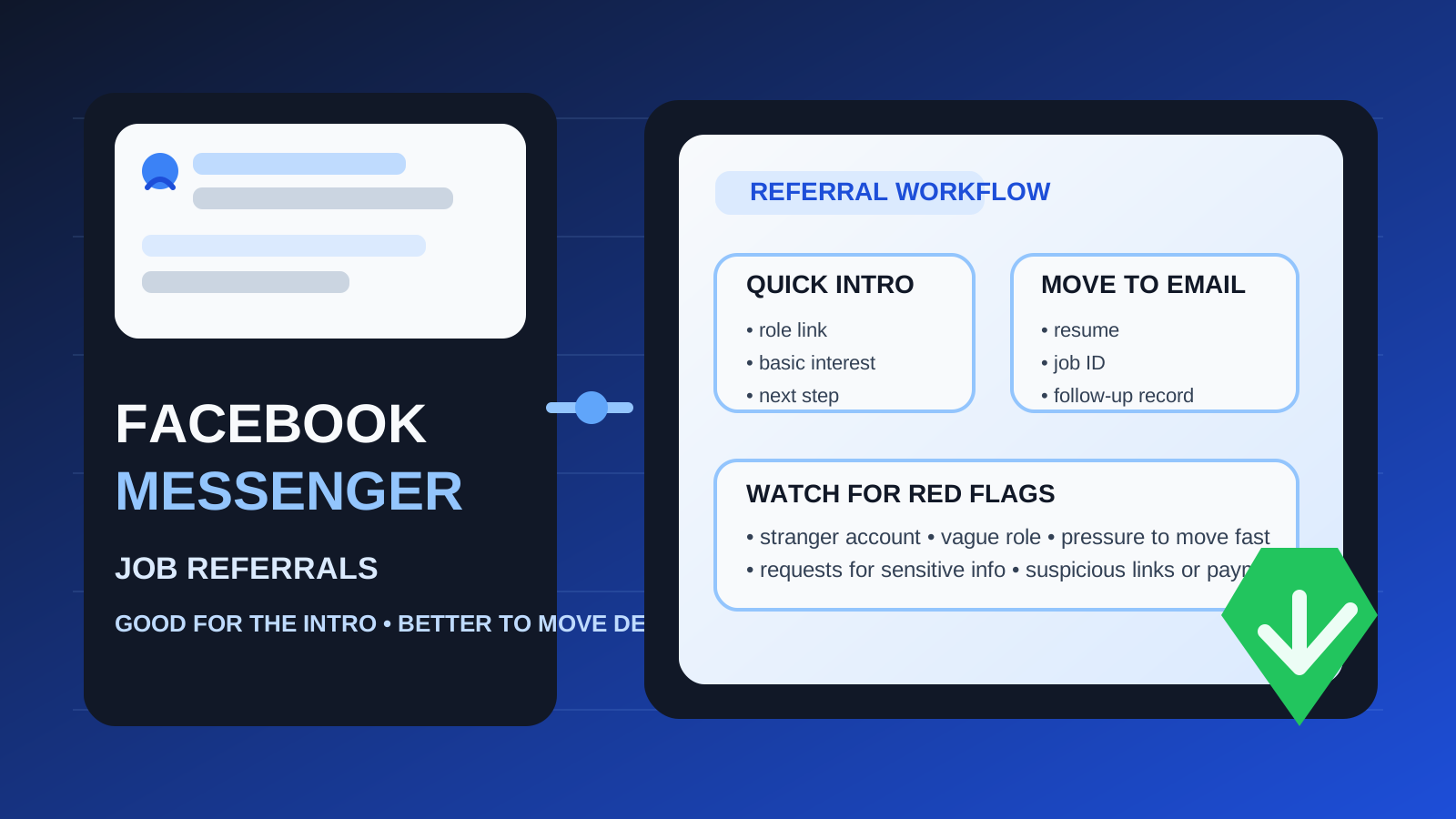
That is the practical answer to should you use Facebook Messenger for job referrals. A lot of referrals do not begin in a formal setting. They start with a friend, former coworker, classmate, or community contact sending a quick message like “My company is hiring” or “Want me to refer you for this role?” Messenger is convenient because people already use it casually, and it is often faster than email.
The problem is that convenience and good process are not the same thing. Messenger sits close to your personal life. It can blur professional boundaries, make important information harder to track, expose more of your personal profile than you want, and create space for scams or confusion if the referral is not coming from someone you know well. Used carefully, it can be fine. Used as the main record of the referral, it can get messy fast.
If you want the short rule, use Messenger for the initial connection when the source is credible, then move the actual referral workflow to a channel that is easier to verify, search, and manage.
Why job referrals end up on Facebook Messenger in the first place
Messenger shows up in job searches for the same reason referrals work at all: people trust people they know. A former coworker may already have you on Facebook. A family friend may not know your email address but can message you instantly. Someone from a local group, alumni network, or neighborhood community may offer to share an opening with a quick note rather than a formal email.
That makes Messenger useful for:
- informal introductions
- quick heads-ups about open roles
- short back-and-forth questions before a real referral happens
- sending a careers-page link so you can decide whether to proceed
In other words, Messenger works best as a lightweight starting point. It is much weaker as the main system for your job search.
When using Facebook Messenger for job referrals makes sense
You already know the person well
If the referral is coming from a real friend, former manager, coworker, or trusted contact you can independently recognize, the risk is much lower. In that case, Messenger may simply be the fastest way to start the conversation.
The message is only an introduction
Messenger is most reasonable when the exchange is short and practical: “Are you still looking?” “Here is the role.” “Send me your updated resume by email.” That kind of use is low stakes and easy to move elsewhere once there is something concrete to act on.
You are not sending sensitive information yet
A quick referral chat is one thing. Sharing private documents, personal identifiers, or too much application detail is another. Messenger is much safer when you are only confirming interest and next steps.
You plan to move the process quickly
If your contact says, “Great, email me your resume,” or “Apply here and send me the job ID,” that is a healthy sign. It means Messenger is just the door, not the whole room.
Why Facebook Messenger is not ideal as the main referral channel
1. It mixes your personal and professional worlds
Messenger is tied to a personal social platform for most people. Even if your profile is fairly private, using Messenger for job referrals can expose details you would rather keep separate from your professional search, including profile photos, friends, activity cues, or simply the fact that the conversation sits next to family and social chats.
2. Important details get buried
Referral conversations often start small and then become more specific: job title, location, hiring manager, application link, resume version, timeline, and follow-up. Messenger is not always a great place to keep that organized. A useful message can get lost under unrelated notifications, memes, group chats, or old threads.
3. It can make professionalism harder
A referral is still part of your job search. If the process stays inside Messenger too long, the tone can become too casual. That is not always harmful, but it is easier to present yourself clearly when the real materials move to email or another professional channel.
4. Fake accounts and impersonation are real risks
Scammers like informal messaging channels because they feel personal and urgent. A fake recruiter or impersonated contact may say they have a referral, a fast-track opening, or an interview opportunity, then push you toward suspicious links, strange payment requests, or off-platform chats. Messenger does not automatically make something fake, but it also does not make it trustworthy.
5. Follow-up is weaker
Later in the process, you may need to find the exact role link, confirm what your contact promised to do, or check whether you already sent a resume. Email handles that better. LinkedIn often does too. Messenger is fine for “Hey, this role might fit you,” but weaker for “Here is the full trail of what happened.”
Best practice: treat Messenger as the intro, not the archive
The healthiest approach is simple: use Messenger for the initial contact, then shift to a more durable channel once there is a real referral opportunity.
That might mean:
- asking your contact to send the job link by email
- emailing your resume instead of dropping it into chat
- moving to LinkedIn if the relationship is professional rather than personal
- applying through the official careers page and then confirming with the referrer
This keeps the speed of Messenger without letting the entire process live inside a casual chat thread.
How to use Facebook Messenger for job referrals safely
Verify who you are talking to
If the person is not someone you know directly, slow down. Check whether the account is real, whether the employer exists, and whether the role matches a public listing. If the contact claims to work somewhere, confirm that independently instead of trusting the message alone.
Keep the first exchange light
A good Messenger conversation can stay very simple:
- “Thanks for reaching out. Which role is it?”
- “Can you send the job link?”
- “Happy to email you my resume.”
- “Would you prefer I apply first and send you the job ID?”
That gives you clarity without oversharing too early.
Do not send more personal information than necessary
A referral usually does not require your address, date of birth, government ID, banking information, or anything else sensitive. If someone starts asking for those details in Messenger, stop. That is not normal referral behavior.
Move documents to email
Resumes, portfolios, and referral follow-up are usually better in email. It is easier to search later, easier to label, and easier to keep professional. If you want to keep your job search more organized, this is also where a separate job-search inbox can help. If a referral leads to a real application, you can move the thread to a dedicated address or a clean workflow through Anonibox rather than letting every opportunity hit your main inbox forever.
Save the key information somewhere you control
Even if the conversation begins in Messenger, keep a record of the important parts: the role link, company name, who offered the referral, when you applied, and whether they said they would submit your name internally. A note or spreadsheet is much better than trusting your memory.
When you should avoid using Facebook Messenger for job referrals
- the person is effectively a stranger
- the message feels rushed or oddly vague
- the role cannot be verified through a real company site
- the contact wants to keep everything off email and off official channels
- they ask for money, gift cards, equipment fees, or sensitive personal data
- they push you to click shortened links or open suspicious attachments
In those cases, the problem is not just the platform. The whole opportunity may be bad. Messenger is simply where the warning signs showed up first.
Examples of good and bad Messenger referral use
Good example
A former coworker messages you: “My team is hiring a customer success manager. If you want, I can refer you. Here is the official job link. Email me your latest resume.” That is normal, specific, and easy to verify.
Bad example
A profile you barely recognize messages you: “My company needs people urgently. We can fast-track you. Send your personal details now and move to Telegram for the next step.” That is a pile of red flags, not a credible referral.
Gray-area example
An old acquaintance messages you about a role at a real company, but they cannot explain the team clearly and want you to send your resume inside Messenger. That does not automatically mean scam, but it is a good moment to say, “Thanks — can you send me the job posting or your work email so I can follow up there?”
A quick checklist before you trust a Messenger referral
- Do I actually know this person?
- Can I verify the company and the role independently?
- Is there a normal next step through email, LinkedIn, or the official careers page?
- Am I only sharing what is necessary at this stage?
- Would this conversation still make sense if I looked at it again in two weeks?
If the answers are mostly yes, Messenger is probably fine for the intro. If several answers are no, treat the referral carefully or walk away.
So, should you use Facebook Messenger for job referrals?
Usually only as a starting point. Facebook Messenger can be perfectly fine for a quick referral intro from someone you already know and trust. It is fast, familiar, and low friction.
It is usually not the best place for the whole process. Once resumes, role details, timelines, and follow-up matter, email or LinkedIn is usually better for privacy, professionalism, and record-keeping. Use Messenger to open the conversation, then move the real referral workflow somewhere cleaner and easier to manage.
That way, you get the speed of a casual message without turning an important job lead into a messy, hard-to-track chat thread.