Yes — Outlook can work well for career fairs if the address looks professional, you check it regularly, and you expect recruiter follow-up to continue for days or weeks after the event.
For most people, a separate Outlook account for job search is smarter than using a crowded personal inbox, a work-managed address, or a disposable email that may expire before the hiring conversation is over.
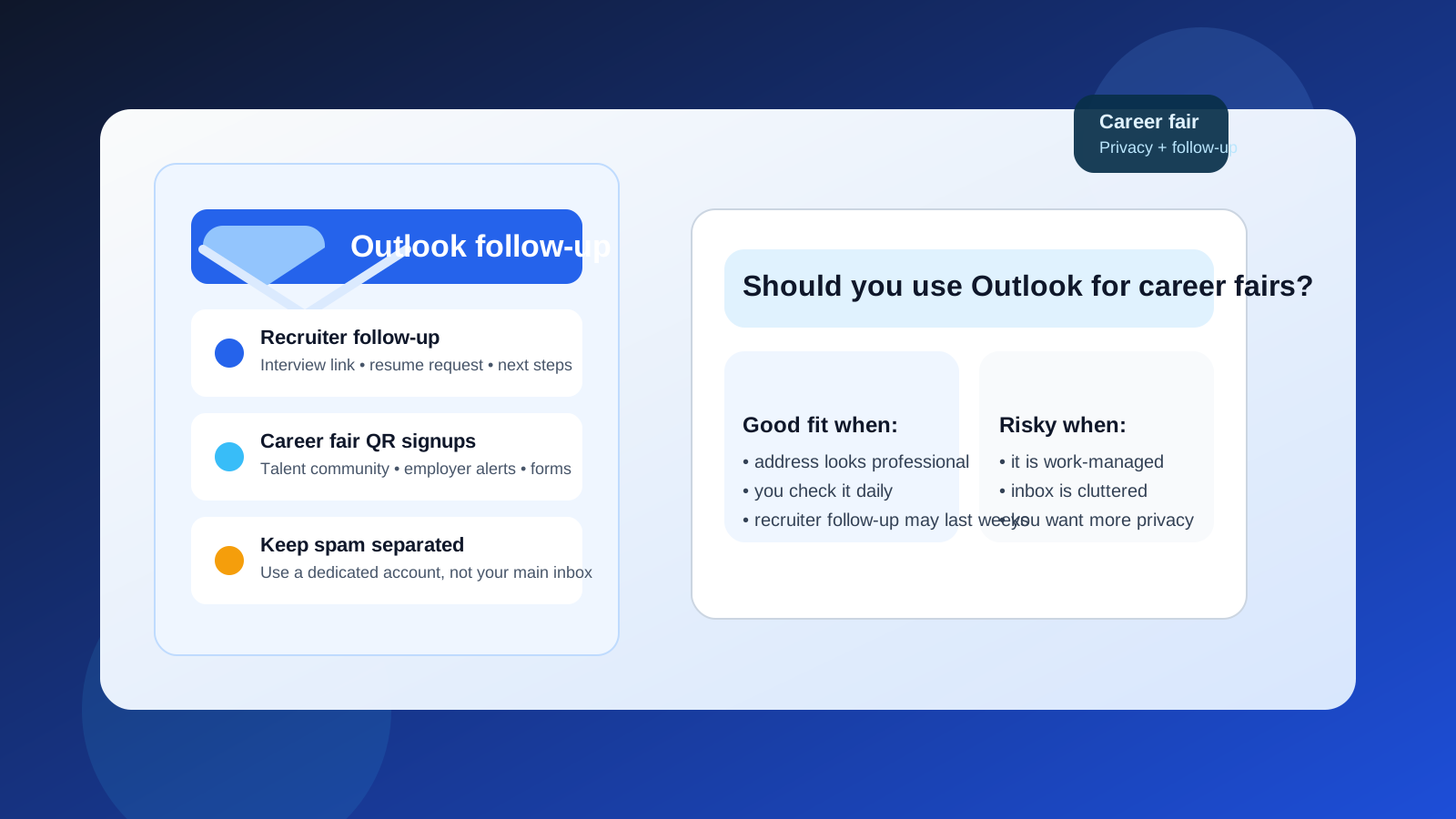
That distinction matters because career fairs generate a different mix of communication than ordinary job applications. You may scan QR codes, join talent communities, drop your résumé into multiple systems, and have quick conversations with recruiters who promise to follow up later. A stable inbox helps you look organized and reachable, but it can also become a magnet for newsletters, employer campaigns, event sponsor mail, and low-quality recruiter outreach if you use the wrong account.
So the real question is not whether Outlook is acceptable in some abstract sense. It usually is. The better question is which Outlook address you should use, how you should set it up, and when another option is better for privacy.
Why Outlook is usually fine for career fairs
Outlook is familiar, mainstream, and easy for recruiters to work with. That matters more than people sometimes admit. At a career fair, nobody wants to stop and wonder whether your contact method is temporary, obscure, or likely to fail. An Outlook address usually feels normal and professional enough that it does not become part of the conversation.
It also works well for the kind of follow-up career fairs create. Recruiters may send:
- application links
- requests for updated résumés or portfolios
- interview invitations
- assessment links
- talent community signups
- event-specific internship or graduate program information
Outlook handles that kind of multi-step communication perfectly well. The platform itself is usually not the problem. Inbox choice and inbox hygiene are the real issues.
The main question: which Outlook account are you talking about?
“Use Outlook” can mean a few different things, and those versions do not carry the same privacy trade-offs.
A dedicated personal Outlook account
This is usually the best option. A clean account created specifically for your job search gives you professional follow-up without mixing career-fair traffic into your oldest everyday inbox. It also makes it easier to notice recruiter replies quickly instead of losing them under personal subscriptions, receipts, and random notifications.
Your longtime personal Outlook inbox
This can still work, especially if the address is professional and the inbox is under control. The downside is clutter. If the account is already tied to shopping, travel, newsletters, and old mailing lists, career-fair follow-up can get buried faster than you expect.
A work-managed Outlook address
This is usually a poor choice for career fairs. If your current employer controls the mailbox, the risks are obvious: your job search may be visible through device syncing, account policies, archiving, or plain old accidental exposure. Even if nobody is actively monitoring you, using a work address for outside opportunities creates unnecessary risk.
A school Outlook address
This can be fine for students attending campus career fairs, but it still has limits. If the address will expire after graduation or you do not want recruiting follow-up mixed with class systems, a separate account you fully control is often safer long term.
When Outlook is a good fit for career fairs
Outlook is a strong choice when a few conditions are true:
- The address looks professional. Your name or a clean variation is much better than a joke handle from years ago.
- You check it consistently. Career fair follow-up can move fast, especially for internship programs, campus recruiting, and event-specific openings.
- You want stable communication. Recruiters may reach out long after the event, and a normal inbox is better for that than a short-lived temporary one.
- You want a separate lane for job search. A dedicated Outlook account can keep recruiter traffic organized without exposing your main inbox.
If that sounds like your setup, Outlook is a perfectly reasonable answer.
When Outlook is a poor choice
Outlook becomes a weaker option when the account itself creates privacy or organization problems.
- The address is tied to your employer. This is the biggest red flag.
- The inbox is overloaded. Important follow-up can disappear under everyday noise.
- The display name or address looks unprofessional. The provider is fine, but the presentation still matters.
- You are handing it to every booth and sponsor without filtering. The issue is not Outlook itself; it is the volume of low-value follow-up you invite into the inbox.
If any of those apply, it may be time to create a cleaner dedicated account before the next event.
Should you use your main personal Outlook account?
Maybe, but only if it already behaves like a professional communication channel. If your main Outlook inbox is calm, searchable, and easy to monitor, using it for career fairs can be totally fine. But if it is the place where years of retail receipts, personal mailing lists, and old logins all live together, a career fair may push it from messy to unmanageable.
A separate Outlook account often solves that without forcing you into a complicated setup. It gives you a serious-looking address, better focus, and cleaner records of which employers contacted you after the event.
What about a disposable or temporary email instead?
This is where nuance matters. A fully disposable inbox is usually not the best address to put on résumés or to hand directly to recruiters you genuinely want to hear from. Career fair hiring can stretch over weeks or months. You do not want a recruiter’s assessment link or interview invite landing in an inbox you no longer monitor.
That said, temporary inboxes still have a place around career fairs. If you are scanning QR codes for broad talent pools, signing up for sponsor raffles, downloading generic employer resources, or testing whether a form is worth your real contact details, a temporary option can help keep noise away from your main channel.
That is where a service like Anonibox fits naturally: it is useful for low-trust or low-priority signups that may create marketing email, but it is not a replacement for the stable inbox you want real recruiters to use for serious follow-up. In other words, temporary email can help around the edges of a career fair, while Outlook can handle the real conversations.
Outlook vs Gmail vs a temp inbox at career fairs
If you are deciding between common options, the trade-offs are pretty simple:
- Outlook: strong for normal professional follow-up, especially if you use a dedicated account.
- Gmail: also strong, with similar benefits if the address looks professional and stays organized.
- Temporary email: useful for throwaway signups, risky for real recruiter conversations.
- Work email: usually the worst choice if you want privacy during a job search.
So Outlook is not magical, but it is a practical middle ground: more stable than a disposable inbox and safer than exposing your work account.
A good setup before you attend the career fair
If you plan to use Outlook, spend ten minutes setting it up properly before the event:
- Create or clean up the account. Use a normal address based on your name if possible.
- Set a professional display name. Make sure it matches your résumé and LinkedIn profile closely enough to be recognizable.
- Turn on notifications. At least during the week after the fair, you do not want to miss fast follow-up.
- Create a career-fair folder or rule. This makes it easier to separate employer replies from everything else.
- Check your spam folder daily. Assessment links and automated recruiter messages sometimes land there.
- Make sure your mailbox is not full. It sounds basic, but it matters.
This setup is simple, but it changes whether Outlook feels organized or chaotic after the event.
Privacy risks to watch even if Outlook is the right choice
Using Outlook does not remove normal job-search risks. Career fairs still expose you to spam, phishing, and low-quality outreach if you are not careful.
Mass follow-up and talent pool clutter
Some employers collect interest broadly and then send large sequences to everyone they met. That is not always malicious, but it can create more inbox noise than expected.
Scam recruiter messages
If someone contacts you with vague role details, pressure tactics, or requests to move immediately to encrypted chat apps, slow down. A familiar-looking email provider does not make the sender legitimate.
Over-sharing after the first reply
Your email address is only the start. Do not send sensitive documents, identity numbers, or payment-related information until you have verified the employer and the hiring process clearly.
Quick checklist: should you use Outlook for career fairs?
- Use Outlook if you want a normal, credible, easy-to-manage contact address.
- Prefer a dedicated account over your oldest personal inbox.
- Avoid using a work-managed Outlook address for job-search activity.
- Use temporary email only for low-stakes signups, not for real recruiter follow-up you care about.
- Keep the inbox professional, monitored, and easy to search after the event.
Bottom line
Yes, Outlook is usually a good choice for career fairs — as long as you are using an account that looks professional, stays under your control, and is easy to monitor after the event. For many people, the best version of that setup is a separate Outlook account dedicated to job search rather than a work inbox, a cluttered personal mailbox, or an expiring temporary address.
Career fairs are noisy by nature. The goal is not just to be reachable; it is to stay reachable without creating a long-term inbox mess or exposing your current employer to your search. A clean Outlook setup does that well, and if you combine it with more selective use of temporary tools like Anonibox for low-priority signups, you get a practical balance of professionalism, privacy, and follow-up reliability.