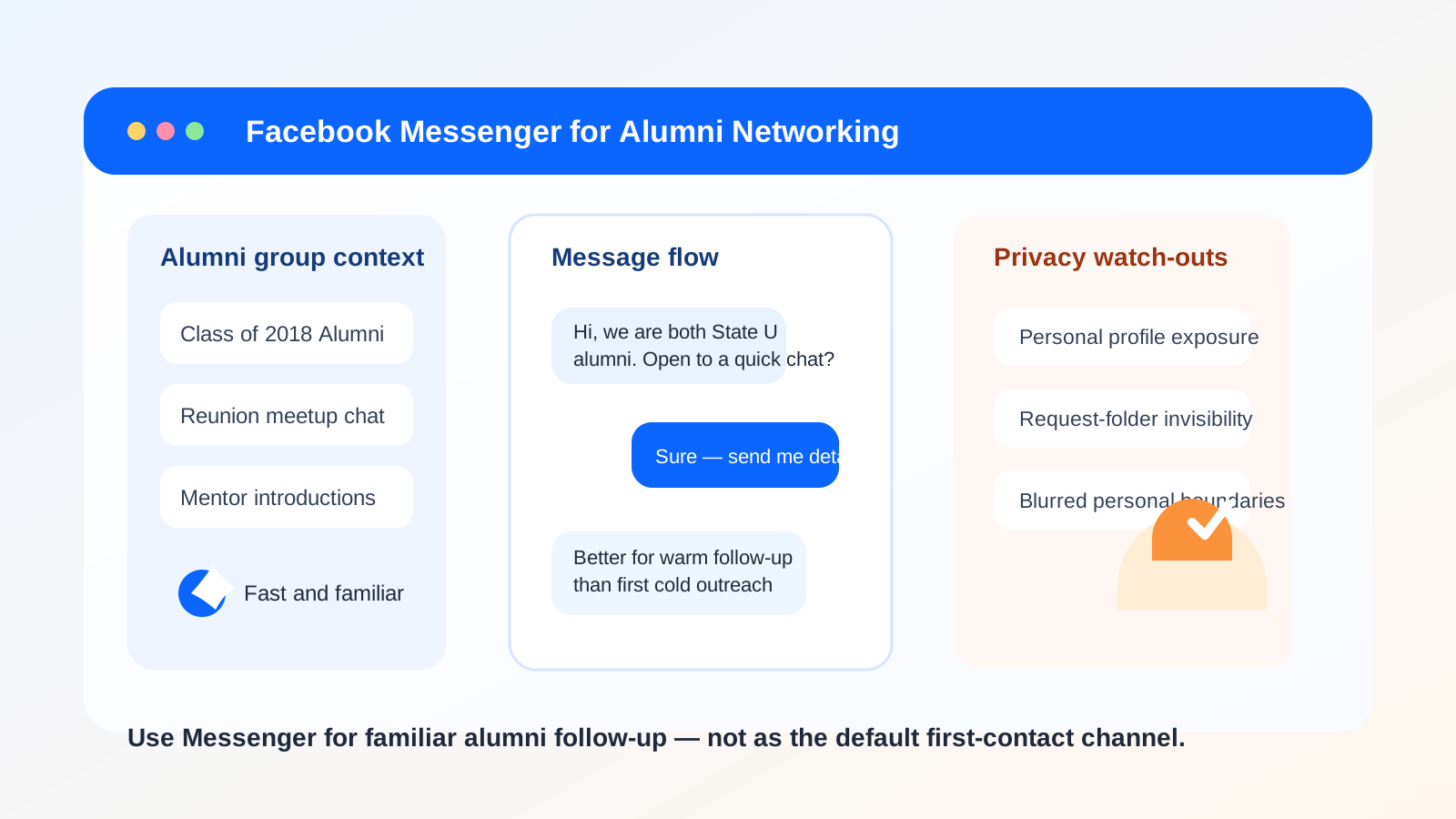
Yes, you can use Facebook Messenger for alumni networking, but it is usually better as a warm follow-up channel than as your first point of contact. Messenger can feel convenient, yet it exposes more of your personal profile, social graph, and day-to-day online identity than email or LinkedIn.
If privacy, clean boundaries, and professional context matter to you, start with email or LinkedIn first and move to Messenger only after the connection is established. That gives you more control over how much of your personal life becomes visible during alumni outreach.
Why people consider Messenger for alumni networking
There is a reason this question comes up. Alumni networking often happens in semi-social spaces rather than formal recruiting systems. You might reconnect through a university Facebook group, an alumni chapter event, a class group chat, a reunion thread, or a message request after someone sees your post. In that context, Messenger can feel faster and more natural than composing a polished email.
It also lowers friction. People already have the app, notifications are immediate, and short replies feel easy. If you are trying to ask a quick question about a company, confirm who is attending an alumni event, or continue a conversation that began in a group thread, Messenger can work.
The problem is not that Messenger is unusable. The problem is that it blends professional outreach with a channel many people reserve for friends, relatives, neighborhood groups, and casual day-to-day conversations. That blend matters when you are trying to stay reachable without oversharing.
The short answer: fine for warm contacts, weak for first outreach
For most alumni networking situations, Messenger is acceptable when one of these things is already true:
- You already know the person from school, work, a club, or a mutual introduction.
- You are both active in the same alumni Facebook group and the conversation naturally continues in Messenger.
- The message is logistical rather than high-stakes, such as confirming an event, sharing a link, or arranging a short call.
- The other person clearly prefers Messenger and has already engaged there.
It is much less ideal when you are doing cold outreach, asking for career advice for the first time, or trying to make a polished professional impression. In those cases, email or LinkedIn usually gives you better boundaries and context.
The biggest privacy drawbacks of Messenger
1. Your personal profile can become part of the interaction
Even if your message is professional, Facebook often carries other personal signals with it: your profile photo, old public posts, mutual friends, group memberships, and the general vibe of your account. That is more personal context than many people want to attach to career conversations.
With email, a person usually sees your name and address. With LinkedIn, they see a profile built for professional visibility. With Messenger, they may see a mix of social and personal identity that you never meant to bring into alumni outreach.
2. Message requests are easy to ignore
If you are not already connected, your note may land in a filtered request folder instead of the main inbox. That means Messenger can feel fast from your side while actually being less reliable than a well-written email. An alumnus may never see your note, or may see it weeks later after the timing is gone.
3. It can feel too casual too early
Some alumni are happy to chat in Messenger. Others see it as a personal space and may hesitate to engage there with someone they do not really know. When you are asking for advice, an introduction, or a short call, the perceived professionalism of the channel affects response rates.
4. Boundaries get blurry
Messenger invites quick back-and-forth replies at odd hours. That can be helpful, but it also nudges both people toward an always-on rhythm. If you are networking with several alumni at once, those conversations can become scattered across threads, group chats, and notifications in a way that feels messy fast.
5. Scams and impersonation are easier to imagine
Any channel with low-friction direct messages can attract fake profiles, impersonation attempts, or vague outreach. That does not make every Messenger conversation risky, but it does mean you should verify who you are speaking with before sharing sensitive details, résumé files, or personal contact information.
When Messenger works well
Messenger is at its best when the social context is already established and the ask is simple.
- Group-based follow-up: You met in an alumni Facebook group and want to continue the discussion one-to-one.
- Event coordination: You are confirming a meetup spot, arrival time, or a quick introduction at a reunion or alumni mixer.
- Warm introductions: A mutual connection has already told both sides to expect the conversation.
- Light touch check-ins: You are following up on a previous conversation rather than asking for a full informational interview out of nowhere.
In those cases, Messenger can be efficient precisely because it feels less formal. The key is that the relationship already has enough trust to support that informality.
When Messenger is a bad first choice
You should usually avoid leading with Messenger when:
- You are contacting someone senior for the first time.
- You want a strong professional first impression.
- You are asking for a referral, a detailed career conversation, or a resume review.
- You do not want your personal Facebook identity tied to the outreach.
- You are juggling multiple networking conversations and need cleaner organization.
Those are the moments when a dedicated networking email or a LinkedIn message tends to outperform Messenger. The extra formality helps, not hurts.
A better default: email first, Messenger second
If you want the convenience of Messenger without leading with it, a simple sequence works well:
- Make first contact through email or LinkedIn with a short, specific note.
- Once the person responds and the conversation feels comfortable, move to Messenger only if it makes coordination easier.
- Keep deeper follow-up, resource sharing, and anything important in email so the conversation stays searchable and easier to revisit later.
This approach is especially useful if you are exploring multiple alumni groups, directories, or events at once. A separate inbox gives you a stable record of who you contacted, what you asked, and when you should follow up.
If an alumni portal, event list, or community signup asks for an email address before you can participate, using a separate inbox can help you avoid long-term newsletter clutter while you decide which groups are actually worth your attention. That is one of the places a tool like Anonibox fits naturally: not as a magic privacy shield, but as a practical way to keep early-stage outreach, event registrations, and group notifications from flooding your main inbox.
How to use Messenger more safely if you do choose it
Review what your profile reveals
Before you message alumni from your Facebook account, check what a non-friend can see. Profile photo, cover image, bio details, public posts, and friend-list visibility all shape the first impression. You do not need to become anonymous, but you should know what context travels with the message.
Keep the first note short and specific
A good Messenger opener should be easy to answer in under a minute. Mention the shared alumni connection, why you are reaching out, and the narrow request. For example: “Hi Maya — we’re both State U alumni and I saw you work in healthcare analytics. I’m exploring that path and wondered if you’d be open to a quick email exchange or a 15-minute chat next week.”
That message respects the person’s time and gives them a clean path to move the conversation to a more professional channel if they prefer.
Do not overshare in chat
Messenger is a poor place for sensitive personal data, full application materials, identity documents, or anything you would regret sending if the conversation turned out to be less trustworthy than it seemed. Use it for introductions and coordination, not for dumping your whole job-search history into a thread.
Move important details out of Messenger
If the discussion turns serious — for example, they offer to review your résumé, introduce you to someone, or send job leads later — move the durable parts of the conversation to email. Messenger is fine for “Does Tuesday work?” It is less ideal for keeping a professional paper trail.
Watch for social-pressure traps
Because Messenger feels informal, people sometimes reply too quickly, agree to things they did not think through, or feel awkward setting limits. Give alumni an easy out. A respectful message is better than a pushy follow-up chain.
Should you create a separate Facebook account just for networking?
Usually, no. In practice, a second social profile is awkward to maintain, easy to forget about, and often creates more confusion than clarity. If you need a separate identity layer for networking, email is usually the cleaner option. A dedicated networking inbox or an address you use only for outreach gives you separation without forcing you to manage another social persona.
That is the real trade-off with Messenger: if you need to hide or compartmentalize too much of your profile to feel comfortable, that is a sign the channel probably should not be your default in the first place.
A quick decision checklist
Messenger is probably reasonable if most of these are true:
- You already share a real alumni context with the person.
- The conversation is warm, not cold.
- Your Facebook profile does not reveal anything you would rather keep separate.
- The ask is simple and easy to answer.
- You are willing to move the conversation to email if it becomes more substantive.
Messenger is probably the wrong first move if most of these are true:
- You want a polished, professional first impression.
- You are contacting someone senior or unfamiliar.
- You care a lot about keeping your personal and professional identities separate.
- You want a reliable, searchable follow-up trail.
- You are already managing several networking conversations and need better organization.
Final answer
So, should you use Facebook Messenger for alumni networking? Sometimes — but mostly for warm follow-up, not cold outreach. Messenger can be useful when the social connection already exists and the conversation is light, timely, and low-risk. It becomes much weaker when you need privacy, professionalism, or clean long-term follow-up.
If you are serious about alumni networking, the safer default is simple: use email or LinkedIn to open the relationship, keep your outreach organized, and move to Messenger only when the connection is established and both sides are comfortable there. That gives you the convenience of a fast chat channel without making your personal Facebook presence the center of the professional interaction.