Yes, Google Chat can work for informational interviews, but it is usually better as a secondary channel after the connection is verified.
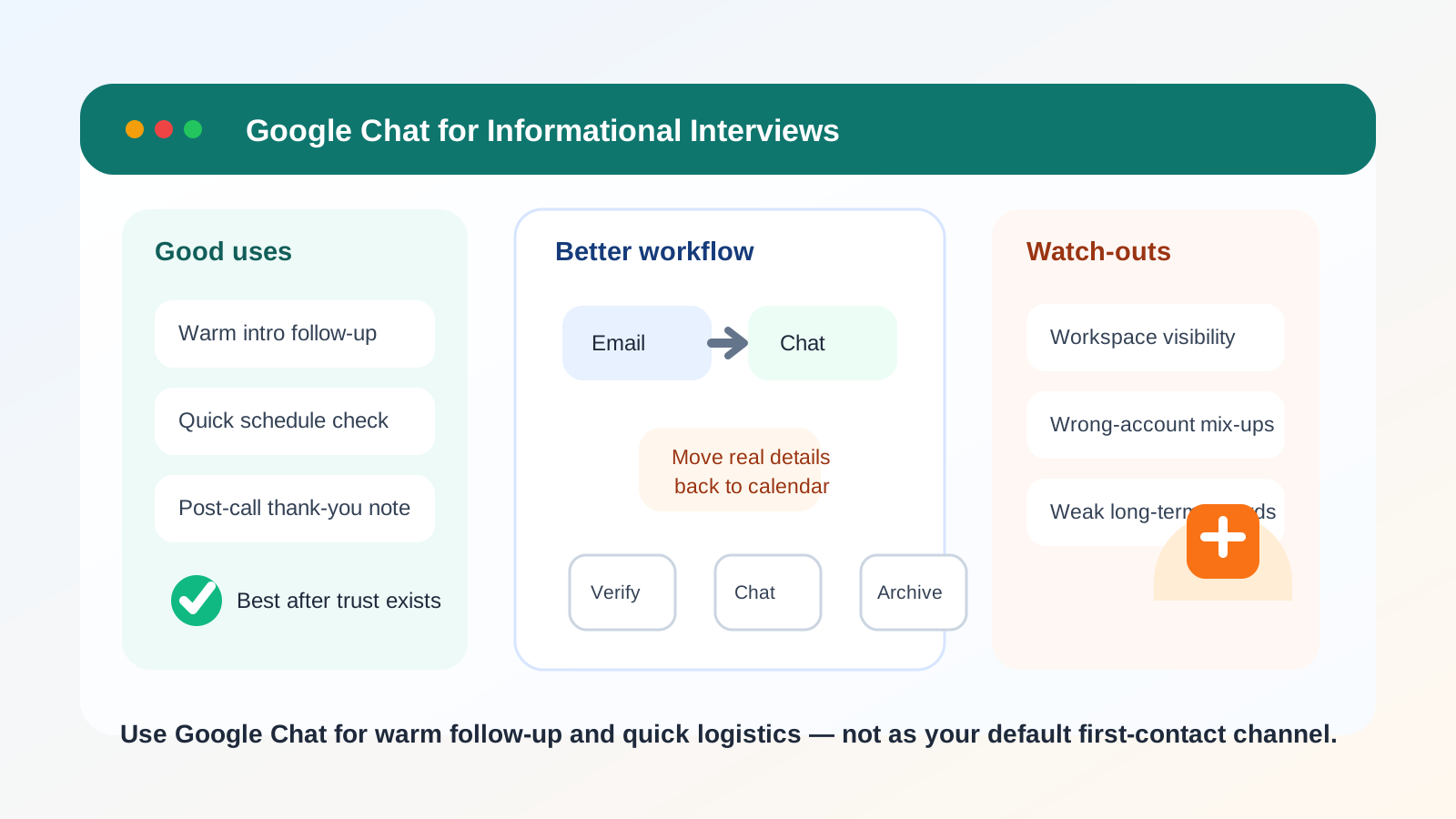
For first outreach, searchable follow-up, and anything that needs a professional record, email or LinkedIn is usually safer because Google Chat can expose workspace context, blur personal boundaries, and make the conversation harder to manage cleanly.
Why this question comes up
Informational interviews often sit in an awkward middle ground. They are more personal than a formal job interview, but more professional than a casual chat with a friend. That is why channel choice matters so much. You want something convenient enough for a real human conversation, but structured enough to preserve boundaries, context, and follow-up.
Google Chat enters the picture because many people already live inside Google Workspace. Alumni groups use it. Startup teams use it. Some professionals are more responsive there than in crowded inboxes. If you already know the person, or a warm introduction happened inside a Google ecosystem, using Chat can feel natural.
The problem is that “natural” and “best” are not always the same thing. A channel that feels easy for a quick message can still be a weak place to start a career conversation if it reveals the wrong account details, creates an informal tone too early, or leaves you with a messy record later.
The short answer
Google Chat is usually fine for light coordination once the relationship already exists. It is much weaker as a default first-contact channel for informational interviews, especially when you are doing cold outreach or trying to make a polished professional impression.
If you are deciding between LinkedIn, email, text, and Google Chat, the safest order for most people is simple: start with LinkedIn or email, move to Chat only if the other person prefers it, and keep the durable details somewhere easier to search later.
What Google Chat does well
Fast replies when both people already use Google
If you and the other person already work inside Google Workspace or regularly use personal Google accounts, Chat can cut friction. A short “Thanks again for offering to talk — does Thursday still work?” message is easy to answer quickly. That can be helpful when the informational interview is already agreed and you are just confirming details.
Low-pressure scheduling nudges
Some informational interviews never become a formal calendar workflow right away. They start as a warm introduction, a quick alumni handoff, or a mutual connection saying, “You two should talk.” In that situation, Chat can be less heavy than a formal email chain and sometimes feels more human.
Useful for ongoing warm relationships
Once you have already spoken with someone, Google Chat can be a fine place for small follow-ups: thanking them for their time, sending a brief update a few weeks later, or asking a narrow follow-up question. The privacy and professionalism problems are much smaller once the contact is established and both sides understand the relationship.
Where Google Chat creates problems
1. Workspace visibility can leak more context than you expect
Google Chat is not a neutral, standalone identity layer. It is often attached to a broader Google account context. Depending on how you use it, the other person may see your display name, profile photo, organization, or the fact that you are messaging from a work-managed environment.
That can be harmless, but it can also reveal more than you intended. If you are exploring a career change quietly, using a work-managed Google account for informational interviews is usually a bad idea. Even if nobody is actively monitoring the specific conversation, you are still tying professional exploration to an account connected to your employer.
2. It can feel too casual too early
Informational interviews work best when the other person feels respected, not cornered. Chat apps can create a casual tone that helps with warm follow-up but hurts cold outreach. A short Chat ping from someone you do not know well can feel more intrusive than a thoughtful LinkedIn note or a concise email.
This matters most when you are contacting senior professionals, alumni you have never met, or people outside your immediate circle. In those cases, a more formal opening channel usually makes a better first impression.
3. Recordkeeping is weaker than people think
Informational interviews often produce useful details: book recommendations, names of teams to watch, people to contact, industry context, and permission to follow up later. That information is more valuable when you can search it easily and keep it tied to the person who shared it.
Google Chat is workable for short exchanges, but it is not where most people want their long-term professional notes to live. Important scheduling details, referrals, portfolio links, or multi-step next actions are often easier to manage in email, a calendar invite, or your own notes system.
4. Cross-account mix-ups are easy
If you use multiple Google accounts, Chat increases the risk of sending from the wrong one. That might mean exposing a work account when you meant to use a personal one, revealing a less professional display name or profile photo, or replying from an account you do not check consistently. Small account mistakes can create larger privacy or credibility problems than people expect.
5. Availability expectations can get weird
Chat tools carry a subtle always-on vibe. Even when nobody says it out loud, they can create the expectation of faster replies than email. That is not always a good fit for informational interviews, where both sides may prefer a calmer, more respectful pace. You do not need every networking conversation to feel like instant messaging support.
When Google Chat is a reasonable choice
Using Google Chat for informational interviews makes the most sense when most of the following are true:
- You already know the person, or the introduction is clearly warm.
- The other person already suggested Chat or is obviously comfortable there.
- You are using a personal or dedicated account rather than a work-managed account.
- The conversation is mostly about quick coordination, not sending lots of important documents or links.
- You are willing to move formal details back into email or calendar invites when needed.
A good example is an alumnus who already agreed on LinkedIn to a short coffee chat and sends, “Here’s my Google Chat if that’s easier.” At that point, the channel is supporting an existing relationship, not creating the first impression.
When it is usually the wrong first move
- You are cold-contacting someone senior for the first time.
- You care about keeping personal, work, and networking identities separate.
- You need a clean paper trail for later follow-up.
- You are worried about using the wrong Google account.
- You expect attachments, scheduling details, or introductions that are easier to track in email.
In those situations, the extra friction of email or LinkedIn is actually useful. It keeps the interaction deliberate, respectful, and easier to manage.
A better workflow for most people
- Open through LinkedIn or email. Keep the first note short, specific, and clearly tied to the shared context.
- Move to Google Chat only if it becomes the easier channel. Let the other person’s preference matter instead of forcing Chat from the start.
- Pull key details back into durable records. If you agree on a time, exchange resources, or get advice you will want later, save it in email, a calendar note, or your own tracking system.
This workflow gives you the speed of Chat without making Chat the only place important follow-up lives.
If you are running several networking conversations at once, the bigger challenge is often not the call itself but the surrounding clutter: event registrations, newsletters, directory signups, and follow-up notes. That is where a separate outreach inbox can help. A tool like Anonibox fits naturally on the edges of that process for early-stage signups or low-stakes networking lists, while your real professional follow-up stays in the account you actually monitor and trust.
How to use Google Chat more safely if you do choose it
Use the right account on purpose
Do not treat Google account choice as an afterthought. Before you message anyone, check which account is active, how your name appears, what profile image shows, and whether the account is connected to a work domain. If you need separation, use a personal or dedicated networking account rather than a company-managed one.
Review your visible profile details
Even a basic profile photo and display name affect first impressions. You do not need to sanitize your entire digital life, but you should know what context travels with the message. Professional clarity beats accidental oversharing.
Use a separate browser profile if needed
If you regularly switch between personal and work Google accounts, a separate browser profile is one of the simplest ways to reduce mistakes. It lowers the chance of sending from the wrong identity and makes informational-interview outreach feel more deliberate.
Move substantive details to email
If the person offers an introduction, shares a résumé request, or gives advice you may want to reference later, a simple response like “Thanks — I’m going to send a quick email so I keep the details together” is completely normal. Mature professionals do not mind that at all.
Do not overshare just because Chat feels familiar
Chat tools reduce friction, which is useful right up until it makes you too casual. You do not need to paste your whole background, compensation concerns, confidential job-search plans, or sensitive documents into a chat thread. Keep the exchange narrow and relevant.
Red flags to watch for
Informational interviews are generally lower-risk than formal hiring steps, but a few warning signs still matter:
- The person pushes you into a work-managed or unfamiliar account context you do not control.
- The conversation moves too quickly from networking to requests for sensitive information.
- You are asked to install unfamiliar tools, click odd links, or move the conversation again and again across channels.
- The identity of the contact is vague, inconsistent, or impossible to verify independently.
If any of that happens, slow down and move back to a channel with better verification and clearer records.
Quick decision checklist
Google Chat is probably fine if:
- the relationship is already warm,
- you trust the account you are using,
- the ask is light and specific, and
- you are ready to move important details elsewhere.
Google Chat is probably the wrong starting point if:
- you are making first contact,
- you want a polished professional impression,
- you need clean long-term records, or
- you are trying to protect the boundary between your work identity and career exploration.
Final answer
So, should you use Google Chat for informational interviews? Sometimes — but usually after trust exists, not before. It can be convenient for warm follow-up and quick logistics, yet it is rarely the best default for first outreach or important long-term follow-up.
If you want the safest balance of privacy, professionalism, and practicality, start with email or LinkedIn, move to Google Chat only when it genuinely helps, and keep the durable parts of the conversation somewhere easier to search and control.