Yes, you can use iMessage for informational interviews, but it is rarely the best first-contact channel unless you already know the person or they explicitly invited you to text. In most cases, email or LinkedIn is the safer default because iMessage often exposes your phone number, feels more personal, and creates weaker professional boundaries.
If the conversation is already warm and the goal is simple scheduling or follow-up, iMessage can work well. If you are reaching out cold, protecting your privacy and keeping the exchange clearly professional usually matters more than speed.
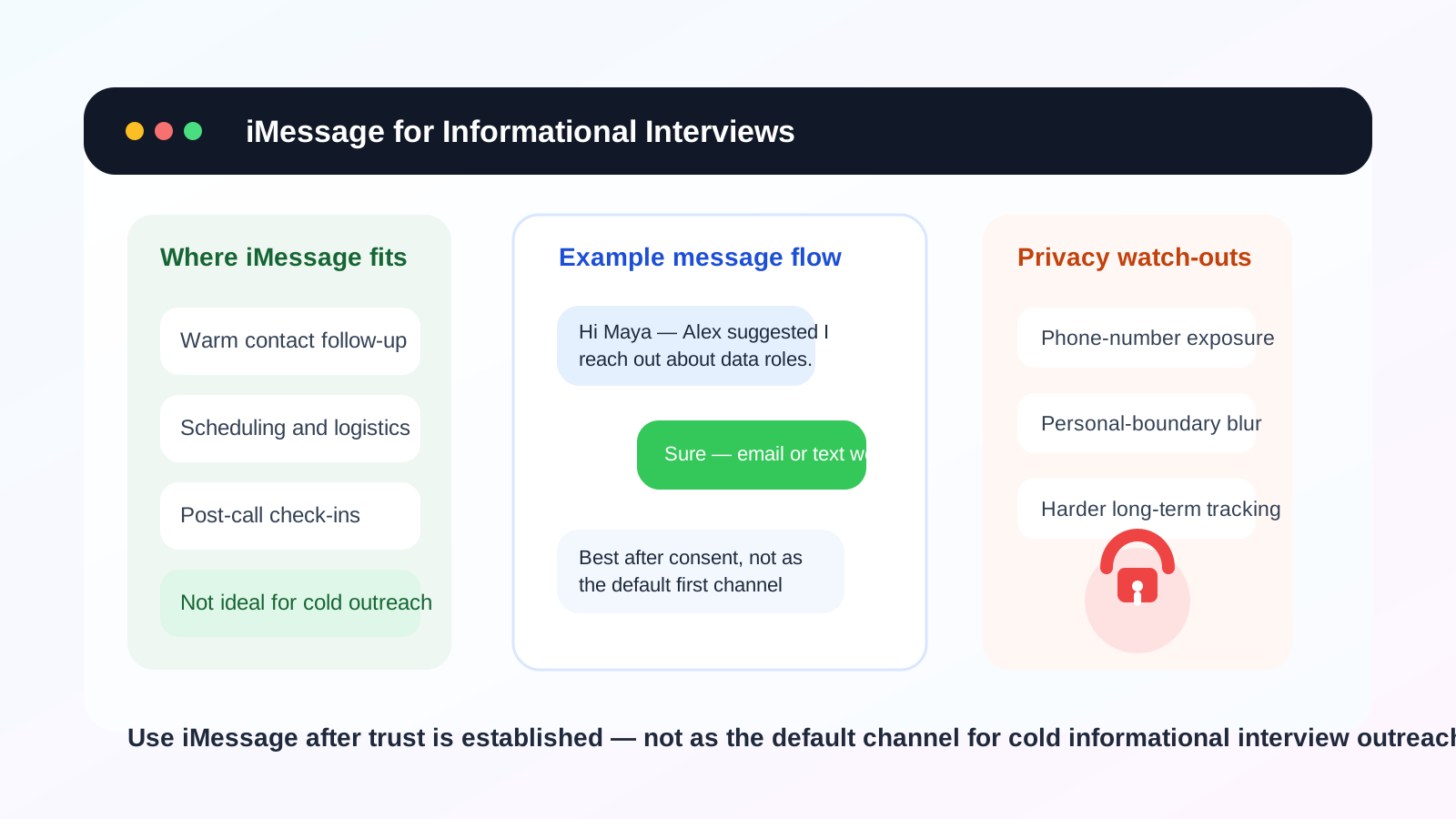
Why this question comes up
Informational interviews sit in an awkward middle zone between networking and hiring. They are professional conversations, but they often begin through looser channels than a formal application. Maybe you met someone at an event, got their number from a mutual contact, or had a recruiter suggest a quick text to coordinate availability. That is where iMessage enters the picture.
It feels easy. Most Apple users already have it open all day, messages arrive instantly, and a short note can seem less intimidating than a carefully written email. But convenience is not the same as fit. The right channel for an informational interview should help you look organized, respect the other person’s boundaries, and avoid exposing more of your personal life than necessary.
The short answer: useful for warm follow-up, weak for cold outreach
For most people, iMessage is a decent follow-up channel and a weaker first-contact channel.
- Good use: confirming a time, sharing a Zoom link, or continuing a conversation after the person already agreed to talk.
- Bad use: cold-texting a stranger, sending a long career story, or treating a personal number like an open invitation for unlimited access.
The reason is simple: iMessage is fast, but it is also personal. If you use it too early, you may trade a little convenience for a lot less privacy and professionalism.
What makes iMessage different from email or LinkedIn
1. It usually reveals your phone number
This is the biggest issue. In many setups, iMessage is tied directly to your mobile number. Once you text someone, you are not just starting a conversation. You are often giving them a durable personal identifier they can save, forward, or use later. For a trusted contact, that may be fine. For a brand-new professional connection, it is a bigger decision than it looks.
Some people use iMessage with an email address instead of a number, but that is not always obvious to the other person and it is not universal. In practice, most people will assume texting means phone-number access.
2. It feels more personal than professional
Email has built-in formality. LinkedIn has built-in career context. iMessage has neither. A text can feel friendly and efficient, but it can also feel like you skipped a step. If the other person does not know you well, texting may read as too familiar too soon, especially if you got the number indirectly.
That does not mean texting is rude. It means the social expectations are different. People tend to guard their phone more closely than their inbox, and many professionals are more selective about who gets direct text access.
3. It is not universal
iMessage only works as intended when both sides are in Apple’s ecosystem. If one person is not, the conversation turns into regular SMS or MMS behavior, which can change delivery expectations, media handling, and privacy assumptions. That is not automatically a dealbreaker, but it makes iMessage a weaker default than email for mixed-device professional communication.
4. It encourages speed over structure
Informational interviews often benefit from a clear written trail: who you contacted, what you asked, what they agreed to, and when you should follow up. iMessage can handle that, but it is not ideal for it. Threads are easy to lose in a busy phone, and long-form context looks more scattered in texting than in email.
When iMessage makes sense
There are situations where iMessage is completely reasonable.
- You already know the person: maybe they are a friend of a friend, an alumnus who volunteered their number directly, or someone you met in person.
- The conversation already moved there: if the other person said “just text me,” take the hint and keep it simple.
- You are handling logistics: confirming the meeting time, sharing parking details, or letting them know you are running five minutes late.
- The informational interview is already scheduled: at that point, texting can be the most practical fallback channel.
In those cases, iMessage is not the problem. The mistake would be turning a narrow logistical tool into the entire relationship.
When iMessage is a bad first choice
You should usually avoid leading with iMessage when:
- You are contacting someone senior for the first time.
- You only found their number through a directory, event list, or another person.
- You care about keeping your personal phone number private.
- You want to ask for advice, referrals, resume feedback, or an introduction in a structured way.
- You are reaching out to several people and need a searchable, organized follow-up system.
These are the moments when email or LinkedIn usually performs better. They create a little distance, but that distance is often useful. It signals respect, gives the other person room to respond on their own schedule, and keeps your contact details more controlled.
The privacy risks people underestimate
Phone-number reuse
Once your number is out there, it can be reused long after the conversation ends. Maybe nothing bad happens. Maybe the person is great. But numbers also get saved into CRMs, synced to contact lists, or passed along casually in ways you never see. Texting one person can quietly become giving your number to a whole network.
Spam and awkward follow-ups
Even legitimate contacts can become noisy contacts. Someone may keep sending job openings, ask you to join group threads, or treat your number as always available. That is not a catastrophe, but it is harder to contain than an email thread you can filter or archive.
Scam risk
Job-search and networking scams often lean on text because it feels urgent and informal. A message that references a recent coffee chat or “the role we discussed” can sound plausible enough to lower your guard. No channel is scam-proof, but personal-number exposure makes future impersonation attempts easier.
Blurring your personal and professional identities
Your phone is where family updates, banking alerts, two-factor codes, and close-friend conversations live. Adding informational interviews into that space is not always wrong, but it does change the boundary. Some people are comfortable with that. Others later realize they wish they had kept networking conversations in a separate lane.
A better default workflow
If you want the convenience of iMessage without giving up too much control, a simple workflow works well:
- Start with email or LinkedIn. Make the first ask in a channel built for professional introductions.
- Move to iMessage only after consent. If the person offers their number or asks you to text, that is a strong signal the channel is welcome.
- Use iMessage mostly for logistics. Confirm times, send short updates, and keep deep follow-up in email.
- Summarize important next steps somewhere durable. If they share advice, referrals, or resources, move those details into an email or your own notes.
This approach gives you the speed of texting without making texting the foundation of the relationship.
If you do use iMessage, keep the first text tight
A good first text should be short, specific, and easy to answer. For example:
Hi Sam — Jordan Kim suggested I reach out. I’m exploring product marketing roles and would value a quick 15-minute informational chat if you are open to it. If email is easier, I’m happy to switch.
That works because it does three things well: it identifies the shared context, keeps the request small, and gives the other person an easy way to move the conversation to a better channel.
A weak first text is usually too long, too personal, or too demanding. Texting is not the place for a full career biography, your whole resume story, or repeated nudges if someone does not answer quickly.
How Anonibox fits into this conversation
Anonibox does not replace a phone strategy, but it fits the same privacy mindset. If you are signing up for alumni directories, networking events, webinars, or career communities just to explore whether they are worth your attention, using a separate email workflow can keep your main inbox cleaner while you decide what deserves ongoing engagement.
That matters because contact sprawl usually happens in clusters. One event signup becomes a mailing list. One community join form becomes sponsor outreach. One directory request becomes a string of follow-up emails. If you are already protecting your email exposure, it makes sense to be equally deliberate about when you share your personal number through iMessage.
Best practices if you choose iMessage anyway
- Ask yourself how they got your number. If the answer feels vague, reconsider the channel.
- Keep messages businesslike. Friendly is fine. Casual to the point of sloppy is not.
- Do not overshare sensitive information. Résumé files, salary details, identity documents, and verification codes do not belong in a text thread with a new contact.
- Respect timing. Texting can feel immediate, but that does not mean people owe instant replies.
- Move important follow-up out of text. If the conversation becomes substantial, switch to email.
A quick decision checklist
iMessage is probably fine if most of these are true:
- You already know the person or they invited you to text.
- You are mostly coordinating logistics.
- You are comfortable sharing your number with them.
- You are willing to move the conversation to email for anything substantial.
iMessage is probably the wrong first move if most of these are true:
- You are doing cold outreach.
- You do not want your number circulating.
- You want a polished, clearly professional first impression.
- You are contacting several people and need clean organization.
- You are unsure whether the opportunity or contact is fully trustworthy.
Final answer
So, should you use iMessage for informational interviews? Sometimes, but mainly after the relationship is already warm or the conversation has moved into scheduling mode. It is fast and convenient, but it often gives away more personal access than many people realize.
For first outreach, email or LinkedIn usually strikes the better balance between professionalism, privacy, and control. Save iMessage for the moments when speed genuinely helps and the trust is already there. That way, you stay reachable without turning every new professional conversation into direct long-term access to your personal phone.