Yes, usually — Outlook is a reasonable choice for apartment inquiries if you use a clean address or a dedicated apartment-search inbox instead of dumping every listing into your oldest everyday account.
The smarter question is whether to use your main Outlook account, a separate Outlook account, or a temporary inbox for first-contact forms and low-trust listing sites.
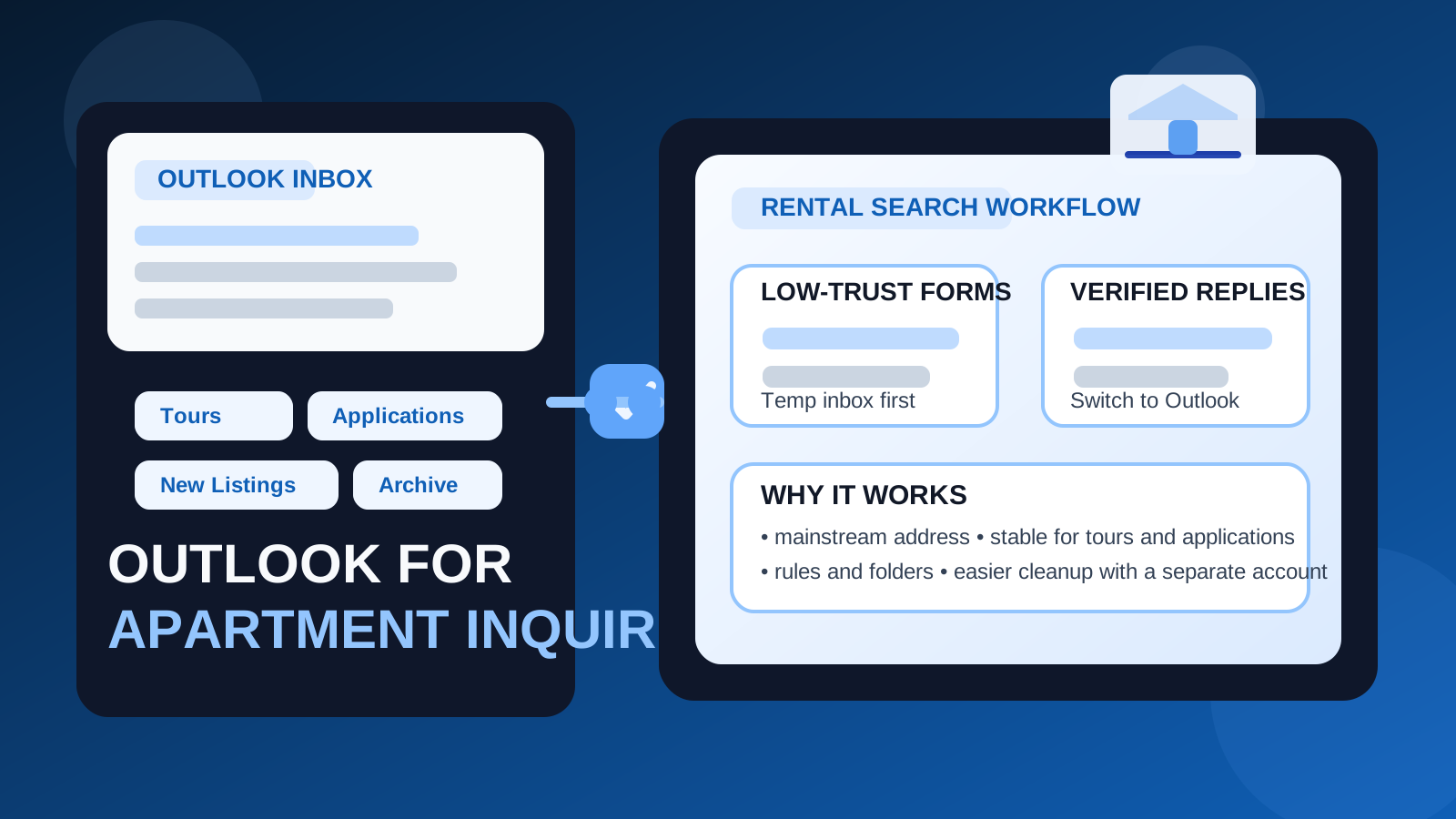
That is the real answer behind searches for should you use Outlook for apartment inquiries. Outlook itself is not a bad option. In fact, for many renters it is perfectly practical. The risk is not the email provider. The risk is using the wrong Outlook setup for the stage of the search you are in.
Apartment hunting tends to create more email exposure than people expect. A single message can trigger replies from a landlord, automated follow-up from a listing platform, “similar rentals” alerts, application reminders, and long-tail marketing from systems you never meant to join. If you point all of that at the same Outlook inbox you use for travel, bills, family mail, school accounts, and long-term logins, the clutter and privacy cost add up quickly.
So yes, Outlook can absolutely work. But the best version of Outlook for apartment inquiries is usually a dedicated one: a separate apartment-search account, or at minimum a carefully organized setup that keeps rental traffic away from the rest of your life.
Why Outlook works well for apartment inquiries
Outlook is familiar, stable, and widely accepted. Most landlords, leasing offices, brokers, and property managers will see a normal Outlook address as completely ordinary. It does not look suspicious, and it usually creates very little friction for people replying on the other end.
It is also useful from an organization standpoint. Outlook gives you folders, rules, search, categories, flags, and mobile notifications that can make a fast-moving apartment search much easier to manage. If you are messaging multiple properties at once, those features matter. Tour scheduling, follow-up questions, roommate conversations, and application links can get messy fast unless you create a simple system.
Another advantage is continuity. A stable Outlook account is much better than a throwaway address once a listing proves legitimate and the process moves into tours, screening, or lease steps. That is why Outlook is often a solid middle ground: more durable than a temporary inbox, but still easy to separate from your main identity if you create a dedicated search account.
When Outlook is a good choice
- You want a mainstream, professional-looking email address. A clean Outlook address is normal and easy for property contacts to trust.
- You expect real back-and-forth. Outlook is reliable enough for ongoing replies, tour confirmations, and application messages.
- You are willing to organize the search. Outlook’s folders, flags, and rules are genuinely helpful when the apartment hunt gets noisy.
- You want a stable inbox without using your work email. That is a common and sensible reason to use Outlook.
- You need something more durable than a temporary inbox. Once a listing becomes real, stability matters.
If those points sound like your situation, Outlook is usually a perfectly good option.
When your main Outlook account is probably the wrong choice
The biggest mistake is not using Outlook. It is using the same long-standing Outlook account for everything when apartment hunting is likely to spread your address across listing sites, portals, and lead-routing systems.
Your main Outlook account may be the wrong choice if:
- it already handles financial alerts, travel, school, healthcare, and personal correspondence;
- you are planning to contact a large number of listings in a short period;
- you expect to use rental marketplaces that generate a lot of marketing follow-up;
- you want to keep your housing search separate from the rest of your daily inbox life; or
- you are dealing with unfamiliar listing sources and want more privacy until something looks legitimate.
In those cases, a dedicated Outlook account is usually smarter than your oldest everyday account. You still get the reliability and familiarity of Outlook, but you keep the apartment-search mess contained.
Main Outlook vs separate Outlook vs temporary email
This is the part that actually helps people make a decision.
Main Outlook account
Your main Outlook account is fine when you are contacting a small number of verified properties and want everything in one long-term inbox. If you already trust the listing source and do not expect a huge amount of spillover, it can work.
But for broad apartment outreach, it is often too exposed. Once your primary inbox gets absorbed into listing-platform follow-up, you may still be unsubscribing from rental messages long after the search is over.
Separate Outlook account
For many renters, this is the best setup. A dedicated Outlook account for apartment hunting gives you a stable inbox you control without tying every listing to the address connected to the rest of your life. It also gives you a clean place for tour confirmations, application links, landlord replies, and paperwork-related messages.
When the search ends, you still have options. You can keep the account for housing records, archive it, or stop checking it once the move is done. That is much easier than cleaning years of rental noise out of your main inbox.
Temporary email
A temporary inbox is best for early-stage, lower-trust, or one-off situations. Maybe a listing form looks spammy. Maybe a rental marketplace wants an address before it shows contact details. Maybe you want to test whether a listing even replies before you give it a durable email. That is where a service like Anonibox can make sense.
What temporary email is not ideal for is a serious, ongoing apartment conversation. If you are scheduling tours, discussing screening requirements, or waiting for application documents, you want a stable inbox you check every day.
A good rule is simple: use temporary email for first-contact uncertainty, and use a stable Outlook account once the conversation becomes real.
Should you use an Outlook alias instead of a separate account?
This is a useful nuance. Outlook aliases can help with organization, but they are not always the same thing as true separation.
If you create an alias that still routes into the same main Microsoft account, you may gain some tidiness, but you have not really solved the “keep apartment hunting out of my main life inbox” problem. All the messages are still landing in the same underlying account. That may be enough if your main concern is sorting. It is not enough if your real goal is stronger privacy separation or easier cleanup later.
If you want light organization, an alias can work. If you want genuine distance, a separate Outlook account is usually the better move.
A practical Outlook setup for apartment hunting
If you decide to use Outlook for apartment inquiries, a little structure up front will save you a lot of friction later.
1. Create a dedicated apartment-search account if you can
Do this before the search gets busy. A simple, readable, name-based address works best. You do not need anything fancy. You just want an inbox that looks normal and is easy to manage.
2. Build a basic folder structure
Good starter folders include:
- New Listings for first replies and fresh contacts
- Tours for scheduling and confirmations
- Applications for screening and document steps
- Roommates if you are mixing shared-housing outreach into the search
- Ignore or Archive for dead leads and low-quality follow-up
3. Use rules for noisy senders
Listing platforms often generate recurring email from predictable domains. Rules can move those messages into the right folder automatically, leaving your main view cleaner for actual human replies from landlords or leasing teams.
4. Flag deadlines and tours
If a property manager asks for documents by a certain date or offers a same-day tour slot, flag it immediately. Apartment opportunities can disappear quickly, especially in competitive markets.
5. Check spam and junk during an active search
Legitimate rental replies sometimes land in junk, especially when they come from property software, automated scheduling tools, or smaller management companies with inconsistent email setup.
What Outlook does not solve on its own
Using Outlook does not automatically make a listing trustworthy. It helps with organization, not verification. You still need to assess the listing itself.
Be cautious when:
- the rent looks suspiciously low for the neighborhood;
- you are pushed to send money before seeing the place or verifying the manager;
- the message avoids basic property questions;
- you are asked for sensitive documents unusually early; or
- the conversation gets pushed off-platform fast without credible details.
If something feels off, slowing down is smarter than simply changing inboxes. Protecting your email is one layer of safety. It is not the whole safety plan.
Will landlords care that you use Outlook?
Usually not. Outlook is normal. Most legitimate landlords and leasing teams care far more about whether you communicate clearly, respond quickly, and show up when you say you will. A straightforward Outlook address does not create a professionalism problem by itself.
What can create friction is a messy or unserious-looking address. If the address is hard to read, joke-based, or obviously old and abandoned, it may be worth making a cleaner one before you start contacting properties.
When to switch from a temporary inbox to Outlook
If you begin with a temporary email, switch to Outlook once the listing earns more trust and continuity matters more than distance.
Good trigger points include:
- you received a credible reply with specific property details;
- you are scheduling a tour;
- you are starting a real application;
- you need to receive supporting documents, screening links, or follow-up questions; or
- the property manager or leasing office has been independently verified.
That handoff gives you the best of both approaches: less exposure early, but stable communication once the process becomes serious.
Best practices if you use Outlook for apartment inquiries
- Prefer a dedicated apartment-search Outlook account over your oldest everyday inbox.
- Keep the address simple and professional.
- Use folders, flags, and rules from day one.
- Do not use your work email just because you already check it often.
- Use temporary email only for low-trust or first-contact situations, not for late-stage lease communication.
- Retire or archive the search inbox once your housing search is over.
Final answer: should you use Outlook for apartment inquiries?
Yes, usually — Outlook is a good option for apartment inquiries when you use it deliberately. A clean Outlook address is normal, reliable, and easy to organize, which makes it a strong fit for rental outreach.
For most people, the best setup is not their main Outlook account but a separate Outlook account dedicated to apartment hunting. That gives you stability for real replies and applications without exposing your everyday inbox to listing-site clutter and long-tail rental spam.
If you are still in the low-trust, first-contact stage, a temporary inbox can be useful before you switch to Outlook for serious conversations. That way, you stay reachable for real housing opportunities while keeping more control over your privacy and your inbox.