Usually yes — DuckDuckGo Email Protection can be a smart choice for data broker removal services when you want to hide your main address while still receiving verification links, scan updates, support replies, and renewal reminders.
It works best when you want a durable forwarding alias with some tracker stripping, but a fully separate mailbox is still better if this becomes a long-term privacy workflow you need to monitor closely.
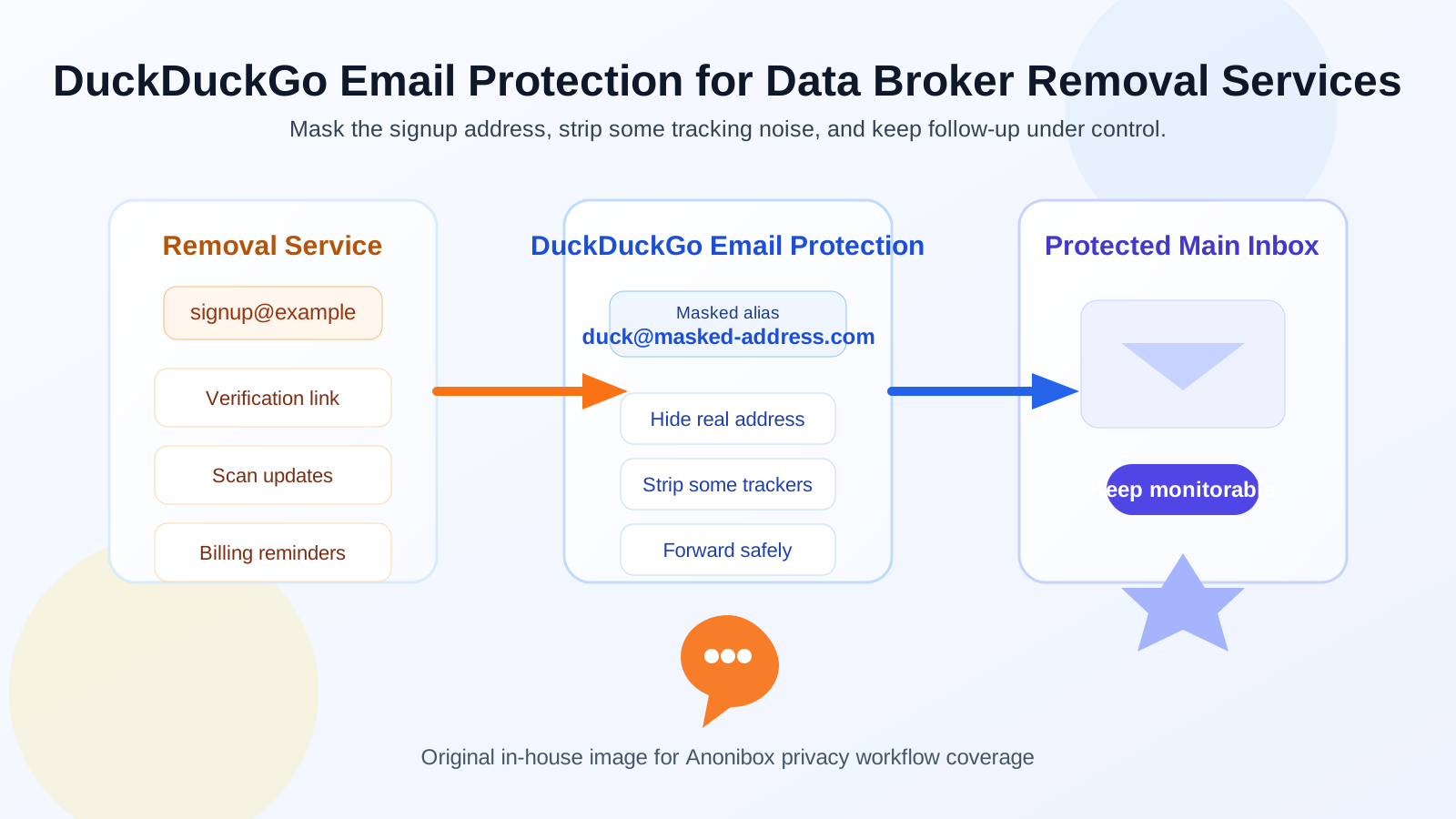
That is the practical answer behind searches for duckduckgo email protection for data broker removal services. The email address you use for a broker-removal account matters more than it first appears. These services often start with a simple signup, but they can turn into an ongoing relationship that generates confirmation messages, identity-check requests, support threads, dashboard alerts, opt-out progress updates, billing notices, and annual renewal prompts.
If you sign up with the wrong inbox, you create two different problems. Either you expose a personal address you were trying to keep out of circulation, or you choose something too disposable and later miss messages you actually need. DuckDuckGo Email Protection sits in the middle: it can shield your real address from the service itself while still forwarding mail into an inbox you already check.
That middle-ground design is why it is a strong companion topic for Anonibox readers. A temporary inbox can be useful when you are only comparing services, testing signup friction, or checking how aggressive a company’s follow-up feels. But once you pick a provider and want continuity, a durable alias usually makes more sense than a throwaway address that may not be there later.
Why the email decision matters for data broker removal services
People use data broker removal services because they want less exposure, not more. That means the signup email is part of the privacy strategy, not just a boring account field. If you attach an old personal inbox that is already tied to shopping accounts, newsletters, family sharing, and years of online history, you are giving another company direct access to a valuable long-lived identifier.
At the same time, this is not always a one-and-done transaction. Good services may send periodic scan summaries, reminders to verify a request, notices that a broker record resurfaced, or prompts to renew before coverage lapses. A totally temporary address can be too fragile for that. You usually need separation and continuity.
What DuckDuckGo Email Protection does well here
1. It hides your underlying address from the provider
The clearest benefit is simple: the data broker removal service sees a masked forwarding address instead of the main email you use elsewhere. That does not make you anonymous, and it does not guarantee perfect privacy, but it does reduce direct address exposure. For a workflow built around shrinking your data footprint, that is meaningful.
2. It can reduce some tracking noise in incoming mail
Broker-removal vendors, support tools, and marketing systems may include common email trackers in routine messages. DuckDuckGo Email Protection is attractive here because the forwarding layer is built around privacy-minded filtering. You should not treat that as a magic shield, but stripping some tracking elements is still a useful bonus when you are dealing with a category that already revolves around surveillance and data collection.
3. It is more durable than a throwaway inbox
A disposable inbox is fine for testing whether a trial or consultation form works. It is much less convenient when you need to revisit the account months later. A forwarding alias is usually a better fit if you may need follow-up messages over time, especially for renewal decisions, unresolved broker records, or support threads that come back later.
4. It keeps your workflow lighter than opening another full mailbox
Not everyone wants to manage a separate standalone email account just to interact with a privacy service. If you prefer a simpler setup, DuckDuckGo Email Protection gives you some separation without forcing a second inbox login, another password routine, or extra daily triage.
Where it can fall short
1. Everything still lands in your real inbox eventually
This is the biggest limitation. A forwarding alias protects your direct address from the sender, but the messages still arrive in the inbox behind the alias. If that inbox is already crowded, important updates from the broker-removal service can get buried next to normal daily mail.
2. It is not the same as true compartmentalization
Some people want strict separation for privacy projects: one inbox only for broker-removal services, identity monitoring, and opt-out follow-up. A forwarding alias is lighter than that, but it is also less isolated. If you want every related message in its own environment, a dedicated mailbox may be easier to audit.
3. Long-term management can get messy if you use too many aliases loosely
Alias systems are convenient, but convenience can become clutter if you do not label things clearly. If you sign up for several broker-removal vendors, a scan service, breach alerts, and unrelated privacy tools at the same time, you still need a way to remember which alias went where and which service is worth keeping.
4. Paid service ownership may deserve a more permanent address
If a vendor becomes part of your long-term privacy stack, you may eventually prefer a dedicated mailbox or custom-domain setup that feels more under your direct control. An alias is excellent for limiting exposure, but a long-running paid account sometimes deserves infrastructure you intend to keep for years.
When DuckDuckGo Email Protection is a good fit
- You want to stop handing your main inbox to every privacy vendor by default.
- You expect to need verification links and follow-up updates later, so a throwaway inbox feels too fragile.
- You want a lighter setup than running a separate mailbox full time.
- You care about reducing some email tracking noise in routine account messages.
- You are testing or using one or two services and want reasonable separation without a lot of overhead.
When a separate mailbox is the better choice
- You are running a long-term privacy cleanup process with multiple vendors and recurring follow-up.
- You want all broker-removal communication isolated from your everyday inbox.
- You need clearer audit trails for billing notices, support replies, and renewal reminders.
- You expect the account to become part of a broader privacy or identity-protection workflow.
- You do not want important notices to compete with personal mail, newsletters, and work messages.
That is where the broader Anonibox workflow can help. If you are only evaluating providers, a temporary inbox is useful for the first pass: signup tests, demo access, consultation requests, or checking how much marketing mail appears immediately. Once you choose a service you actually want to keep, graduating to a durable alias or separate mailbox is usually the smarter move.
A practical setup checklist
- Decide whether you are evaluating or committing. If you are still comparing vendors, use a temporary inbox or low-risk alias first. If you already know you plan to keep the service, choose a durable address from the start.
- Label the account clearly. Save the provider name, signup date, and renewal timing somewhere you will actually revisit.
- Watch the first week of mail closely. Notice whether the service sends only useful updates or immediately turns into promotional noise.
- Keep key messages. Save verification emails, dashboard access messages, billing receipts, and any support-thread references you may need later.
- Reassess after the trial or first month. If the service becomes important, ask whether forwarding into your main inbox is still enough or whether it deserves a dedicated mailbox.
Common mistakes to avoid
- Using a temporary inbox for a service you truly plan to keep: convenience now can create friction later.
- Using your oldest personal address automatically: that is often the exact address you should be protecting most carefully.
- Forgetting that forwarding is not full isolation: the messages still end up in your normal inbox unless you build extra filtering around them.
- Assuming any alias equals privacy guarantees: it helps reduce exposure, but it does not erase every tracking or identity risk.
- Ignoring renewal and support email: broker-removal services can go quiet for a while, then suddenly send something important.
So, should you use DuckDuckGo Email Protection for data broker removal services?
For many people, yes. It is a practical middle ground between using your main inbox directly and relying on a throwaway address that may not support long-term follow-up well. You get address masking, a privacy-focused forwarding workflow, and less direct exposure of the inbox you use everywhere else.
Still, it is not automatically the best answer for every case. If you expect a long-lived relationship with a removal service, want stricter compartmentalization, or need a cleaner audit trail, a separate mailbox may be stronger. The best choice depends on whether you are simply testing a privacy vendor, actively running an ongoing opt-out workflow, or building a longer-term privacy-management system around it.
Used thoughtfully, DuckDuckGo Email Protection is a sensible tool in that process. Just treat it as one layer of inbox control rather than a total privacy solution, and choose the level of separation that matches how seriously you expect to manage the service over time.