Usually yes — iCloud Mail can work well for data broker removal services if you want a stable inbox you control and you actually plan to monitor it over time.
It is a weaker choice if that iCloud address is also your deeply personal, long-running Apple identity, because a separate mailbox, alias-based setup, or temporary research inbox may give you a cleaner privacy boundary.
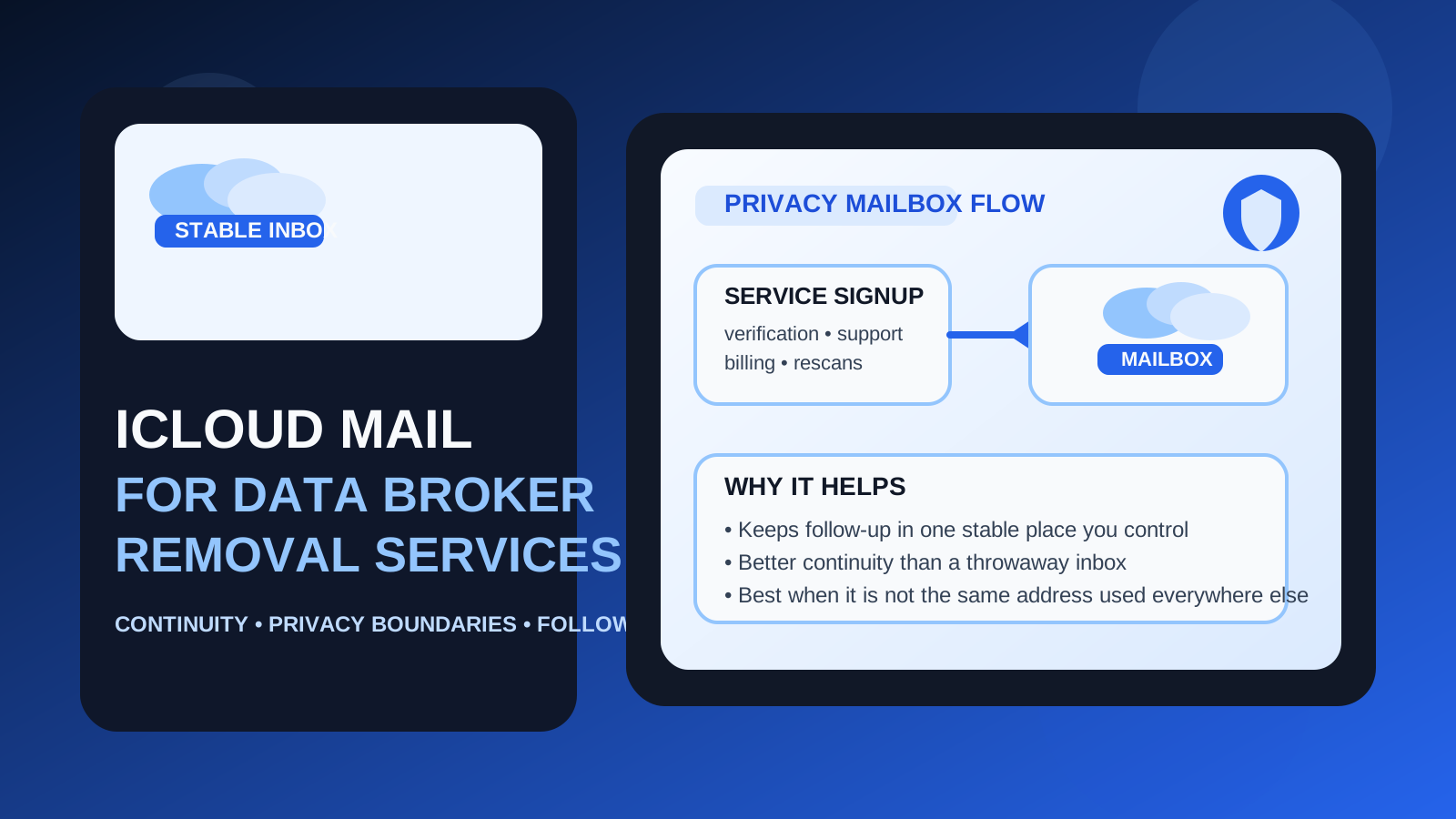
That is the practical answer behind searches for iCloud Mail for data broker removal services. The reason this question matters is simple: these services often look like one-time signups, but the email address you choose can shape the whole experience afterward. You may receive verification emails, support replies, opt-out progress updates, billing notices, renewal reminders, and later requests to re-check your profile or confirm account activity. If you choose the wrong inbox, you either expose an address you would rather keep tighter or you make the account harder to manage later.
iCloud Mail sits in the middle. It is not a disposable inbox, and it is not an alias-forwarding layer by itself. It is a stable mailbox you can keep for the long term. That can be very useful for privacy accounts that need follow-up. But whether it is a smart choice depends on which iCloud address you mean and how much of your personal life is already attached to it.
Why the email choice matters for data broker removal services
People use data broker removal services because they want less exposure, not more. That means the signup inbox should support the same goal. If you use the same email tied to years of shopping, family communication, app accounts, cloud storage, device logins, receipts, and recoveries, you are giving another vendor one of the central identifiers in your online life.
At the same time, this is not a good use case for pure throwaway email once the account becomes real. Many removal services require long-tail follow-up. You may need to read scan summaries, respond to support, review billing, or return months later. So the best option is often not “use the most private-looking thing possible.” It is “use something that keeps exposure reasonable and still works as a durable account home.”
When iCloud Mail is a good fit
1. You want a stable inbox you control
If the iCloud Mail address belongs to you personally and is likely to remain under your control, that stability is a real advantage. Data broker removal services are not always one-and-done. A durable mailbox means you can still access the account later without relying on a short-lived inbox that may disappear.
2. You already use Apple devices and check the inbox consistently
Practical habits matter. If you are already in the Apple ecosystem and reliably notice messages in that mailbox, iCloud Mail can be convenient. Convenience is not the whole privacy story, but it matters. A safer setup that you never check is not actually safer in practice if it causes you to miss important updates.
3. You want something more durable than temporary email
A temporary inbox can be useful during the research stage. You can use a service like Anonibox to compare signup friction, verify whether a vendor sends immediate marketing follow-up, and test whether the account even looks worth keeping. But once you decide a provider is legitimate and the relationship may continue, a stable mailbox becomes more useful. iCloud Mail is much better suited to ongoing account access than a disposable inbox.
4. You want a mainstream provider without using your work email
For some people, a familiar consumer mailbox is a better fit than a work-controlled address or a highly exposed primary personal inbox. If you do not want privacy-service communication mixed into employer systems, and you do not want to build a more advanced alias setup yet, iCloud Mail can be a reasonable middle ground.
Where iCloud Mail can fall short
It may be too tied to your main Apple identity
This is the biggest caution. Many people use one iCloud address across devices, backups, personal correspondence, app accounts, calendars, family sharing, and years of everyday activity. If that describes you, giving that same address to another privacy vendor may not be ideal. The issue is not that iCloud Mail is insecure by default. The issue is exposure. A central personal address carries more identity weight than a cleaner, more compartmentalized inbox.
It does not create separation on its own
A mailbox is not the same thing as compartmentalization. If you use your primary iCloud Mail address everywhere, then adding data broker removal services to that same inbox does not really reduce spread. It may still be manageable, but it is not the strongest privacy boundary.
It can blur “personal life” and “privacy admin” together
Privacy-management accounts often create a specific kind of follow-up: confirmations, scans, support messages, billing reminders, and long-tail maintenance. Some people prefer that category to live in its own dedicated place instead of landing beside everyday conversations and personal account notifications.
It is not the same thing as Apple’s alias-style privacy tools
People sometimes mix up iCloud Mail with broader Apple privacy workflows. A normal mailbox address and an alias-style forwarding approach solve different problems. If your main goal is to avoid revealing the underlying personal address whenever possible, a dedicated mailbox or alias strategy may be better than simply using your default iCloud Mail address.
iCloud Mail vs temporary email for this use case
This is one of the easiest places to choose the wrong tool.
A temporary inbox is excellent for early evaluation. You can use it to test whether a service gates signup behind email verification, compare first-run friction, and see how aggressively the provider follows up. That is exactly where Anonibox fits naturally. It helps you keep the research phase separate from your long-term inbox until you know whether the service is worth trusting further.
But temporary email becomes weaker once continuity matters. If you may need password resets, renewal notices, support responses, or future scans, a disposable inbox is fragile. iCloud Mail is the more durable option for an account you expect to keep. The real question is whether you should use your main iCloud Mail address or a more compartmentalized alternative.
iCloud Mail vs Hide My Email or alias-based setups
This comparison is where the decision often gets clearer.
If your priority is stability with minimal setup, iCloud Mail can be fine. If your priority is reducing direct exposure of the underlying mailbox address, alias-based workflows can be cleaner. That is why some people prefer a separate email address, an email alias, or Apple’s forwarding-style privacy tools for the front door, then reserve a full mailbox for long-term monitoring only if needed later.
In plain English: iCloud Mail is often better than a throwaway inbox for ongoing account ownership, but it may be less private than a well-organized alias approach when your goal is to keep your core inbox out of vendor records whenever possible.
Best practices if you decide to use iCloud Mail
1. Be honest about whether this is your core personal address
If the mailbox is deeply connected to your whole life, pause before using it by default. The problem is not technical failure. The problem is unnecessary reuse of an address that already appears in many places.
2. Prefer separation when practical
If you have a cleaner iCloud Mail address or a dedicated privacy-management inbox strategy, that is usually better than reusing the same address connected to your everyday personal identity. Separation makes later organization easier too.
3. Create filters or folders immediately
Do not wait until renewal notices and support replies are buried under everything else. A dedicated folder or label for privacy-service messages makes the relationship easier to manage and audit later.
4. Save important confirmations
Keep the messages that matter: welcome emails, billing confirmations, support replies, and notices about removals or rescans. If you ever need to prove account ownership or track what happened, you will want those records easy to find.
5. Reassess if the service becomes a permanent part of your privacy routine
The best early setup is not always the best long-term setup. If you keep the service for years, it is worth asking whether the mailbox choice still feels right or whether a more dedicated privacy account would make more sense.
When a separate mailbox may be better than iCloud Mail
- your current iCloud address is one of the central identifiers in your digital life
- you want privacy-service messages kept away from everyday personal correspondence
- you expect long-term support, billing, and monitoring activity
- you want a cleaner boundary between normal identity accounts and privacy-management accounts
- you are trying to reduce how widely your primary personal email circulates
In those cases, a separate inbox may feel more intentional and easier to maintain.
When iCloud Mail is probably good enough
- you want a stable account home and you already monitor the mailbox reliably
- the address is not your most exposed long-term inbox
- you prefer a simple setup over building a more advanced alias system right now
- you are moving past temporary testing and need durable access to follow-up emails
- you want something more controlled than a work email or a throwaway inbox
In those situations, iCloud Mail can be a reasonable and practical choice.
A quick decision checklist
- Is this iCloud address already tied to a large share of my personal digital life?
- Do I want the provider to have a direct long-term address or would I rather shield it?
- Am I still testing services, or am I opening an account I may keep?
- Will I realistically monitor this mailbox for updates, rescans, and billing notices?
- Would a separate mailbox or alias workflow give me a cleaner privacy boundary?
If you mainly need a stable inbox and the address is not overly exposed, iCloud Mail can work well. If you want stricter compartmentalization, it is often better to keep your main iCloud identity out of the first exchange.
Final answer
Yes — iCloud Mail can be a good choice for data broker removal services, especially when you want a durable inbox you control and you need ongoing access to follow-up email.
But it is not automatically the best privacy choice. If that mailbox is your long-running personal Apple identity, a separate inbox, alias-based setup, or temporary research inbox may give you a better privacy boundary. The smartest choice is the one that balances continuity, organization, and exposure instead of defaulting to the most convenient address you already use everywhere.