A temp email for Pluralsight can work for trial testing, one-off skill assessments, and low-stakes sign-up privacy, but it becomes risky once saved progress, billing, team invites, or account recovery matter.
If you only want a quick look at the platform, a disposable inbox is reasonable; if you plan to keep learning there, use a stable long-term email instead.
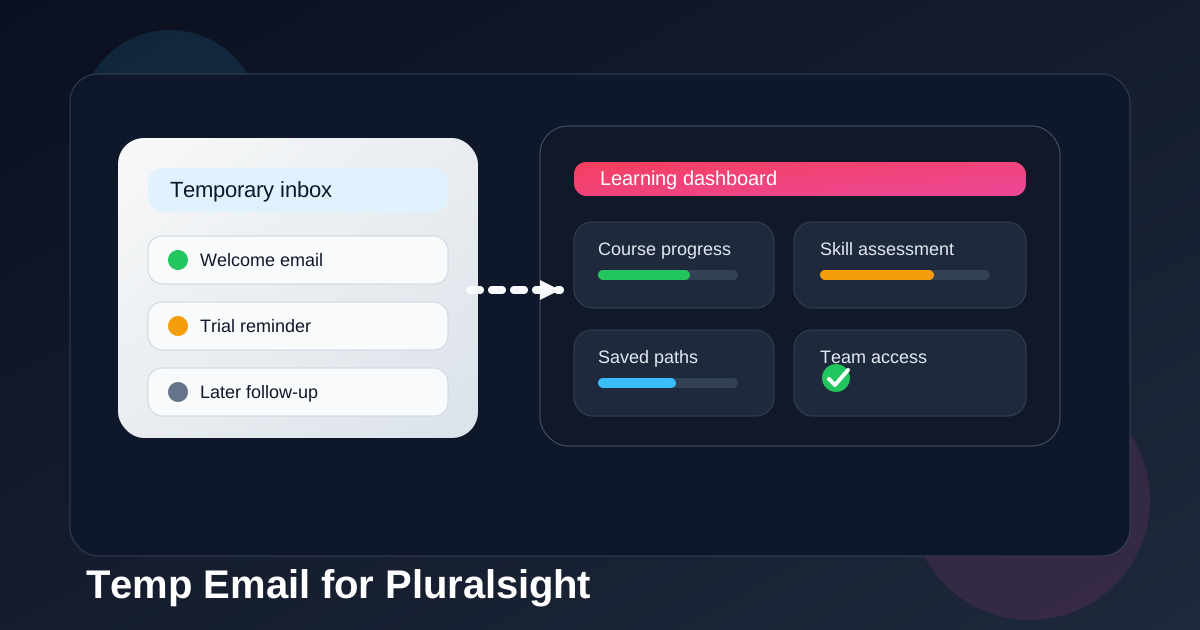
Why people consider using a temp email for Pluralsight
Pluralsight sits in the zone where temporary email can feel tempting. You may want to compare it with other learning platforms, test a trial before committing, look at the course library, or check whether the onboarding flow fits your needs without handing your long-term inbox to yet another product. That instinct is not unreasonable.
Most people asking about a temp email for Pluralsight are not trying to do anything shady. They usually want one of four things: less marketing email, cleaner separation between experiments and real accounts, privacy while comparing several course platforms, or a simple way to avoid turning one quick trial into months of follow-up messages.
That is exactly the kind of early-stage use case where a disposable inbox can help. The problem starts when a quick test quietly becomes a real account you care about.
Short answer: fine for low-stakes testing, bad for long-term learning
If you are only checking whether Pluralsight feels useful, a temporary inbox can be a practical choice. You can receive the verification email, look around, test the first-run experience, and decide whether the platform deserves a permanent place in your learning stack.
But the moment you care about saved progress, personalized recommendations, subscription management, team invitations, or recovery options, a temp address stops being a clever privacy tool and starts being a liability. Learning platforms are not like one-off coupon sites. If you keep coming back, the email becomes part of the account’s long-term stability.
When a temp email can make sense
1. You are comparing several learning platforms at once
If you are evaluating Pluralsight next to Coursera, Udemy, Skillshare, Codecademy, DataCamp, or edX, a temp inbox can keep the first wave of onboarding messages from piling into your main email. That is especially useful if you only want a quick feel for the interface, course categories, and trial gating.
2. You only need the confirmation email and a brief look around
Some users just want to answer a practical question: does the library look strong for my topic, and is the UI worth deeper time? If that is your goal, a disposable address can be enough for the first pass.
3. You want to isolate marketing follow-up from real work
Many software and learning products send welcome sequences, tips, webinar invites, upsell reminders, and win-back campaigns. Using a separate temporary inbox for the earliest stage can keep that noise away from the address you use for serious communication.
4. You are doing a one-off skills check
If you only want to explore whether the platform’s assessment or topic coverage seems relevant before you commit, a throwaway inbox can be a reasonable low-friction option.
Where a temp email becomes risky on Pluralsight
Saved progress is only useful if you can get back to it
The biggest issue is obvious once you say it out loud: a learning account becomes more valuable the more time you put into it. Course progress, saved paths, bookmarks, learning plans, preferences, and other account details matter only if you can still access the inbox tied to the account when something goes wrong.
If the address disappears or you lose track of it, even minor friction gets annoying. A password reset, security check, or sign-in problem can turn your learning account into a hassle fast.
Billing and subscription changes should not depend on a disposable inbox
If you move from a quick test into a paid plan, email stability matters more. Receipts, renewal notices, billing warnings, payment failures, and plan changes are not the kind of messages you want tied to an inbox that was only meant to exist briefly.
Even if you think you will remember everything manually, real life gets messy. The safer move is to switch to an inbox you actually control before money enters the picture.
Team access and employer-sponsored seats raise the stakes
Pluralsight is often used by teams, managers, and employers, not only solo learners. If a company invites you into a team plan, learning environment, or shared workspace, using a temp address becomes much harder to justify. Invitation emails, seat assignments, admin notices, and account changes need to reach you reliably.
This is one of the clearest boundaries: disposable email can be acceptable for private early testing, but it is a poor fit for anything tied to a real team relationship.
Account recovery is not an edge case
People often act like account recovery is a rare event, but it is really just part of normal online life. Devices change. Passwords get forgotten. Sign-in methods shift. You come back months later after a break. When that happens, the email on file becomes the safety net.
If the safety net is temporary, the account is weaker than it looks.
Assessment history and learning continuity may matter later than you expect
Even if you start casually, you may later care about what you completed, which topics you explored, or how you organized your learning. A temporary email is fine when you truly do not care about continuity. It is a bad choice when you only think you will not care yet.
A practical way to decide
Ask yourself one simple question: am I testing Pluralsight, or am I starting a real learning account?
If you are testing, a temp email is defensible. If you are starting something you may revisit, pay for, or connect to your work, use a long-term inbox from the start.
That is the real dividing line. Not whether temporary email is technically possible, but whether the account is disposable too. If the account is not disposable, the inbox should not be either.
Best setup for privacy without making the account fragile
Option 1: Use a temp email only for the earliest comparison phase
This is the cleanest privacy-first approach. Use a service like Anonibox when you only want the first verification message and a short evaluation window. If you decide Pluralsight is worth keeping, change the account email to a stable address before you build up real usage.
Option 2: Use a separate long-term learning inbox
If you want privacy and separation without the fragility of a disposable inbox, a dedicated learning or SaaS-trial email is often the sweet spot. It keeps promotional traffic out of your main personal inbox while still giving you a durable recovery path.
Option 3: Use your normal inbox if the account will matter immediately
If you already know you are likely to keep the account, join a team plan, or rely on the platform for ongoing study, skipping the disposable phase entirely is often smarter.
Examples
Low-risk example
You want to compare Pluralsight with a few other technical learning platforms this weekend. You only need the welcome email, a look at the course catalog, and maybe a quick browse through topic paths. A temp email is reasonable here.
Higher-risk example
You expect to keep studying for months, save course progress, maybe pay for a plan, and possibly accept a manager’s invitation into a team environment. A temp address is the wrong tool. Use a durable inbox now and avoid pain later.
Middle-ground example
You are not sure yet. In that case, the safest compromise is a separate long-term email you reserve for learning tools and trials. It gives you cleaner boundaries without making the account hard to recover.
Checklist before you sign up
- Do I only need a short trial, or do I expect to keep using the account?
- Would I care if I lost access to saved progress later?
- Could billing, receipts, or renewals become relevant?
- Is there any chance this account will be tied to a team, employer, or manager invite?
- Would a separate long-term inbox solve the privacy problem better than a temporary one?
If several of those questions point toward long-term use, that is your answer. Pick a stable email now.
Final answer
A temp email for Pluralsight is useful for trial testing, quick comparisons, and low-stakes sign-up privacy. It is not a great choice once the account starts holding anything you may want later, including progress, billing information, team access, or recovery options.
The safest approach is simple: use temporary email only while the account is truly temporary. If Pluralsight becomes part of your real learning workflow, switch to a durable inbox you actually control.