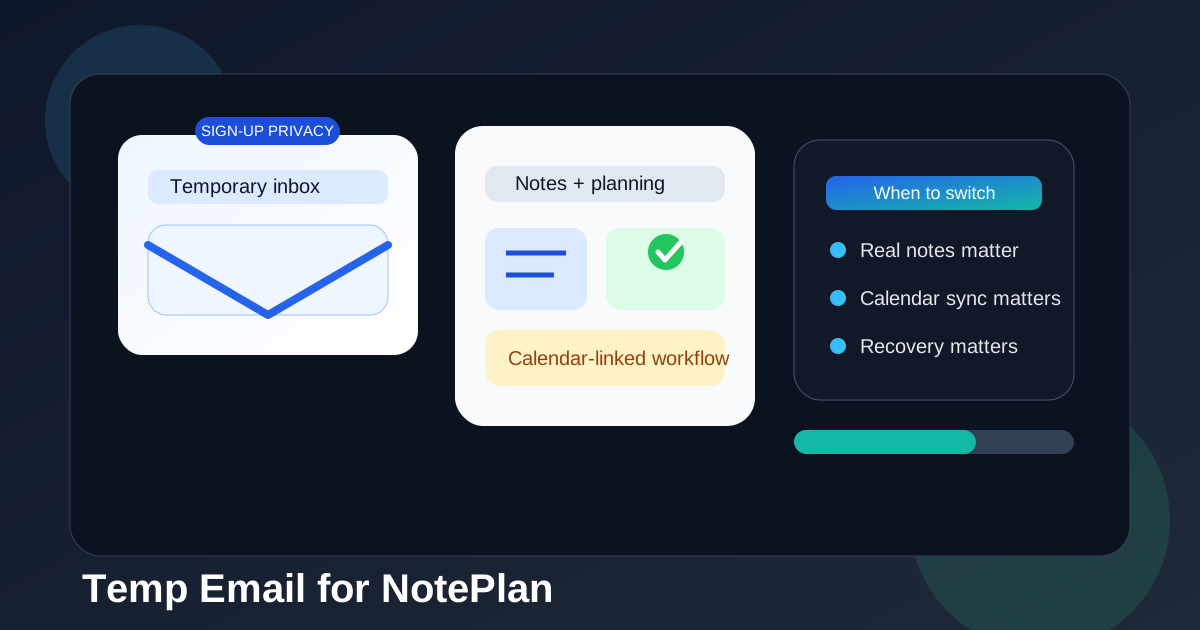
A temp email for NotePlan is fine for short-term sign-up privacy if you only want to test the app without inviting long-term inbox clutter.
It becomes risky once your notes, calendar-linked workflow, subscription receipts, device access, or account recovery depend on that inbox, so a stable personal address is usually the better long-term choice.
Why people look for a temp email for NotePlan
NotePlan sits in a category where privacy-minded people often want a little distance before committing. If you are trying a new notes-and-planning tool, you may not want to hand over your main inbox on day one. That is especially true if you compare several apps in the same week and do not want months of onboarding sequences, feature announcements, webinar invites, and upgrade reminders following you around afterward.
That is where a temporary inbox can help. It gives you a quick way to complete sign-up, receive the first verification email, and evaluate whether the product is even worth your attention. For short tests, that is a sensible use of a disposable address.
The problem is that NotePlan is not the kind of tool most people use only once. If it clicks, it quickly stops being a throwaway experiment. It becomes part of your daily planning, note capture, and calendar workflow. At that point, the email address tied to the account starts to matter a lot more.
Short answer: yes for quick testing, no for serious ongoing use
If your goal is just to explore the interface, see how notes and planning feel, and decide whether the app belongs on your shortlist, a temp email can be fine.
If you expect to keep real notes there, link it to your routines, use it across devices, pay for a plan, or rely on it later, switch to a stable inbox early. A disposable inbox is good at reducing sign-up spam. It is bad at supporting continuity.
When a temporary email makes sense for NotePlan
There are a few situations where using a temporary inbox is reasonable and low-risk.
- You only want a fast product test. You are evaluating the app for an hour or a weekend, not moving your real workflow into it.
- You are comparing multiple tools. Maybe you are testing several note-taking or planning apps and want to keep each trial isolated.
- You want less marketing follow-up. You want the verification link and maybe the welcome email, but not a long drip campaign in your primary inbox.
- You are still deciding whether the tool fits your process. You do not want to tie another permanent account to your main address before you know whether you will stick with it.
Those are all normal reasons. In that narrow window, a temp inbox does exactly what it should do: it reduces noise while still letting you access the account.
Why it gets risky once NotePlan becomes part of your routine
The moment you begin treating the app as more than a trial, the trade-off changes.
1. Your notes stop being disposable
At first, it is just a test account. Then you jot down a meeting note, a project list, a planning outline, or a few personal reminders. A week later, the “temporary” setup is holding information you actually care about. That is the usual trap with productivity tools: the value grows quietly, and by the time you notice, you no longer want to lose access.
2. Calendar-linked workflows are not low-stakes
Any notes app that touches your scheduling or daily planning becomes more sensitive than a casual social sign-up. If your tasks, meeting prep, day plans, or recurring routines start living there, losing account access is more than an annoyance. It can interrupt how you organize real work.
3. Account recovery matters more than people expect
A temporary inbox is convenient only while everything goes smoothly. If you ever need a login link again, need to confirm ownership, need to change settings, or need to recover access after switching devices, the disposable address can become the weak point. The very feature that made it attractive early — not being tied to your long-term identity — becomes the reason it fails later.
4. Billing and subscription messages are not throwaway
If you ever upgrade, start a paid plan, or want invoices and renewal messages, you will probably want those in an inbox you actually control long-term. Even if the app experience is great, managing a paid account through an address you do not monitor is asking for friction later.
What a temp inbox is good for here
It helps to be specific. A temp email for NotePlan is usually fine for:
- email verification during first sign-up
- a short test of the interface and note structure
- checking whether the planning workflow feels right for you
- keeping your main inbox out of low-commitment app trials
That is a narrow but legitimate use case. If you stop there, the risk is fairly low.
What it is not good for
A disposable address is a poor fit once you start doing any of the following:
- storing notes you would be upset to lose access to
- using the app across multiple devices over time
- depending on calendar-connected daily planning
- saving subscription-related information there
- expecting support, recovery, or future login emails to arrive reliably
That is the dividing line. Temporary inboxes are for experimentation, not continuity.
A practical way to use NotePlan without oversharing your main inbox
If you care about privacy but also want to avoid locking yourself into a brittle setup, the best approach is usually a two-step one.
Option 1: use a temp inbox only for the first look
If you simply want to see whether the app deserves deeper attention, sign up with a temporary inbox, inspect the basics, and make a fast decision. If it is not for you, walk away and your main inbox stays clean.
Option 2: switch to a stable inbox as soon as the trial becomes real
If the app makes the shortlist or you start using it for actual notes and planning, move to a reliable personal inbox early rather than later. That gives you the privacy benefit during evaluation without carrying the fragility into your real workflow.
This is where Anonibox fits naturally. Use it to protect your main inbox during low-stakes sign-up and app comparison. Then, when NotePlan becomes something you actually depend on, move to an address you can keep, search, and recover from months later.
How to decide which setup you need
Ask yourself a few blunt questions before you sign up:
- Am I just testing the app, or am I already planning to keep using it?
- Will I store notes there that matter after today?
- Am I likely to use it across devices or over a long period?
- Would missing a future email from this account create real hassle?
- Do I want privacy from sign-up spam, or do I actually need durable account access?
If the honest answer is “I just want to look around,” a temp inbox is reasonable. If the answer is “I might build a real workflow here,” a stable inbox is smarter from the start.
Common mistake: treating a real planning tool like a throwaway sign-up
People often make the same mistake with productivity apps: they judge the signup step correctly but the long-term use case incorrectly. Yes, the sign-up form may feel like just another account creation screen. But the app itself can become sticky fast. The more it helps you structure your day, the less disposable the account becomes.
That is why the right question is not “Can I use a temp email for NotePlan?” The answer to that is usually yes. The better question is “Should I still be using one after I begin relying on the app?” In most cases, the answer there is no.
A realistic example
Imagine you try NotePlan on a Friday evening with a temporary inbox. At first, you only mean to test the interface. Then you add next week’s priorities, a meeting checklist, and a project note you plan to revisit. On Monday, you use it again because it is handy. A month later, it quietly holds part of your real planning system.
Now suppose you need to verify the account again, change devices, look up a billing email, or recover access later. Suddenly the disposable address that helped you avoid a few promotional emails is the same thing making your account less dependable. That is the trade-off in plain terms.
Best practices if you want both privacy and stability
- Keep temp email use limited to low-stakes evaluation. Use it for first-pass testing, not for long-term account ownership.
- Switch early if you decide to stay. Do not wait until your notes and routines are deeply tied to the account.
- Save key onboarding messages. If you use a temporary inbox at all, keep the verification or setup information you need right away.
- Use a dedicated long-term inbox if you want separation. If you do not want your main personal address attached, create a stable productivity or app-testing inbox you actually control.
- Think in terms of recovery, not just signup. The real test of an account email is whether it still helps you six months later, not whether it worked for the first five minutes.
So should you use a temp email for NotePlan?
Yes, if you only want short-term sign-up privacy and a quick trial. No, if you plan to keep meaningful notes there, sync your planning workflow over time, pay for the service, or rely on future account emails.
That is the cleanest answer. A temp email for NotePlan works best as a front-door privacy tool, not as the foundation of a serious notes-and-calendar setup.
Final takeaway
A temp email for NotePlan is useful when your goal is simple: protect your real inbox while you test whether the app is worth your attention. That part makes sense, and for short evaluations it is often the smart move.
But once the app starts holding real notes, recurring plans, or account information you care about, the disposable setup stops being clever and starts being fragile. If you want the best balance, use a temporary inbox during evaluation and move to a stable long-term address as soon as the account becomes part of your actual workflow.