Yes, you can use a temp email for xTiles if you only want short-term sign-up privacy while testing the workspace.
It becomes a poor long-term choice once shared workspaces, sync, or account recovery matter, because losing the inbox can make the account harder to keep.
xTiles sits in that familiar category of modern workspace apps people want to try before they commit. It combines notes, planning, and visual organization in a flexible canvas, which makes it appealing if you are comparing productivity tools, personal knowledge apps, or lightweight project spaces. The catch is simple: a disposable inbox is helpful for a first look, but a bad foundation for an account you might actually keep.
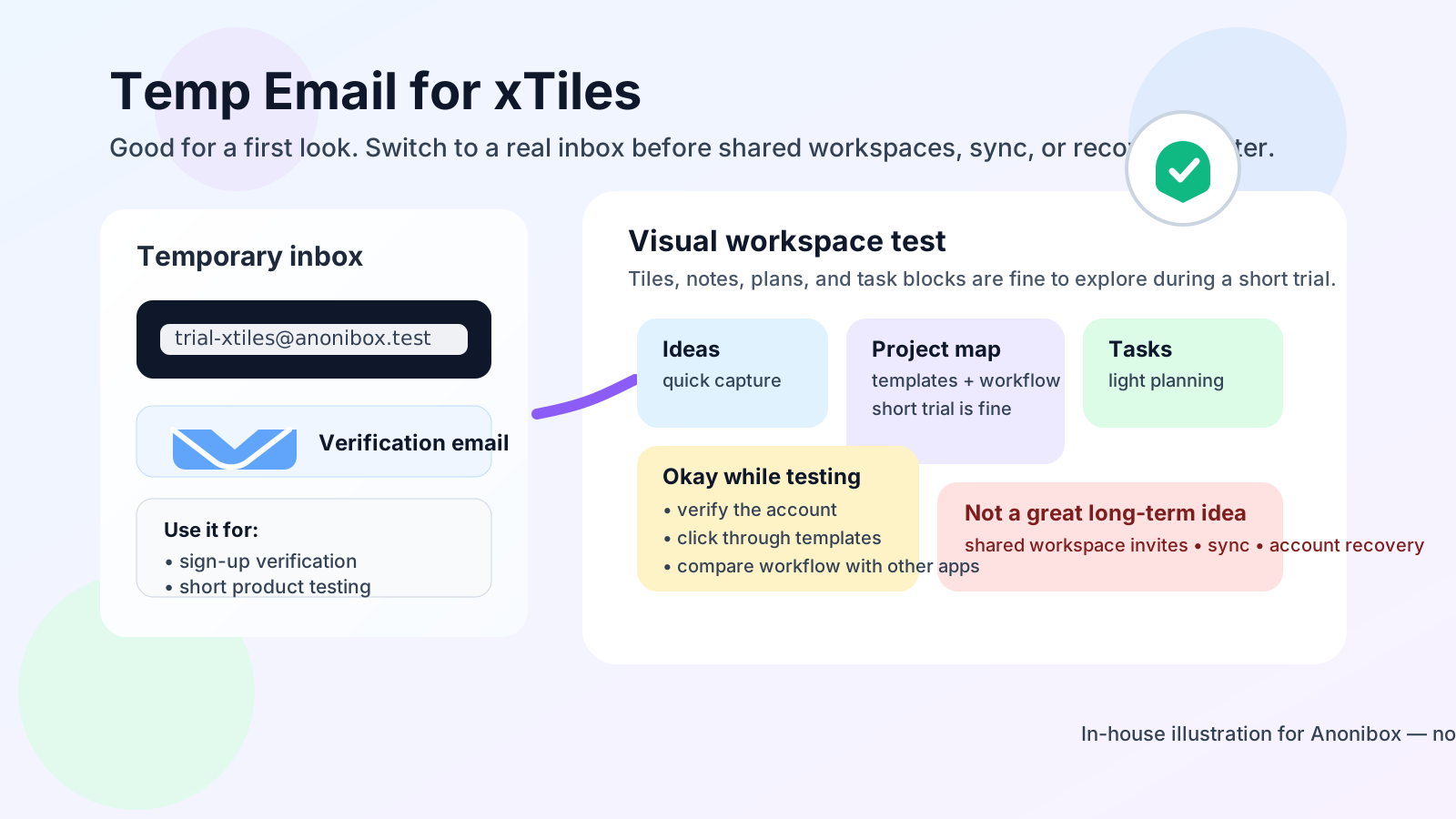
That is why the right answer is not a blanket yes or no. If you only want to verify the account, click around the interface, and decide whether xTiles fits your workflow, a temporary inbox can be perfectly reasonable. If you are about to save real project notes, invite collaborators, or rely on the app across devices, you should move the account to an inbox you control long term.
Why people look for a temp email for xTiles
Most people are not searching this because they want to game the system. They usually want one of three things: less inbox clutter, more privacy during testing, or a cleaner way to compare several tools without spraying their main email address across every trial. That is sensible. Productivity apps often send welcome emails, feature announcements, template suggestions, upgrade nudges, and product education sequences the moment you sign up.
If you are trying xTiles alongside apps like Notion, Anytype, Supernotes, Notesnook, or other workspace tools, those messages pile up quickly. Using a temporary inbox through a service like Anonibox gives you a clean buffer. You get the verification link, the first onboarding messages, and a chance to explore the app before deciding whether it deserves your everyday address.
The problem is that note and workspace apps have a habit of becoming more important than you expected. A trial account turns into a project board. A project board turns into research notes, task lists, links, and planning documents. Once that happens, the email behind the account matters a lot more than it did on day one.
When a temporary inbox makes sense
1. You are only testing the interface
If your goal is simply to see how xTiles feels, a temp email is usually fine. You are checking whether the layout clicks, whether the visual approach helps you think, and whether the workflow feels better than the alternatives you are already using. That is low-risk experimentation.
2. You are comparing several workspace apps at once
Plenty of privacy-conscious users test multiple tools back to back. In that phase, temporary inboxes can actually make the comparison easier. Each app gets its own sign-up trail, and your main inbox stays focused on the products you have already decided to keep.
3. You want to avoid long-term marketing noise
Even good products can be chatty. Launch updates, template drops, AI feature emails, webinars, educational sequences, and plan reminders add up fast. A disposable inbox lets you decide whether the product has earned a place in your real workflow before you start receiving all of that on your primary address.
4. You are running a genuinely low-stakes experiment
If the account is just for an afternoon test, a throwaway planning board, or a short comparison session that you are happy to abandon later, using a temporary email is a practical choice. The key is being honest with yourself about whether the account is truly disposable.
When it starts becoming risky
Shared workspaces and collaboration
The moment another person is involved, the stakes rise. If you start sharing a workspace, inviting teammates, or using xTiles for collaborative planning, the account stops being a casual trial. Access, ownership, and communication begin to matter. A vanished inbox can turn a small privacy win into an annoying recovery problem.
Sync across devices
Many people sign up just to test on one device, then add a laptop, tablet, or phone a few days later. Once your notes and plans are part of a synced workflow, the original email address becomes more important. Password resets, login confirmations, and security notices are much easier to manage when the inbox still exists.
Saved notes you actually care about
A visual workspace is not just a toy once it starts holding meeting notes, content plans, class material, client ideas, or personal organization systems. If the account contains work you would hate to lose, a disposable email is the wrong long-term anchor.
Paid plans, billing, or receipts
If you ever upgrade, billing messages matter. Even if you never need them every week, invoices, renewal notices, payment failures, and plan changes are not the kind of messages you want tied to an inbox you may never see again.
Account recovery
This is the biggest issue in practice. People often think about sign-up verification but forget about the recovery side. If you lose the password, change devices, or trigger a security check later, the inbox used at registration may suddenly become the only route back into the account. That is a bad surprise if the mailbox was meant to be temporary from the start.
A safer way to try xTiles
If you want the privacy benefits without creating a future headache, use a simple staged approach.
1. Start with a temp inbox for the first look
Create the temporary address before signup. Use it only to verify the account and access the initial onboarding flow. This keeps your real inbox out of the earliest trial stage.
2. Use the first session to answer real questions
Do not waste the trial on random clicking. Check whether the canvas makes sense to you, whether the templates fit the way you work, whether the visual structure reduces clutter, and whether the app feels fast enough for daily use.
3. Decide quickly whether this is a keeper
After the first serious session, make a call. If xTiles is not a fit, walk away and let the disposable inbox do its job. If it looks promising, do not keep limping along on a temporary address just because it worked once.
4. Move to a permanent email before real usage begins
Before you add important notes, invite anyone, rely on sync, or connect the account to your normal routine, change the email to one you control long term. That keeps the privacy benefit at signup while reducing the risk later.
What to evaluate during the trial
A temp-email trial works best when you know what you are trying to learn. Good questions include:
- Does the visual layout help you think more clearly, or does it create extra drag?
- Can you find, structure, and revisit information easily?
- Does the workspace feel suitable for planning, notes, and lightweight project management?
- Would you trust it with real school, work, or personal organization tasks?
- Is the value high enough that you would actually keep using it after the novelty fades?
That is the point of using a temporary inbox here. It buys you a private evaluation window, not a permanent shortcut around account hygiene.
Common mistakes to avoid
- Forgetting the email was temporary: the biggest mistake is treating a disposable sign-up like a permanent account foundation.
- Adding real work too early: if you start using the app for important notes before changing the email, you are creating unnecessary risk.
- Inviting collaborators too soon: collaboration raises the cost of account confusion immediately.
- Ignoring recovery and billing: people think about getting in, not about getting back in later.
- Using one disposable inbox for everything: if you test multiple apps, separate inboxes keep the process cleaner and make it easier to see what belongs to what.
A simple rule of thumb
Use a temporary email for xTiles only while the account is still experimental. The moment the account becomes useful, persistent, collaborative, or paid, switch to a real inbox. That rule is simple, and it prevents most of the problems people run into with disposable-email signups.
In other words, a temp inbox is a privacy tool for evaluation, not a smart long-term identity layer for productivity software. The more valuable the account becomes, the less sense a throwaway mailbox makes.
Final answer
A temp email for xTiles is fine if you want short-term sign-up privacy while you test the workspace. It is a bad long-term choice once shared workspaces, synced notes, billing, or account recovery matter.
If you want the cleanest approach, use a service like Anonibox for the first signup and product trial, then switch the account to a permanent email before xTiles becomes part of your real system. That gives you the privacy benefit up front without trapping important work behind an inbox you do not control anymore.