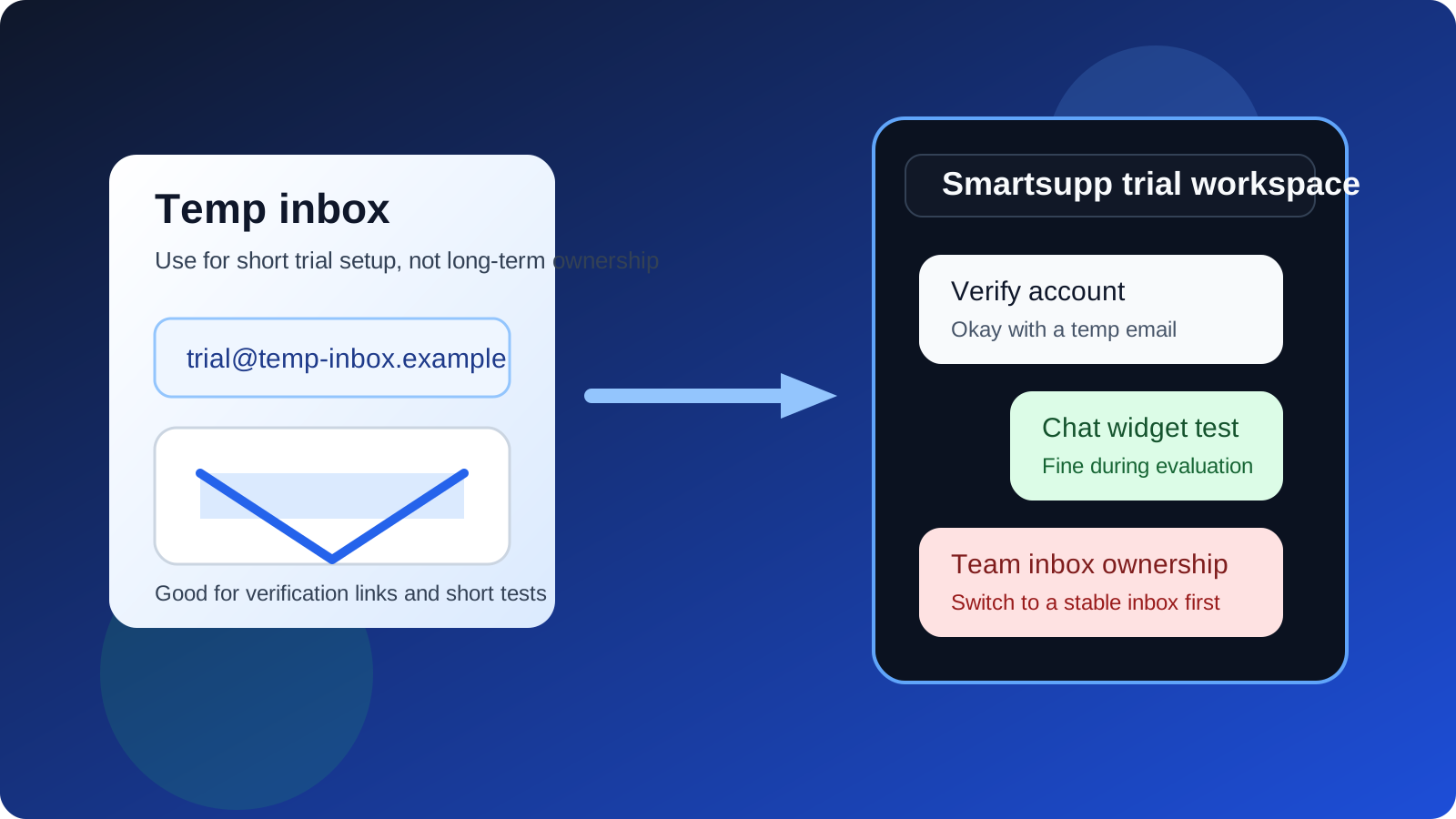
Yes — a temp email for smartsupp setup can be useful if you only need to open a Smartsupp trial, click the verification email, and test the basics. It is a poor long-term choice if that same inbox will later control shared conversations, lead ownership, billing notices, or account recovery.
In practice, a disposable address works best for short evaluation. Before you put Smartsupp in front of real visitors or teammates, move the workspace to a stable inbox you actually keep.
Why people consider a temp email for Smartsupp
Smartsupp sits in the kind of workflow where people often want a low-friction trial. You may want to compare live chat tools, see how the widget feels on a site, test lead capture, or check how the inbox works before handing over your real work address. That is sensible. A lot of software evaluations start with curiosity, not commitment.
If you are reviewing multiple support or chat platforms in the same week, your main inbox can get noisy fast. Welcome emails, webinar invites, “book a demo” nudges, setup reminders, and sales follow-up all stack up. Using a short-lived address for the first pass keeps the evaluation contained. A service like Anonibox can help with that early separation when your goal is to test, not to commit.
Short answer: when a temporary email is fine
A temporary inbox is usually fine for Smartsupp if your goal is limited to trial sign-ups, widget testing, and early evaluation. That includes cases like:
- Opening a trial just to see the dashboard and core setup flow
- Verifying the account and reading the first onboarding email
- Testing a widget on a staging site or personal sandbox
- Comparing Smartsupp against other support or chat tools before you choose one
- Keeping early vendor follow-up away from your main inbox until the product makes the shortlist
In those situations, you are not relying on the address for long-term continuity. You just need enough access to confirm the account, review the product, and decide whether it deserves more time.
When a temp email becomes the wrong choice
The trade-off changes as soon as Smartsupp stops being a toy trial and starts becoming part of a real customer workflow. That is where a disposable inbox usually becomes a liability. Once the account matters, you want an email address that your team controls and can keep using months from now.
That matters especially for shared inbox ownership, lead handoff, and account recovery. If the account owner disappears because the temporary inbox expires, routine admin work becomes harder than it should be. Even if the product itself is fine, poor account hygiene can create annoying avoidable problems.
Smartsupp-specific situations where you should switch to a stable email
1. The workspace will handle real customer conversations
If chat leads, support requests, or inbound questions will flow through the workspace, treat the login email as operational infrastructure, not disposable trial data. Real conversations create responsibility. You do not want that responsibility attached to an address that might vanish.
2. More than one person will use the account
As soon as you invite agents, coworkers, or stakeholders, the account stops being a private experiment. Shared ownership needs a shared, durable admin path. A throwaway email is the opposite of that.
3. You care about missed-chat alerts, lead notifications, or admin messages
Notification emails are easy to ignore during a short trial, but they matter in production. Password-reset messages, login alerts, billing notices, export confirmations, agent invitations, and system warnings should land somewhere dependable.
4. The tool will live on your public site
Testing a widget on a staging page is one thing. Embedding it on a site that real prospects or customers use is different. Before that jump, move the admin ownership to a stable inbox so recovery and access do not depend on an expiring address.
A practical way to use a temp email for Smartsupp without creating future headaches
The safest approach is simple: use a temporary email only for the earliest stage, then graduate to a permanent inbox if the product proves useful.
- Create the temporary inbox first. Keep the trial segmented from your main work inbox.
- Open the Smartsupp trial and save the verification email. You only need a few messages at this stage.
- Test the basics quickly. Look at setup friction, inbox layout, widget behavior, teammate flow, and whether the product feels like a fit.
- Decide whether it is a real contender. If not, walk away without dragging long-term sales email into your primary inbox.
- If yes, switch to a durable address before production use. Do that before you invite teammates, connect real websites, or rely on the workspace operationally.
That sequence gives you the privacy benefit of a temp inbox without carrying trial habits into places where they stop making sense.
What you should actually evaluate during the trial
A lot of people spend too much energy on the signup step and not enough on the product itself. Once you are inside Smartsupp, focus on the questions that matter:
- How easy is it to install and test the chat widget?
- Can agents see conversation context clearly?
- How well does routing or assignment work for your team size?
- Do canned replies, automation, or basic workflow features actually save time?
- Would you trust the system for real leads and support traffic after the trial?
Those answers matter more than whether you used your main inbox or a temporary one to get through the door.
Common mistakes to avoid
- Leaving the temporary inbox in place too long: what works for a two-hour trial may be a bad foundation for a real support workflow.
- Forgetting to save important messages: if you need setup details later, export or note them before the inbox disappears.
- Inviting teammates before switching emails: that creates unnecessary admin risk.
- Using one disposable inbox for many vendors at once: it gets messy fast and makes comparisons harder, not easier.
- Confusing privacy with permanence: a temp inbox protects your main email from early spam, but it is not a smart long-term ownership tool.
Should you use your main work email instead?
If you already know Smartsupp is likely to be adopted, using your main work email from the start is reasonable. It removes one migration step and keeps all admin messages in the right place. But if you are still comparing tools and just want a clean first look, a disposable address is often the better first move.
The key is honesty about intent. If this is a serious implementation path, start stable. If this is just a first-pass evaluation, a temp inbox can keep the process tidy.
A quick decision checklist
- Do you only need to verify the account and test the product briefly?
- Are you still comparing multiple chat or support tools?
- Will the workspace stay private during the trial?
- Have you avoided inviting teammates or routing real customer conversations yet?
- Are you ready to switch to a durable inbox before production use?
If the answer is yes to most of those, a temporary email is probably fine for the trial. If the account is already becoming operational, switch now instead of later.
Final verdict
A temp email for smartsupp approach makes sense for short evaluation and inbox privacy. It does not make sense as the long-term admin identity for a workspace that may handle live chats, real leads, teammate access, or recovery messages.
Use the temporary inbox to get in, test the product, and protect your main address from premature vendor follow-up. Then, if Smartsupp earns a place in your real workflow, move ownership to a stable email before the account starts to matter. That is the simple boundary that keeps convenience from turning into avoidable support and access trouble later.