Use a temp email for a short Nextiva trial if you want privacy during evaluation, but switch to a stable team-controlled inbox before the account starts owning real numbers, users, or routing.
A temp email can work for testing Nextiva, but it becomes risky once the account matters for admin access, call flows, billing, voicemail, or recovery.
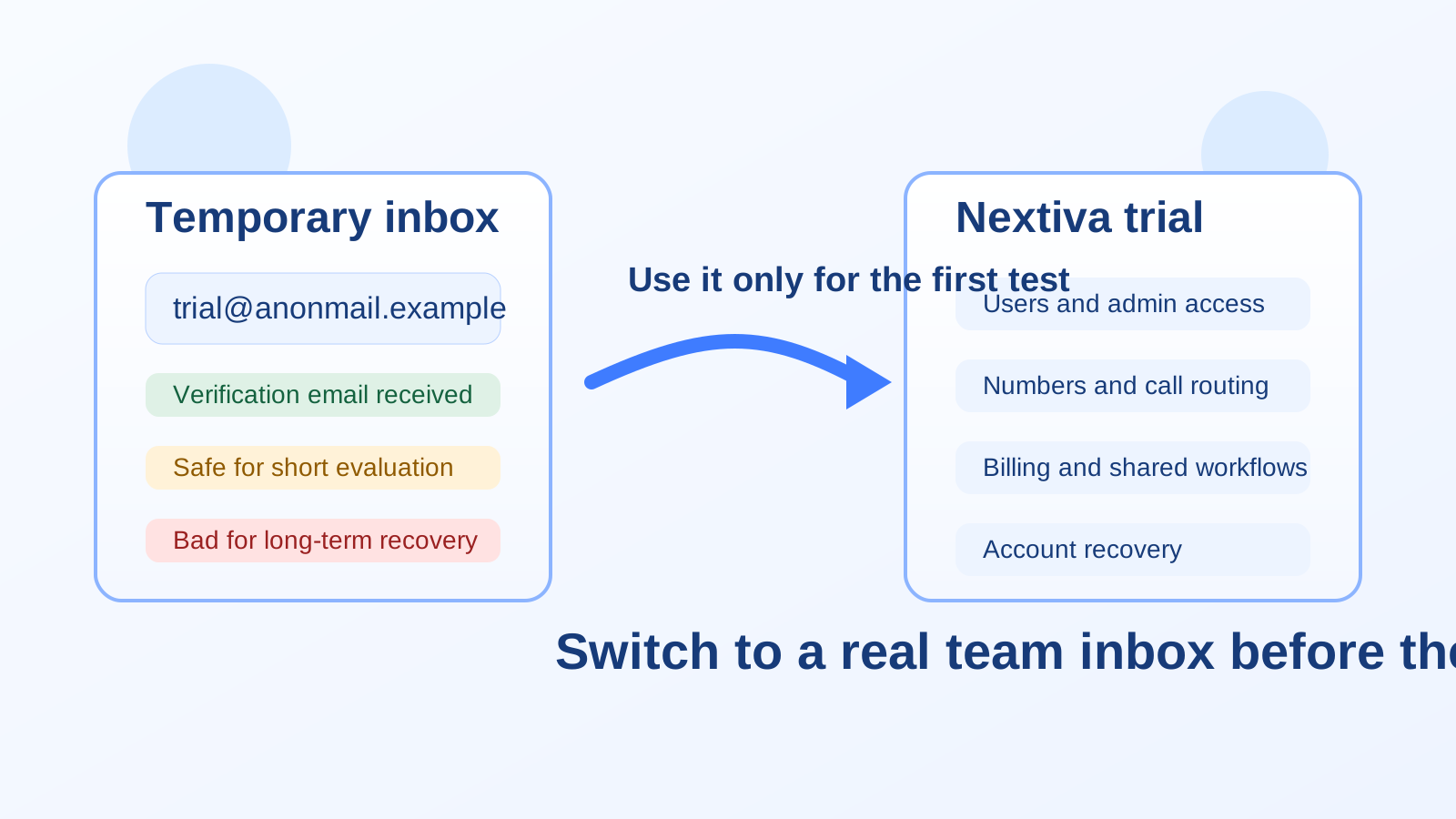
That is the practical answer. A disposable inbox can be useful while you are only trying to confirm the account, open the dashboard, and decide whether the product deserves more time. The moment the setup starts turning into a real communication system, though, the email address on the account stops being a throwaway detail and starts becoming part of ownership.
Nextiva sits in the category of tools that can move from “quick trial” to “business-critical” faster than people expect. A team might start with a harmless signup, then quickly add coworkers, connect real numbers, build call routing, receive customer messages, and depend on account notifications. At that point, keeping a temporary inbox attached is usually a bad trade.
When a temp email for Nextiva makes sense
Using a temporary address is reasonable when your goal is limited and short-term. For example, you might just want to see how the signup flow works, look around the dashboard, compare pricing tiers, or decide whether the interface feels better than other phone or contact-center tools you are evaluating.
In that narrow evaluation window, a temp inbox helps in a few practical ways:
- It keeps vendor follow-up out of your main inbox while you compare several tools.
- It reduces clutter from welcome sequences, sales outreach, webinar invites, and trial reminders.
- It lets you separate early research from real rollout so your permanent work email is only used when the platform actually makes the shortlist.
- It gives you a privacy buffer if you are not ready to tie your main business identity to one more SaaS account yet.
If your use case is “I want to peek inside and decide whether this is even worth a second meeting,” a temp email can be perfectly fine.
When it becomes a bad idea
A temp email for Nextiva stops being smart as soon as the account begins controlling anything important. Business phone platforms are not just casual apps. They often become part of how your team answers calls, routes customers, assigns access, resets credentials, and keeps day-to-day communication moving.
That is where disposable inboxes create avoidable risk.
1. Team access becomes harder to manage
If more than one person is involved, the account email starts functioning like an admin anchor. It may receive invitations, permission changes, security notifications, and recovery messages. A throwaway inbox is a weak place to store those responsibilities, especially if it expires, is forgotten, or is no longer monitored.
2. Call routing and operational setup can outlast the trial
During evaluation, teams often go further than planned. Someone tests routing, someone else claims a number, another teammate explores voicemail or messaging, and suddenly the trial account contains real setup work. If the original login is tied to a short-lived inbox, that work becomes harder to protect and recover.
3. Billing and renewal notices may matter later
Even if the account begins as a test, it can easily become the starting point for a paid deployment. If invoice notices, trial-end warnings, or account notices keep going to a disposable address, your team can miss information it actually needs.
4. Recovery is the biggest weak spot
Temporary email works best when nothing important depends on it. Recovery works the opposite way: it only matters when something important goes wrong. If you ever need to reset access, prove account control, or receive a security alert, an expired or abandoned inbox is exactly what you do not want.
A safer workflow for evaluating Nextiva
If you want the privacy benefits without the long-term mess, use a staged approach instead of leaving the temp address attached indefinitely.
Step 1: Use the temp inbox only for the first signup
If all you want is the confirmation email and a quick dashboard walkthrough, a temp address is fine. Use it to get through initial verification and see whether the product is even relevant for your team.
Step 2: Decide quickly whether the trial is serious
Within the first session or two, ask a simple question: is this just casual research, or are we actually going to test it with real users, real workflows, or real numbers?
If the answer is no, you got what you needed. Close the tab, keep your main inbox clean, and move on.
If the answer is yes, do not keep pushing forward on disposable infrastructure.
Step 3: Switch to a stable shared or team-owned inbox
Before you invite coworkers or configure anything you would care about losing, update the account to a real email address your team controls. Ideally, that should be an address that will still exist if one employee leaves, one test owner disappears, or the project changes hands.
For many businesses, that means a role-based address rather than a purely personal one. The exact setup is your call, but the principle is simple: if the platform might matter later, the contact point should be durable.
Step 4: Keep evaluation notes somewhere outside the inbox
Do not let the inbox become your only record of what happened in the trial. Save the useful information elsewhere: notes about pricing, routing observations, admin limitations, onboarding friction, and which teammate tested what. That way, losing access to old trial messages does not erase the actual evaluation.
What people often underestimate about business-phone trials
A lot of users treat a phone-platform trial like a lightweight app signup. It rarely stays that lightweight. The minute you test realistic workflows, the account can start accumulating real value. That value may come from configuration time, internal discussions, imported contacts, shared access, or simply the fact that people now know “this is the account we set up.”
Temporary inboxes are good at shielding you from spam. They are not good at supporting continuity.
That difference matters. A streaming trial, a newsletter test, or a one-off download might tolerate disposable credentials with very little downside. A business communication platform usually does not.
Good reasons to use a real email from the start
Sometimes the cleanest answer is to skip the temp inbox entirely and begin with a stable address. That is usually the better choice if:
- You already know the product is on your serious shortlist.
- You expect multiple teammates to test it.
- You plan to connect real calling or messaging workflows.
- You know the account may convert into a paid setup.
- You want proper continuity for admin alerts and recovery.
In those cases, the privacy win of using a disposable address is usually smaller than the operational downside.
Where Anonibox still fits naturally
Anonibox makes the most sense at the very front of the decision process. If you are comparing several vendors and do not want your main inbox feeding a pile of sales nurture campaigns, a temporary inbox can keep the research stage tidy. It gives you a way to receive the initial verification email, open the product, and judge whether the platform deserves deeper attention.
That is a real advantage, especially when your team is reviewing multiple communication tools at once. The important part is knowing where the line is. Anonibox is helpful for the first pass. It is not a substitute for a durable admin email once the tool becomes part of a live or semi-live workflow.
Best practices if you start with a temp email
- Keep the test narrow. Use the account for evaluation, not for long-term setup.
- Switch early. Move to a stable inbox before inviting teammates or configuring anything meaningful.
- Save critical details elsewhere. Do not rely on temporary messages as your only record.
- Do not attach billing or long-term ownership to a throwaway address.
- Treat recovery as a deciding factor. If losing the inbox would hurt, it is time to replace it.
A simple rule to remember
If the account only needs to survive long enough for you to click a verification link and look around, a temp email for Nextiva can be fine. If the account needs to survive people changes, workflow changes, billing cycles, or access problems, it needs a real inbox.
That rule keeps the trade-off simple. Disposable email is for reducing noise during research. Stable email is for preserving control once the account matters.
Final takeaway
A temp email for Nextiva is useful for short trial sign-ups and early comparison work, especially if you want to avoid adding another vendor’s follow-up sequence to your main inbox. But it becomes a poor choice once the account holds team access, routing decisions, admin responsibility, billing notices, or recovery value.
Use a temporary inbox to explore. Use a durable team-controlled inbox to operate. That is the cleanest way to protect privacy without creating avoidable account-management problems later.