Usually not as your main cover-letter email if you expect serious follow-up. DuckDuckGo Email Protection can work for low-risk first contact, but a stable professional inbox is safer for most cover letters.
If you do use it, treat it like a controlled privacy layer rather than a throwaway shortcut: keep the alias active, test forwarding first, and make sure the same address appears consistently across your application materials.
Why this question matters
A cover letter is different from a random signup form. It is part of a real hiring conversation. The email address on it may be used to reply with interview requests, writing tests, scheduling links, or follow-up questions. That means privacy still matters, but reliability and professionalism matter too.
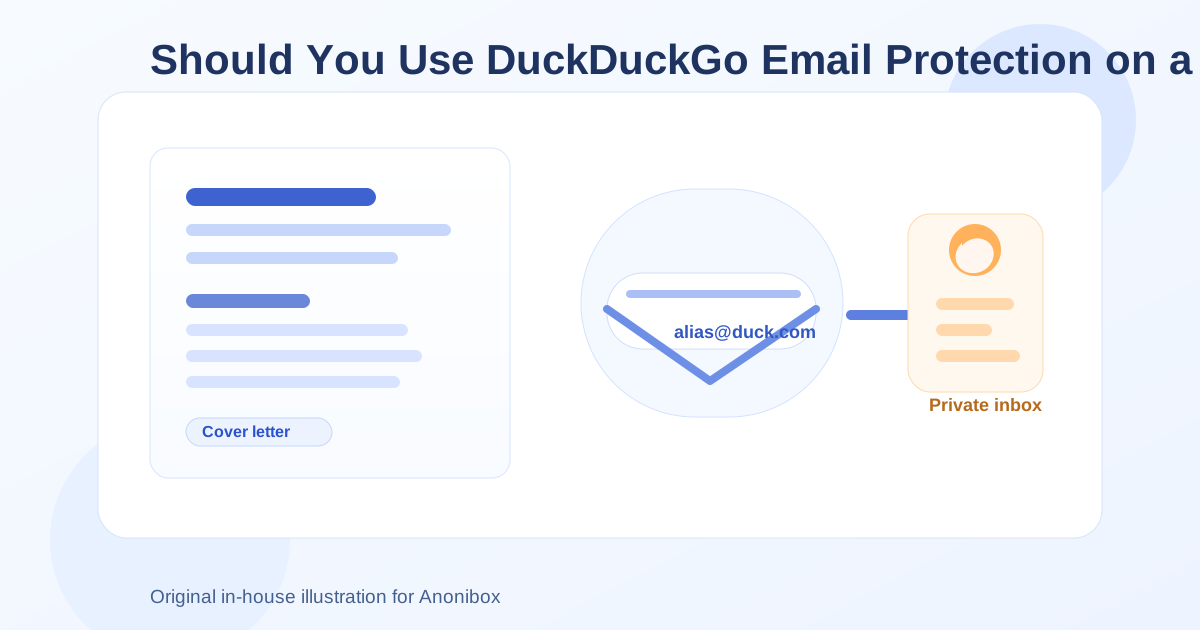
DuckDuckGo Email Protection sits in an interesting middle ground. It is not the same as a short-lived disposable inbox, and it is not exactly the same as giving an employer your main personal address either. It forwards mail from a masked alias to your real inbox, which can help reduce exposure and filter trackers in some messages. For privacy-conscious job seekers, that sounds appealing. The catch is that a cover letter is a high-trust document, so the setup has to be used carefully.
Short answer: it can work, but it is usually not the best default
If you are sending a cover letter to a legitimate employer and you genuinely want the job, a dedicated long-term job-search inbox is usually the better choice. It looks more straightforward, it is easier to manage over time, and there is less chance of confusion if the employer replies weeks later.
DuckDuckGo Email Protection is more reasonable when:
- you want to reduce exposure of your main address during early outreach,
- you are applying to a lower-trust listing but still want to stay reachable,
- you already use the alias regularly and know the forwarding works well, or
- you want a privacy layer without using a clearly disposable email address.
It is less ideal when:
- the role is important enough that you want zero uncertainty around follow-up,
- you are sending a resume, cover letter, and portfolio that all need consistent contact details,
- you expect a long interview process, or
- you might retire or forget the alias later.
What employers may think when they see a masked alias
Most employers will not recognize every privacy tool, and many hiring managers barely think about email addresses unless something looks obviously strange. A @duck.com address will not automatically ruin your chances. Still, it can raise questions in a few situations.
Some recruiters may read it as a privacy-conscious but acceptable address. Others may wonder whether it is temporary, whether replies will reach you, or whether you are trying to stay anonymous. That reaction will depend on the employer, the role, and the rest of your application.
In practical terms, a DuckDuckGo alias looks less risky than a classic disposable inbox name, but it can still look less standard than a dedicated Gmail, Outlook, Fastmail, or custom-domain inbox used just for job searching. If you are applying for privacy-sensitive, technical, or security-aware roles, a hiring team may understand it. If you are applying in a more traditional environment, a cleaner conventional address may feel safer.
How DuckDuckGo Email Protection differs from a disposable address
This is the key distinction. DuckDuckGo Email Protection is an alias-forwarding system, not a normal throwaway inbox. You are not checking a separate mailbox directly. Messages sent to the alias are forwarded to your real inbox.
That gives it some advantages over a pure temporary email tool:
- you do not need to keep a public disposable inbox alive,
- you can hide your underlying personal address,
- you can keep one alias active longer than a short-lived temp mailbox, and
- it may be less obviously “throwaway” to the person receiving it.
But it also creates its own trade-offs:
- you are depending on forwarding rather than using a directly controlled inbox,
- your reply flow can be harder to reason about if you have not tested it,
- you may forget which alias you used for which employer, and
- if you disable the alias too early, you can lose legitimate follow-up.
When it makes sense on a cover letter
There are some reasonable use cases.
1. Early-stage outreach where privacy matters
If you are contacting companies before you know how serious they are, using a masked alias can limit how widely your main address spreads. That can be useful if you are targeting job boards, small firms, or semi-public listings that feel a bit noisy.
2. You want separation without looking obviously disposable
Some job seekers do not want to use their personal inbox for every application, but they also know that a short-lived temporary address can look flimsy on a cover letter. DuckDuckGo Email Protection offers a middle option: more privacy than your main inbox, but less “throwaway” energy than a classic temp mailbox.
3. You already have a stable workflow built around it
If you have used DuckDuckGo aliases before, understand how replies arrive, and reliably monitor the destination inbox, the risk is lower. Familiar tools are safer than privacy setups you are trying for the first time on a job you actually want.
When it is a poor choice
1. High-value applications
If you care a lot about the role, do not add avoidable complexity. A clean dedicated inbox that you fully control is usually better.
2. Long hiring timelines
Some employers respond quickly. Others come back three weeks later after internal approvals, team reviews, or budgeting discussions. If there is any chance you will stop checking, rotate, or disable the alias, it is the wrong contact address for a cover letter.
3. Roles where conventional professionalism matters more than privacy signaling
That does not mean old-fashioned employers are always right. It just means hiring is partly about reducing friction. If a standard inbox does the job better, it may be worth choosing the simpler option.
4. If you are really trying to use a disposable mindset
A cover letter is not the place for a “good enough for now” contact method. If you are tempted to use a privacy tool because you do not want any long-term contact, that may be a sign you need a separate permanent job-search inbox instead.
Better alternatives for most applicants
For most people, the best setup is not a main personal inbox and not a disposable address. It is a dedicated long-term inbox created specifically for job hunting.
That could be:
- a separate Gmail or Outlook account used only for applications,
- a custom-domain inbox if you already have one and keep it professional, or
- a privacy-focused mailbox you plan to keep active throughout the whole search.
This approach gives you the biggest benefits with the fewest risks: you stay organized, your application traffic is separated from daily life, and employers get a stable address that still feels normal.
Anonibox can also fit into the broader workflow, but usually earlier in the funnel. For example, it can be useful for low-trust signups, one-off downloads, or early research where you want to protect your main inbox before deciding whether a listing is worth deeper attention. For the actual cover letter itself, though, a stable address usually beats a temporary-feeling one.
If you decide to use DuckDuckGo Email Protection anyway, do it carefully
Use one stable alias for the whole application package
Do not use one address on the resume, another on the cover letter, and a third in the application portal. Consistency matters. If you choose the alias route, use the same address everywhere for that employer.
Test the forwarding before sending anything important
Send yourself a test message. Reply to it. Confirm that messages arrive where you expect and that you understand how the conversation will look in your inbox.
Keep the alias active for the full hiring timeline
Do not treat it as temporary just because it is privacy-oriented. Leave it running until you are completely done with the opportunity.
Use a professional display name
The alias matters, but so does the sender name. Make sure the visible name matches the name on your resume and cover letter.
Monitor your inbox closely
Forwarded mail only helps if you actually see it. Check spam, promotions, and other filters while the application is active.
A quick checklist before you put it on a cover letter
- Is this a job you seriously want?
- Will you keep the alias active for weeks if needed?
- Have you tested how mail and replies flow through it?
- Does the address appear consistently across all application materials?
- Would a dedicated conventional inbox be simpler and safer?
If the last question makes you hesitate, that is probably your answer.
Final verdict
DuckDuckGo Email Protection can work on a cover letter, but it is usually a compromise rather than the strongest default. It is more credible than a classic disposable email address and better for privacy than handing your main inbox to every employer, but it still adds a layer between you and important follow-up.
For most serious applications, a dedicated long-term job-search inbox is the cleaner choice. If you use DuckDuckGo Email Protection, do it intentionally: keep it stable, keep it consistent, and make sure it supports the hiring process instead of getting in the way. Privacy matters, but on a cover letter, reliability and clarity matter just as much.