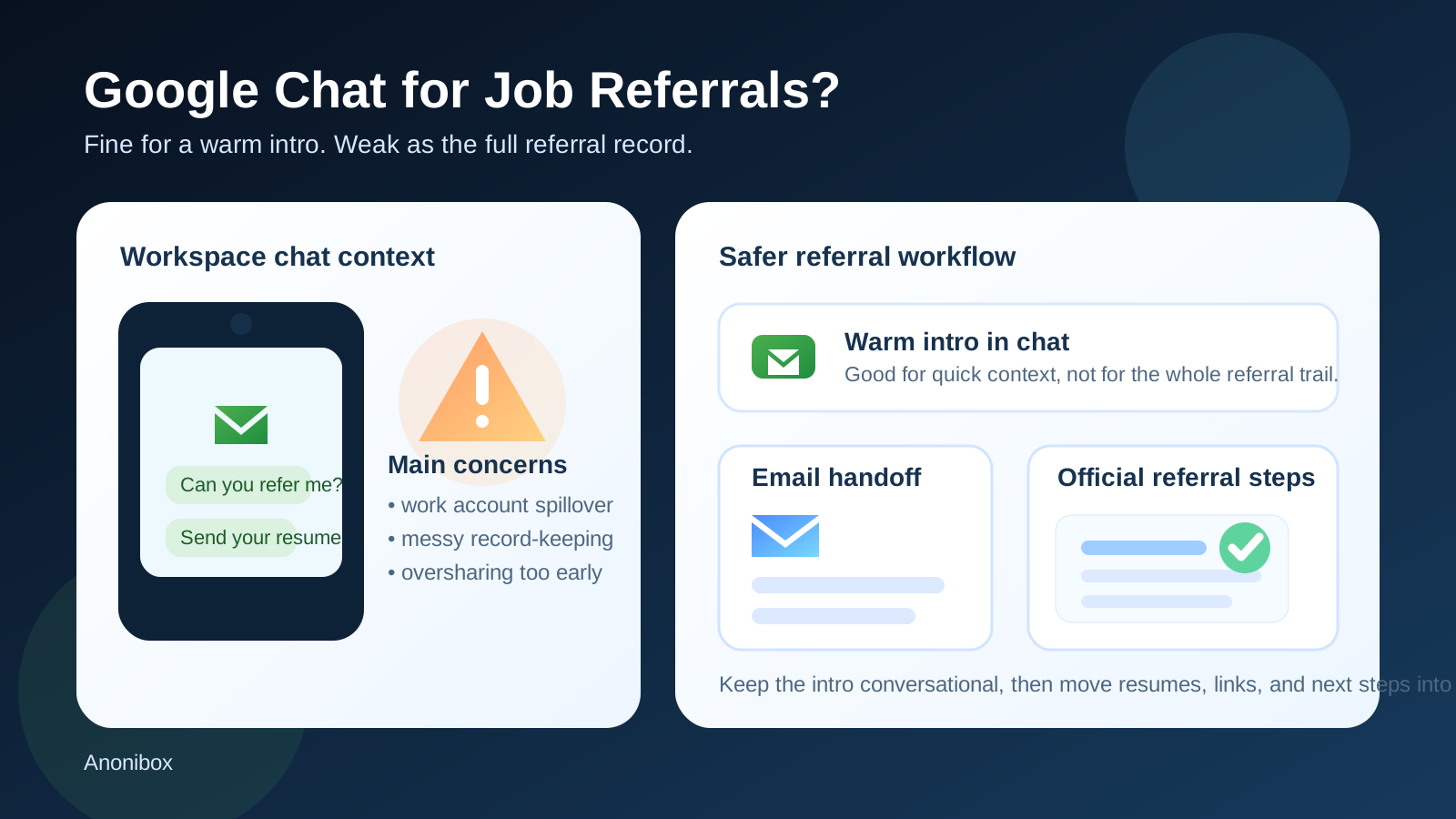
Usually not as your main referral channel—Google Chat can work for a warm introduction, but it is usually a poor place to keep your full job-referral workflow.
If the contact is real and already verified, Google Chat can be fine for a quick referral conversation; for resumes, application links, and sensitive follow-up, email and the company’s formal referral or hiring system are usually safer.
That is the practical answer behind searches for should you use google chat for job referrals. Google Chat feels harmless because it sits in a familiar middle ground. It is more professional than a random text thread, less formal than email, and deeply tied to how many people already work every day. If someone you know says, “Send me your resume and I’ll refer you,” replying in Google Chat can feel natural.
The problem is that convenience and professionalism are not the same thing as privacy, control, or good record-keeping. A referral is often the first point where your job search becomes visible to real people inside a company. Your resume, work history, target role, personal contact details, and timing all start moving through systems you may not control. That is why the choice of channel matters more than it seems.
Why Google Chat comes up for job referrals at all
There are good reasons people drift toward Google Chat for referrals:
- a former coworker already uses Google Workspace all day
- a friend inside a company wants to send you the role quickly
- someone prefers fast back-and-forth over formal email
- the conversation starts as a casual “are you interested?” message
None of that is weird. In fact, many genuine referrals begin in exactly that kind of low-friction conversation. The issue is not that Google Chat is automatically suspicious. The issue is that a referral often becomes more serious very quickly. Once someone asks for a resume, a job link, a target team, salary context, or availability for follow-up, you are no longer just chatting. You are entering an identifiable hiring workflow.
Short answer: good for warm intros, weak for the full referral process
If a verified contact says, “There’s an opening on my team—want me to refer you?” Google Chat can be completely reasonable for that first exchange. It is fast, easy, and often exactly how internal employees already communicate.
What is less ideal is letting the entire referral process stay there. Chat is usually a weak place to store the final version of your resume, the exact role link, the recruiter’s name, the referral deadline, and the next steps you may need later. It is even worse if the chat is tied to a work-managed Google account you should not be using for a confidential search.
Why referrals create different privacy issues than applications
A normal application often starts in a form. A referral starts with a person. That changes the risks.
When a human contact is involved, the process feels safer because there is already social trust. That can be true, but it can also make people lower their guard too early. They share personal context faster. They send a resume before confirming exactly which team the role belongs to. They mention details about their current employer they would not have typed into a public application form.
In other words, referrals feel warmer and more personal—and that is exactly why channel discipline matters. Informal communication can be helpful, but it can also make oversharing feel normal.
Main risks of using Google Chat for job referrals
1. Work-account spillover is the biggest Google-specific problem
If you are using Google Chat through your current employer’s Google Workspace account, stop there. That is usually the clearest reason not to use Google Chat for referrals. Even if nobody is actively reading your messages, the account may still sit inside an environment with admin controls, retention policies, device management, or activity trails you do not fully understand.
A confidential job search should not run through your current employer’s communication stack unless there is an unusually strong reason—and for referrals, there usually is not. A personal account is safer than a work-managed one, and email you control is safer still for important follow-up.
2. Google Chat can look more official than it really is
Because Google Workspace is common inside real companies, a chat thread can feel trustworthy before you have actually verified anything. A company logo, a real-looking name, and a familiar interface can create false confidence. That does not mean most Google Chat referrals are fake. It means you should not treat the platform itself as proof.
You still need to verify the contact, the role, and the company context. Real referrals usually hold up when you check the employee’s LinkedIn profile, the public company careers page, and whether the role is visible in a legitimate hiring system.
3. Important referral details get buried in chat
Chat threads are great for speed and weak for clean record-keeping. That matters because referrals often involve details you will want later:
- the exact job link
- which team or manager the role belongs to
- whether the employee wants a PDF resume, LinkedIn URL, or short intro blurb
- whether there is a deadline before the referral goes stale
- whether you should apply first or wait for the internal handoff
In a scrolling chat, those details are easy to lose, especially if the conversation spans several days or jumps across desktop and mobile. Email and formal systems are simply better when you may need to search the thread later.
4. Google Chat encourages oversharing too early
The tone of chat is more conversational than email. That often leads people to send more than they need to: salary expectations, current-employer frustrations, confidential project details, personal phone numbers, or multiple versions of a resume before they have even clarified the role.
A referral does not require a full life story. A short professional summary and the right resume are usually enough. The more casual the channel feels, the more useful it is to set your own boundaries on purpose.
5. Personal and work identity can blur together
Google accounts carry context. Display names, profile photos, connected devices, calendar presence, and account history all shape how the interaction feels. If you use the wrong Google account, you may expose a work identity, an old profile photo, or personal context that adds nothing useful to the referral.
That is not always disastrous, but it is avoidable friction. Referral conversations tend to go more smoothly when your professional identity is clear and intentional.
When Google Chat can be reasonable for job referrals
Google Chat can be perfectly fine in a narrow role when the setup is clean:
- you already know the person contacting you
- the person is clearly tied to a real company and a real role
- the chat is happening from your personal account, not your current employer’s Workspace
- the conversation is limited to a warm intro or quick coordination
- important next steps move into email or the company’s referral system quickly
In that case, Google Chat is not the workflow itself. It is just the front door.
What Google Chat is fine for
- asking whether a role is still open
- confirming whether the employee is willing to refer you
- sharing a brief, high-level summary of your background
- confirming which role link you should apply through
- setting up a quick follow-up call
Those are light coordination tasks. They benefit from speed more than formal structure.
What should usually move out of Google Chat
- the final resume version you want tied to the referral
- sensitive personal data you do not want spread casually
- detailed salary or notice-period discussions
- formal recruiter introductions and interview scheduling records
- anything you may need to reference carefully a week later
When in doubt, move the durable pieces into email or the employer’s actual application and referral systems.
Best practices if you do use Google Chat for a referral
Use a personal account, not a work-managed one
This is the most important best practice. If the search is confidential, do not route it through your current employer’s Google Workspace.
Keep the first message simple
A short, clean note works better than a giant info dump. Something like “I’m interested in the role you mentioned—happy to send a resume and short summary” is enough to get moving without oversharing.
Verify the role independently
Even if you trust the person, look for the company careers page, role listing, or recruiter details. A real referral should connect to a real job opening or at least a credible team and hiring context.
Move formal pieces to better channels quickly
If you are sending a resume, clarifying the exact role, or coordinating recruiter follow-up, email is often cleaner. It creates a searchable record and reduces the chance that something important gets lost.
Save your own notes
Write down the role title, employee name, date of the referral conversation, and any promised next steps. Do not rely on memory, and do not assume the chat thread will stay neat forever.
How this fits into a broader privacy strategy
Privacy-conscious job seekers often separate their channels on purpose. Tools like Anonibox can be useful at the noisy edge of the process—job-board alerts, gated downloads, low-trust signups, or one-off forms where you want less long-term inbox spam. That is a different problem from a real referral.
Once a real person is referring you for a real role, stability matters more than disposability. You usually want a dependable email address, a phone number you control, and clean records you can search later. Google Chat may still be part of the process, but it should support that structure rather than replace it.
Red flags that make Google Chat a much worse idea
- the contact wants everything to stay in chat for no clear reason
- you are being asked to use your current employer’s Google account
- the role cannot be verified through any normal company source
- the contact asks for sensitive information too early
- there is pressure to move fast before you can confirm details
Those signs do not prove bad intent every time, but they are good reasons to slow the process down.
A quick decision checklist
- Am I using a personal Google account rather than a work-managed one?
- Do I know who this person is and how they connect to the company?
- Can I verify the role outside the chat thread?
- Would I regret having this conversation tied to the wrong Google account?
- Have I moved the important parts into email or the hiring system?
If you can answer those well, Google Chat can be workable for the warm-intro stage. If not, it is usually smarter to switch channels early.
Final answer
Yes, Google Chat can be used for job referrals—but usually only as a light introduction channel, not as the main home of the referral process. It works best when the contact is real, the role is verifiable, and the conversation quickly moves into channels with better privacy boundaries and better records.
The safest pattern is simple: use chat for the introduction, use email and official systems for the durable parts, and never run a confidential referral search through a work-managed Google account if you can avoid it.