Yes, you can use iMessage for career fairs, but it is usually better for quick recruiter follow-up after you already have a legitimate contact than for first outreach. iMessage is fast and familiar, yet it often exposes your personal phone number, blurs professional boundaries, and gives you less control than email or LinkedIn.
If you want cleaner privacy and better long-term organization, start with email or LinkedIn whenever possible and move to iMessage only when a recruiter clearly prefers text-based coordination. That keeps you reachable without making your personal number the center of every career-fair conversation.
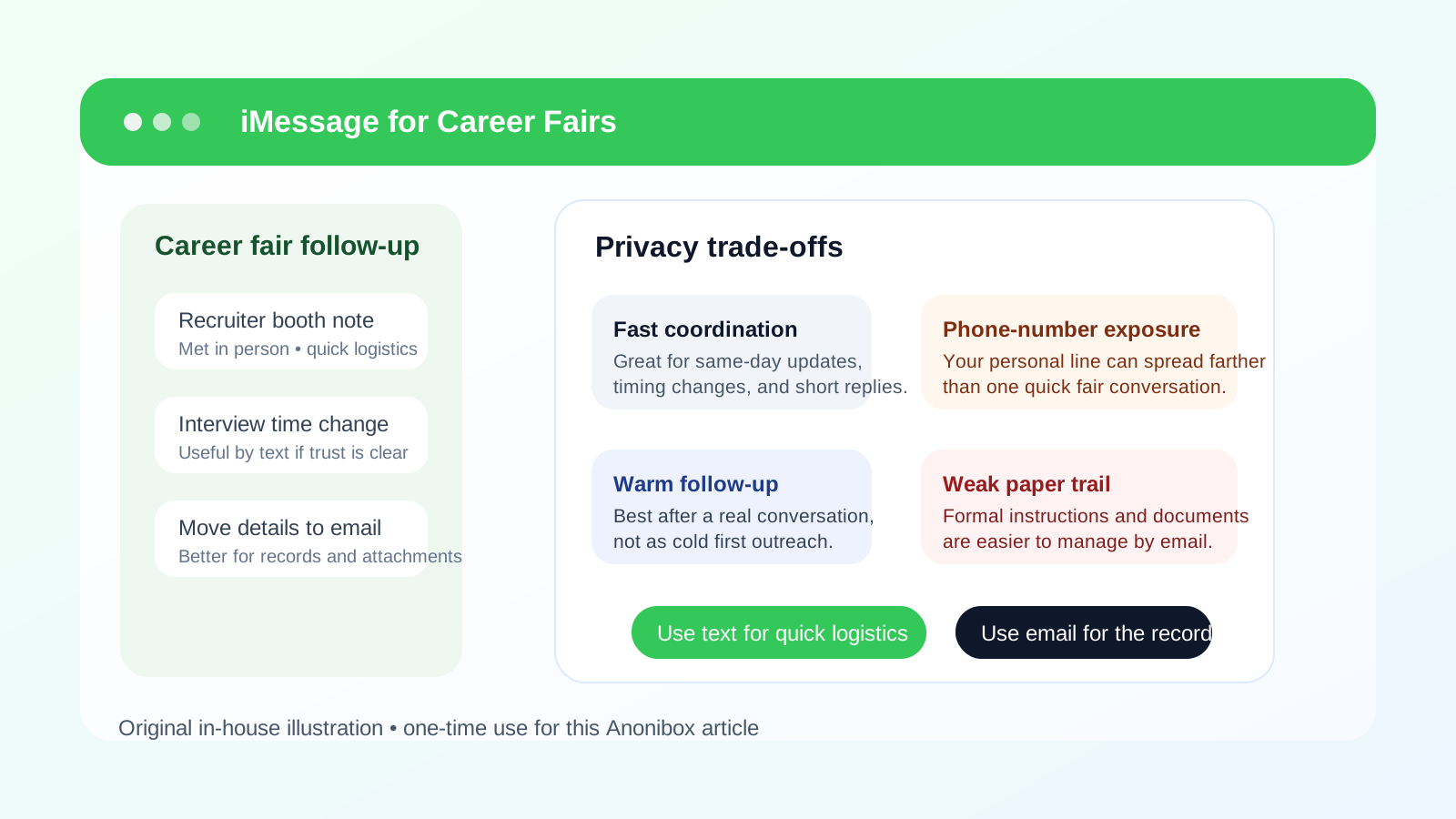
Why iMessage comes up at career fairs
Career fairs create a different communication pattern from formal online applications. You talk to a recruiter for a few minutes, scan a QR code, hand over a resume, collect a business card, or join a short waitlist for a follow-up conversation later that day. Because the whole setting feels fast and informal, it is easy to slide from “nice meeting you” into “just text me.”
For many job seekers, iMessage feels safer than random calls because it is easy to reply on the go, confirm times, and keep short updates moving. If you use an iPhone, it can feel like the most natural thing in the world. The problem is that convenience and privacy are not the same thing. A channel can be easy while still giving away more of your personal contact layer than you intended.
The short answer: useful for logistics, weaker for first impressions
iMessage works best when a real recruiter has already met you, the opportunity is legitimate, and the next step is narrow and time-sensitive. For example, if someone needs to move your interview slot by 15 minutes, send a building-access update, or confirm where to meet after the fair, a text conversation can be practical.
It works much less well when you are trying to make a polished first impression, keep a searchable record of the conversation, or protect your number from spreading through recruiter tools, shared notes, or later outreach you did not ask for. In those situations, email still tends to be the cleaner default.
The biggest privacy drawbacks of iMessage at career fairs
1. Your phone number often becomes the main identifier
In real-world use, iMessage is frequently tied to a mobile number even though Apple also supports Apple ID based messaging in some cases. At a career fair, that usually means you are not just sharing a temporary contact channel. You are sharing a personal number that may stay with you for years.
Once that number is copied into recruiter notes, event follow-up lists, or contact-sync systems, you lose a lot of control over where it travels next. Even perfectly legitimate employers can turn one quick exchange into months of calls or texts if your search is broad and you meet many teams in a short time.
2. It makes personal and professional boundaries softer
Email naturally feels slower and more deliberate. iMessage feels immediate. That speed helps with day-of logistics, but it also creates a subtle expectation that you are always reachable. A recruiter might text during commuting hours, evenings, or weekends because texting feels casual even when the subject is still your job search.
If you are talking to multiple employers, the result can be a mess of mixed conversations on the same device you use for family, friends, and everyday life.
3. It is easy to lose context
Career fairs create lots of short interactions. Maybe you spoke with six companies in two hours. Maybe three recruiters said they would “text later.” A text thread that starts with “Hi, this is Jordan from the fair” can become hard to track if you did not immediately save the contact and note the company. Email tends to preserve more context automatically because signatures, subject lines, and domains give you better clues.
4. It is not the best place for formal next steps
Recruiters sometimes send useful links by text, but iMessage is not ideal for handling resumes, portfolio context, interview instructions, or longer follow-up questions. Important details get buried faster in message threads than in a structured email exchange.
5. Scam and impersonation risk still exists
Job scams increasingly rely on text because it feels urgent and familiar. A message that references a real fair you attended can sound credible even if it is not. That does not mean every recruiter text is suspicious, but it does mean you should verify who is messaging you before you click links, open attachments, or share extra personal details.
When iMessage makes sense
There are situations where using iMessage is reasonable and does not create much downside.
- Same-day logistics: a recruiter is confirming a booth revisit, room change, parking instruction, or interview time.
- Warm follow-up: you already spoke in person, know the company, and the text is clearly part of that conversation.
- Short coordination: the exchange is about timing, not about sharing sensitive documents or long career questions.
- You deliberately chose a job-search number: if the number is not your main personal line, the privacy trade-off is smaller.
In those cases, iMessage can save time without doing much damage. The key is that the contact is real, the context is clear, and the conversation is narrow.
When iMessage is a poor choice
You should usually avoid leading with iMessage when any of these apply:
- You are meeting an employer for the first time and want the strongest professional first impression.
- You are not fully sure the recruiter or role is legitimate.
- You do not want your personal number spread across multiple organizations.
- You expect a longer follow-up process with attachments, scheduling threads, and formal instructions.
- You are already managing many employer conversations and need cleaner organization.
In those moments, email is usually the better first channel. It signals professionalism, preserves context, and gives you more room to step back before replying.
A better default: email first, text second
For most career fairs, the smartest workflow is simple:
- Use email for first follow-up whenever you can.
- Move to iMessage only if the recruiter requests text coordination or if the situation is genuinely time-sensitive.
- Keep anything important, durable, or document-heavy in email even if the initial logistics happen by text.
This lets you benefit from quick communication without making a text thread your only record of the conversation. It also gives you a cleaner trail when you need to remember which recruiter promised what after a busy event.
If a fair registration, employer portal, or event platform asks for an email address before you can access schedules or follow-up materials, a separate inbox can help you keep all of that traffic out of your main personal account. That is where a tool like Anonibox fits naturally: as a practical way to isolate early-stage signups and recruiter follow-up noise, not as a magic shield against every privacy risk.
What to do if a recruiter asks to text you
You do not have to treat every request for texting as suspicious. Many recruiters are just trying to move fast. But you should handle it intentionally.
Ask yourself whether speed actually matters
If the recruiter needs to confirm a meeting in the next hour, texting makes sense. If they want to send next-week application instructions, email usually makes more sense.
Decide whether you want to share your main number
If you are uncomfortable giving your primary personal number to every employer you meet, consider using a dedicated job-search number. That keeps your real line more private while still allowing text-based follow-up when needed.
Confirm the recruiter’s identity first
If you receive an unexpected text after a career fair, make sure you know who it is. Ask for their full name, company, and role if the thread is unclear. A legitimate recruiter should have no problem identifying themselves.
Move serious details back to email
Once the conversation turns into interview scheduling, forms, attachments, or job-specific instructions, ask for email. A short line like “Thanks — could you send the formal details to my email so I keep everything together?” is completely normal.
Best practices if you do use iMessage
Save contacts with company context immediately
Do not leave a thread labeled only by a number or first name. Save the contact as something like “Maya – BrightPath Recruiting – Career Fair” so you can identify it later.
Keep the first text brief and professional
A good first text should sound clear, not chatty. For example: “Hi Maya — this is Alex. We spoke at the State Tech career fair about the analyst role. Thanks again for the conversation. I just applied and wanted to share that I sent my materials.” That is enough context without oversharing.
Do not send sensitive documents casually
Resumes, portfolios, and personal documents belong in more formal channels unless the recruiter gives you a clear and legitimate reason to text something specific. Even then, email is usually cleaner.
Watch for pressure tactics
If a recruiter pushes you to switch quickly from a known company channel to an unfamiliar text thread, to install software, or to share verification codes or identity details, stop. Those are classic warning signs.
Know when to stop using text
Once the conversation becomes substantive, move it. Text is a tool for coordination, not a replacement for your full hiring record.
Would a separate number be better?
For privacy-conscious job seekers, often yes. A separate job-search number gives you most of the convenience of texting without forcing you to expose your everyday personal line to every employer you meet. It also lets you mute, retire, or compartmentalize that channel later if the follow-up turns noisy.
This is the same basic logic people use with job-search email. Separation is not paranoia. It is organization. If you are active at fairs, networking events, and recruiting platforms all at once, segmented contact channels make the whole process easier to manage.
A quick decision checklist
iMessage is probably reasonable if most of these are true:
- You already met the recruiter and know the company is real.
- The conversation is about short-term logistics or warm follow-up.
- You are comfortable sharing the number being used.
- You can move important details back to email later.
iMessage is probably the wrong first move if most of these are true:
- You are still in cold outreach mode.
- You want a cleaner professional record.
- You do not want your personal number circulating widely.
- You are unsure whether the contact is legitimate.
- You expect a longer hiring conversation with forms, attachments, or multiple stakeholders.
Final answer
So, should you use iMessage for career fairs? Sometimes — but mostly for legitimate, time-sensitive follow-up after the first real interaction, not as your default professional channel. It is convenient, but convenience comes with privacy trade-offs, especially when your phone number is the real thing you are handing over.
If you want the safest balance, use email first, reserve iMessage for fast logistics, and consider separate contact channels when your search is active. That way you stay reachable for real opportunities without turning a busy career fair into long-term personal contact sprawl.