Signal can work for career fairs after you have had a real conversation with a recruiter, but it usually should not be your default first-contact channel.
It is best for opt-in follow-up or same-day logistics when privacy matters, while email or LinkedIn are usually better for first outreach, recordkeeping, and recruiter verification.
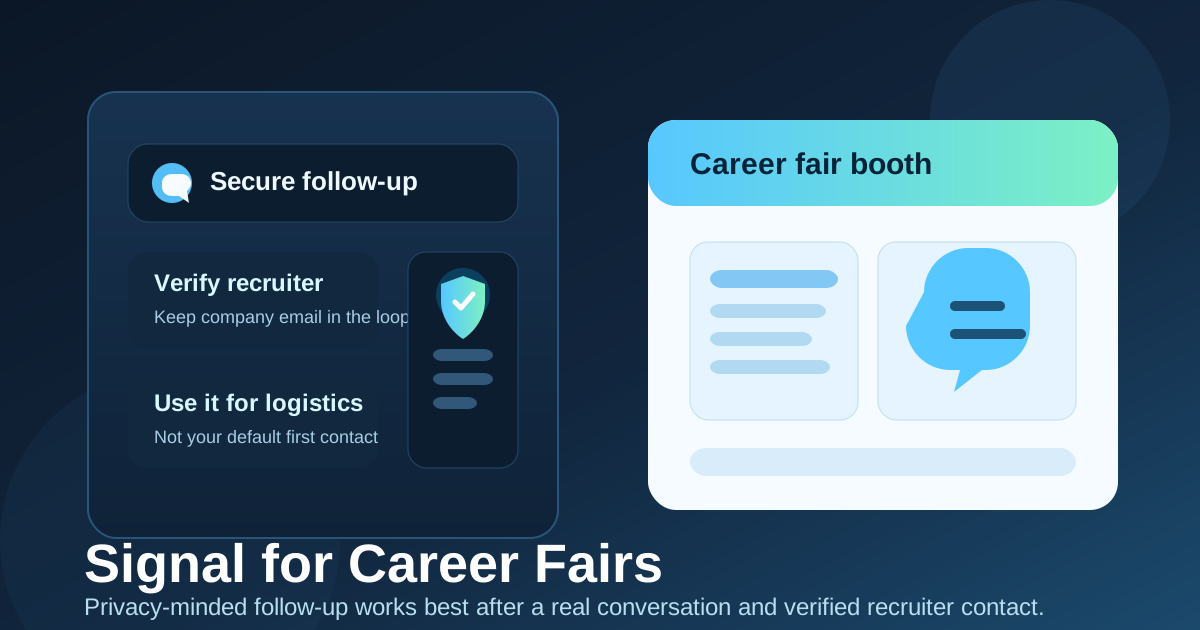
Why Signal comes up after career fairs
Career fairs create a strange communication environment. You may talk to a dozen employers in one afternoon, scan QR codes, register for talent communities, promise to send a resume later, and try to keep momentum with the two or three companies that actually felt promising. In that situation, a fast messaging app can sound easier than email.
Signal is especially appealing because it feels more private and less noisy than many mainstream chat tools. Some job seekers like the idea of using a messaging app without pulling recruiters into their everyday social feeds. Some recruiters also prefer a quick mobile channel when they are moving between booths, campus rooms, or event sessions.
That convenience is real, but career fairs are also high-volume, mixed-trust events. You do not know yet which recruiter relationship will turn into a real interview, which contact is just collecting resumes, and which event follow-up will go nowhere. Because of that, the best channel is not just the fastest one. It is the one that gives you speed without giving up too much privacy or control.
Short answer: yes sometimes, but not as your default
If a recruiter you already spoke with asks you to follow up on Signal, using it can be reasonable. It can help with quick next steps, day-of logistics, or brief follow-up when the relationship is already real. That is very different from treating Signal as your automatic first move for every employer you meet.
For most career-fair situations, the safer default is still email or LinkedIn. Those channels give better context, cleaner documentation, and a more professional first-contact trail. Signal works best as a secondary channel, not the backbone of your whole event follow-up strategy.
What Signal actually does well
Fast coordination
If a recruiter wants to tell you where to meet, confirm that they received your resume, or move a conversation to a same-day screening slot, Signal can be genuinely useful. Messaging apps are better than email for real-time coordination.
Less exposure than broad social platforms
Some job seekers are comfortable with secure chat but do not want recruiters in apps tied to public profiles, friend networks, or casual social activity. Signal can feel cleaner and more bounded than that kind of platform.
A privacy-first reputation
Signal is popular among privacy-conscious people for a reason. If your main concern is avoiding unnecessary data sharing, it makes sense that Signal would look more attractive than default texting or more commercial messaging apps. That said, privacy reputation alone does not make a career-fair workflow automatically smart.
Where Signal creates friction at career fairs
It can get too personal too early
At most career fairs, the first follow-up is still fairly formal. You are reminding the recruiter who you are, sending your resume, clarifying the role, or asking about next steps. That kind of communication usually fits email better. Moving into a private messenger right away can feel too intimate for a contact who only spoke with you for three minutes at a booth.
Verification is weaker than official email
A company-domain email is not perfect proof, but it gives you something concrete to verify. A message in Signal from a number or profile you do not recognize gives you less context. If the recruiter is real, asking them to confirm the role and next step by official email should not be a problem.
Career fairs generate lots of threads
If you are talking to many employers, messaging apps become cluttered fast. Important details get buried, conversations blur together, and it becomes harder to search back through your follow-up when interview invites or deadlines start arriving. Email is simply better at being an archive.
Your personal boundaries still matter
Depending on how your account is set up, using Signal may still reveal more of your personal contact identity than you want to hand out widely. Even when a platform is privacy-minded, you should still treat new recruiter conversations carefully and review your settings before using it professionally.
When using Signal for career fairs makes sense
- The recruiter suggested it directly: if they offered Signal themselves after a real conversation, matching their preferred channel can be fine.
- You need same-day logistics: event location updates, meeting-room changes, or quick timing confirmation are good messaging-app use cases.
- You already verified the company: you applied through a real careers page, have a company-domain email, or can independently confirm the recruiter.
- The relationship has already moved beyond a casual booth interaction: maybe you had a substantial discussion, they asked for a follow-up, and the next step is clear.
- The recruiting culture is unusually chat-friendly: in some regions or industries, private messaging is more normal for professional coordination than it is elsewhere.
In those cases, Signal can be a practical convenience layer. The important thing is that convenience comes after legitimacy, not instead of it.
When email or LinkedIn is the better first move
- You only had a brief interaction: if the recruiter barely remembers you, an email with context is stronger than a surprise private message.
- You are sending a resume or portfolio: formal materials are easier to review, forward, and track in email.
- You are following up with many employers: a searchable inbox handles volume much better than a chat list.
- You want a cleaner paper trail: interview instructions, application links, and screening steps are easier to manage outside a messenger.
- You are not fully sure the contact is legitimate: first make them prove that through normal channels.
There is also a useful split between registration privacy and recruiter follow-up. If you use Anonibox for career-fair registrations, sponsor downloads, gated event materials, or low-trust sign-up forms, that can help keep your main inbox cleaner. But once a recruiter relationship becomes real, important communication should move to a stable email address you monitor closely so you do not miss time-sensitive next steps.
Best practices if you do use Signal
Verify the recruiter independently first
Before moving important communication into Signal, confirm the recruiter through the company website, LinkedIn, or an email from the company domain. You want the chat to sit on top of a real relationship, not become the only proof that one exists.
Send a contextual first message
The first Signal message should remind them exactly where you met and why you are following up. A message like, “Hi Maya, this is Jordan from the university career fair. Thanks for speaking with me about the analytics internship,” is much better than a cold “Hello” or an attachment with no explanation.
Keep important details in email too
If the recruiter sends interview instructions, assessment links, or anything you may need later, ask for an email confirmation or send a recap yourself. Fast chat is useful. It is just not a great filing system.
Review your privacy settings
Before you start using any messenger for recruiting, check what a new contact can see. Think about your display name, profile photo, and any setting that exposes more of your personal identity than you intend.
Do not send sensitive documents in chat
Resumes are one thing. Identity documents, tax paperwork, banking details, or anything similarly sensitive are another. A recruiter asking for too much too early is a red flag no matter which app they use.
Red flags that mean you should slow down
- The recruiter wants to keep the entire process inside Signal from the first message onward.
- There is no company-domain email, careers page, or verifiable company presence.
- The role details are vague, overly urgent, or strangely generous for very little screening.
- You are pushed to click unfamiliar links, install software, or send sensitive information in chat.
- The person becomes evasive when you ask basic verification questions.
None of those warning signs automatically means the original career fair was fake. They do mean you should shift back to official channels and verify everything independently before you keep going.
A quick decision checklist
- Did I have a real conversation with this recruiter, or was it just a quick booth exchange?
- Did they invite Signal, or am I choosing it because it feels easier?
- Can I verify the company and contact outside the app?
- Would email or LinkedIn create a clearer record for this follow-up?
- Am I comfortable using this account for professional contact?
If several of those answers make you hesitate, start with email or LinkedIn instead. You can always move to Signal later if the relationship becomes more established and the recruiter prefers it.
Final answer
So, should you use Signal for career fairs? Sometimes, yes, but usually as a secondary tool after you have already verified the recruiter and had a meaningful conversation. It can be great for quick logistics and privacy-conscious follow-up, but it is rarely the best default first-contact channel for a high-volume event.
The safest approach is simple: use email or LinkedIn for first follow-up, keep a clear record of important details, and use Signal only when the context clearly supports it. That gives you the speed and privacy benefits of messaging without turning every career-fair interaction into a loosely documented private chat.