Yes, you can use LinkedIn Messages for recruiter outreach, and in many industries it is one of the most normal ways to start a conversation.
But it works best for a short, professional introduction and light follow-up — not as the only place to share sensitive details, documents, or your entire hiring conversation.
If you are reaching out to a recruiter for the first time, LinkedIn can feel like the perfect middle ground. It is more professional than a cold message on a consumer chat app, faster than waiting for email, and less exposed than giving out your primary phone number right away. That makes it attractive for job seekers who want to make contact without opening the door to unnecessary spam, awkward personal-channel mixing, or a messy outreach trail.
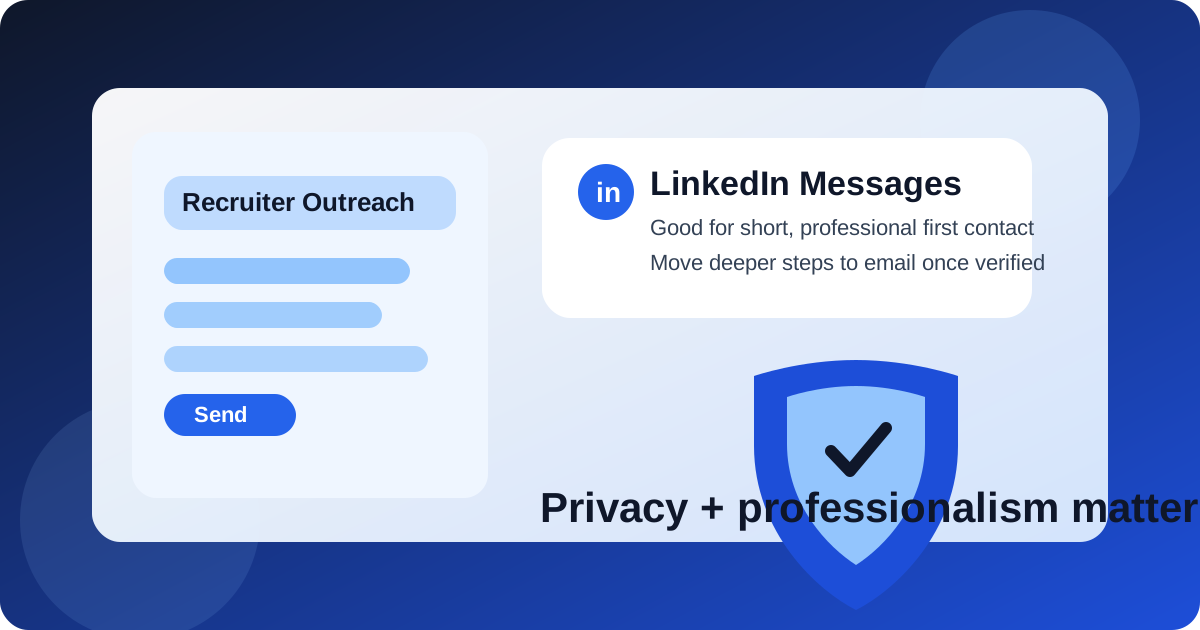
Still, “normal” does not automatically mean “ideal for everything.” LinkedIn Messages are strong for introductions, quick context, and low-friction follow-up. They are much weaker when the conversation shifts into résumé handoffs, verification, interview logistics, or anything involving sensitive information. The smartest approach is to treat LinkedIn as a professional front door, then move the conversation to a more controlled channel once there is a real reason to continue.
Short answer: good for first contact, weaker as the whole workflow
For recruiter outreach specifically, LinkedIn Messages are often a strong first-touch channel. Recruiters actively use LinkedIn to source candidates, review profiles, and respond to concise messages from people who look relevant to an open role. That makes the platform far more legitimate for outreach than messaging apps that have little hiring context built in.
Where people get into trouble is treating a LinkedIn DM thread like a complete recruiting system. It is not a secure document portal, not a polished long-term archive, and not the best place to centralize everything. Use it to open the conversation. Do not rely on it to do the entire job.
Why LinkedIn Messages work so well for recruiter outreach
There are a few reasons LinkedIn is unusually well suited to first-contact outreach:
- Professional context: your profile, work history, skills, and shared connections create immediate context that email often lacks.
- Low-friction introductions: you can send a short note without building a full email thread first.
- Recruiter familiarity: many recruiters already spend a large part of their day on LinkedIn.
- Easy targeting: you can message the person connected to a hiring team, agency, or job posting instead of sending a blind note to a generic inbox.
- Clear signal of intent: a LinkedIn message usually reads as career-related, which reduces the social awkwardness of unexpected outreach.
That combination makes LinkedIn Messages one of the few channels where unsolicited recruiter outreach can still feel reasonably professional when done well.
What LinkedIn does better than email for cold recruiter outreach
Email is still excellent once a conversation is established, but LinkedIn has a few advantages in the earliest stage. A recruiter can click your profile instantly, see whether your background is relevant, and decide whether your message is worth a reply without asking for extra proof. You do not have to explain who you are from scratch the way you often do in a cold email.
LinkedIn also helps when you want to contact a recruiter connected to a specific team, role, or office. Instead of guessing an email format or sending a note to a general careers inbox, you can reach the person most likely to understand what you are asking about. For outreach that is specific, short, and tied to a real opportunity, that can raise the odds of a useful response.
The privacy tradeoffs people forget about
LinkedIn feels professional, but it is not privacy-neutral. When you use it for recruiter outreach, you are exposing more of your professional identity up front than you would with a carefully separated email strategy.
1. Your profile reveals more than an email address does
When you message a recruiter, you are not just sharing a channel. You are also sharing your profile photo, work history, current employer, activity level, mutual connections, and often a lot of timing signals about your career search. That can be useful, but it is still exposure.
2. You have less separation than with a dedicated outreach inbox
A separate email account or a temporary address gives you cleaner compartmentalization. LinkedIn does not. If your outreach volume increases, your recruiter conversations, profile visibility, and platform notifications all stay tied to the same account.
3. Platform pressure can change your response habits
LinkedIn is built to nudge engagement. Read states, inbox badges, profile visits, and follow-up prompts can make conversations feel more urgent than they really are. That can push job seekers into replying too fast, sharing too much, or continuing low-quality conversations longer than they should.
4. Scam and impersonation risk still exists
LinkedIn is more credible than random chat apps, but fake recruiters still show up there. A professional-looking profile is not proof that a role is real. You still need to verify the employer, the recruiter, and the opening before you share anything sensitive.
When LinkedIn Messages are a strong choice
LinkedIn is usually a good channel for recruiter outreach when:
- you are introducing yourself regarding a specific open role;
- you have a clear connection to the recruiter’s hiring area or industry;
- your message is short and targeted rather than generic;
- you want to ask one practical question before applying;
- you are following up after meeting the recruiter at an event, webinar, referral, or conference;
- your profile is updated enough to support the message.
In those cases, LinkedIn Messages can feel natural. You are using the platform for what it is actually designed to help with: professional discovery and first contact.
When LinkedIn Messages are a weak idea
They are much less effective when you try to do too much in one thread.
- Mass outreach: copied-and-pasted messages are easy to ignore and easy to spot.
- Sensitive sharing: LinkedIn is not the best place for identity documents, compensation paperwork, or long back-and-forth scheduling chains.
- High-confidentiality searches: if you are job searching quietly and want tighter channel separation, email may give you more control.
- Profile problems: if your profile is incomplete, outdated, or visibly inconsistent with the role, the message may backfire.
- Pressure-heavy recruiters: if someone immediately tries to move you into a vague off-platform process, caution makes sense.
A useful rule is simple: the more the conversation starts looking like formal hiring process infrastructure, the less ideal LinkedIn Messages become.
How to message a recruiter without sounding sloppy
The strongest recruiter outreach messages are short, specific, and easy to answer. You do not need a mini cover letter in the first DM. You need enough context to show why you are reaching out and what you want next.
A solid structure looks like this:
- a brief greeting using the recruiter’s name;
- one line explaining why you are relevant or why you are reaching out;
- one sentence tying your background to the role or team;
- a light ask, such as whether the role is still active or whether they are the right contact.
That is usually enough. Long messages tend to reduce response rates because they demand too much attention before the recruiter has decided whether you are a fit.
What not to put in the first LinkedIn message
Even if LinkedIn is a legitimate channel, first contact should stay light. Avoid:
- overly personal details about your current employer or internal frustrations;
- salary demands in the opening note unless the situation clearly calls for it;
- sensitive personal data;
- large blocks of copied résumé text;
- pushy follow-ups sent too quickly;
- attachments or links that feel self-promotional rather than useful.
Remember that the first goal is not to complete the hiring process. It is to earn a real reply and move the conversation into a better next step.
Best practice: move to email once the conversation is real
Once a recruiter engages seriously, email usually becomes the better operational channel. It is easier for résumés, calendar coordination, written summaries, attachments, and a clean record of what was said. It also gives you more control over organization and privacy than a growing pile of platform notifications.
This is where a separate inbox strategy can help. If you do not want every recruiter conversation tied to your oldest personal email account, moving the thread to a dedicated job-search address is often the cleanest option. A separate address — including one you created specifically for job-search activity with a service like Anonibox — can help you keep recruiter replies organized without feeding extra noise into your main inbox.
How to protect yourself from fake recruiter outreach on LinkedIn
Because LinkedIn looks professional, fake outreach can feel more convincing there than on random messaging apps. Before you trust the conversation, check:
- whether the recruiter is tied to a real company presence;
- whether the role exists on the company site or can be independently verified;
- whether the profile history looks coherent instead of freshly created or vague;
- whether the recruiter is willing to continue through a company email domain when the conversation becomes serious;
- whether the message sounds specific or like mass spam.
Be especially careful if someone quickly asks you to move to Telegram, WhatsApp, text, or another app without giving you enough proof that the role is real. That kind of fast channel-switching is not always malicious, but it is a good reason to slow down.
A simple decision checklist
Before you use LinkedIn Messages for recruiter outreach, ask yourself:
- Is this a targeted message to a real recruiter, not a mass blast?
- Does my profile support the impression I want to make?
- Am I comfortable with this recruiter seeing my broader LinkedIn identity right away?
- Do I have a better follow-up channel ready if the conversation becomes serious?
- Am I keeping the first message short, professional, and easy to answer?
If the answers are mostly yes, LinkedIn is probably a smart channel to start with. If not, a more controlled email-first approach may be better.
Final answer
LinkedIn Messages are often a good way to do recruiter outreach because they are professional, familiar, and built for first contact. For many industries, they are one of the best places to introduce yourself, show interest in a role, and open a conversation without immediately sharing your main phone number or turning a cold email into guesswork.
Just do not mistake convenience for completeness. Use LinkedIn Messages to start the conversation, verify who you are dealing with, and keep the opening note concise. Then move serious next steps to a better channel — usually email — where you can manage documents, privacy, and long-term organization more cleanly.
Used that way, LinkedIn can be a practical recruiter-outreach tool without becoming your whole job-search infrastructure.