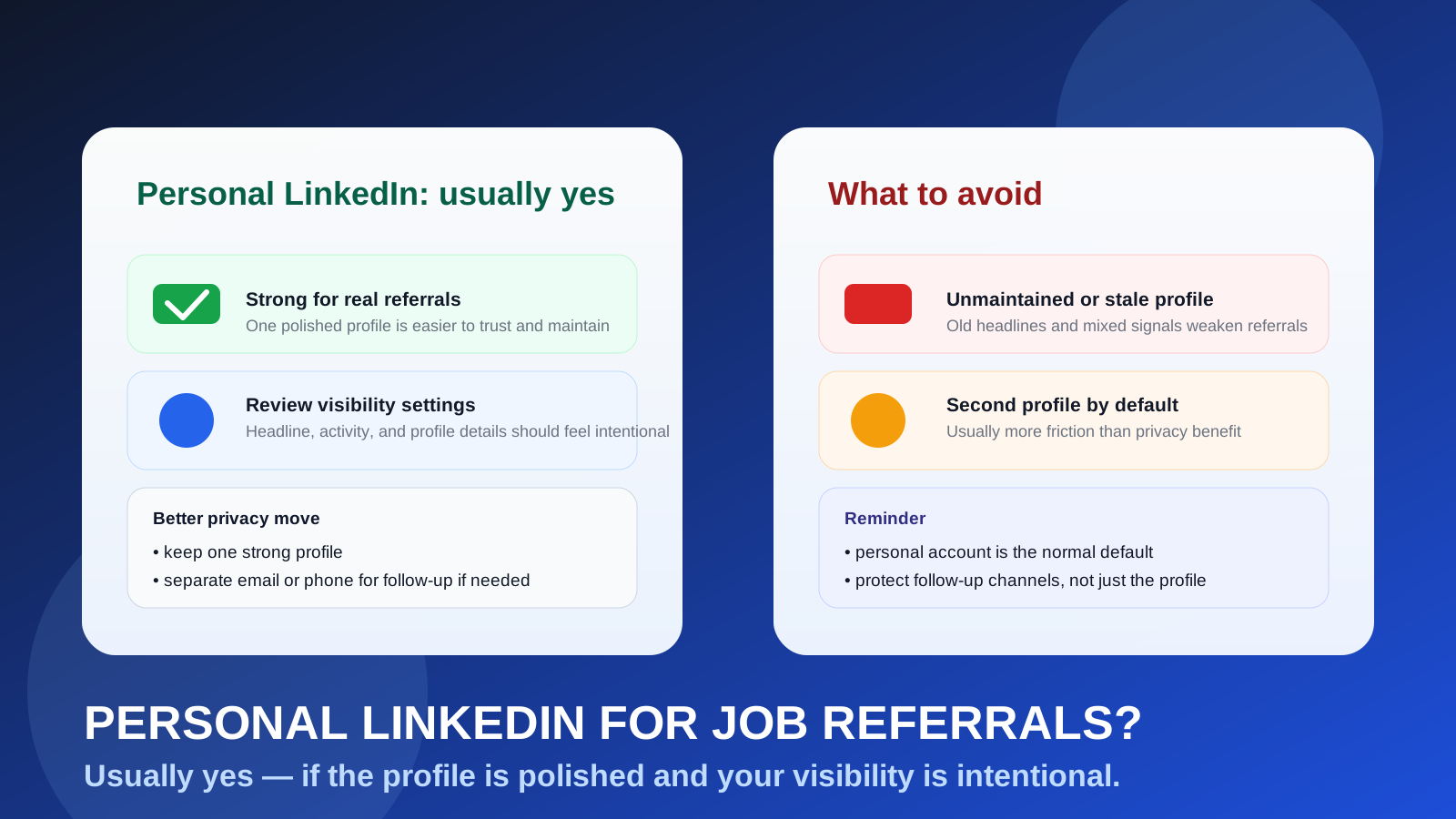
Usually yes. Your personal LinkedIn account is often the most normal and practical profile to use for job referrals, as long as it looks professional and you manage its visibility intentionally.
For most people, the bigger privacy decision is not whether to hide behind a second LinkedIn account, but whether to separate contact channels like email and phone while keeping one polished profile for networking.
Job referrals sit in an awkward middle ground between private networking and formal applications. They often start with a message from a former coworker, classmate, recruiter, or friend-of-a-friend, then move into profile reviews, recruiter follow-up, and a real application process. Because LinkedIn is where many professional relationships already live, it is natural to wonder whether using your personal account is smart or whether it exposes too much.
In most cases, your personal LinkedIn account is fine. It is the account you actually control, the one tied to your real career history, and usually the one that makes the most sense to someone deciding whether to refer you. But “fine” does not mean “careless.” Your profile can reveal more than you think: old activity, public connection patterns, a stale headline, an employer-branded banner, or signals that you have not looked at your profile in months. The best approach is usually to clean up the personal account you already have instead of trying to create a whole second identity for referrals.
Why LinkedIn matters so much for referrals
Referrals are built on trust. Before someone forwards your resume internally, they often want a quick way to confirm who you are, what you do, and whether your background matches the role. LinkedIn makes that easy. It provides a snapshot of your work history, location, recent role titles, skills, recommendations, and in some cases mutual connections.
That means a LinkedIn profile can help in referral situations by:
- making it easy for the referrer to verify your background quickly
- giving recruiters a cleaner overview than a cold resume attachment alone
- showing shared connections, schools, companies, or industries that add credibility
- helping someone remember how they know you before they put their name behind a referral
In other words, a personal LinkedIn account is often not an extra step in the referral process. It is the natural meeting point where the referral starts.
Short answer: your personal LinkedIn account is usually the right default
If you already have a real, reasonably current LinkedIn profile, using your personal account for job referrals is usually the best default. It is expected, easy for others to review, and more credible than trying to appear invisible or over-engineered.
A referral is different from a spam-prone newsletter signup or a disposable job board experiment. In those cases, temporary email tools like Anonibox can help you protect your inbox during early exploration. But referrals are relationship-based and often lead to longer follow-up, so the stronger move is usually a stable profile paired with carefully chosen contact details.
What makes a personal LinkedIn account work well for referrals?
1. It reflects your real professional identity
Most referrers want to help a real person, not decode a backup profile with half the details removed. Your personal account usually has the strongest signal because it shows your actual work history, your real name, and a consistent career narrative.
2. It is easier to maintain one good profile than two weak ones
A second account sounds neat in theory, but in practice it often means duplicated maintenance, split attention, and inconsistent details. One polished account tends to outperform two mediocre ones.
3. It gives you control without looking unusual
A personal profile is standard. It does not raise the same questions that a lightly populated alternate profile might. If someone is going to introduce you internally, you usually want to look straightforward and easy to vet.
4. It supports the whole referral journey
Referrals do not always stop at “please forward my resume.” They can lead to recruiter outreach, profile reviews, interview scheduling, and later follow-up. A personal LinkedIn account can support that whole sequence better than a throwaway setup.
What are the privacy risks of using your personal LinkedIn account?
Using your personal LinkedIn account is common, but there are still a few trade-offs worth thinking about.
Profile visibility
Depending on your settings, parts of your profile, activity, or connection behavior may be visible to other people. That does not mean everyone can see everything, but it does mean you should not assume your account is a black box.
Current-employer overlap
If you are job searching while employed, your profile may still show your current company, recent engagement, or a banner and headline that are tightly tied to your present role. That is normal, but it can feel sensitive if you are trying to keep a search discreet.
Old activity and stale content
A personal account often carries years of history. Old reposts, outdated headlines, half-finished “open to” language, off-brand summaries, or irrelevant side projects can create a different impression than you intend.
Inbox boundary problems
LinkedIn itself may be where the relationship starts, but you usually do not want every referral conversation trapped in platform messages forever. Without a clear handoff to email or another stable contact channel, important details can get buried.
When your personal LinkedIn account might not be the best choice
There are some situations where using your personal LinkedIn account as-is is not ideal:
- your profile is badly outdated or missing key work history
- your public-facing content is more casual than you want for hiring conversations
- your settings are exposing more activity or visibility than you are comfortable with
- your account is heavily mixed with a side brand, consulting persona, or unrelated audience
- you only use LinkedIn rarely and would not notice referral messages promptly
Even then, the answer is usually to fix the account, not abandon it completely. Clean it up, reduce unnecessary visibility, and move real next steps to a stable email address you control.
Should you make a separate LinkedIn account just for referrals?
Usually no. For most job seekers, a separate LinkedIn account creates more friction than value. It can mean maintaining duplicate work histories, rebuilding credibility, splitting recommendations and connections, and explaining why a second profile exists at all. It can also leave you with a sparse-looking profile at the exact moment you want to appear established.
A cleaner strategy is usually:
- keep one strong personal LinkedIn profile
- review your visibility and activity settings
- use a dedicated job-search email if you want better inbox separation
- use a separate job-search phone number if you want better call and text control
That gives you most of the privacy benefits people are actually looking for without the maintenance burden of a second networking identity.
What about using a work LinkedIn account?
That is usually the riskier option. If your LinkedIn presence is closely tied to your employer, company-managed branding, or work-owned access patterns, using it for external referrals can create awkward visibility and boundary issues. A personal account that you fully control is usually safer and more sustainable.
Put simply: if the choice is between a personal LinkedIn account and a work-linked one, the personal account is usually the better referral tool.
How to make your personal LinkedIn account referral-ready
Update the basics first
Make sure your headline, current role, past roles, location, and summary are accurate. Referrals move faster when someone can understand your fit in thirty seconds.
Check what a stranger would notice
Look at your profile as if you were a recruiter seeing it for the first time. Is the photo current? Does the headline say something useful? Do the first few lines sound sharp and relevant?
Clean up obvious mismatches
If your profile still emphasizes a completely different target role, industry, or seniority level than the jobs you want now, fix that before asking for referrals.
Control your contact handoff
Let LinkedIn open the door, but move serious follow-up to a stable email address you own. If you want tighter boundaries, use a dedicated job-search inbox rather than your busiest everyday address.
Keep confidential searches discreet
If discretion matters, be thoughtful about when you update public-facing details, how visibly you engage, and which devices or browser profiles you use to access job-search conversations.
Where Anonibox fits naturally
Anonibox makes the most sense earlier in the funnel, not in the core referral relationship itself. For example, temporary inboxes can be useful for low-trust career communities, gated salary downloads, talent newsletters, event signups, or spam-prone job-board experiments that you do not want tied to your main inbox.
But once a real person is referring you for a real role, stability matters more than disposability. At that point, the smart privacy move is usually to keep the professional LinkedIn profile, then separate the follow-up channel with a dedicated email inbox or phone number if needed.
A quick checklist before using your personal LinkedIn account for referrals
- Does my profile look current and professionally consistent?
- Would I be comfortable if a recruiter read my headline and summary today?
- Am I relying on one clear personal profile instead of an underbuilt backup?
- Do I have a stable email address ready for follow-up off LinkedIn?
- Have I reviewed basic privacy and visibility settings recently?
If those answers are mostly yes, your personal LinkedIn account is probably ready to use for job referrals.
Final answer
Yes — in most cases, you should use your personal LinkedIn account for job referrals. It is usually the most credible, practical, and expected profile to share, especially if it is current and professionally maintained.
The real privacy win usually comes from tightening your settings and separating contact channels, not from hiding behind a second profile. Keep one strong personal LinkedIn presence, move serious referral follow-up to an inbox you control, and use disposable tools like Anonibox where they fit best: early-stage, low-trust, spam-prone signups rather than real referral relationships.