No, you usually should not use your work Gmail account for job offers. Offer letters, salary discussions, start dates, and acceptance messages belong in an inbox you control privately and can keep after you leave your current employer.
If your Gmail account is managed by your company, your employer may control retention, sign-in access, forwarding, shared-device sessions, or offboarding. That makes a work inbox a bad place for one of the most sensitive stages of a job search.
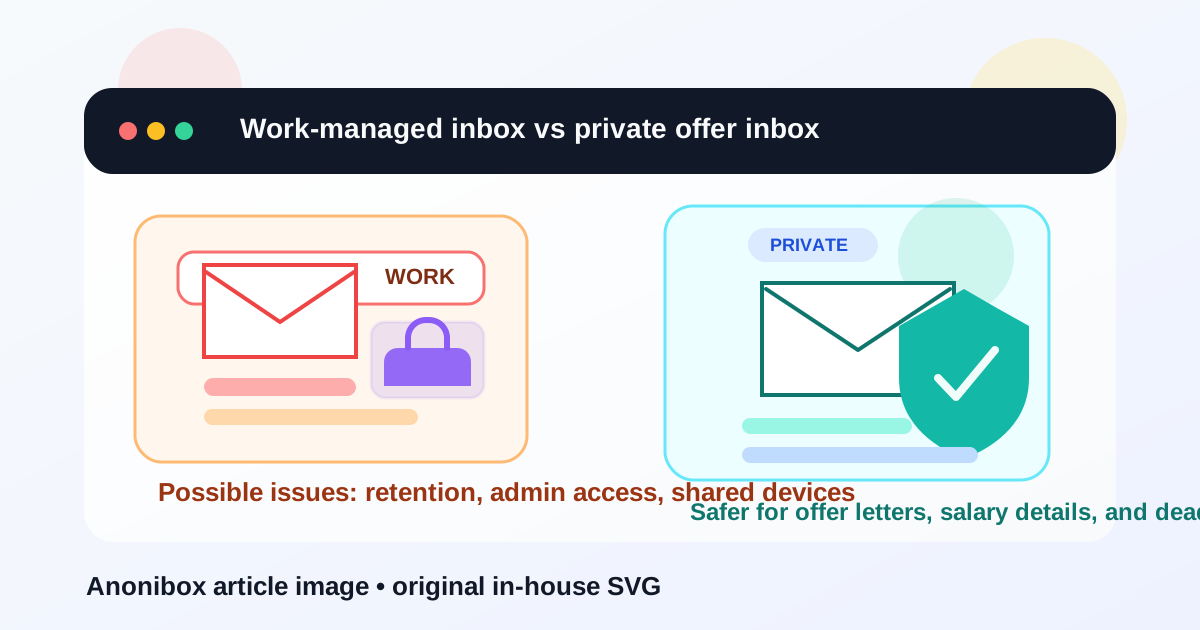
Why this matters more at the job-offer stage
There is a big difference between casually applying for jobs and receiving an actual offer. Early applications might only include your resume and basic contact details. A job offer can include compensation numbers, bonus details, equity information, benefit summaries, start-date negotiation, background-check instructions, and signed documents.
That is exactly the kind of information you do not want mixed into a company-managed inbox. Even if nobody is actively reading your email, you should not assume a work Gmail account is private just because it looks like a normal Gmail interface. If the account is tied to your employer’s Google Workspace, the organization may have policies, logs, or administrative controls that outlast your access.
Why some people consider using a work Gmail account anyway
There are a few understandable reasons job seekers do this. A work Gmail inbox may already be well organized, easy to search, and always open in the browser. Some people also trust it more than an old personal email address they barely use. Others think using a company-style inbox makes them look more professional.
But convenience is not the same thing as privacy. Professional-looking contact details are useful, yet the offer stage is where convenience stops being the top priority. Control matters more.
The real risks of using your work Gmail account for job offers
1. Your employer may control the account, not you
If the address was issued by your employer or runs inside your employer’s Google Workspace, you may not have full control over it. Administrators can set retention rules, device policies, recovery options, delegation, or offboarding access. That does not mean someone is personally watching every email, but it does mean you should not treat the account like a private vault.
2. Offer emails can remain in company systems
Job offers are often followed by attachments, negotiation threads, and onboarding documents. Those messages may remain in company-managed systems long after you leave, especially if backups, archival policies, or legal holds apply. If you are trying to keep your job search discreet, that is not ideal.
3. Shared devices and browser sessions create extra exposure
A work Gmail account is often used on employer-owned laptops, monitored browsers, or managed mobile devices. Even if the email itself is not centrally reviewed, local traces can still exist: saved sessions, synced notifications, downloaded attachments, or browser history connected to offer portals and e-signature pages.
4. Offboarding can lock you out at the worst moment
If your current employer disables the account quickly after resignation, you could lose access to important threads just when the new employer is sending revised letters, start-date updates, or onboarding requests. A job offer is not just one email. It is often a chain of follow-ups over days or weeks.
5. It creates unnecessary psychological pressure
Even if no technical problem ever happens, many people feel less comfortable negotiating salary or asking for more time when those messages sit inside a work-managed inbox. That pressure alone is a good reason to move the conversation somewhere private.
When might it be acceptable?
There are edge cases. If the address is part of a business you personally own and control, and you are not talking about a current employer’s account, the risk is different. For example, an independent consultant using their own Google Workspace domain may still choose that inbox for job-related conversations because it is truly theirs.
But that is not what most people mean by a work Gmail account. If your company can reset the password, manage the device, suspend access, or keep the records, it is better to move offer-stage communication somewhere else.
Better alternatives for job offers
Use a separate personal email you control
A dedicated personal Gmail, Outlook, Fastmail, Proton Mail, or other stable inbox is usually the safest option. The important part is not the brand name. It is that you own the account, can keep it long term, and can check it reliably during negotiations and onboarding.
Use a separate job-search inbox instead of your main personal inbox
If you do not want offers mixed with newsletters, receipts, and personal messages, create a dedicated job-search account. This is often the best balance between privacy and reliability. You keep control without crowding your everyday inbox.
Use temporary inboxes only earlier in the funnel
A tool like Anonibox can be useful when you are testing job boards, downloading gated resources, or protecting your main inbox from spammy early-stage signup flows. That is a smart use of temporary email. But a formal job offer is not the place for a disposable address unless you are deliberately using a stable forwarding setup you fully understand and trust. At the offer stage, continuity matters more than throwaway privacy.
What to do if you already used your work Gmail account
If you already received an offer there, do not panic. Just move the conversation quickly and cleanly.
- Reply once from the work account and ask to continue by email at a private address you control.
- Save key attachments to a private, secure location you can still access after leaving your current role.
- Confirm the new contact address clearly so the recruiter or hiring manager updates their records.
- Check for signatures or portals that may still point back to the old inbox and update them immediately.
- Do not keep negotiating from the work inbox once the private address is established.
A simple transition message works well: “Thanks for sending this. For privacy and continuity, could we continue offer-related communication at my personal address instead?” Most legitimate employers will not mind.
Practical checklist before you use any email for a job offer
- Do I personally control this account and recovery method?
- Will I still have access after leaving my current employer?
- Could attachments, signed documents, or salary details be exposed on a managed device?
- Is this inbox reliable enough for time-sensitive follow-up?
- Would I feel comfortable negotiating from this address?
If any of those answers make you hesitate, use a private inbox instead.
Common mistakes to avoid
- Using your work inbox because it “looks professional”: privacy is more important than appearances here.
- Leaving offer attachments on a work laptop only: save secure copies you can access later.
- Mixing temporary email with formal offer documents: temporary tools are great for spam control, not for long negotiation chains.
- Assuming Gmail always means personal: the interface may look familiar, but ownership and admin control matter more than the logo.
Final answer
For most employees, the answer is no: do not use your work Gmail account for job offers. The offer stage contains some of the most sensitive information in the entire hiring process, and a company-managed inbox can create unnecessary privacy, access, and continuity problems.
Use an account you control, keep your offer emails separate from your employer’s systems, and move important conversations to a stable private inbox before negotiations get deeper. If you want less spam earlier in the process, Anonibox can help you protect your main inbox during research and low-commitment signups. But when a real offer arrives, choose long-term control over short-term convenience.