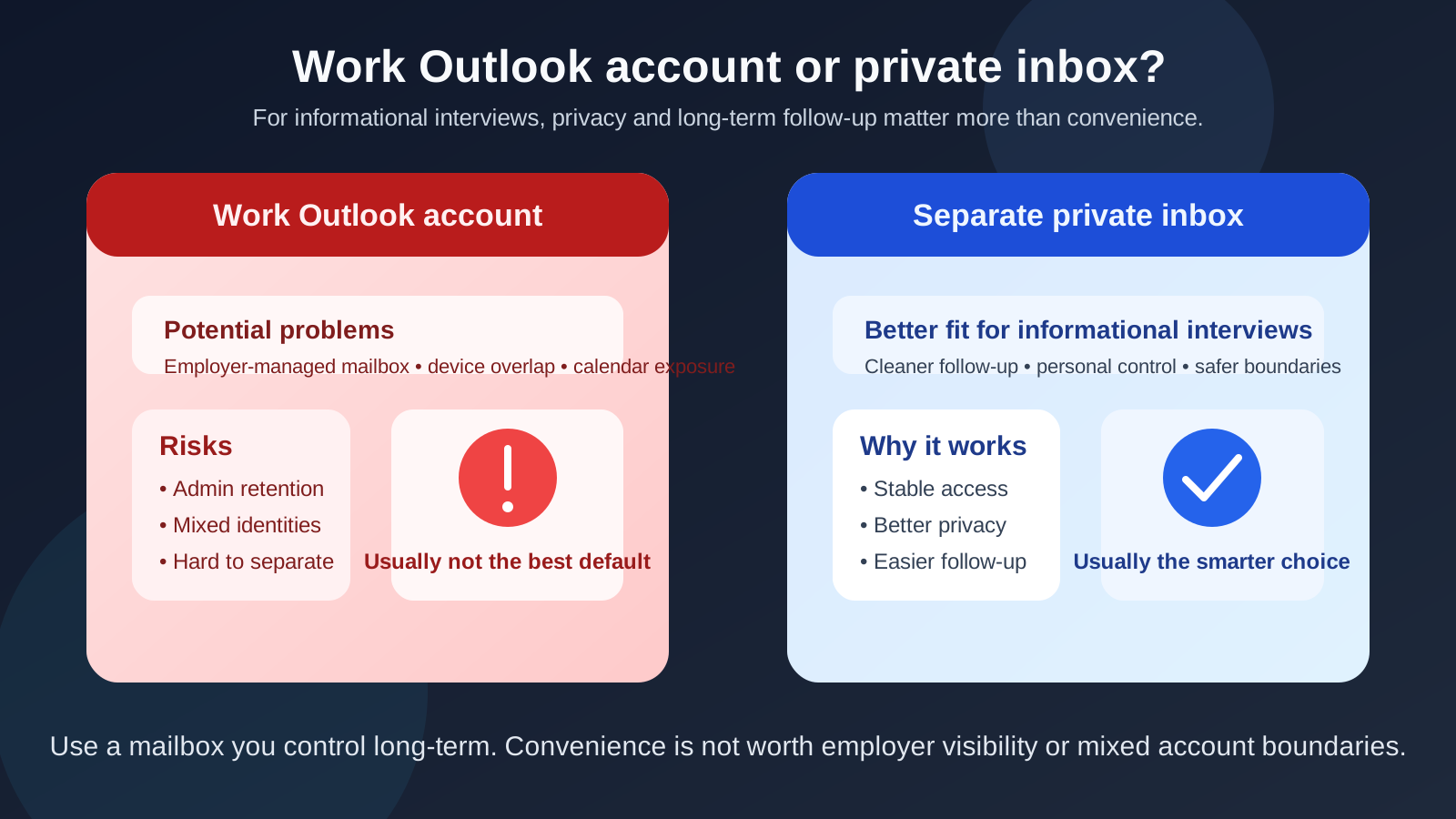
No, you usually should not use your work Outlook account for informational interviews if privacy matters or the conversation could influence your future career plans.
A personal account you control — or better, a separate inbox dedicated to networking and job-search conversations — is usually the safer choice because a work-managed Outlook account can create employer-visibility, calendar, device, and account-boundary problems you do not fully control.
Why this question matters
Informational interviews live in an awkward middle ground. They are not as formal as a job application, but they are not low-stakes throwaway conversations either. You may be reaching out to alumni, former coworkers, people at target companies, or professionals in a role you want to move toward. Sometimes the conversation stays purely informational. Sometimes it turns into a referral, an introduction, a future opening, or an ongoing professional relationship.
That is exactly why the email account you use matters. A work Outlook account may look polished and easy to access, especially if you already live inside Microsoft 365 all day. But convenience is not the same thing as control. For private networking, the safest inbox is usually the one your employer does not manage.
Short answer: usually no
If an Outlook account belongs to your employer, runs on employer-managed devices, or sits inside your company’s Microsoft 365 environment, it is usually the wrong default for informational interviews. Even if nobody is actively monitoring your messages, the account still exists inside systems you do not own, policies you did not set, and boundaries that can change without your input.
That makes work Outlook a poor fit for quiet career exploration, especially if you want to keep networking separate from your current job.
What makes a work Outlook account risky?
1. It is employer-managed, not truly private
Your employer may control retention settings, device rules, sign-in policies, directory information, and account access. That does not mean your boss is reading your inbox. It means the account is part of a business system, not a purely personal communication space.
For informational interviews, that matters. A thread about your career goals, target companies, industry switch, or networking plans may be something you would rather keep fully separate from work infrastructure.
2. Calendar and meeting details can blur together
Informational interviews often lead to calendar invites, Teams calls, reschedules, reminders, and follow-up notes. If you use your work Outlook account, those interactions can bleed into your professional calendar environment. Even basic things like meeting titles, invite notifications, shared device previews, or accidental calendar overlap can create unnecessary exposure.
It is not always catastrophic. It is just avoidable.
3. You can accidentally mix identities
Work Outlook makes it easier to send from the wrong account, use the wrong signature, or reveal your employer branding in places you did not intend. A casual networking note looks very different when it leaves with a company signature block, department title, or enterprise footer attached to it.
That kind of mix-up can make the conversation feel less private and less intentional.
4. Access can change
Any account you do not fully control is a weak foundation for long-term professional follow-up. Policies change. Devices change. Jobs change. If an informational interview turns into a useful relationship six months later, you do not want that relationship attached to an inbox you might lose access to or stop checking once your work situation changes.
When people are tempted to use work Outlook anyway
There are a few understandable reasons people do it:
- It is the inbox they monitor most often.
- It looks professional and established.
- Their work calendar and Teams tools are already there.
- They do not want to manage one more account.
Those reasons are real, but they are mostly convenience arguments. Informational interviews are not a place where convenience should automatically outrank privacy and long-term control.
Is it ever acceptable?
Maybe, but only in narrow cases. If the conversation is openly connected to your current role, your employer already knows about the networking context, and there is no privacy concern at all, using work Outlook may be fine. For example, maybe you are doing a clearly visible internal research project, representing your company at an industry event, or setting up peer conversations that are obviously part of your current job.
That is very different from using work Outlook for exploratory career conversations, discreet networking, role discovery, or job-search-adjacent outreach. In those situations, a work account is usually the wrong tool.
What should you use instead?
A personal inbox you control
The safest baseline is a personal inbox you fully control, one that is not tied to your employer, school, or company device policies. It does not have to be fancy. It just needs to be stable, professional, and actively monitored.
A separate inbox for networking
For many people, this is the best answer. A dedicated inbox for informational interviews, networking, and job-search communication gives you cleaner boundaries without forcing everything into your oldest personal mailbox. That could be a separate Outlook account, a separate Gmail account, a custom-domain email address, or another professional setup you actually maintain.
This approach works well because it solves two problems at once: it protects privacy and it keeps important replies from getting buried under everyday mail.
Temporary email for low-trust intake only
Temporary inboxes are helpful for spam-heavy signups, gated downloads, or early-stage forms you do not yet trust. That is where a tool like Anonibox can help keep your main inbox cleaner. But for a real informational interview thread, a disposable address is usually the wrong long-term channel. You want continuity, not just short-term filtering.
Why a separate personal Outlook account can work better
If you like Outlook’s interface, calendar flow, or cross-device setup, you do not have to abandon Outlook entirely. You just do not need to use the work-managed version of it.
A separate personal Outlook account can give you several advantages:
- Long-term control: the account stays with you, not your employer.
- Cleaner follow-up: networking messages are easier to find and revisit.
- Safer scheduling: informational interview invites do not land inside your work calendar ecosystem.
- Better identity boundaries: no accidental company signature, directory hints, or work-device confusion.
If you already know you prefer Outlook, that is usually the smarter compromise: keep the provider, change the ownership context.
Practical best practices for informational interview email
1. Use an address that looks normal and readable
You do not need a perfect vanity domain, but you do want an address that feels straightforward and professional. Avoid nicknames, cluttered numbers, or anything you would hesitate to say out loud on a call.
2. Keep networking separate from your main work environment
That means separate inbox, separate browser profile if needed, and separate calendar if you are doing a lot of outreach. Small boundaries reduce mistakes.
3. Check the account consistently
An informational interview often turns on timing. If someone replies with a short opening next week and you miss it for four days, the opportunity may evaporate. Whatever inbox you choose, monitor it.
4. Watch your signatures and saved sender settings
If you move between accounts often, double-check what identity and signature will go out before you send. This is one of the easiest ways to accidentally expose that you are emailing from a work environment.
5. Keep notes and follow-up organized
Use folders, categories, stars, or reminders. Informational interviews become much more valuable when you can remember who shared what, when to send a thank-you note, and when to circle back later.
A simple decision checklist
Before you use a work Outlook account for informational interviews, ask yourself:
- Would I be comfortable if this conversation were clearly associated with my employer-managed account?
- Could calendar invites, notifications, or device previews expose more than I want?
- Am I using this account only because it is convenient?
- Do I already have a personal inbox that would work better?
- Would a separate networking inbox give me cleaner long-term follow-up?
If those questions make you hesitate, that hesitation is probably useful. You are usually better off with an account you fully control.
Common mistakes to avoid
Assuming “professional-looking” means “safe”
A work Outlook address can look polished and still be the wrong privacy choice. Appearance is not the main issue. Ownership and control are.
Treating informational interviews like random signups
You do not need a throwaway address for every conversation. These are often relationship-building exchanges, so choose an inbox built for ongoing communication.
Letting work tools become your default for everything
People often slide into this because it is easy. But when you use work email, work calendar, work browser profiles, and work devices for private networking, you create a web of overlap that is much harder to untangle later.
Final answer
So, should you use your work Outlook account for informational interviews? In most cases, no. It is usually too tied to employer systems, too easy to mix with work identity, and too weak on privacy for career conversations you may want to keep separate.
A personal inbox you control — especially a separate one dedicated to networking and job-search communication — is usually the better choice. It keeps follow-up stable, boundaries cleaner, and your informational interviews attached to you instead of to the company you happen to work for right now.