Usually no. If the Outlook account is managed by your employer, it is rarely the best default for networking events where you may meet recruiters, peers, alumni, clients, or future hiring managers.
A personal inbox you control — or a separate account used only for networking and job-search communication — is usually the safer choice because it reduces employer visibility, signature mix-ups, calendar exposure, and long-term access risk.
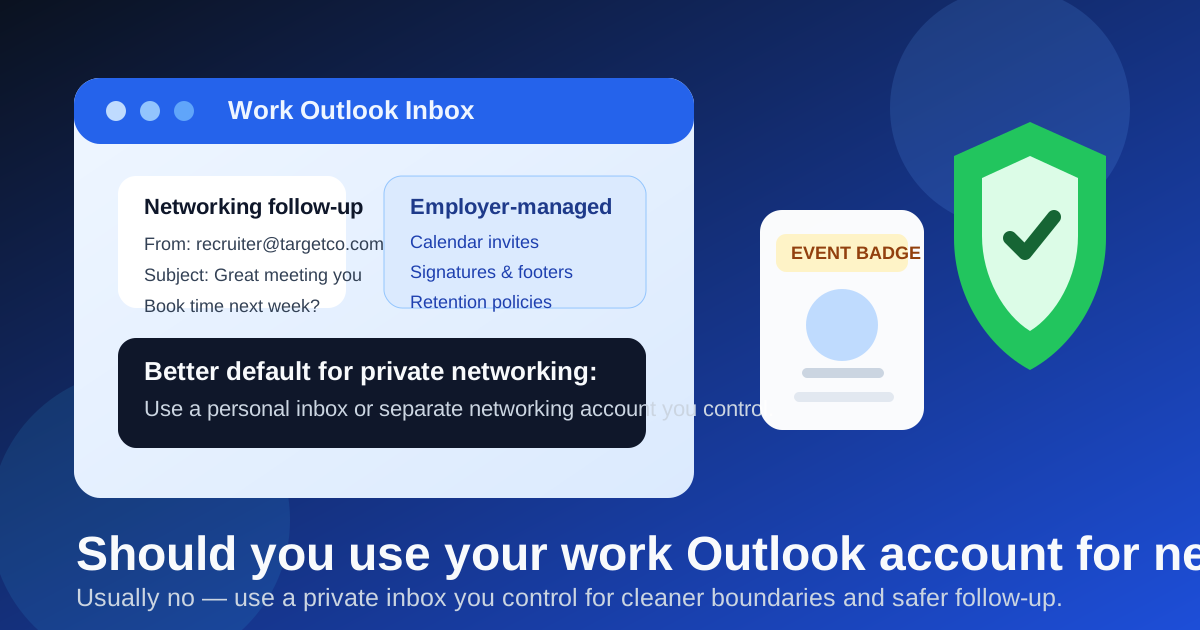
Work Outlook can feel convenient because you already check it, the interface is familiar, and Microsoft 365 makes scheduling easy. But networking events are not the same as routine internal meetings. The people you meet there may become future interviewers, referral sources, recruiters, collaborators, or hiring managers. That means the account you use is not just a convenience choice. It affects privacy, follow-up quality, and how much control you keep over those relationships later.
Why this question matters at networking events
Networking events often create fast, informal follow-up. You swap cards, scan QR codes, respond to “nice meeting you” emails, accept calendar invites, and sometimes continue a conversation for months before it turns into anything concrete. Because the first contact can feel lightweight, people sometimes use whatever inbox is already open on their work laptop or phone.
That is where trouble starts. A work Outlook account belongs inside an employer-managed environment. Even if nobody is actively reading your messages, the account can still be subject to retention policies, monitoring controls, automatic signatures, company footers, directory information, device previews, and shared calendar behavior that you do not fully control. For casual professional networking, that is often more exposure than you need.
Short answer: usually no
If the event is personal career networking, discreet industry outreach, or job-search-adjacent relationship building, a work Outlook account is usually the wrong default. It ties private networking activity to an employer-controlled system, and it makes it easier to blur your current-work identity with future-opportunity conversations.
That does not mean Outlook itself is bad. It means the work-managed version of Outlook is usually a poor fit when the relationship belongs to you rather than to your employer.
The biggest risks of using a work Outlook account
1. Employer-managed systems are not fully private
Your boss may never look at your messages. That is not the point. The point is that a work inbox sits inside systems your employer controls: retention rules, login policies, device management, shared support access, and audit tooling. Networking messages about career interests, future employers, or sensitive professional moves are often better kept out of that environment.
2. Calendar invites and notifications can expose more than you expect
Networking follow-up often turns into a coffee chat, a Teams call, or a quick intro meeting. If those invites land in your work Outlook account, they can appear in work calendar views, lock-screen notifications, desktop previews, or shared-device popups. None of that guarantees a problem, but it creates unnecessary overlap between your employer’s workspace and your private professional network.
3. It is easy to send the wrong signal
Work Outlook often adds company signatures, logos, disclaimers, titles, and auto-footers. That can make a private networking message look like official employer outreach when it is really a personal conversation. If you are exploring opportunities quietly, that is a sloppy identity leak. Even when you are not job searching, it can make you look less intentional because the message seems routed through your employer rather than through you.
4. Long-term control is weak
The best networking relationships often outlast your current role. If you change jobs, lose access to the account, or simply stop checking that inbox once your circumstances change, you may lose continuity with people who could have become valuable contacts. A relationship that starts at an event should ideally stay attached to an email address you still control a year later.
When using work Outlook may be acceptable
There are situations where it can be fine. If you are attending the event as part of your current job, representing your employer, meeting vendors for your team, or following up on conversations that are clearly work-related, then a work Outlook account can be the right tool. In that case, the networking is not private career exploration. It is part of your current professional role.
But that is a different scenario from meeting recruiters, talking to people at target companies, building a side network, or exploring future options quietly. For those personal or job-search-adjacent conversations, a work inbox is usually a poor choice.
Better alternatives
A personal inbox you fully control
The simplest safer option is a personal email address that looks normal, professional, and readable. It does not need to be fancy. It just needs to belong to you rather than to your employer. That gives you better continuity, cleaner boundaries, and less accidental exposure.
A separate networking inbox
For many people, this is the best setup. A dedicated networking inbox keeps event follow-up out of both your main personal inbox and your employer-managed environment. It also makes it easier to spot replies, remember who you met, and follow up on time. If you like Outlook, you can even use a separate personal Outlook account. The key issue is ownership, not the app logo.
Temporary email for low-trust event signups only
Temporary email has a place, just not usually for the main relationship thread. If an event organizer wants an address for gated schedules, sponsor downloads, swag signups, or newsletter-heavy registration flows, a disposable inbox can help keep your main accounts cleaner. That is where a tool like Anonibox can be useful. But once a real person you want to know starts replying, move the conversation to a stable inbox you control so you do not lose continuity.
A practical setup for networking events
- Create a dedicated inbox before the event. Use a personal address or a separate networking account you will actually monitor.
- Set a clean signature. Name, relevant role or short description, and one professional link if useful. No company footer you do not control.
- Use a separate browser profile if needed. This reduces the chance of opening the wrong account or sending from the wrong identity.
- Keep calendar follow-up separate. If someone suggests a call, route it into a personal or dedicated networking calendar instead of your work calendar by default.
- Track who you met. A simple note with event name, context, and promised follow-up helps far more than trying to remember from memory later.
Quick event-day checklist
- Is the email address you are sharing yours to keep long term?
- Would you be comfortable if your current employer’s branding appeared in the thread?
- Are calendar invites going somewhere private and easy to manage?
- Can you reply quickly without digging through your work inbox?
- If this contact turns into an interview or referral later, will the account still make sense?
If you answer “no” to several of those, your current setup probably needs a separate networking inbox.
Common mistakes to avoid
Assuming convenient means safe
Work Outlook is often the easiest account to reach, especially during the workday. That does not make it the right account for private networking.
Treating all event follow-up like spam
Disposable addresses are useful for noisy registrations, but real networking works best on an inbox built for ongoing conversation. Keep the filtering benefit for low-trust signups, not for valuable relationships.
Letting employer identity leak into personal outreach
Accidental company signatures, internal job titles, and auto-added disclaimers can make a personal note feel less private and less intentional. That is avoidable if you separate your accounts in advance.
Final answer
So, should you use your work Outlook account for networking events? Usually no. If the networking belongs to you rather than to your employer, a work-managed inbox creates more privacy and boundary risk than it is worth.
A personal inbox you control — especially a separate networking account — is usually the smarter default. It protects continuity, keeps employer systems out of private follow-up, and makes it easier to build relationships that stay with you long after the event ends.