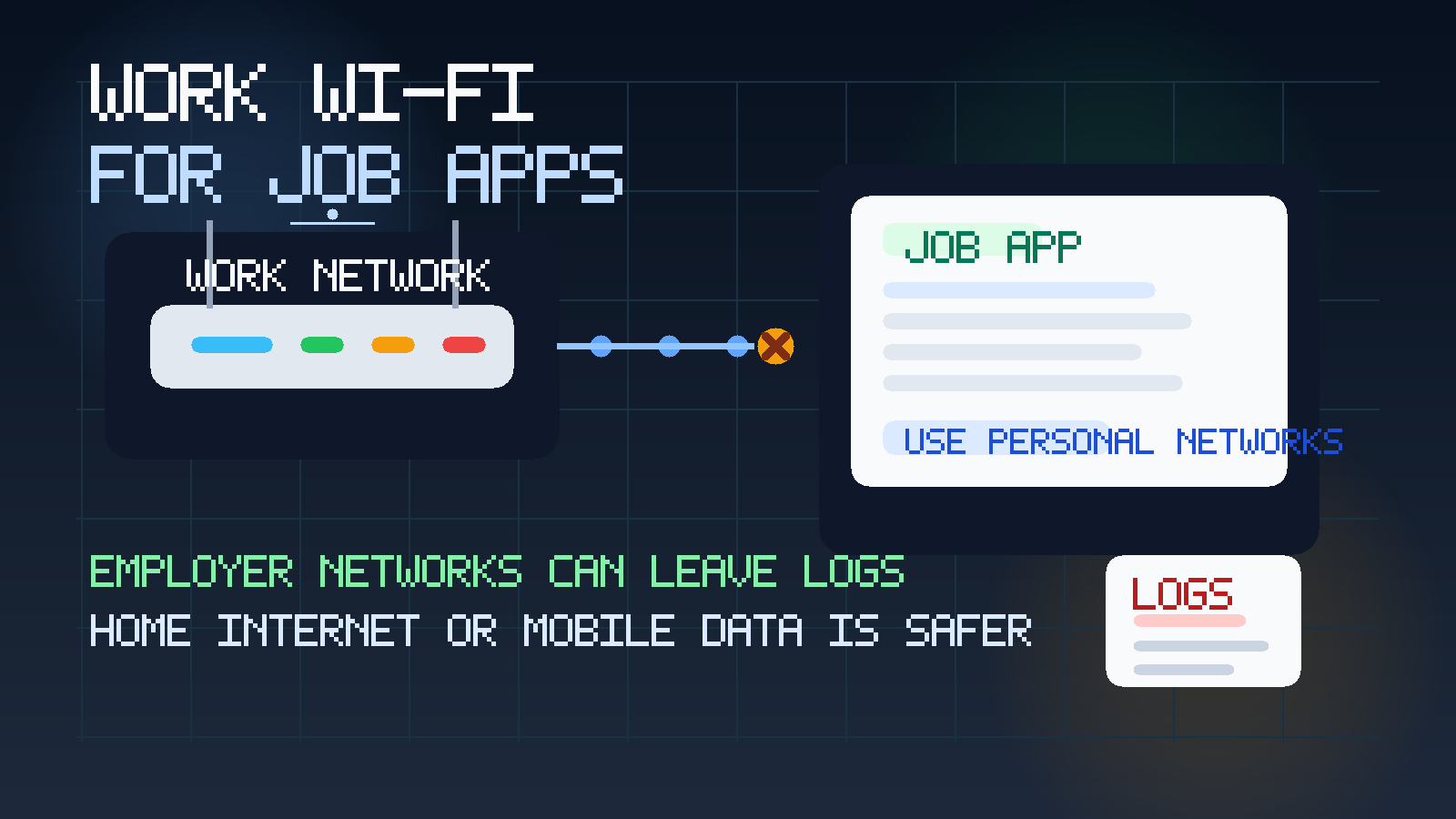
Usually no — you should not use your work Wi‑Fi for job applications if the network belongs to your current employer. Even when you apply from a personal phone or laptop, the connection can still create traces through DNS requests, firewall logs, VPN records, browser traffic metadata, and captive-portal history.
A personal connection like home internet or mobile data is usually the safer option. If you want a confidential job search, privacy is not only about the device and email address you use. It is also about whose network carries the traffic.
People often focus on the obvious parts of job-search privacy: whether to use a work email, whether to put a personal phone number on applications, or whether it is safe to use a temporary inbox for low-stakes job alerts. Those details matter. But network choice matters too, and it gets overlooked because Wi‑Fi feels invisible. You connect, the page loads, and nothing looks different. In reality, the network itself may be one of the least private parts of the whole process.
If the Wi‑Fi belongs to your employer, you should assume that it exists first for business operations, security, compliance, and monitoring — not as a private channel for your confidential career plans. That does not mean someone in IT is actively reading every site you open in real time. It means the connection may be logged, filtered, retained, reviewed later, or correlated with your device and work identity in ways you cannot fully see. That is enough reason to treat job applications on work Wi‑Fi as avoidable exposure.
Why work Wi‑Fi is a different privacy issue from using a work laptop
A managed device and a managed network are separate risks. If you use a work laptop, the device itself can expose your activity through local files, browser history, endpoint software, and notifications. If you use work Wi‑Fi, the network can expose part of the same story even when the device is your own.
That distinction matters because many people think, “I am safe because I used my personal phone.” Your personal phone is better than employer hardware, but the connection still belongs to someone else. If you open job boards, applicant portals, recruiter emails, or interview scheduling pages over an employer network, you may still be leaving a trail on infrastructure you do not control.
What can work Wi‑Fi reveal?
1. Domain lookups and destination clues
Even when traffic is encrypted, employer networks may still see at least some information about where you are going. That can include domain lookups, destination hosts, security-filter categories, or blocked-request logs. A network does not need to read the contents of your résumé to notice repeated visits to job boards, hiring platforms, or applicant portals.
2. Connection timing and patterns
A single visit to a career page may not mean much. But repeated traffic to the same set of recruiting or application domains during work hours can create a pattern. If a company already has broad security visibility, the risk is not only one log entry. It is the pattern those entries create over time.
3. Captive portals and device association
Many workplaces tie Wi‑Fi access to an employee identity, device certificate, office account, or guest-registration flow. That can make the connection easier to associate with you than people expect. Even if the page itself is encrypted, the fact that a particular employee device used the network to access a known job-site domain may still be visible.
4. VPN or web-filter telemetry
Some organizations route traffic through VPNs, secure web gateways, DNS filtering services, or threat-monitoring tools. Again, those are often legitimate security controls. But they can create records about categories of sites visited, blocked uploads, unusual destinations, or login flows that stand out against ordinary work browsing.
5. Accidental exposure during support or review
Privacy problems do not always come from active surveillance. Sometimes they come from ordinary troubleshooting, network investigations, policy reviews, or security alerts. If your job-search traffic becomes part of that normal business process, it may be seen by people who were never thinking about your job hunt until the logs put it in front of them.
Does HTTPS make work Wi‑Fi safe enough?
HTTPS is good and important. It protects the contents of pages and forms from casual interception. But it does not magically turn an employer-owned network into a private network. Encryption reduces what others can read in transit, not what metadata can exist around the connection.
In practical terms, HTTPS does not mean:
- your employer cannot tell which broad services or domains you visited,
- your network activity leaves no logs,
- your connection cannot be tied to your device or account, or
- you are protected from policy-based filtering or monitoring.
So yes, HTTPS helps. No, it is not enough to make job applications on work Wi‑Fi private by default.
What if you use your own phone on work Wi‑Fi?
That is one of the most common gray-area mistakes. Using your own phone avoids some of the risks of a work laptop, but it does not solve the network problem. You may still be exposing where you go, when you go there, and how often. If the Wi‑Fi requires employee credentials, device registration, or a managed profile, the privacy trade-off can be worse than people realize.
If confidentiality really matters, your personal phone on mobile data is usually a better choice than your personal phone on employer Wi‑Fi. It creates a cleaner separation between your private activity and workplace infrastructure.
What about a guest network?
A guest network can be better, but “better” is not the same as “private.” Some guest networks still log device details, registration information, access times, and destination requests. Others are isolated enough that the risk is lower. The problem is that most employees do not know the technical or policy details well enough to make strong assumptions.
If you cannot clearly answer these questions, do not treat the guest network as confidential by default:
- Is access tied to your identity, email, or phone number?
- How long are network logs kept?
- Does traffic still pass through the same filtering and logging stack?
- Would you be comfortable if a record showed repeated visits to application portals from that network?
If that last question makes you pause, use another connection.
Why this matters for a confidential job search
A private job search is really a chain of small decisions. One weak link does not always ruin everything, but several weak links together can. Using a work email, opening recruiter messages on a managed device, printing a résumé at the office, and applying over work Wi‑Fi all increase exposure in different ways. The point is not perfection. The point is to stop volunteering unnecessary evidence into systems your employer owns.
The site already covers why a work email is the wrong choice for most job applications and why a work laptop creates its own monitoring risk. Work Wi‑Fi belongs in the same category. It feels convenient, but convenience is not privacy.
Safer alternatives to work Wi‑Fi
Use mobile data for sensitive steps
If you need to check an application status, upload a résumé, open a recruiter email, or complete a form while away from home, mobile data is often the simplest safer option. It keeps the connection off employer infrastructure and reduces the chance that your activity shows up in office network logs.
Use home internet for full applications
For longer application sessions, home internet is usually more comfortable and lower risk than balancing everything on a phone connection. Pair that with a personal device and you remove two major privacy problems at once: employer hardware and employer networking.
Separate the early-stage inbox from serious applications
Anonibox can be useful for low-stakes job alerts, portal experiments, or one-time verification flows where you mainly want to reduce inbox clutter. But even if you use a temporary inbox for early filtering, the network still matters. A temp email does not hide the fact that you visited a job site from the network carrying the traffic. Privacy tools only work well when the rest of the setup makes sense too.
Use a dedicated browser profile on your personal device
This does not change the network, but it improves overall discipline. A separate browser profile for job searching keeps recruiter logins, bookmarks, downloaded documents, and notifications in one contained place rather than spread across your daily browsing.
When is using work Wi‑Fi probably low risk?
There are a few situations where the concern is smaller:
- you are only glancing at a public company careers page once,
- the network is truly open public Wi‑Fi and not tied to your employee identity,
- you are not logging in, uploading anything, or opening recruiter communications, or
- you genuinely do not care whether the activity could be inferred later.
But notice how narrow those cases are. The moment the activity becomes repeated, logged-in, document-heavy, or important to your livelihood, the standard should get stricter.
Signs you should stop using work Wi‑Fi for job applications immediately
- You are logging into job boards or applicant portals from the office network.
- You open recruiter emails or interview scheduling links while connected to employer Wi‑Fi.
- You upload résumés, portfolios, or assessments over the connection.
- You rely on a guest Wi‑Fi that still knows who you are.
- You use the same workplace network regularly for repeated application activity.
- Your employer has a security-conscious environment where logging and filtering are likely to be extensive.
If any of that sounds familiar, switch to mobile data or a personal network instead of normalizing the risk.
What if you already applied over work Wi‑Fi?
Do not panic. Using the wrong network once is not the same thing as announcing your resignation. But it is worth correcting your setup now.
- Move future applications to home internet or mobile data.
- Stop opening recruiter messages while connected to employer Wi‑Fi.
- Use a personal device and separate browser profile for the rest of the search.
- If you were also using work hardware or work contact details, fix those next.
- Keep serious recruiter communication in a stable personal inbox you control long term.
You cannot always erase existing network history, but you can stop adding to it.
A practical decision checklist
Before you apply, ask yourself:
- Who owns this network?
- Is access tied to my employee identity or device?
- Would it matter if repeated job-site visits were visible in logs later?
- Am I about to sign in, upload documents, or schedule interviews?
- Could I just wait and use home internet or mobile data instead?
If the safer option is available, it is usually worth taking. Confidentiality is easiest when you build it in before the application, not after something awkward happens.
Final answer: should you use your work Wi‑Fi for job applications?
Usually no. Even on your own phone or laptop, employer Wi‑Fi can still expose parts of your job-search activity through normal network logs, security tools, and access records you do not control.
The better approach is simple: use a personal device, a personal network or mobile data, and a stable personal contact setup for serious applications. Use Anonibox only where temporary email genuinely fits the low-stakes front edge of the process. If your goal is to keep your job search private, keeping employer infrastructure out of the path is one of the easiest wins you can get.