A temp email for Appsmith is useful for early internal tool testing, account verification, and keeping another software trial out of your main inbox while you decide whether the platform fits your workflow.
It becomes risky once the workspace starts touching real business data, shared admin ownership, production connectors, billing, or account recovery, so disposable email works best only during the evaluation stage.
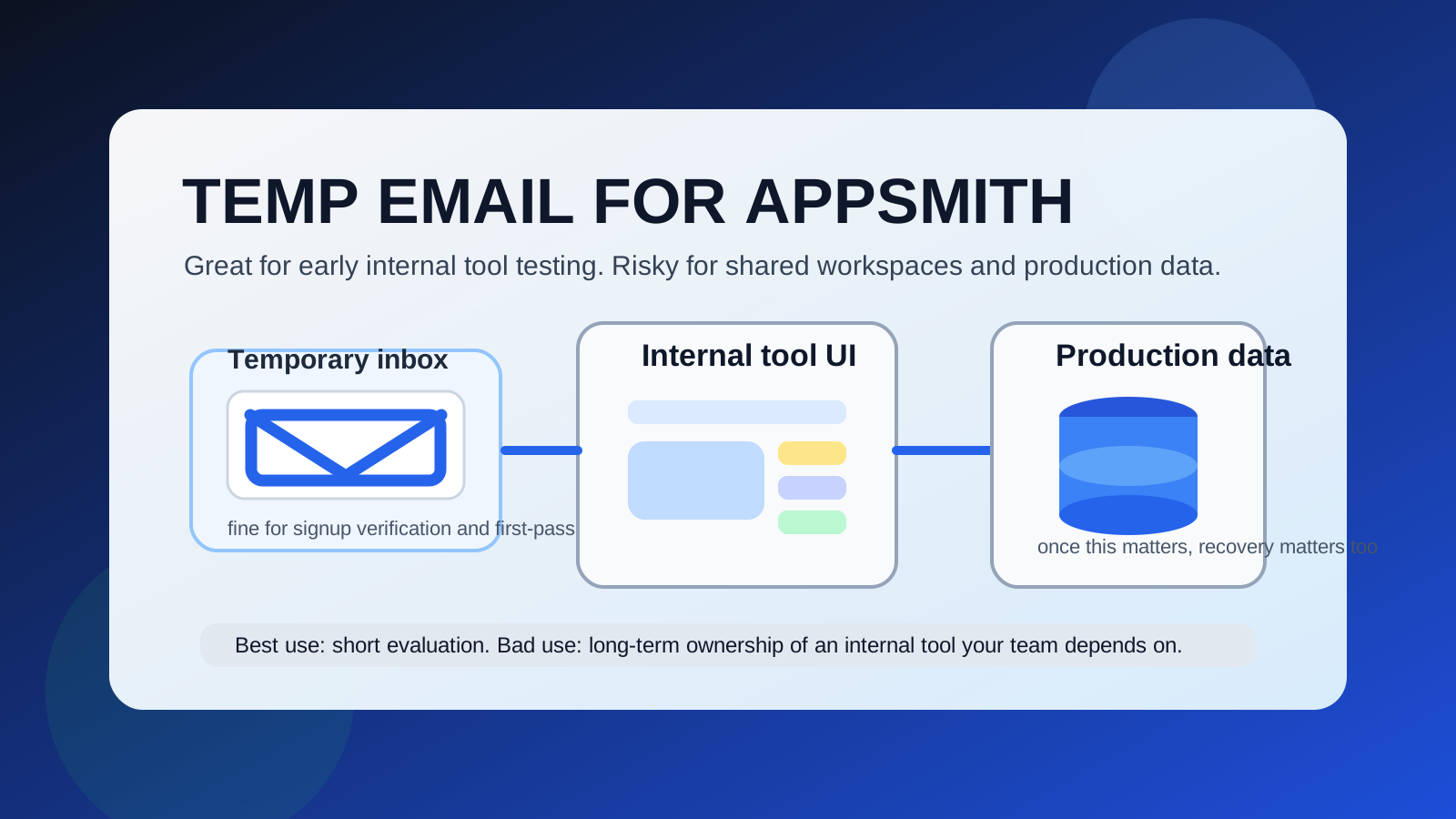
That is the practical answer most people need. Appsmith is exactly the kind of tool that can begin as a harmless experiment and turn into something important surprisingly fast. You might sign up just to test an internal dashboard idea, compare it with Retool, inspect how quickly you can wire up tables and forms, or see whether it is good enough for a support tool, CRM view, ops panel, or admin console. In that early phase, a temporary inbox can be reasonable because it helps you verify the account and explore the product without adding another long onboarding sequence to your regular email.
The problem is that internal-tool platforms rarely stay low-stakes for long. A rough prototype can become a real team dashboard. A throwaway support screen can become part of operations. A quick data viewer can become the interface people rely on every day. Once that happens, the email behind the account stops being a minor signup detail and becomes part of ownership, continuity, and recovery.
Why people look for a temp email for Appsmith
Most people searching this are not trying to hide anything suspicious. They are usually trying to solve a normal software-evaluation problem: too many SaaS trials, too many onboarding emails, and too many products asking for a real address before you even know whether the tool deserves serious time.
Appsmith fits that pattern well. You may only need answers to a few practical questions:
- Can you build the internal interface quickly enough for your team?
- Do the tables, forms, and workflows feel flexible enough for the use case?
- Is Appsmith a better fit than Retool, WeWeb, or a more custom-coded stack?
- Will the data connections and app logic stay manageable as the project grows?
If that is all you are testing, a temporary inbox is a sensible privacy buffer. A service like Anonibox can help you receive the verification email, open the workspace, and keep your main address out of another stream of product tours, webinar invites, and follow-up prompts until you know the platform is worth keeping.
When using a temp email for Appsmith makes sense
1. You are doing a first-pass evaluation
If your goal is to verify the account, click through the editor, connect some sample data, and decide whether Appsmith belongs on your shortlist, a disposable inbox is reasonable. At that stage, the account is still part of research, not infrastructure.
2. You are comparing multiple internal-tool platforms
It is common to compare Appsmith with other tools before committing to one approach. Separate trial inboxes can keep those evaluations cleaner and stop your main email from filling up with overlapping onboarding sequences.
3. You are building a true throwaway prototype
Sometimes the project really is temporary. Maybe you are learning the interface, mocking up a dashboard for a workshop, or testing a concept you are happy to abandon. If losing the account later would not matter, a temp inbox matches the level of commitment.
4. You want less vendor follow-up before you commit
Even normal SaaS products create inbox residue. A temporary address lets you isolate curiosity from long-term contact. That is useful if you only want to inspect the product before deciding whether it deserves a real place in your stack.
Where temporary email starts becoming risky
1. Your internal tool becomes operational
The biggest turning point is simple: the app stops being a toy. Once your Appsmith project supports real workflows, tracks real tasks, or becomes part of day-to-day operations, the account email becomes part of real business continuity. At that point, a throwaway inbox is a weak foundation.
2. Real data sources and connectors are involved
Appsmith becomes much more valuable once it connects to production APIs, databases, support systems, back-office tools, or business records. As soon as the workspace touches meaningful data, you should treat account access like infrastructure rather than a casual signup.
3. Other people need access
The moment teammates, contractors, or clients depend on the workspace, the account is no longer a private experiment. Shared access changes the risk. A temporary inbox can create fragile ownership, awkward handoffs, and avoidable recovery problems.
4. Billing and account recovery matter
Password resets, suspicious-login notices, billing emails, plan changes, and ownership confirmations usually route through email. A temporary inbox feels convenient right up until you actually need it again.
5. The app may survive longer than expected
This is what catches people. Internal tools are famous for “temporary” projects that stick around for months or years. If there is even a fair chance that the app will survive, you should be cautious about anchoring admin ownership to a disposable inbox.
How to use a temp email for Appsmith without creating future problems
Set a clear boundary between test mode and real mode
The easiest way to avoid trouble is to decide upfront what counts as disposable evaluation and what counts as a real app. If the project is genuinely exploratory, a temp inbox is fine. If you already suspect the tool could become part of operations, start with a permanent address instead.
Switch before the app matters
Do not wait until after teammates are added, production data is connected, or workflows are live. The best time to move to a stable inbox is while the workspace is still easy to clean up.
Keep throwaway experiments separate from serious builds
If you want to move quickly, use the disposable account only for learning and testing. Anything you might keep should live under a stable email you control long term. That gives you privacy during exploration without mixing short-term convenience with long-term ownership.
Document the important pieces during evaluation
If your first sandbox turns out better than expected, save what matters: data model notes, query patterns, workflow decisions, UI structure, and integration assumptions. That makes it easier to rebuild or migrate under a durable account if needed.
Use a separate permanent project inbox if you want privacy and reliability
Many people do not actually need a burner forever. They just want separation. In that case, a dedicated project email is often the smarter middle ground. It keeps internal-tool traffic out of your main inbox while still giving you dependable recovery and ownership later.
Practical examples
Example 1: quick admin-panel comparison
You want to compare Appsmith with Retool for a support dashboard. You only need to inspect the editor, try a mock table, and see how quickly you can build a working view. A temp inbox is reasonable because the account is still part of evaluation.
Example 2: early operations prototype
You build a rough internal tool for your team to test. If the prototype starts attracting real users inside the company, that is the moment a disposable inbox stops being smart. Before teammates depend on it, switch ownership to a permanent address.
Example 3: client-facing back-office tool
If the workspace could become part of a client project or shared operational system, do not use a throwaway admin identity for long. Even if the first version is rough, recovery and accountability matter much more once another person relies on the app.
Signs you should stop using the disposable inbox now
- You plan to return to the same workspace next week or next month.
- You have connected real databases, production APIs, or sensitive workflows.
- You are inviting teammates, clients, or contractors into the project.
- You upgraded the account or expect billing emails to matter.
- You would be genuinely annoyed if you lost control of the workspace tomorrow.
If several of those are true, the right move is simple: switch to a stable email while the app is still easy to manage.
A quick checklist before signing up
- Am I only evaluating Appsmith, or could this become a real internal tool?
- Will the workspace ever connect to meaningful data or production systems?
- Will anyone else need access later?
- Do I expect billing, plan changes, or recovery emails to matter?
- Would I be comfortable abandoning this exact account if the inbox disappeared?
If your honest answer is yes, I could abandon it, a temporary inbox is probably fine for the first pass. If the answer is no, I may need this later, use a permanent address or migrate sooner rather than later.
Final answer: should you use a temp email for Appsmith?
Yes, but only for the truly temporary stage. A temp email for Appsmith is useful when you want to verify the account, inspect the builder, compare internal-tool platforms, and keep trial noise away from your main inbox.
It becomes the wrong tool once the workspace starts touching production data, real team workflows, billing, or recovery. Use temporary email for evaluation, not for long-term admin ownership of an internal tool people may actually depend on.