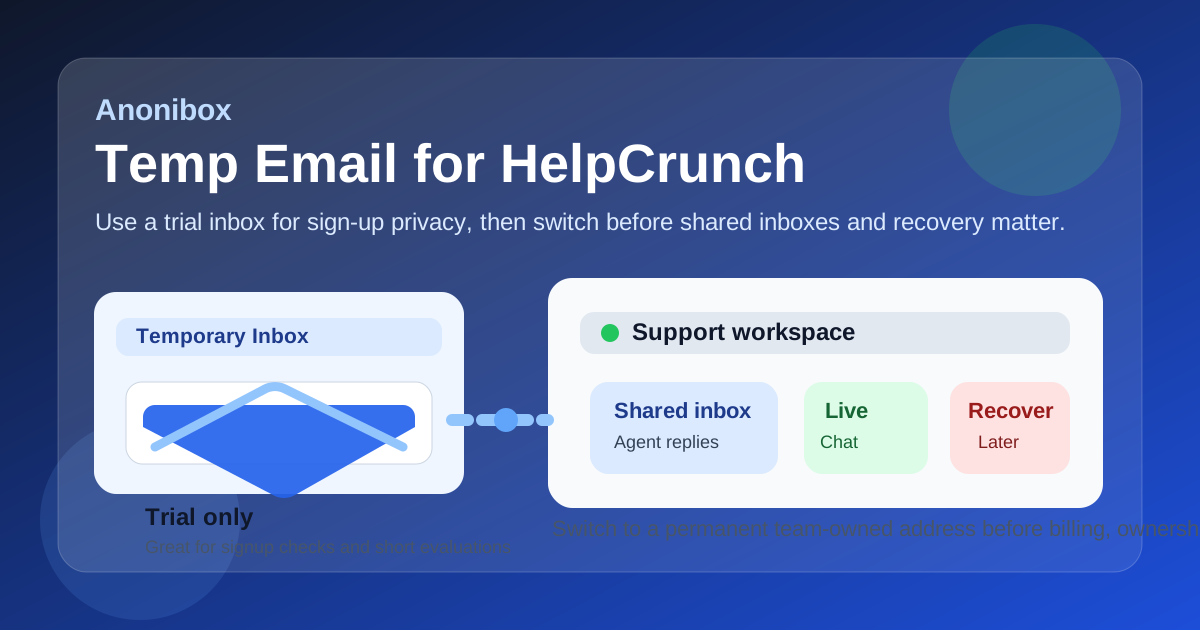
A temp email can work for a quick HelpCrunch trial or private signup, but it becomes risky once shared inboxes, live chat ownership, billing, or account recovery depend on that address.
If you only need to verify the account, test the workspace, and keep early vendor email out of your main inbox, temp email for helpcrunch is a practical short-term move. Just do not leave a disposable address in place after the account becomes part of real customer support.
HelpCrunch sits in the part of the software stack where inboxes stop being personal and start becoming operational. Teams use it for live chat, shared conversations, automation, help-center content, follow-up messages, and day-to-day customer handling. That means the email address on the account matters more than it would on a throwaway consumer app.
Still, there is a clear early-stage use case for temporary email. If you are comparing support tools, checking the onboarding flow, or reviewing whether the product fits your team before inviting everyone in, a temporary inbox can give you the privacy and separation you want without blocking the test. Services like Anonibox are useful for that kind of short evaluation because they let you receive the verification email and first setup messages without handing your permanent inbox to every vendor too early.
Why people use a temp email for HelpCrunch
Most software trials do not stop at a confirmation link. Once you sign up, you may start receiving welcome emails, product tours, demo prompts, lifecycle campaigns, webinar invites, pricing reminders, feature announcements, and follow-up nudges from sales or success teams. None of that is unusual, but it gets noisy fast when you are evaluating several platforms in the same week.
A temp email for HelpCrunch creates a buffer between exploration and commitment. You can open the account, confirm the address, and review the workspace without pushing another stream of messages into the inbox you already use for work, customer escalations, or internal operations. That separation is especially helpful if you are testing multiple customer-support tools side by side.
It also keeps the evaluation cleaner. One inbox can be tied to one product, which makes it easier to match confirmation messages, invite links, and setup notes to the right trial. If you are comparing HelpCrunch against tools like Chatwoot, Crisp, Tidio, LiveChat, Intercom, or another shared-inbox platform, that organization saves time.
When temporary email makes sense for HelpCrunch
A temporary address is most useful when the account is clearly temporary too. Good examples include:
- opening a HelpCrunch trial to inspect the interface and first-run setup,
- testing the sign-up flow before using a work inbox for a serious evaluation,
- checking the live-chat widget and inbox layout in a sandbox-style review,
- comparing customer-support platforms without exposing your main inbox to every vendor at once,
- requesting a demo or invite when you are still deciding whether the product belongs on the shortlist.
In those cases, the goal is to gather signal, not to create permanent account ownership. A burner or disposable email for HelpCrunch can do that job well enough because the account is still part of a short review cycle.
What to evaluate during the trial
The inbox choice matters, but the product judgment matters more. Once you are inside HelpCrunch, focus on the practical things your team would actually live with.
Shared inbox workflow
Look at how conversations are assigned, sorted, and revisited. A good support platform should make it obvious who owns what and what still needs attention. If the inbox feels confusing during a quiet trial, it will not magically feel cleaner under real customer load.
Live chat and messaging flow
If live chat is part of the reason you are testing the product, pay attention to the chat setup, response flow, and handoff experience. You want to know whether the product helps conversations move forward or creates friction for the team handling them.
Automation and saved responses
Even a short trial can reveal whether automation feels helpful or overcomplicated. Review how rules, canned replies, routing, and basic follow-up logic work. Small operational details often make a bigger difference than headline features.
Knowledge-base and self-service support
If your team wants help-center content to reduce repetitive tickets, inspect how articles, categories, and search feel from the agent side and the customer side. A shared inbox platform is stronger when it supports both conversation handling and prevention.
Team ownership and permissions
Support tools usually stop being solo accounts quickly. Even if one person opens the trial, other teammates often need access to review workflows or test collaboration. That makes roles, permissions, and ownership flow important early in the evaluation.
How to use a temp email for HelpCrunch without creating a mess later
1. Create the temporary inbox before signup
Do this first so the entire trial stays segmented from your normal mail. That keeps the confirmation email, onboarding tips, and demo follow-ups in one separate place from the beginning.
2. Use it for verification and first-pass testing
The best use case is short-term access. Receive the signup email, enter the workspace, test the core flows, and decide whether the platform deserves deeper evaluation. That alone covers what many teams need from an initial review.
3. Save the important information outside the inbox
A temp inbox is not your documentation system. Save the login URL, invite links, setup notes, and product observations somewhere durable so you do not lose the value of the evaluation when the trial phase ends.
4. Keep one platform per inbox
If you are comparing multiple tools, separate trial inboxes make the process much easier to manage. You instantly know which onboarding message belongs to which product, and you avoid mixing unrelated vendor communication together.
5. Switch early if the tool becomes real
The moment HelpCrunch starts looking like a real candidate for launch, migrate the account to a permanent monitored address. Do not wait until billing, teammate invites, recovery options, or a live support queue depend on a disposable address.
When a temp email is the wrong choice
A temporary inbox is fine for trial privacy. It is a poor foundation for long-term support operations.
- Do not leave a disposable address as the long-term owner of a shared inbox.
- Do not use it for a live account that teammates rely on every day.
- Do not keep it attached once customer conversations, billing notices, or admin decisions matter.
- Do not depend on it for recovery if the workspace may become operationally important.
The basic rule is simple: temporary email for temporary evaluation, permanent email for permanent support ownership.
Why this matters more for support software than for casual apps
With some products, the account email is little more than a login. With support software, it is closer to an operational anchor. It affects who receives notices, who controls the workspace, and how easily the team can recover access if something goes wrong. That changes the risk calculation.
If a disposable inbox stops working after a one-off tool test, that is usually fine. If it is still attached after the platform becomes part of real customer communication, the downside is much larger. You can create confusion around ownership, lose important admin messages, or make recovery harder than it needs to be.
Common mistakes to avoid
- Letting the trial setup become the production setup. A quick experiment quietly turns into the real account, and nobody notices the original email was never meant to last.
- Using one inbox for every vendor. That removes the organizational advantage and turns the comparison process into clutter.
- Ignoring migration timing. Switching later is possible, but earlier is cleaner once the tool becomes a serious option.
- Judging the platform by the email sequence instead of the product. Focus on inbox workflow, collaboration, and customer handling, not just how polished the welcome campaign looks.
- Forgetting the account may become team-owned. What feels like a personal signup during a trial can quickly become shared infrastructure.
A quick decision checklist
- Am I only testing HelpCrunch, or do I already expect the account to become operational?
- Will I be the only reviewer, or will teammates need access soon?
- Do I want to isolate signup and nurture emails from my main inbox during the evaluation?
- Have I saved notes and key links somewhere permanent?
- Do I have a monitored long-term address ready if the trial becomes serious?
If the account is clearly just a trial, a temp email is usually a sensible choice. If you already know the workspace may become the team’s real support hub, start with a durable address instead.
What a temp email helps with — and what it does not
A temp email for HelpCrunch can reduce inbox clutter, limit low-value follow-up to a separate address, and make side-by-side software evaluation less annoying. Those are real benefits. But it does not remove all risk, and it does not replace normal account hygiene or ownership planning.
Think of it as a useful filter, not a permanent identity layer. It helps you keep early testing private and tidy. It does not magically turn a disposable login into a strong long-term admin setup.
Final verdict
A temp email for HelpCrunch is a good fit for quick sign-up privacy, early product evaluation, and short trials where you only need the verification email and a clean place for onboarding messages.
It becomes a bad fit once the account starts holding shared inbox ownership, customer conversations, billing notices, teammate access, or recovery responsibility. Use the temp inbox to test, then move to a permanent monitored address before the product becomes part of real support operations.