Yes, you can use a temp email for Joomla when you are testing a site build, admin setup, user registration flow, or extension workflow. No, you should not leave a disposable inbox attached to a live Joomla site, primary Super User account, client handoff, or long-term account recovery.
That is the practical line to keep in mind. Temporary email is genuinely useful during early Joomla testing because it lets you receive verification messages, password resets, and test notifications without dumping more clutter into your main inbox. But once the site matters to real people, real content, or real revenue, the convenience flips into avoidable risk.
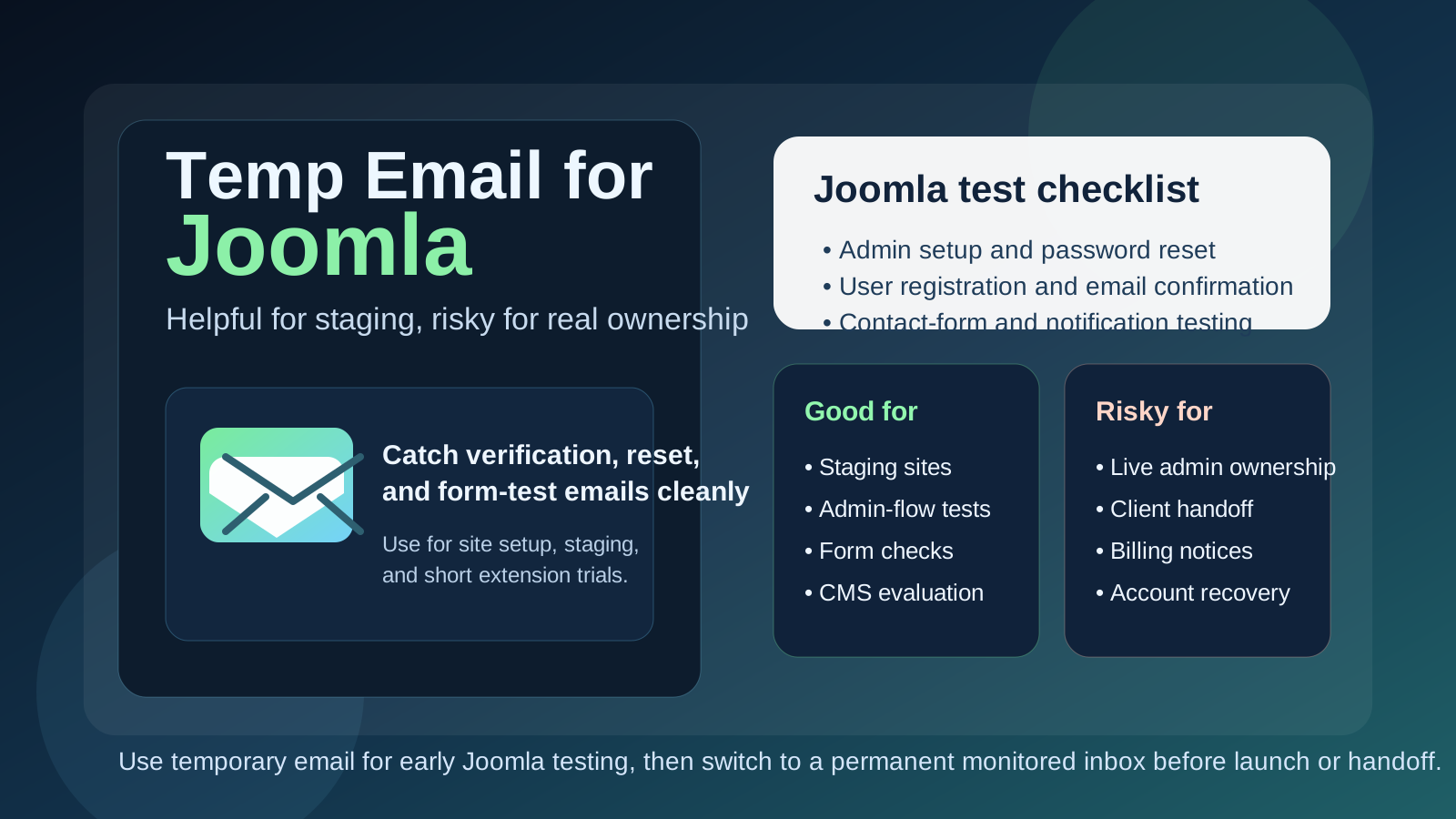
Why people look for a temp email for Joomla
Joomla usually shows up in a more hands-on website workflow than a casual consumer app. Someone may be spinning up a staging site, rebuilding an older business website, testing a template, evaluating extensions, or checking whether Joomla still fits a client project. Those first few hours can trigger a surprising number of emails: account verification, admin setup, password resets, contact-form tests, extension trial messages, and sometimes onboarding or support replies.
If all you want is to test the setup and move on, using your everyday inbox for every short-lived experiment gets annoying fast. A disposable inbox gives you a clean place to collect the messages you need during the evaluation phase without immediately tying your permanent address to every trial, demo, or sandbox install.
That is where a service like Anonibox fits naturally. It helps you isolate the testing phase so you can confirm whether the Joomla workflow works for your project before you commit your normal inbox to long-term site ownership.
When a temp email makes sense for Joomla
A temporary inbox is most useful when the Joomla environment is clearly experimental, short-lived, or still under review. Good examples include:
- Setting up a local or staging Joomla site to test templates, layouts, or extensions
- Checking how user registration, email confirmation, and password resets behave
- Reviewing admin onboarding in a proof-of-concept environment
- Comparing Joomla with WordPress.com, Ghost, Drupal, or other CMS options before choosing a direction
- Testing contact forms, notification emails, or sample content workflows without mixing everything into your primary inbox
- Running early client demos before the project has a permanent owner and support process
In those situations, the inbox is supporting a test rather than owning anything important. That is exactly the kind of job temporary email does well.
When a temp email becomes a bad idea
The trouble starts when a throwaway setup quietly stops being temporary. Joomla projects often begin as experiments and then survive far longer than anyone expected. A staging build becomes the real site. A temporary Super User login becomes the admin account everyone relies on. A quick client proof of concept becomes an active business site. If the inbox behind that setup was disposable, you have created a future problem for yourself.
A temp email is the wrong tool if it controls or receives messages for:
- The main Super User or primary site owner account
- Live customer registrations or user-facing account recovery
- Client handoff and long-term site administration
- Extension licenses, billing emails, or renewal notices
- Security alerts, password resets, or account-change notifications
- Any Joomla environment that is already public, revenue-generating, or operationally important
If the inbox can disappear, expire, or be forgotten, it should not sit behind anything your team or client may need to recover later.
A simple rule that prevents most problems
If the Joomla account exists to help you test something, a temp email can be fine. If the account exists to own something, recover something, or receive something important long term, use a permanent inbox you control.
That rule sounds obvious, but it is easy to ignore when you are moving quickly. Many CMS headaches start with a low-stakes setup choice that nobody revisits once the project becomes real.
How to use a temp email for Joomla safely
1. Decide whether the site is disposable before signup
Before you create the account, ask what kind of environment this really is. Is it a temporary sandbox, a local test, a short comparison, or something with a real chance of becoming the production site? If the answer is even “maybe production,” starting with a permanent monitored inbox is often smarter.
2. Use one inbox per environment
If you reuse the same disposable inbox for multiple Joomla installs, password resets and verification emails get confusing fast. One inbox per site or environment makes it much easier to know which message belongs to which test.
3. Save the messages that matter right away
During early setup, you usually only need a few emails: the first verification message, a password reset, maybe an extension-related note, and perhaps a test notification from a registration or contact form. Capture what matters while the inbox is still fresh and easy to review.
4. Test the email-dependent workflows on purpose
Do not stop after confirming that one email arrived. Trigger the paths that matter most: user registration, email verification, forgotten password flow, admin reset, and any notifications you plan to rely on. Temporary inboxes are useful because they let you inspect those flows cleanly before real users enter the picture.
5. Switch before launch or handoff
The best time to move away from the disposable inbox is before the site goes live, before you bring a client into the handoff, and before multiple people depend on the account. The earlier you switch, the less messy the transition becomes.
What to test while the disposable inbox is still attached
If you are going to use a temp email during evaluation, make that window count. Joomla depends on email for more than simple signup, and early testing is the right time to make sure those paths behave properly.
Admin login and reset flows
Test the setup of the administrator account, then trigger a password reset on purpose. It is better to learn how clean or confusing that process feels while the site is still disposable than after the account becomes important.
User registration and confirmation
If your site allows users to register, walk through the flow from beginning to end. Check whether confirmation emails arrive promptly, whether the instructions are clear, and whether the overall experience feels trustworthy.
Contact forms and notifications
Many Joomla projects need forms from day one. Use the temporary inbox to test what a real notification looks like, whether it arrives reliably, and whether the formatting or routing needs adjustment before launch.
Extension or plugin-related emails
If you are testing extensions, templates, or related tools that send trial, support, or verification emails, a disposable inbox helps keep those messages contained. That is especially useful when you are evaluating several options in parallel.
Workflow fit
The bigger question is not just “did the email arrive?” It is whether Joomla feels manageable for the people who will actually run the site. Does the admin setup feel clear? Are the account flows easy to understand? Can the site be handed off cleanly? Temporary email helps you test the moving parts without creating early inbox clutter, but it should not hide long-term ownership decisions.
Common mistakes people make
- Leaving the temp inbox in place too long: the test site quietly becomes the live site.
- Using a disposable inbox for the main Super User account: later recovery becomes painful.
- Reusing one inbox across many installs: messages become mixed up and hard to trace.
- Forgetting the client handoff: the original setup stays tied to an inbox no one intends to monitor.
- Testing only verification but not recovery: password reset behavior often matters more than the first login.
- Keeping billing or extension renewals on a throwaway address: operational emails are easy to lose.
Temp email vs a separate permanent project inbox
It helps to separate two different privacy tools:
- Temp email: best for early testing, verification, and short-lived experiments
- Separate permanent project inbox: best for real ownership, shared administration, billing, support, and recovery
People sometimes treat them as interchangeable, but they solve different problems. A disposable inbox reduces short-term clutter. A permanent project inbox creates long-term continuity. For a serious Joomla site, you often want both at different stages rather than expecting one to do everything.
A practical workflow that works well
- Create a temporary inbox for the proof of concept, local setup, or staging environment.
- Use it to test verification, registration, password resets, and notifications.
- Decide whether the site is truly disposable or likely to become a real project.
- If the build survives the test phase, move ownership to a permanent monitored inbox.
- Only then connect client handoff, long-term admin control, billing, and recovery to that account.
This keeps the evaluation clean without turning short-term convenience into long-term administrative risk.
Where Anonibox fits
Anonibox is most helpful at the front of the process. It gives you a clean way to test email-dependent Joomla workflows, review extension-related messages, and compare CMS setups without handing out your main inbox everywhere. That is useful when you are still deciding whether the project is worth deeper investment.
What it should not become is the permanent control point for a site that matters. Once Joomla is serving real users, content, or clients, the inbox behind it should be durable, monitored, and intentionally owned.
Final takeaway
A temp email for Joomla is a smart move when you are evaluating the CMS, testing a staging build, reviewing user registration, or running short-lived admin checks. It keeps your primary inbox cleaner and helps you isolate the noisy early setup phase.
But once the Joomla site becomes real, switch to a permanent inbox before launch, client handoff, or any long-term admin ownership. Temporary email is excellent for early site testing. It is a weak foundation for production administration, extension renewals, and account recovery.