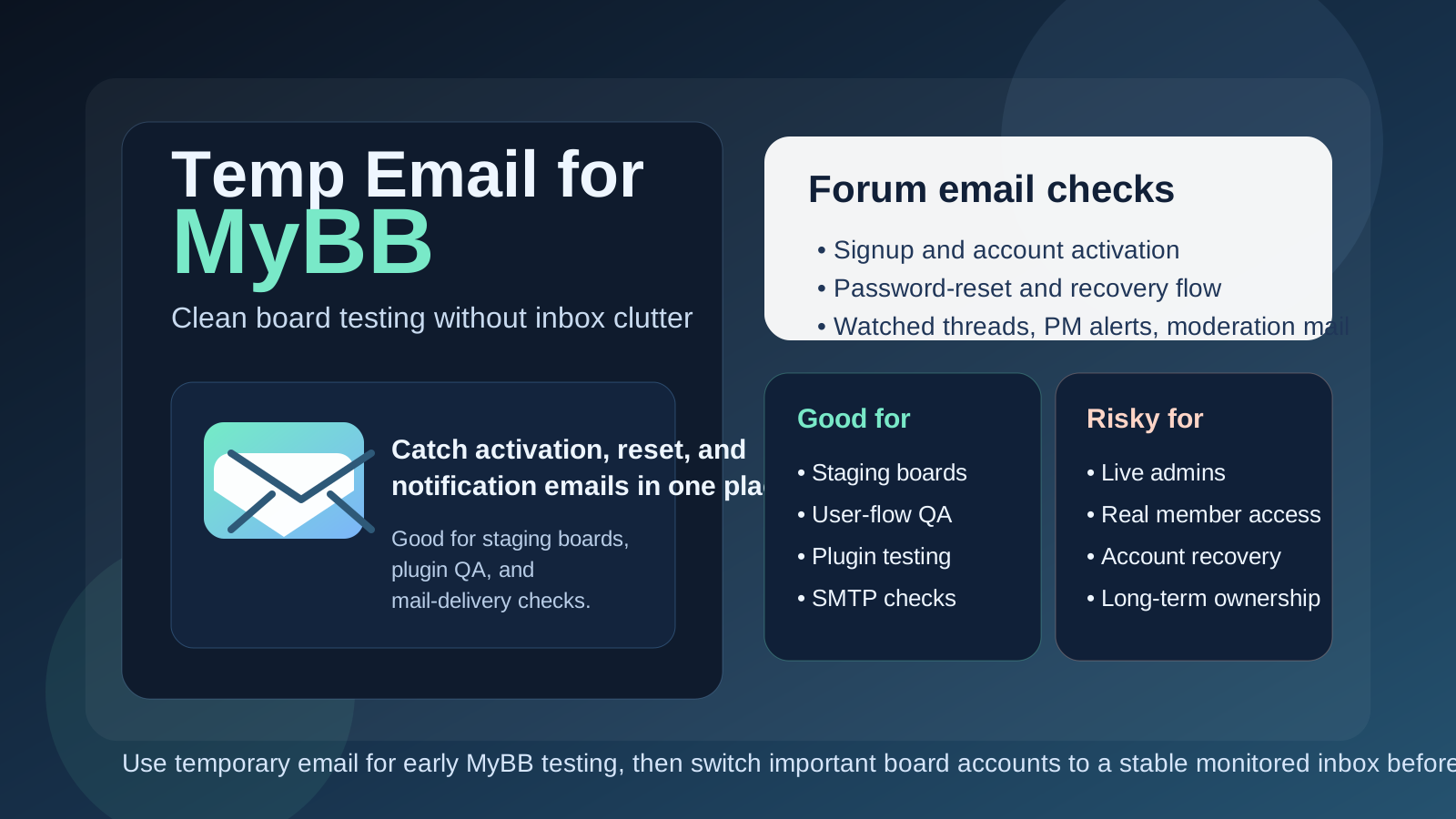
Yes, you can use a temp email for MyBB when you are testing user registration, activation links, password resets, watched-thread notifications, and moderation workflows on a staging or throwaway forum. It is helpful for early QA, but it is a poor choice for production admins, real member identities, account recovery, or any inbox that needs to stay available long term.
In other words, temporary email works well when the goal is to observe how MyBB behaves without flooding your main inbox, not when the mailbox has to remain reliable for ownership, trust, and security later.
Why people look for a temp email for MyBB
MyBB is still a practical choice for classic discussion boards, hobby communities, private member forums, niche support spaces, and self-hosted projects that want a familiar forum model without unnecessary overhead. Even when the visible experience is mostly categories, threads, replies, user groups, and moderation queues, email still carries a surprising amount of the workflow underneath.
A fresh board setup often triggers account activation messages, password-reset emails, thread-subscription alerts, private-message notices, admin announcements, moderation-related notifications, and contact-form tests. If you are configuring the board, checking plugins, rehearsing a migration, or validating your mail setup, sending all of those into your everyday inbox gets noisy fast. A disposable mailbox keeps that clutter contained while you confirm whether the forum is actually working the way members will experience it.
That is where Anonibox fits naturally. It gives you a clean temporary inbox for short-lived verification, low-stakes test users, and early-stage forum QA, so you can inspect the message flow without tying every experimental account to a permanent personal address from the start.
When a temp email makes sense on MyBB
A temp inbox is most useful when the account is genuinely disposable and the purpose is testing rather than long-term participation. If losing the inbox later would not matter, temporary email can save time and reduce inbox clutter.
- Testing member registration and email activation on a staging board
- Checking whether password-reset messages arrive quickly and clearly
- Creating throwaway users to test permissions, post approval, or group rules
- Reviewing watched-thread alerts, private-message emails, and forum notices
- Validating SMTP, transactional-email, or anti-spam setup changes
- Rehearsing a migration or upgrade with sample accounts before launch
- Comparing MyBB against another forum platform before committing to a real community rollout
Those are good use cases because the inbox is supporting a short-lived experiment. You are testing the forum behavior, not building a permanent identity around that mailbox.
Where a temp email becomes a bad idea
The same shortcut that helps during setup becomes a liability once the account starts to matter. If the forum, the staff team, or the member identity will depend on that inbox later, it should not be disposable.
A temp email is the wrong choice for:
- The founder, owner, or primary administrator account on a live MyBB forum
- Moderator accounts that need dependable notices and password recovery
- Long-term member accounts you actually intend to keep using
- Communities with paid access, subscriber benefits, or support obligations
- Any mailbox tied to forum ownership, critical alerts, or long-term security
- Real identities that may need to recover access months after signup
If losing the inbox would create real friction, lost access, or support headaches, use a monitored permanent address you control. Temporary convenience is not worth a future recovery problem.
A simple rule that keeps MyBB testing sane
If the account exists to help you test something, a temp email can be fine. If the account exists to run something, recover something, or represent someone over time, use a stable mailbox instead.
That rule is useful because it separates staging behavior from production responsibility. A lot of forum mess starts when a throwaway setup account quietly becomes the real admin account because nobody bothered to switch it once the board started looking good enough to launch.
What to test while you still have the disposable inbox
If you decide to use a temp email for MyBB, make the test intentional. The goal is not just to prove that one message can arrive. The goal is to understand whether the board’s email-dependent paths behave the way your forum actually needs them to behave.
Registration and activation
Create a new account and walk through whatever activation flow your board currently uses. Does the email arrive quickly? Is the subject line clear? Is the activation link obvious? Does the message feel trustworthy? This is one of the first things a real member will experience, so it is worth checking from the outside instead of assuming the admin panel settings tell the full story.
Password resets
Do not stop after first login. Trigger a reset on purpose and test the full recovery path. Password resets are one of the most important email workflows on any forum, and they often reveal weak wording, delivery delays, or broken links only when you test them as a real user.
Watched threads and subscriptions
MyBB forums can generate a lot of mail once people begin watching topics or receiving updates. A clean temporary inbox makes it easier to see whether those notifications are useful, excessive, late, confusing, or duplicated.
Private-message and account notices
If your board sends private-message notifications or other account-related alerts, test those too. The point is to understand the full communication pattern, not just the signup email.
Admin or moderation workflow
If you plan to have moderators or multiple staff roles, use throwaway test accounts to confirm what email gets sent around approvals, flagged content, user status changes, or other moderation events. This is also where you should decide which staff accounts must never depend on a disposable address later.
Mail delivery after plugin or server changes
MyBB forums often change over time through plugins, custom themes, mail-provider changes, or hosting adjustments. A temporary inbox is handy when you want a clean receiving address to confirm that something still works after those changes.
A practical workflow for using a temp email for MyBB
1. Decide whether the forum is disposable before you create the account
If this is a staging board, proof of concept, plugin sandbox, or migration rehearsal, temporary email makes sense. If the board might quickly turn into the real community, plan early for stable inboxes so you do not forget to switch important accounts before launch.
2. Use one temp inbox per test purpose
Do not throw every experiment into the same mailbox if you can avoid it. One inbox for registration testing, another for moderator-role checks, or one per board environment keeps troubleshooting much simpler.
3. Capture what matters immediately
If you find a weak activation email, a broken reset link, delayed delivery, or overwhelming notification defaults, document it right away. Temporary inboxes are good for observation, not for becoming your long-term archive.
4. Switch important accounts before the board becomes real
The safest time to move from a disposable inbox to a permanent one is before the forum has real members, before staff roles become important, and before ownership continuity matters. Do not wait until you need a recovery email to realize the temp inbox is gone.
Temp email vs a separate permanent forum inbox
It helps to distinguish between two different privacy strategies:
- Temp email: best for short-term signup checks, test users, QA, and early staging work
- Separate permanent inbox: best for live admins, moderators, lasting member identities, and account recovery
Both approaches protect your main everyday inbox, but they solve different problems. A temporary inbox is about short-lived convenience. A permanent secondary inbox is about durable control. For a serious MyBB deployment, you often want both at different stages rather than expecting one tool to handle everything forever.
Common mistakes people make
- Leaving the disposable inbox attached too long: the test account quietly becomes the real admin account.
- Testing only registration: resets, watched-thread alerts, and account notices matter too.
- Using the same temp inbox across multiple boards: messages become harder to match to the right environment.
- Using temporary email for staff roles: future moderation or recovery gets harder than it needs to be.
- Assuming a passing short test means long-term suitability: a disposable inbox working today does not make it the right foundation for a live community.
So, should you use a temp email for MyBB?
Yes, if you are testing registration, activation, password resets, thread notifications, moderation flow, or email delivery on a staging or disposable forum. A temp inbox keeps the work contained and lets you evaluate the member-facing experience without dumping test traffic into your main mailbox.
No, if the account is meant to own, administer, moderate, or seriously participate in a live MyBB forum over time. In that case, the smarter move is a stable mailbox you control and can still access long after launch day.
Final takeaway
A temp email for MyBB is a practical tool for early forum QA, not a durable identity strategy. Use it for activation checks, reset testing, notification review, sample accounts, and short-lived staging work.
Once the board becomes real, move important accounts to a monitored permanent inbox on purpose. That way, you get the speed and privacy benefits of temporary email during setup without creating unnecessary ownership and account-recovery trouble later.