If you are wondering whether a temp email for Navattic is a good idea, the short answer is yes for early trial signup and demo review, but no for long-term workspace ownership.
A temporary inbox can help you test Navattic without handing your main address to another vendor too early, but you should switch to a permanent email once shared demos, prospect links, team access, or account recovery start to matter.
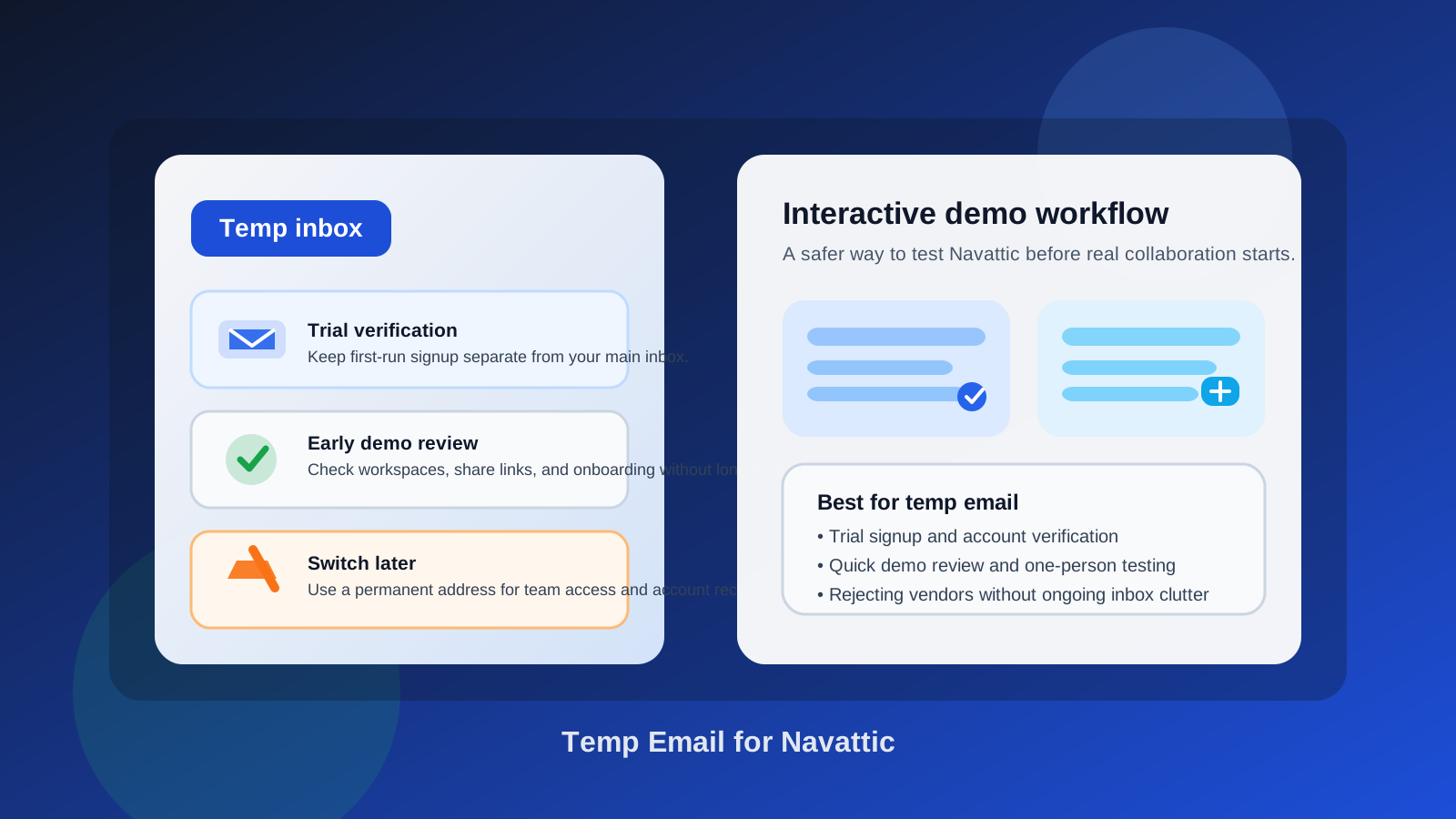
Why people look for a temp email for Navattic in the first place
Navattic sits in a category where curiosity turns into inbox noise fast. Interactive demo tools are useful because they let product marketers, sales teams, and founders show a guided version of a product before a prospect ever books a live call. That is valuable, especially when you want self-serve demos, cleaner qualification, and a smoother handoff between marketing and sales.
But evaluation usually starts with a form. You sign up, verify the account, explore the workspace, test a few demo flows, and then the emails begin: onboarding prompts, feature announcements, webinar invitations, trial reminders, “book time with our team” nudges, and sometimes multiple follow-ups from different people. If you are comparing several interactive demo platforms side by side, that clutter builds up quickly.
That is why a temporary inbox can be useful. It gives you a low-commitment way to open the door, verify the account, and decide whether the product deserves a real place in your stack before your permanent inbox gets pulled into a long sales sequence.
When a temporary inbox makes sense for Navattic
A temp email works best during the first stage of evaluation, when you are still trying to answer a simple question: is this tool even worth deeper attention?
- Trial access: you just want to create the account and look around.
- One-person testing: you are reviewing the editor, demo flow, and share experience by yourself.
- Vendor comparison: you are evaluating Navattic next to other interactive demo tools and do not want every vendor living in your main inbox yet.
- Low-stakes exploration: you want to test the product before involving teammates, prospects, or procurement.
- Inbox hygiene: you want the verification email and setup instructions without months of nurture email afterward.
In those cases, the temp address is doing exactly what it should do: helping you get through the front door while keeping the research phase separate from your long-term work identity.
When a temp email becomes a bad fit
The downside is that Navattic is not just a read-only tool. Once you move beyond first impressions, email becomes tied to ownership and coordination. That is where disposable addresses stop being helpful.
- Shared workspaces: if multiple teammates need access, the account should live on an address your team controls.
- Prospect-facing demo links: if real prospects will interact with the demos, you do not want the workspace anchored to a throwaway inbox.
- Admin changes and billing: any tool that may become part of a real revenue workflow needs stable account ownership.
- Support conversations: when you need help from the vendor, a real business identity usually makes the process smoother.
- Account recovery: losing access to the inbox that controls the workspace can create preventable headaches later.
So the rule is pretty simple: a temp email is fine for early testing, but risky once the tool starts touching ongoing team operations or anything customer-facing.
A practical way to use a temp email for Navattic
1. Start with the inbox, not the signup form
Create the temporary inbox first. That keeps the entire evaluation thread in one place from the beginning. If you use a tool like Anonibox, the goal is not secrecy theater. It is just better separation between casual research and your real working inbox.
2. Use it for the first checkpoint only
Use the temp address to verify the account, enter the product, and test the initial experience. Do not assume that because the first login works, the same inbox should stay attached forever. Treat it as an evaluation-stage tool.
3. Save the messages that actually matter
Most early-stage product trials only produce a few useful emails: the verification link, onboarding guide, first workspace invite, maybe a setup checklist. Save what matters early. Temporary inboxes are convenient precisely because they are lightweight, which also means you should not depend on them for long-term retrieval.
4. Decide quickly whether Navattic belongs on the shortlist
If the product clearly does not fit, you can walk away without giving your long-term address to one more vendor. If it looks strong, switch to a permanent work email before you build anything important inside it.
What you should evaluate inside Navattic before switching to a real email
The point of the trial is not to admire the signup flow. It is to learn whether Navattic solves the problem you actually have. A useful review usually includes the following questions.
Can you build a demo that feels clear rather than gimmicky?
Some interactive demo tools look exciting at first but feel rigid once you start shaping a realistic story. Pay attention to how easily you can create flows that make sense for a buyer, not just for an internal product marketing screenshot tour.
How well does the sharing experience work?
Because demo tools live or die on distribution, test what happens when you share the output. Are the links clean? Does the experience feel smooth for a prospect? Is it obvious what the next step should be after someone finishes the tour?
Is the editing workflow manageable for real teams?
A good early test is whether the editor feels usable after the novelty wears off. Can you update steps, labels, and branching logic without friction? Can a non-technical teammate maintain it? If the answer is no, the tool may create more internal dependency than you want.
Does it fit your sales and product marketing workflow?
Think beyond the demo itself. Ask whether the tool fits the way your team captures leads, qualifies interest, routes prospects, and updates messaging. A polished product tour is not enough if it does not fit the rest of your go-to-market process.
Does the value hold up after the first ten minutes?
Plenty of software wins the first impression round. The better question is whether it still feels useful after you imagine maintaining several demos, updating them as the product changes, and giving multiple teammates access. That is the moment when a disposable test should turn into a more serious evaluation.
What a temp email does not solve
A temp inbox helps with inbox control. It does not solve governance, procurement, or data ownership questions. It also does not guarantee that every vendor will accept the address. Some trial flows block disposable domains or push users toward company-email verification. That is normal.
It also does not turn a weak process into a good one. If your team has no clear owner for demo software, no defined handoff between marketing and sales, or no plan for maintaining product tours over time, the email choice will not fix that. It just keeps the first stage cleaner.
Common mistakes people make with temp email signups
- Keeping the throwaway inbox too long: what starts as low-risk testing becomes real operational dependency.
- Inviting teammates before switching: shared access should sit on an account your team can keep and recover.
- Forgetting to save the important messages: if the verification or setup details matter, store them somewhere stable.
- Confusing trial convenience with production readiness: an easy signup says little about long-term fit.
- Judging the vendor by follow-up email volume: the product itself matters more than the nurture sequence around it.
When to switch from the temp inbox to a permanent one
You should move to a permanent email when any of the following becomes true:
- You want teammates in the workspace.
- You are building demos that may be shown to real prospects.
- You need stable admin ownership, billing contact, or support history.
- You are discussing rollout, procurement, or a longer proof of concept.
- You would actually care if losing the inbox meant losing access.
That is the handoff point. Early experimentation can stay disposable. Anything tied to revenue, collaboration, or customer-facing content should not.
A simple checklist before you decide
- Am I just testing the product, or am I already building something real?
- Will other teammates need this workspace soon?
- Could this account end up holding prospect-facing assets?
- Do I want this vendor emailing my main inbox before I know they are worth it?
- If I lost this inbox tomorrow, would it create a real problem?
If you are still in the “just testing” phase, a temp inbox is reasonable. If several answers point toward shared ownership or real business use, switch to a permanent address now instead of later.
Final takeaway
Using a temp email for Navattic is a smart move when you want to verify the trial, explore the workspace, and compare interactive demo tools without instantly committing your main inbox to another stream of vendor follow-up.
It stops being smart when the account turns into something important. Once demos are shared with prospects, teammates need access, or recovery and billing matter, move the account to a stable email your team controls. That gives you the privacy benefits of a disposable inbox at the start without creating avoidable mess later.