Yes, you can use a temp email for nopCommerce when you are testing a store setup, customer flow, or short-lived admin workflow. It is useful for early QA and evaluation, but it is a bad choice for live orders, primary admin ownership, billing notices, and long-term account recovery.
That makes temporary email a practical tool for early nopCommerce experiments, not a safe long-term home for anything your store, team, or customers will rely on once the project becomes real.
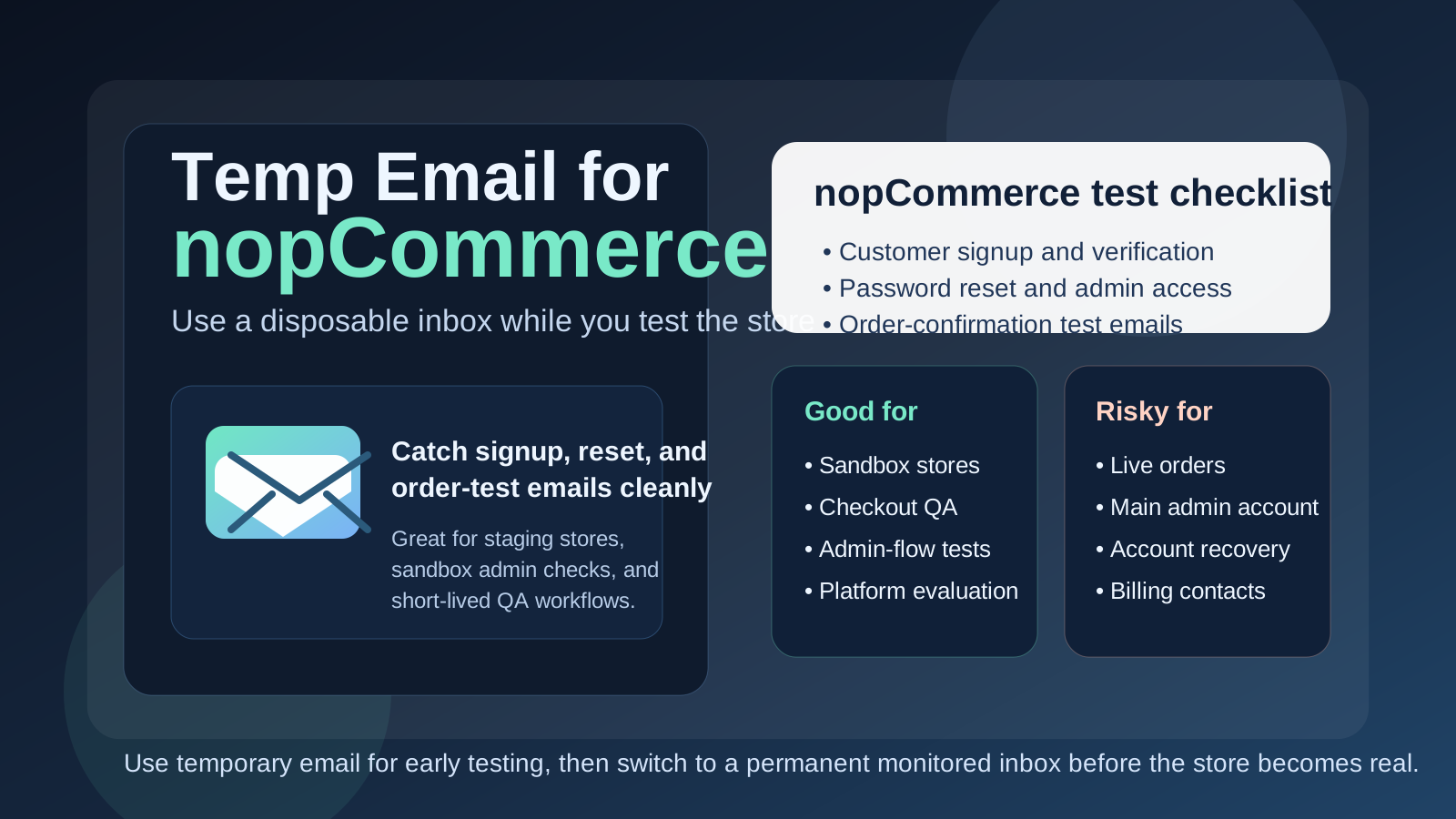
Why people look for a temp email for nopCommerce
nopCommerce usually comes up when someone is actively building or evaluating an online store rather than casually browsing a consumer app. A developer may be spinning up a test environment, an agency may be comparing ecommerce platforms for a client, or a merchant may be checking whether the platform fits the way their business handles products, customer accounts, and checkout flows. All of that can trigger a surprising amount of email in the first hour.
You may need inbox access for account verification, admin setup, password resets, storefront signup testing, order-confirmation checks, demo requests, plugin trials, or short-term collaboration during a proof of concept. If you are comparing several platforms at once, dropping every one of those messages into your normal inbox gets messy fast. A disposable inbox gives you a clean way to catch the messages you need without committing your permanent address to every experiment.
That is where a tool like Anonibox fits naturally. It helps isolate the early testing phase so you can see how the email-dependent parts of the store behave, then move to a permanent monitored inbox when the project becomes worth keeping.
When a temp email makes sense for nopCommerce
Temporary email is most useful when the work is clearly limited, exploratory, or non-production. Good examples include:
- Comparing nopCommerce with other ecommerce platforms before your team chooses a direction
- Testing customer signup, email confirmation, and password-reset flows on a staging store
- Reviewing admin onboarding and role-based access in a short-lived environment
- Running QA for checkout, guest account, or order-notification behavior using fake data
- Keeping demo requests, plugin follow-up, and one-off setup messages out of your main inbox
- Organizing short-term client proof-of-concept work before the store has real operational owners
In those situations, the inbox is supporting an experiment rather than owning something important. That is exactly where a temp inbox is helpful.
When a temp email is a bad idea
The problem starts when a disposable inbox gets attached to something that quietly stops being disposable. A quick nopCommerce proof of concept can turn into the actual store everyone keeps building on, especially when the initial test goes well and no one bothers to clean up the early setup decisions.
A temp email is the wrong tool if it controls or receives messages for:
- The main store owner or long-term admin account
- Live order notifications or customer-service workflows
- Team invites that multiple people depend on
- Password recovery, security notices, or account-change alerts
- Billing contacts, license renewals, or vendor communication
- Any store environment that is already tied to real revenue or real customers
Once the store matters, inbox stability matters too. If the address can disappear, stop receiving mail, or be hard to access later, it should not control anything operational.
A simple rule that prevents most problems
If the account exists to help you test something, a temp email can be fine. If the account exists to own something, recover something, or receive something important, use a permanent inbox you control.
That rule sounds obvious, but it is easy to ignore when you are moving fast. Many ecommerce headaches start with one throwaway setup choice that no one revisits after the project becomes real. Make the switch earlier than you think you need to.
How to use a temp email for nopCommerce safely
1. Decide whether the store is disposable before signup
Do not start with a temp inbox just because it is convenient. First ask whether this is a sandbox, a quick competitor comparison, a training setup, or a project that may become a real store. If there is a serious chance that the same environment will survive into production, start with a permanent address instead.
2. Use separate inboxes for separate test stores
If you reuse one inbox across several ecommerce experiments, verification emails and password resets become hard to track. One inbox per store or environment makes it much easier to know which link belongs to which test.
3. Save the messages you actually need
During early testing, you usually only need a few emails: the verification message, the first admin login instructions, maybe a reset link, and perhaps a test order email. Capture those right away. Temporary inboxes are helpful because they are lightweight, but that also means you should not treat them like permanent records.
4. Switch before the store becomes shared or customer-facing
The right time to migrate away from the disposable inbox is before you invite real teammates, before you connect operational workflows, and definitely before the store goes live. A clean handoff is far easier when the environment is still quiet.
What to test while you still have the disposable inbox
If you are going to use a temp email during the evaluation stage, use that window well. The point is not merely to confirm that an email arrives. The point is to see whether the email-dependent parts of nopCommerce work the way your team expects.
Account creation and verification
Test the full customer-side flow. Create an account, confirm the email if needed, and see whether the steps feel smooth or confusing. If your store strategy depends on user registration, this is one of the first things worth checking.
Password resets
Do not stop after the first login. Trigger the reset flow on purpose. Password resets are one of the most common email-dependent paths in any store, and they can reveal delays, unclear wording, or misconfigured templates quickly.
Admin and staff access
If your evaluation includes multiple users, test role-based access and any admin invitations or account changes early. This is often where a disposable inbox is still useful for a proof of concept but clearly risky for long-term ownership.
Test orders and transactional messages
If you are checking checkout behavior, order updates, or customer notification templates in a safe non-production setup, a temporary inbox lets you inspect those emails without mixing them into a permanent support or operations mailbox.
General workflow fit
The bigger question is whether nopCommerce fits your actual store needs. Does the admin experience make sense? Are account flows easy to test and maintain? Does the platform feel manageable for the people who will run it after the technical evaluation is over? A temp inbox helps you test these questions cleanly, but it should not hide the long-term ownership decisions underneath them.
Common mistakes people make
- Leaving the temp email in place too long: the staging store quietly becomes the real store.
- Using one inbox for multiple experiments: reset links and verification messages get mixed together.
- Forgetting who controls the account: later, no one remembers which inbox owns the original admin login.
- Testing only signup but not recovery: the reset path often matters more than the first login.
- Using a disposable inbox for customer-facing operations: test workflows and live workflows are not the same thing.
Temp email vs separate permanent project inbox
It helps to separate two different ideas:
- Temp email: good for early testing, disposable signups, and low-stakes experiments
- Separate permanent project inbox: good for real store ownership, security notices, team continuity, and long-term recovery
People sometimes treat them as interchangeable privacy tools, but they solve different problems. A temp inbox reduces short-term clutter and exposure. A permanent project inbox creates long-term control. For serious nopCommerce use, you often want both at different stages rather than expecting one to do everything.
A practical workflow that works well
- Create a temporary inbox for the proof of concept or staging environment.
- Use it to test verification, password resets, and customer-account behavior.
- Decide whether the store is disposable, ongoing, or likely to become production.
- If the project survives the test phase, move ownership to a permanent monitored inbox.
- Only then attach real team workflows, operational alerts, billing, or live store responsibility to that account.
This keeps your evaluation clean without turning convenience into long-term admin risk.
Where Anonibox fits in the process
Anonibox is most useful at the front of the workflow. It helps you keep early experiments separate when you are comparing platforms, testing customer-account flows, or reviewing how email behaves in a sandbox store. That is a real benefit, especially when your main inbox is already full of vendor follow-up and day-to-day work.
What it should not do is become the permanent control point for a store that is already important. If the store matters, the inbox behind it should be boring, durable, and monitored on purpose.
Final takeaway
A temp email for nopCommerce is a smart move when you are evaluating the platform, testing customer flows, or running short-lived QA in a non-production environment. It keeps your main inbox cleaner and makes early setup easier to manage.
But once nopCommerce becomes a real store, a shared team system, or anything tied to customers and revenue, switch to a permanent inbox immediately. Temporary email is great for early store testing. It is the wrong foundation for live operations, long-term admin control, and account recovery.