Yes, you can use a temp email for Padlet if you only want to test the signup flow, explore the interface, or make a throwaway practice board. It is a poor choice for real classroom use, shared walls, collaborator invites, or any Padlet account you may need to recover later.
Padlet works best when the email behind the account stays available. If the inbox disappears before you need a login link, an invitation, or a password reset, the convenience of a disposable address turns into friction fast.
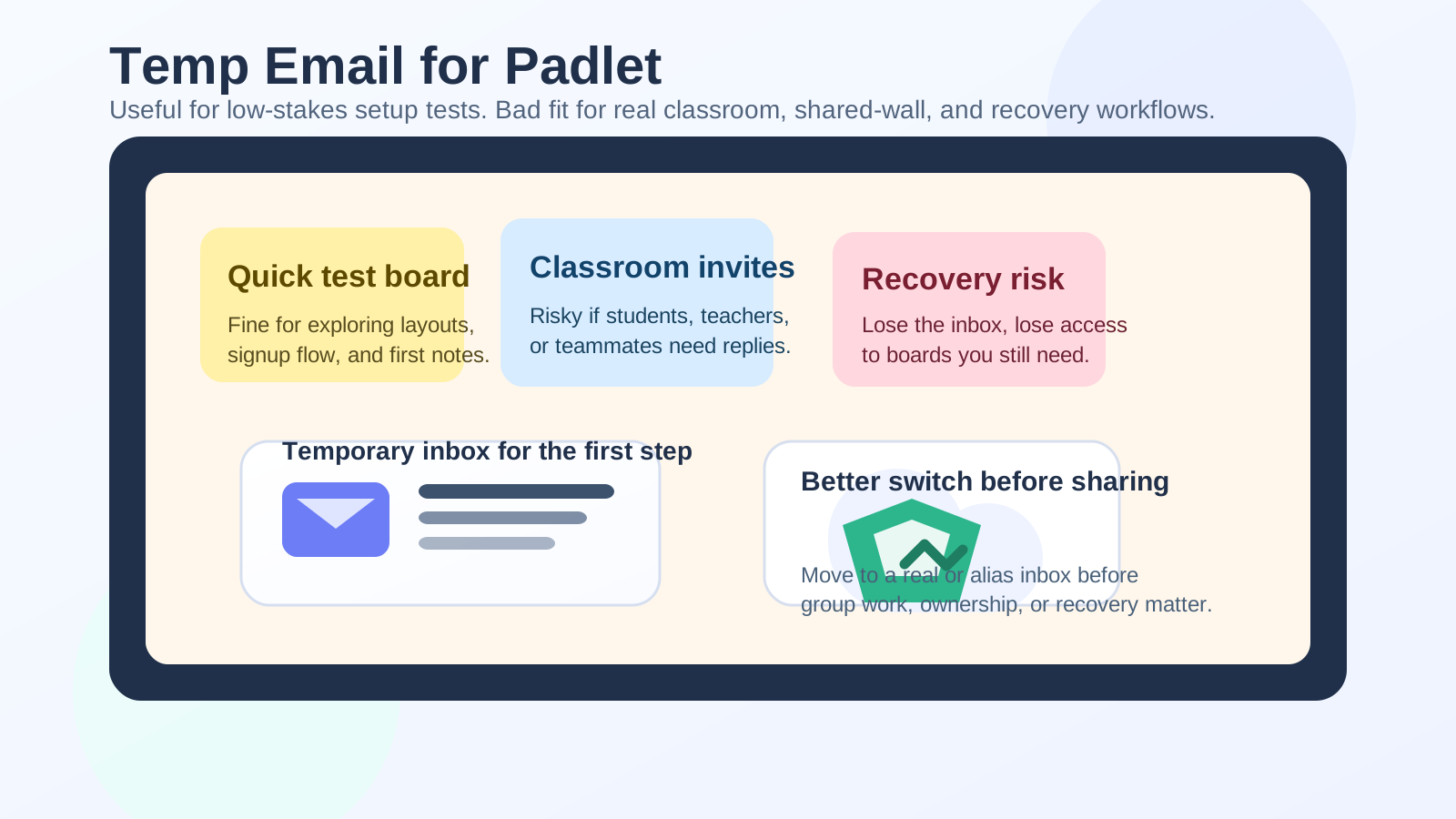
When a temp email for Padlet actually makes sense
Padlet sits in an awkward middle ground for privacy. On one hand, it is a collaboration tool, so a disposable email can be handy when you just want to peek around, test a layout, or see whether the product fits a quick project. On the other hand, the moment a board becomes shared, useful, or tied to people you care about, you are no longer dealing with a low-stakes throwaway account.
A temporary inbox usually makes sense in these situations:
- You want to see how Padlet signup works before committing a real address.
- You are comparing board tools and only need a short evaluation window.
- You want to test a single wall, sandbox workspace, or embed flow.
- You are checking whether the interface fits a workshop, brainstorm, or class activity.
- You expect to delete the account and the content soon after testing.
That is the sweet spot. A disposable inbox is good for curiosity, comparison, and short-lived experiments. It is much less good for anything that depends on continuity.
Where a temporary Padlet account starts to break down
Padlet is not just a one-way signup product. It often turns into a shared space with links, collaborators, class participants, and material you may want later. That changes the risk profile.
Shared walls and collaborator invites
If you create a board and then invite classmates, coworkers, or clients, the email attached to the account becomes part of an ongoing workflow. You may need it for invitation updates, ownership changes, moderation alerts, or recovery messages. If the temporary inbox expires, you can end up locked out of a board that other people still use.
Classroom access and teacher workflows
Padlet is popular in schools because it is quick to launch and easy for students to understand. That is exactly why a throwaway inbox can be risky. A teacher may need to revisit the same wall, adjust permissions, remove spam, update instructions, or duplicate a board for another class. Those are not disposable tasks. If the inbox vanishes, the board may still be live while the account behind it becomes hard to manage.
Password resets and long-tail access
Most people do not worry about account recovery until they suddenly need it. Maybe you signed up in a hurry, come back three weeks later, and cannot remember the password. Maybe Padlet logs you out on another browser. Maybe you want to reopen a board you built for a workshop. Recovery only works if you still control the inbox that receives the reset link.
Paid upgrades or plan changes
If you ever expect to move from a trial or free account into a paid plan, a temp email is the wrong long-term home. Billing receipts, renewal notices, team administration, export confirmations, and plan-change messages should not go to an inbox designed to disappear.
How to use a temp email for Padlet safely
If you still want the privacy benefit for early testing, the safest approach is to treat the disposable address as a short checkpoint rather than the permanent identity for the account.
1. Use it only for low-stakes exploration
Create the account, verify the email if needed, and use the time to answer practical questions. Does Padlet support the board style you want? Is the editor fast enough? Are the privacy settings clear? Can you embed or share in the way you need? This is where a tool like Anonibox is reasonable: it lets you isolate the first round of product testing without immediately feeding your main inbox into yet another SaaS onboarding sequence.
2. Keep the test board genuinely disposable
Do not build something valuable on the temporary account. Avoid uploading important materials, collecting real student submissions, or sharing the board widely. If the content matters, the account behind it should also matter.
3. Save anything useful before the inbox disappears
If your test reveals that Padlet is worth using, do not wait around hoping you will remember later. Export what you need, note the settings you liked, and decide whether to recreate the board under a more stable address. The earlier you migrate, the cleaner the handoff.
4. Switch to a stable email before inviting people
This is the biggest practical rule. The moment a board is about to involve other humans, move to a real inbox or at least to a persistent alias you control. Shared tools become messy when the owner account is tied to an inbox that no longer exists.
5. Use a separate permanent inbox if privacy still matters
If you do not want Padlet attached to your primary personal or work address, you do not need to jump straight from disposable to fully exposed. A middle path often works better: use a dedicated secondary inbox or an email alias that you can keep long term. That preserves recovery and notifications without dumping everything into your main account.
What is the best alternative to a disposable address for Padlet?
For Padlet specifically, a persistent alias or secondary inbox is usually the smartest option. It gives you most of the privacy benefit while avoiding the worst recovery problems.
Here is a quick way to think about the trade-off:
- Disposable email: best for a fast test, worst for continuity.
- Email alias: good for privacy and much better for long-term access.
- Dedicated secondary inbox: best for ongoing class, freelance, or team use when you still want separation from your main inbox.
Padlet is the kind of product where that middle layer matters. It may start as an experiment, but it often turns into an active workspace.
Will Padlet always accept temporary email addresses?
Not necessarily. Some platforms block known disposable domains outright, and even when signup works, certain school or organization workflows can behave differently from a plain personal account. If a classroom invite, SSO setup, or institution-specific access flow matters, assume a temporary address may add complications rather than remove them.
That does not mean a temp email never works. It means you should not build a real project on the assumption that it always will. A successful signup is not the same thing as a reliable long-term account setup.
Best practices for different types of Padlet users
Teachers
Teachers should be conservative here. If you are making walls for assignments, discussions, bell-ringers, gallery walks, or shared resources, use an inbox you control long term. Even if the first board looks casual, class materials have a habit of becoming reusable. A disposable address is fine for initial product evaluation, but not for your real teaching workflow.
Students
Students can get away with more experimentation, but only if the account is truly short lived. If a board affects grades, submissions, group participation, or a course portfolio, switch to something recoverable. Losing access because the original inbox vanished is a very avoidable problem.
Freelancers and consultants
If you use Padlet for workshops, client brainstorms, or collaborative discovery sessions, treat the account like business infrastructure. You may not want your main personal inbox tied to every client tool, but you do need reliability. A client should never lose access to a shared board because the owner account was created through a throwaway inbox during a quick test.
Teams and community organizers
For teams, volunteer groups, and event organizers, continuity matters more than convenience. Use an address that can stay tied to the group, and document who controls it. Disposable email is the wrong fit for tools that may need shared ownership over time.
Quick checklist before you use a temp email for Padlet
- Am I only testing the product, not building something important?
- Will anyone else depend on this board later?
- Would I care if I lost the account in a week?
- Do I expect to need password resets, invites, or notifications?
- Would a stable alias or secondary inbox solve the privacy problem better?
If your answers point toward collaboration, reuse, or recovery, skip the disposable address and use something persistent instead.
Final answer
A temp email for Padlet is useful for quick board testing, low-stakes evaluation, and one-off experimentation. It becomes a bad fit once shared walls, classrooms, collaborators, or account recovery enter the picture.
If you only want to explore the tool, a temporary inbox can keep your main address out of one more onboarding funnel. If you plan to keep the board, invite real people, or depend on the account later, move to a stable email early. Padlet rewards continuity more than most throwaway-friendly signup tools, so the safer long-term move is usually a persistent alias or a separate inbox you actually control.