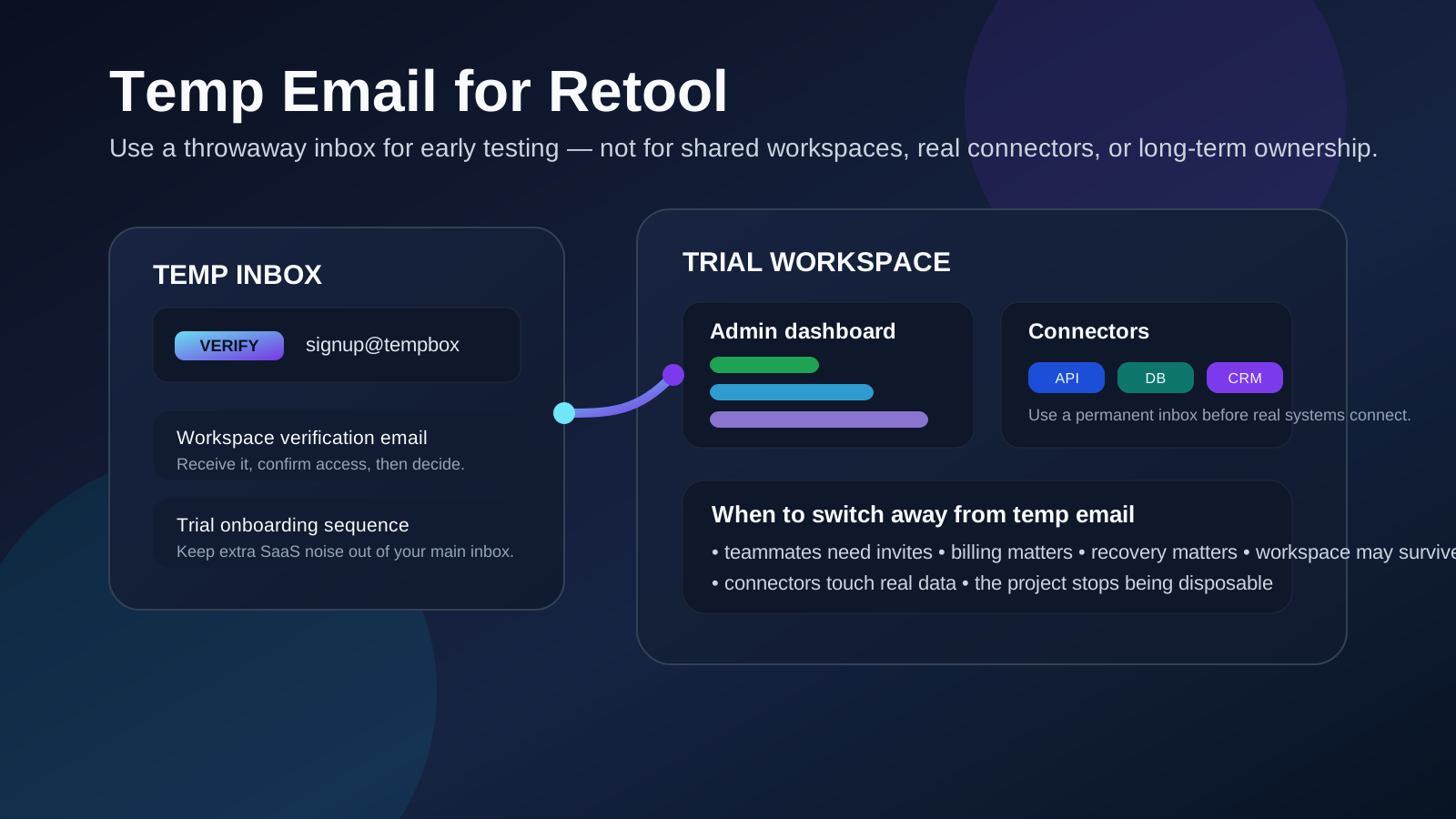
A temp email for Retool can help with early workspace testing, one-off signups, and privacy during evaluation, but it becomes risky once shared workspaces, real connectors, billing, or account recovery matter.
A temp email for Retool is useful when you only need to verify an account and inspect the builder, but a permanent address is the safer choice for any workspace you may keep, share, or connect to real systems.
That is the practical answer most people actually need. Retool sits in a category of software where a quick test can turn into real operational infrastructure surprisingly fast. What starts as a harmless signup to explore the interface can become the workspace where your team builds dashboards, admin panels, support tools, finance workflows, approval apps, and internal data views. Because of that, the email behind the account matters more than it first appears.
If your goal is simply to keep your main inbox cleaner while you evaluate the product, a temporary inbox can make sense. A service like Anonibox is useful at that stage because it lets you get the verification email, complete a first login, and compare another SaaS tool without automatically tying your everyday address to a long follow-up sequence. The mistake is not using temporary email at all. The mistake is leaving an account on a throwaway inbox after the workspace starts to matter.
Why people look for a temp email for Retool
Most people are not trying to hide anything unusual. They are usually trying to solve a normal workflow problem: too many software trials, too many onboarding emails, too many sales follow-ups, and too little desire to hand over a real work address before they know whether the product is even worth keeping.
Retool often gets tested during a broader evaluation cycle. A company may compare internal tool builders, admin dashboard options, database front ends, or workflow products in a short period. That means one curious signup can trigger:
- verification emails
- setup prompts
- workspace invitations
- product education sequences
- sales outreach
- upgrade nudges
- demo requests
That volume is exactly why people search for a burner or temporary inbox in the first place. They want to inspect the product without turning one test into months of inbox residue.
When a temp email for Retool actually makes sense
Temporary email is strongest when the account is temporary in practice, not just in theory. If you already suspect the workspace may become important, start with a durable address instead.
1. You are doing a fast product evaluation
If you only want to see how the signup flow works, how quickly you can get into the editor, what the onboarding feels like, and whether the builder deserves deeper attention, a temp inbox is reasonable. You can receive the verification message, look around the product, and decide whether Retool belongs on your shortlist.
2. You are comparing several tools in the same week
This is one of the cleanest use cases. If your team is looking at multiple products at once, there is no real reason to give every vendor permanent access to a heavily used work inbox on day one. A temporary inbox keeps the trial phase compartmentalized so you can compare products without stacking a pile of nurture email into the wrong place.
3. You are exploring alone before bringing teammates in
Sometimes one person does the first pass and only invites others once a tool looks promising. That is a sensible point to use a temporary address. You can test the interface, inspect templates, try a sample connection flow, and decide whether the tool deserves a real workspace setup later.
4. You only need short-term access for a low-stakes sandbox
If the workspace is truly disposable, a disposable inbox can be too. For example, maybe you want to see how tables, forms, queries, and components behave in a sandbox that you fully expect to abandon after one session. That is very different from a workspace you may return to next week with real data and real collaborators.
When a temp inbox becomes a bad idea
Retool is not just another newsletter signup. Once your workspace starts touching real work, a throwaway email becomes an unnecessary weak point.
1. The workspace may be shared with other people
Internal tool platforms become collaborative quickly. A designer may review the interface. An operations lead may want access. An engineer may help with queries or environment setup. A support manager may rely on the finished tool later. Once other people depend on the workspace, the account behind it needs continuity.
2. Connectors and environments can become important fast
Retool is valuable because it can sit near databases, APIs, CRMs, warehouses, and other operational systems. Even if you begin with fake data, serious testing often moves toward real connectors, staging environments, or workflow logic. That is the moment when losing account recovery or missing an account notice becomes much more expensive than the privacy benefit of a burner inbox.
3. Billing and plan decisions eventually matter
A short trial is one thing. A real workspace with seats, usage, or plan changes is another. If payment notices, limits, or upgrade questions land in an inbox nobody watches anymore, you create avoidable operational friction for yourself.
4. Account recovery is not just a theoretical problem
This is where temporary email usually fails people. The first week feels fine. Then the workspace survives longer than expected. Months later, somebody needs a password reset, a security confirmation, or access to an older environment. That is when a disposable address stops feeling tidy and starts feeling careless.
5. Ownership gets messy when the project grows
Many internal tools begin as experiments and then quietly turn into production dependencies. If a tool becomes part of support operations, finance approvals, order review, inventory workflows, or customer success handoffs, the original email choice becomes part of your governance story whether you planned for that or not.
A safer way to use a temp email with Retool
You do not need an all-or-nothing rule. You need a staged workflow that matches the maturity of the workspace.
Start with temporary email only for the evaluation stage
Use the temporary inbox for verification, first login, and a focused product review. The goal is to answer basic questions quickly: Is the builder intuitive? Does it seem flexible enough for your use case? Does it deserve real time from your team?
Keep the trial narrow
Do not let a disposable setup drift into semi-permanent use by accident. Decide upfront whether this is a one-session evaluation, a short sandbox, or the beginning of a serious internal tools project. If the answer is anything beyond a quick test, plan the handoff to a permanent address early.
Save the useful information immediately
If an onboarding email, sample link, template note, or setup reminder matters, save it outside the inbox. Temporary inboxes are convenient for receiving the first message, not for acting as your long-term record.
Switch before collaboration starts, not after
The best time to move to a durable address is before real team invites, real connectors, or real workflows are involved. Once other people are using the workspace, making the change usually gets more annoying and more risky.
Use separation instead of disappearance when you need long-term privacy
Many people do not actually need a throwaway inbox forever. What they want is distance from their main account. In that case, a dedicated project email is often the better long-term answer. It keeps trials and ops-tool communication out of your main inbox while still giving you reliable ownership and recovery.
What to evaluate inside Retool instead of obsessing over the signup
If you use a temp email to protect your main inbox, make sure the saved attention goes toward the product itself. The real decision should be based on fit, not on how cleanly the welcome emails were separated.
Builder speed and clarity
How fast can you create something useful? Can a non-specialist understand the interface? Does the workflow feel straightforward enough for the people who will actually maintain the tool?
Data access and query ergonomics
Look at how the platform handles queries, resources, parameters, and data shaping. A strong internal tool builder should make it easier to work with systems, not merely look impressive during the first five minutes.
Permissions and collaboration
If multiple people may touch the workspace, pay attention to roles, sharing, review flow, and visibility. Collaboration problems rarely show up in a flashy product demo, but they matter once the tool is real.
Deployment and environment management
Even during evaluation, it helps to understand how the tool separates development, staging, and production-like work. If that story feels messy early, it usually does not become cleaner later.
Long-term maintainability
The question is not just whether you can build one internal page. The question is whether your team can keep building, updating, and trusting the workspace over time.
Three realistic Retool scenarios
Scenario 1: solo product research
You want to inspect Retool on your own, compare it with a few alternatives, and decide whether it deserves a proper team evaluation. A temp inbox is fine here because the account is only supporting short-lived research.
Scenario 2: early sandbox with no real dependency
You build a rough internal page using sample data, mostly to understand the editor and workflow. If you truly expect to discard the workspace after learning what you need, temporary email can still be a reasonable fit.
Scenario 3: a tool your team may actually keep
This is the cutoff point. The moment you expect shared work, recurring access, connectors, production logic, or operational ownership, move to a durable address. A real internal tool deserves a real account foundation.
Common mistakes to avoid
- Using a burner for a workspace you secretly know you may keep: that usually creates avoidable cleanup later.
- Waiting until after team invites to switch: the safest handoff point is before collaboration starts.
- Treating account recovery like a future problem: it will eventually become a present one if the workspace lasts.
- Letting a trial touch real systems too early: if you are already connecting important tools, use an address you control long term.
- Confusing inbox privacy with operational safety: a temp inbox reduces noise, but it does not make a growing workspace easier to govern.
Quick checklist before you use a temp email on Retool
- Am I only evaluating Retool, or do I already expect this workspace to survive?
- Will other people need access soon?
- Could connectors, environments, or billing matter within days?
- Would losing this inbox next week create a real problem?
- Do I need a disposable inbox, or would a separate permanent project inbox solve the problem better?
If your answers point toward short-term, solo, and disposable, a temp inbox can be a smart way to keep the evaluation clean. If they point toward shared work, real systems, or future dependence, use a durable address instead.
Final takeaway
A temp email for Retool is useful for early testing, quick comparisons, and reducing unnecessary signup noise while you decide whether the platform belongs in your stack. That benefit is real, and it is often enough for the first stage of evaluation.
But Retool workspaces can become important much faster than ordinary SaaS trials. Once you expect shared ownership, real connectors, billing, recovery, or operational dependence, the smart move is to switch to a permanent address you control. Use temporary email for the evaluation stage, not as the long-term foundation for an internal tool your team may rely on.