A temp email can work for a quick Tawk.to trial or private sign-up, but it becomes risky once shared inboxes, customer conversations, chat ownership, or account recovery depend on that address.
If you only need to verify the account, test the widget, and keep follow-up emails out of your main inbox, temp email for Tawk.to is reasonable for a short evaluation. Just do not leave a disposable address in place after the account starts handling real customer support.
Why people consider a temp email for Tawk.to
Tawk.to sits in the kind of category where the first sign-up looks simple, but the long-term email choice matters more than many teams expect. At the beginning, you may only want an address that can receive the verification email, the welcome message, and a few onboarding prompts while you explore the dashboard. That makes a disposable inbox feel efficient.
The appeal is obvious. If you are comparing several live chat, help desk, or customer messaging tools in the same week, your main inbox can get noisy fast. You may receive setup tips, product tours, drip campaigns, webinar invites, sales nudges, and upgrade reminders from every platform you test. Using a temporary inbox for the very first stage can keep that clutter away from your everyday work email.
That is the good use case. The problem starts when a short trial quietly becomes a real operational account. Once a support tool begins storing customer conversations, notifying agents, or anchoring ownership for a website chat widget, the account email stops being a throwaway detail. It becomes part of the system your team depends on.
When a temp email is usually fine
There are a few situations where a temp address is practical and low-risk.
- Private product evaluation: You want to see how the interface works before handing over your permanent address.
- Short comparison testing: You are reviewing multiple support tools and only need enough access to compare setup flow, inbox layout, or widget basics.
- Spam control: You expect follow-up marketing emails and want to keep them isolated.
- Early-stage research: You are not yet inviting teammates, connecting real channels, or embedding the widget on a live production site.
In those cases, a temporary inbox can be a decent front-door filter. It lets you get in, look around, and decide whether the platform is worth a deeper review. If you are already using Anonibox for sign-up privacy during software evaluations, this is exactly the kind of short-term job where it makes sense.
Where it starts to break down
The moment a live chat or customer support account moves from “trial” to “tool we might actually use,” the email decision matters more.
Shared inboxes and team access
Support platforms are not like one-person newsletter trials. Even if one person creates the account, the tool often becomes a team workspace. Agents get invited, roles change, notifications matter, and somebody needs to own the admin side. If the original signup address lives in a disposable inbox nobody controls long-term, that creates unnecessary fragility.
Chat ownership and conversation continuity
When live chat is attached to a real website, missed access is no longer just annoying. It can affect customer conversations, routing rules, saved replies, transcripts, or ownership changes. Even if Tawk.to itself separates some operational features from the original signup email, account access and recovery still matter. A throwaway inbox is fine for a sandbox. It is a bad foundation for production support.
Account recovery and admin changes
This is usually the biggest issue. Password resets, login alerts, security notices, admin confirmations, and billing-related messages all depend on someone receiving the right email at the right time. If the inbox expires or nobody remembers who created it, a simple access problem turns into an avoidable mess.
Important notifications getting lost
During a quick test, you may not care if a follow-up email disappears. Later, that same account could be tied to setup instructions, teammate invitations, security notifications, or other messages you actually need. Disposable inboxes are good at being temporary. That is exactly why they are risky once the account matters.
A safer workflow if you want privacy during sign-up
You do not have to choose between total exposure and reckless throwaway usage. A better approach is to use a temp inbox only for the earliest stage, then switch to a stable address before the account becomes operational.
- Use the temp inbox for first access only. Verify the account, review the product, and test the basic setup.
- Save the essential messages. Keep any verification links, setup notes, or onboarding details you may need during the evaluation.
- Decide quickly whether the tool is a real contender. If the answer is no, you avoided long-term inbox clutter. If the answer is yes, move to the next step fast.
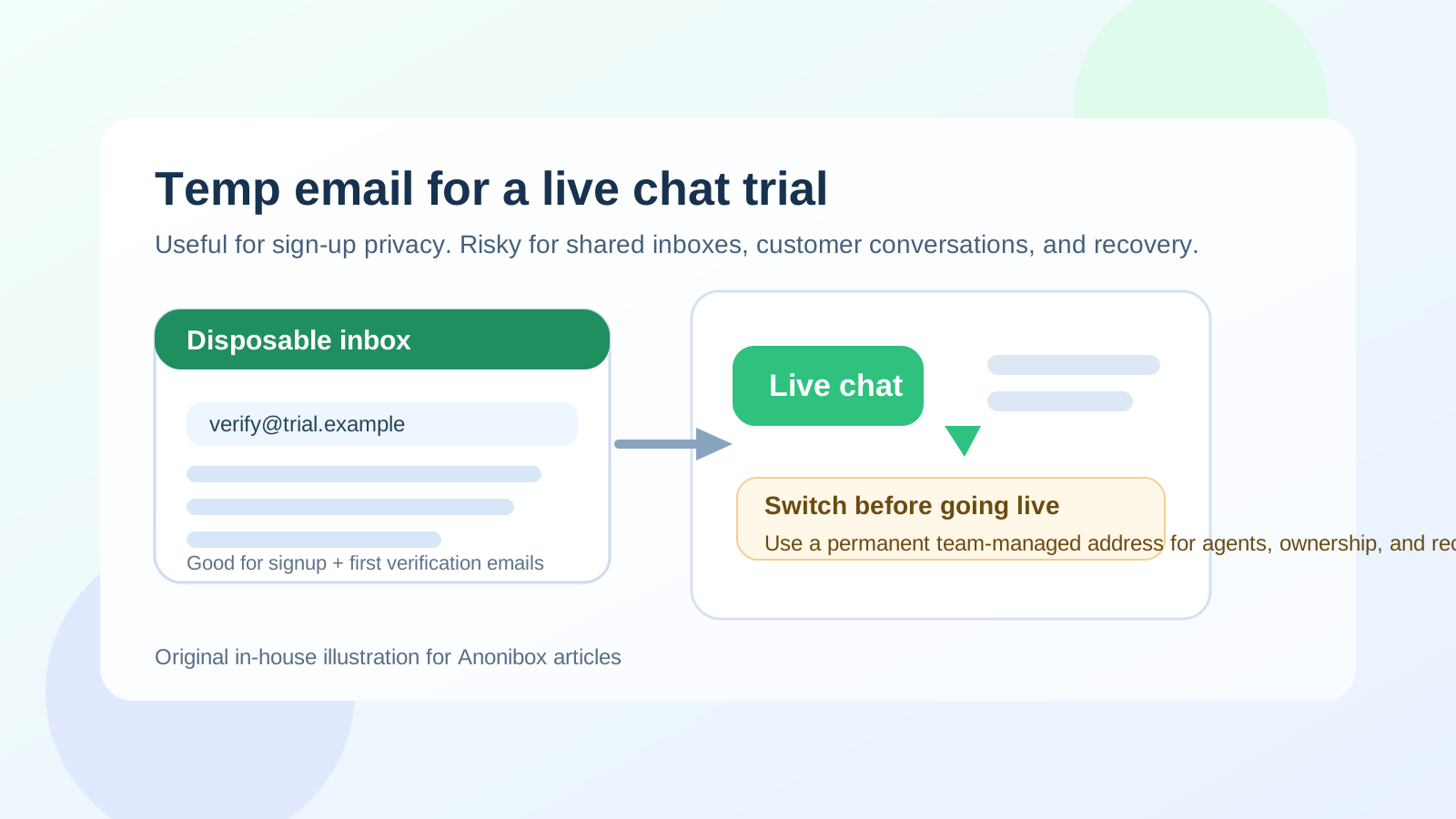
- Switch to a permanent team-managed address before going live. Do this before embedding the widget widely, inviting multiple agents, or routing real customer conversations through the account.
- Document ownership internally. Make sure your team knows which permanent mailbox is tied to admin access and recovery.
That workflow preserves the main benefit of a temp inbox without leaving a support tool attached to an address that was never meant to last.
What kind of permanent address should you switch to?
For a tool that may become part of customer operations, a team-managed address is usually the safest choice. The exact setup depends on how your organization handles shared systems, but the general idea is simple: the account should not depend on a mailbox one person might lose, abandon, or forget.
A stable address works better because it helps with:
- password resets and recovery flows,
- ownership changes when staff roles change,
- security alerts and access confirmations,
- continuity if the original evaluator leaves the team, and
- clean internal accountability for support tooling.
If you want privacy without using a throwaway inbox forever, an alias or dedicated long-term support admin address is usually the better middle ground.
Temp email vs alias vs permanent support mailbox
These options are not the same, and mixing them up causes a lot of avoidable trouble.
- Temp email: Best for short-lived trials, sign-up privacy, and early comparison research.
- Email alias: Better when you want filtering and privacy but still need a real mailbox you control behind it.
- Permanent support mailbox: Best once the tool matters to team workflows, customer communication, or account recovery.
For Tawk.to, the right answer often changes over time. A temp inbox is acceptable at the very start. An alias or permanent mailbox is smarter as soon as the tool survives the first round of testing.
Practical signs it is time to stop using the temp inbox
- You are about to invite teammates or assign roles.
- You are embedding the chat widget on a production or customer-facing site.
- You care about preserving access after the trial owner steps away.
- You are connecting the tool to real workflows, handoffs, or support processes.
- You would be genuinely annoyed if you missed a reset or admin notification.
If any of those are true, the disposable inbox has already done its job. Keeping it longer adds more risk than benefit.
Common mistake to avoid
The most common mistake is treating a support-tool signup like a casual consumer app registration. They are not the same. With a casual app, losing access may only affect one person. With a chat or support platform, the consequences can spread across a team and, eventually, to customers.
Another mistake is leaving the switch for “later.” In practice, later becomes “after we launch,” then “after we invite the team,” then “after we finish setup,” and suddenly the disposable address is still sitting under a business-critical account months later.
Bottom line
Temp email for Tawk.to is fine for private evaluation, early sign-up privacy, and short product comparisons. It is not a smart long-term choice once real support operations, multiple agents, chat ownership, or recovery access are involved.
The safest approach is simple: use a temporary inbox to reduce trial-stage spam, then move the account to a stable address before the tool becomes part of your actual customer support workflow. That gives you the privacy benefit up front without turning a convenient test account into a long-term access problem later.