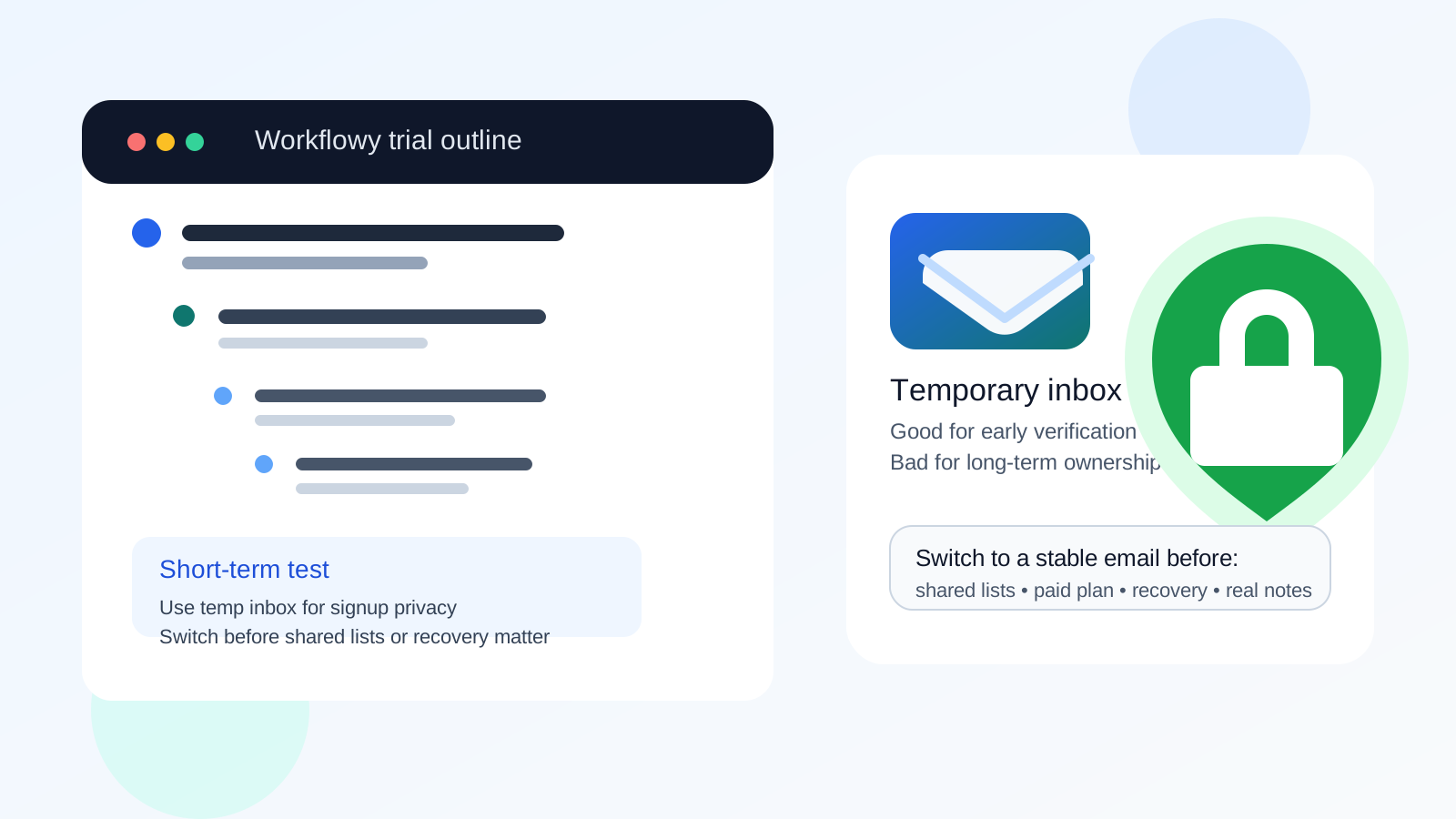
Yes, you can use a temp email for Workflowy if you only want short-term sign-up privacy while testing the app. No, it is not a smart long-term choice once you depend on shared lists, a paid plan, login continuity, or account recovery.
The safest approach is simple: use a temporary inbox only for early evaluation, then switch to a permanent email before your notes, collaborations, or billing details start to matter. That gives you less inbox clutter up front without leaving an important knowledge system tied to an address you may lose.
Why people consider a temp email for Workflowy
Workflowy is easy to try, which is part of its appeal. You can move from curiosity to a real outline in minutes. That also means many people are tempted to sign up with whatever address is fastest available, especially if they are comparing note tools, list managers, or personal knowledge apps and do not want another onboarding sequence living in their main inbox.
That instinct is reasonable. A temporary inbox can help when you want to:
- test the signup flow without exposing your main address immediately
- see whether the interface fits your thinking style
- compare Workflowy with tools like Obsidian, Joplin, OneNote, Evernote, or Todoist
- avoid long-term promotional email from every app you evaluate for five minutes
If that is all you are doing, a disposable address can be fine. The problem starts when a quick test quietly turns into a real working system.
When a temp email is fine
A temp email for Workflowy makes sense in low-stakes situations where losing access would be annoying but not damaging.
Quick product testing
If you only want to explore the editor, create a few sample bullets, try nested lists, and see whether the keyboard-driven workflow clicks for you, a temporary inbox is a practical filter. It lets you verify the account, look around, and decide whether the tool deserves a spot in your real workflow.
Short comparison sessions
Maybe you are evaluating several tools in the same week. In that case, using a temporary inbox from a service like Anonibox for the first pass can keep all those welcome messages, feature nudges, and upgrade prompts out of your everyday inbox until you actually choose a tool.
One-off experimentation
Sometimes people open an account only to test outlining, project breakdowns, meeting notes, or a personal planning template. If you genuinely do not expect to keep the account, a temporary email is a fair fit.
When a temp email becomes a bad idea
Workflowy stops being a throwaway-use product the moment you begin storing information you care about. That is the tipping point. Once the account holds real notes, reference material, or collaboration links, a temporary email creates more risk than privacy benefit.
1. You start relying on the notes
It is easy to think, “I am just testing this,” and then realize two weeks later that the outline now contains project plans, reading notes, client prep, or a personal dashboard you use every day. At that point the account is no longer disposable, even if the signup email was.
2. You share lists with other people
If you use Workflowy for shared lists or collaborative planning, you need a stable login identity. A temp inbox is a weak foundation for something other people may depend on. If you lose access, shared work becomes harder to manage and trust drops fast.
3. You upgrade or attach billing
Using a temporary inbox for a paid account is usually asking for trouble. Billing receipts, plan changes, service notices, security alerts, and recovery steps often route through email. If the inbox disappears, handling even a simple account issue becomes more painful than it needs to be.
4. You may need password resets or account recovery
This is the biggest practical issue. The value of a permanent email is not the welcome message. It is the ability to recover access later. If you forget a password, change devices, or need to verify ownership, a vanished inbox gives you no margin for error.
A good rule: temporary for evaluation, permanent for ownership
The cleanest way to think about it is this:
- Use a temp email while you are evaluating Workflowy.
- Use a permanent email once the account becomes part of your real system.
That boundary keeps the privacy upside without pretending a disposable inbox is suitable for long-term knowledge work. Workflowy may look lightweight, but the information you put into it often is not.
Practical examples
Example 1: the safe use case
You want to compare Workflowy against two other outlining tools. You sign up, build a test outline, try search, zooming, and a few nested structures, then decide whether it feels right. A temporary email works well here because the account is just part of your research.
Example 2: the risky use case
You start with a test account, but then you keep using it for weekly planning, reading notes, personal writing, and a shared list with a teammate. Now the account matters. If the inbox expires and you later need to reset access, the original privacy shortcut becomes a real operational problem.
Example 3: the mixed case
You want privacy during sign-up but suspect you may keep the account if the app works. In that case, the best move is to test quickly with a disposable inbox, make your decision early, and change to a permanent address before the account accumulates anything important.
How to test Workflowy without creating future headaches
- Decide whether this is a trial or a real setup. If it is just a comparison round, a temp email is fine. If you already know you may keep the account, start with a permanent address.
- Keep the test scope small. Use fake sample notes, throwaway outlines, and non-sensitive planning examples during evaluation.
- Do not store important personal, client, or business information yet. Early testing should stay low stakes.
- Make a keep-or-delete decision quickly. Do not let a test account drift into daily use by accident.
- Switch to a stable inbox before collaboration, billing, or long-term use begins. That is the moment where real ownership starts.
What about privacy concerns?
Privacy is a fair reason to avoid handing your main address to every tool you try. A temp email reduces some exposure, especially when you are sorting through apps you may never use again. It can also keep promotional email from piling up during a research phase.
But privacy is not the same as invisibility, and it is not a substitute for basic judgment. If you plan to keep an account, the better long-term privacy move is often a dedicated permanent address for apps, productivity tools, or testing rather than a fully disposable one. That gives you separation without sacrificing recoverability.
Should you use a burner email instead?
Sometimes a burner-style account is the better compromise. A burner email that you still control over time gives you more flexibility than a truly short-lived temporary inbox. You still avoid putting your primary personal address everywhere, but you do not create the same recovery trap.
For Workflowy specifically, that middle ground often makes sense if you are privacy-conscious but think there is a real chance the tool will become part of your routine.
Common mistakes to avoid
- Treating a real notes account like a throwaway account: the tool may start as a test, but your content may become important fast.
- Waiting too long to switch emails: if you plan to keep the account, do not postpone the boring admin step until after a problem appears.
- Putting sensitive material into an evaluation account: privacy starts with what you store, not just which inbox you use.
- Using a disposable inbox for anything tied to payments: that is where convenience tends to backfire.
- Forgetting collaboration risk: once shared lists or team planning enter the picture, account stability matters more than sign-up privacy.
A quick checklist before you choose
Ask yourself these questions:
- Am I only testing Workflowy for a day or two?
- Would I care if I lost access to this account next month?
- Will I share lists, invite collaborators, or depend on the account across devices?
- Could this turn into a paid or long-term setup?
- Would a dedicated permanent address serve me better than a fully disposable one?
If the honest answer is that the account may become important, skip the temp inbox or move off it early.
Final answer
Using a temp email for Workflowy is fine for early sign-up privacy and quick testing. It is a poor long-term choice once the account holds real notes, shared lists, billing details, or anything you would hate to lose.
If you are only evaluating the app, a disposable inbox is reasonable. If you are building a real system inside Workflowy, switch to a stable email before the account starts to matter. That is the balance that protects both your privacy and your future access.