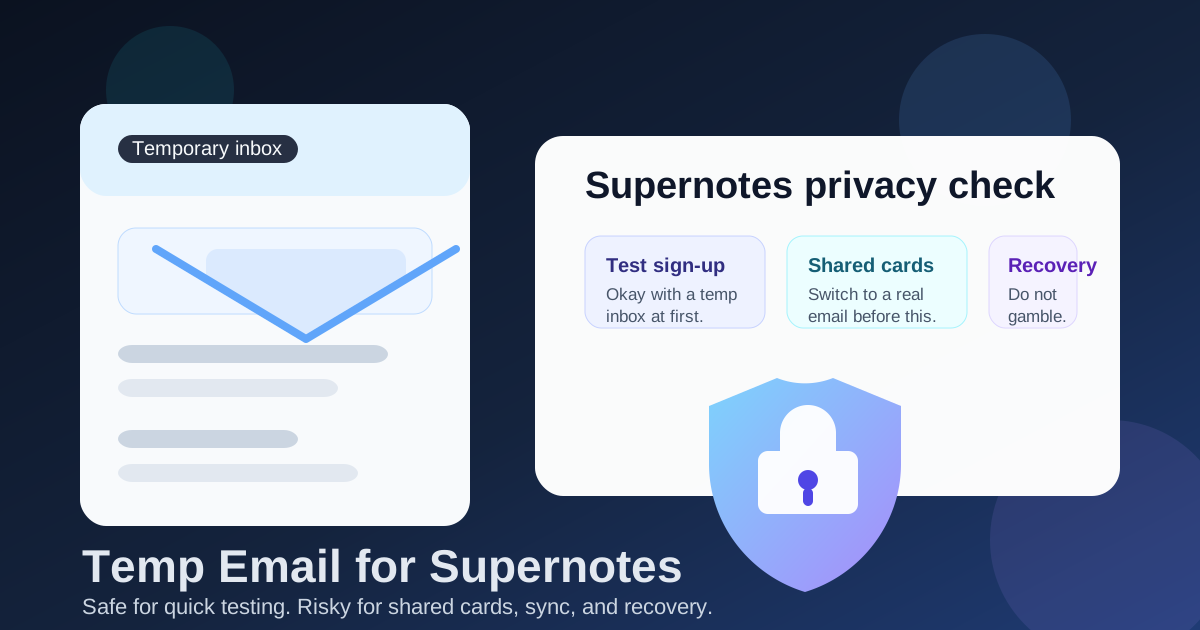
Yes, you can use a temp email for Supernotes if you only want short-term sign-up privacy while you test the app.
It becomes a bad long-term choice once shared cards, sync, account recovery, or paid access matter, because losing the inbox can mean losing control of the account.
That trade-off is the whole story behind this keyword. People want to try a note app without dumping their primary inbox into another onboarding sequence, newsletter funnel, or product update list. That is reasonable. Supernotes sits in the same “I want to test it before I commit” category as other modern note-taking tools, especially for people comparing several apps in the same week.
A temporary inbox can help during that first look. It lets you complete email verification, explore the interface, and decide whether the app fits your workflow before tying it to your everyday address. But once the account starts holding real notes, shared cards, or anything you would hate to lose, the disposable email stops being a privacy win and starts becoming a risk.
Why people look for a temp email for Supernotes
The intent is pretty practical: you want to see how Supernotes feels before making it part of your real system. Maybe you are comparing it with Simplenote, Notesnook, Standard Notes, Amplenote, or another note app. Maybe you are cleaning up sign-up spam. Maybe you like separating experiments from your main digital identity.
That is where a tool like Anonibox fits naturally. You can generate a temporary inbox, receive the verification email, confirm the account, and spend an hour testing without feeding your primary address into a new stream of product messages. For short-term privacy, that is sensible.
The mistake is assuming that a note app stays “temporary” just because your first session was casual. Note apps have a way of sneaking into daily life. One quick experiment turns into saved ideas, research snippets, meeting notes, shared cards, or a lightweight personal knowledge base. The more useful the app becomes, the more important your account email becomes.
When using a temporary email for Supernotes makes sense
1. You are only testing the product
If your goal is simply to see how Supernotes works, a temporary inbox is usually fine. You are checking whether the editor feels fast, whether the card-based workflow clicks for you, and whether the app deserves more attention. That is low-risk use.
2. You are comparing multiple note apps at once
Lots of privacy-conscious users test several tools back to back. In that phase, using separate temporary addresses can keep the process cleaner. Each app gets its own isolated sign-up trail instead of pushing everything into your main inbox.
3. You want to avoid long-term marketing noise
Even good products can be chatty. Welcome emails, feature announcements, trial nudges, collaboration prompts, and upgrade reminders add up quickly. A temporary email lets you decide whether the app has earned a place in your real workflow before you expose your permanent address.
4. You are running a low-stakes experiment
If you just want to test a side project workflow, throwaway research space, or temporary note stack that you do not mind discarding, a disposable inbox can be perfectly acceptable. The key is that you truly do not care about preserving the account later.
When it becomes risky
Shared cards and collaboration
The moment another person is involved, the stakes go up. If you start sharing cards, collaborating on notes, or building a shared reference space, the email behind the account matters more. A vanished inbox can turn a neat privacy trick into account confusion for everyone involved.
Sync across devices
People often sign up “just to look around,” then install the app on a second device, then a third. Once sync becomes part of the workflow, losing access to the original mailbox can make resets, confirmations, and future account changes much harder.
Paid plans or billing
If you ever expect receipts, renewal notices, payment alerts, or upgrade confirmations, a disposable email is the wrong long-term choice. Billing and recovery messages are exactly the kind of emails you do not want to route through an inbox that may disappear.
Account recovery
This is the biggest issue. Temporary inboxes are fine until something goes wrong: a device gets replaced, you forget a password, you need to confirm a security step, or you want to move the account to a new workflow. If the recovery emails go to an address you no longer control, your privacy shortcut can lock you out.
A safer way to test Supernotes privately
You do not have to choose between total exposure and reckless throwaway use. The middle ground is simple:
- Use a temp email only for the first look. Sign up, verify, and test the app privately.
- Decide quickly whether it is worth keeping. If Supernotes feels promising, treat it like a real account before you store anything important.
- Switch the account to a permanent email early. Do this before shared cards, valuable notes, or payments enter the picture.
- Then build normally. Once the account matters, stability beats short-term sign-up privacy.
This workflow gives you the privacy benefit at the moment it matters most: during the first test. Then it removes the main risk before the account becomes valuable.
Step by step: how to use a temp email for Supernotes without being careless
Step 1: Generate the inbox before you sign up
Create the temporary address first so the entire test remains separate from your normal inbox. That makes it easier to spot the verification email and keeps the experiment clean.
Step 2: Verify the account and test core features
Do the parts that match your original intent: create a few cards, see how organization feels, test search, try mobile or desktop access if relevant, and judge whether the interface works for your brain. Stay focused on evaluation.
Step 3: Do not load it with important content yet
This is where people drift into trouble. If you start importing valuable notes, storing long research threads, or building a shared space before fixing the email, you are treating a temporary setup like a permanent one.
Step 4: Upgrade the email before commitment
If the app passes the test, change the account email to one you control long term. Do that before deeper collaboration, more devices, or any payment step. Early correction is easy. Late correction is where regret lives.
Step 5: Save the recovery path somewhere reliable
Once you switch to a permanent address, make sure your recovery path is boring and dependable. Boring is good here. Reliable access matters more than clever privacy tricks after the testing phase ends.
What not to do
- Do not use a temp email for an account you plan to pay for.
- Do not invite collaborators before moving to a stable inbox.
- Do not assume you will “fix it later.” Later is when people forget.
- Do not treat recovery emails like an optional detail. They are part of owning the account.
- Do not confuse privacy testing with long-term account hygiene. They are two different phases.
Who should avoid a temp email for Supernotes entirely?
Some people should skip the disposable step and use a real email from day one:
- Anyone planning to move serious notes in immediately
- Anyone expecting to collaborate with teammates, clients, or classmates
- Anyone evaluating a paid plan right away
- Anyone who already knows they want Supernotes to become part of their real workflow
For those users, the sign-up privacy win is smaller than the future inconvenience. Just use a stable address and keep the account maintainable.
Quick checklist
- Want a private first look? A temp email is fine.
- Only testing the interface? Still fine.
- Starting to save useful notes? Switch to a real email.
- Sharing cards or collaborating? Switch now, not later.
- Adding billing or relying on recovery? A temporary inbox is no longer the right tool.
Final answer
Using a temp email for Supernotes is fine for short-term sign-up privacy and product testing. It helps you evaluate the app without handing your primary inbox to another service too early.
But it is not a smart permanent setup once the account starts holding value. Shared cards, synced notes, recovery emails, and paid access all push the account into “use a real address” territory. The best move is simple: use a disposable inbox only for the first test, then switch to a permanent email as soon as Supernotes starts to matter.
That way you keep the privacy benefit without turning your own account into a trap.