If you are comparing prospecting databases, contact-enrichment tools, or outbound research platforms, a temporary email generator for sales intelligence software free trials is a smart way to activate trials without handing your main work inbox to every vendor on day one.
Use a temporary inbox during the shortlist stage to verify accounts, collect setup emails, and test the product itself before committing to months of demo follow-up, nurture campaigns, and sales outreach from tools you may never buy.
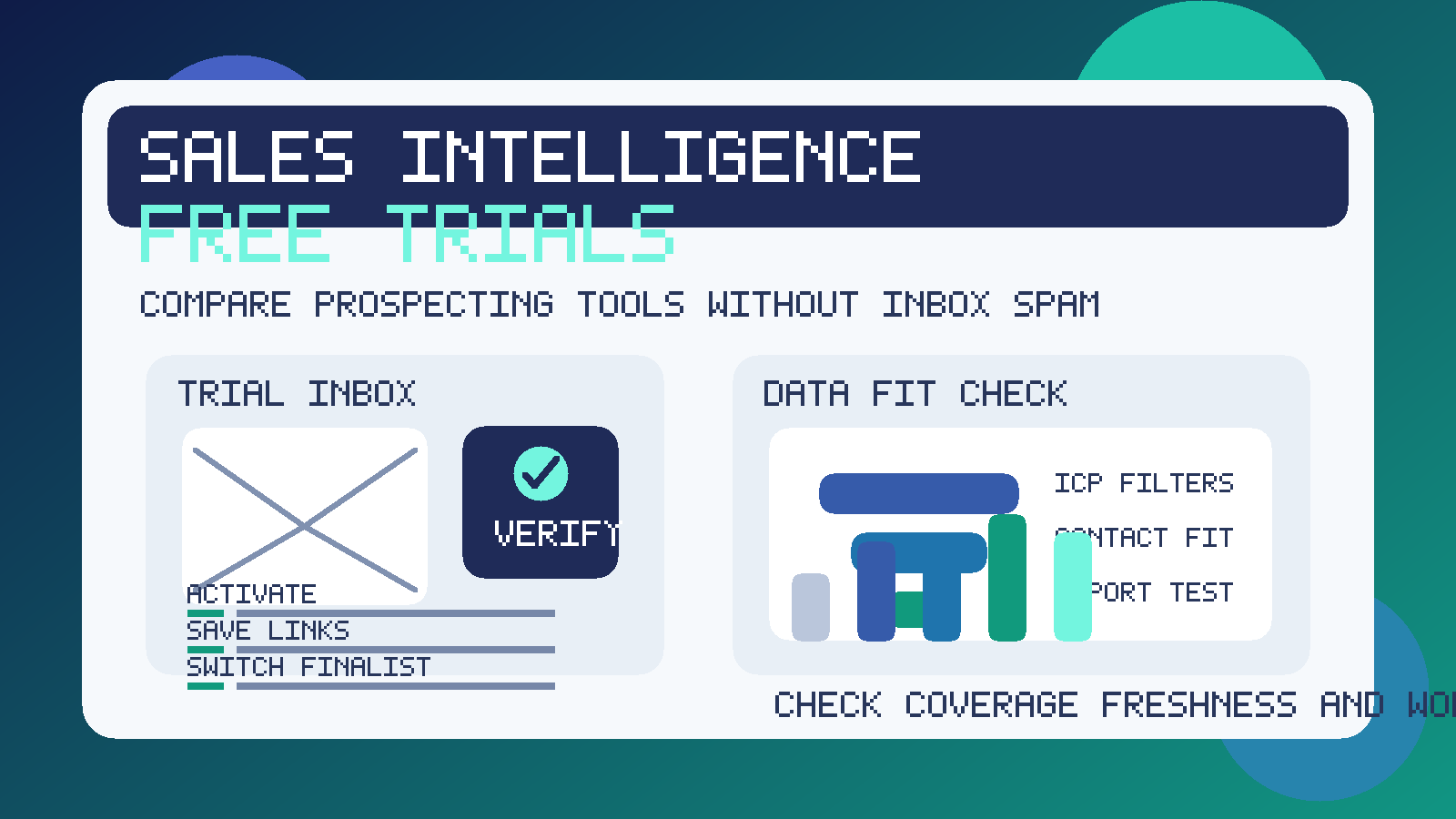
That matters because sales intelligence vendors rarely stop at a single confirmation email. One signup can trigger product tours, lead-scoring explainers, enrichment tips, benchmark reports, webinar invites, SDR follow-up, pricing nudges, and repeated demo prompts. If your team is testing several vendors at once, the inbox noise builds quickly.
A temporary inbox keeps that first-pass research contained. You still receive the verification link and onboarding steps you need, but you do not have to route every exploratory trial through the address your team uses for real customer conversations, pipeline work, and internal operations. If you use Anonibox or a similar temporary inbox for early evaluation, you can separate casual product research from long-term vendor relationships more cleanly.
Why sales intelligence free trials are a strong fit for temporary email
Sales intelligence software is usually evaluated before a team is ready to commit budget, import real data, or involve procurement. Someone wants to check company coverage, contact accuracy, intent signals, enrichment depth, workflow integrations, export rules, or pricing logic. That is normal. It is exactly what a trial is for.
The problem is that many of these platforms are designed to push buyers toward a conversation quickly. Their follow-up sequences are not unusual or malicious, but they can become distracting when you are still just figuring out whether the data is useful. A temporary inbox helps you keep that exploratory stage tidy.
This approach is especially useful when:
- you are comparing several prospecting vendors side by side
- you want to inspect data quality before involving the broader revenue team
- you need the trial activation email but do not want long-term follow-up yet
- you are testing a narrow use case such as SMB prospecting, enterprise account research, enrichment, or territory planning
- you want to protect your main work inbox from aggressive trial nurture sequences
How to use a temporary email generator for sales intelligence software free trials
1. Create the inbox before you start registering
Do not wait until the first form is already open. Generate the temporary inbox first so the entire evaluation starts in a clean lane. That way confirmation emails, password setup links, and welcome messages all land in one place instead of mixing into your normal work inbox.
2. Decide whether you want one inbox or one per vendor
If you are checking only one platform, a single inbox may be enough. If you are doing a real comparison, separate inboxes can be even better. That keeps each vendor’s onboarding flow, reminders, and setup instructions isolated, which makes it easier to remember which product sent what.
3. Use the temporary inbox for activation and first-touch onboarding
The early part of a trial is where temporary email shines. Confirm the account, log in, review the setup checklist, and see how quickly the platform gets you to a usable search or dashboard. If the product cannot prove value quickly, you have learned something important without expanding your long-term inbox exposure.
4. Save the useful details somewhere permanent
A temporary inbox is not your system of record. Save the notes that matter: trial expiration date, export limits, data coverage impressions, enrichment accuracy, pricing observations, and any workflow blockers you notice. If the inbox later expires, your evaluation should still be intact.
5. Switch serious finalists to a permanent team address
Once a vendor makes the real shortlist, move the account to a durable business email that your team can own. That is the right point for deeper testing, stakeholder access, procurement, security review, and long-term administration. Temporary email is best for screening and comparison, not for a production rollout.
What to evaluate inside a sales intelligence trial
The point of protecting your inbox is to create space for better product judgment. Use that space well. A good trial should tell you whether the platform helps your team find, qualify, and work the right accounts more efficiently. It should not win simply because its email sequence is polished.
Data coverage and ideal customer fit
Start with the market you actually care about. Can the platform surface companies in the size bands, industries, geographies, and technologies your team targets? A huge database means little if your specific segment is thin or stale. Run searches that resemble real territory work, not just generic filters.
Contact accuracy and freshness
Next, inspect the contact layer. Are titles current? Do decision-makers look plausible? Are there obvious duplicates, outdated employers, or weak role mapping? Every vendor will claim strong accuracy, but the practical question is whether the results hold up for the accounts your reps actually care about.
Search filters and prospecting workflow
Look at how quickly you can move from a broad market view to a usable prospect list. Test firmographic filters, technographic filters, intent signals, buyer-role filters, saved searches, and list management. A trial should make it clear whether daily prospecting will feel efficient or frustrating.
Enrichment and export limits
Many tools look good until you inspect what you can actually enrich, export, or sync. Check record limits, credit consumption, CSV workflows, CRM push behavior, and whether valuable fields are locked behind a sales conversation. A trial is not just about what the dashboard shows. It is about how usable that information becomes downstream.
CRM and sequencing integrations
If your team works in a CRM, sales engagement platform, or revenue workflow tool, inspect those paths early. A platform that looks impressive on its own may create friction later if syncing is clumsy, permissions are messy, or the export process requires constant manual cleanup.
Governance, permissions, and team readiness
Also think about who will own the system if you buy it. Can multiple reps or managers work without overwriting each other? Are shared lists, saved views, and admin controls sensible? Can your ops team understand usage and ownership? Trials do not always expose every admin feature, but they should reveal whether the tool feels manageable at team scale.
Pricing logic and credit burn
Sales intelligence tools often package value through seats, credits, exports, enrichments, or data-access tiers. Watch how quickly a meaningful workflow consumes whatever allowance the trial gives you. The cheapest-looking platform can become expensive if ordinary prospecting burns through credits too fast.
Benefits of using temporary email during prospecting software evaluation
- Less inbox clutter: you avoid months of follow-up from vendors that never survive the shortlist.
- Cleaner comparisons: onboarding messages, reminders, and trial links stay segmented instead of blending together.
- More privacy during research: your primary business address does not need to go everywhere immediately.
- Better focus: you can judge the product on data quality and workflow fit instead of being distracted by the vendor’s email cadence.
Common mistakes to avoid
- Using one inbox for every vendor: that makes it harder to track which activation and setup messages belong to which tool.
- Forgetting to save key trial details: a disposable inbox should not be the only place important links or notes live.
- Judging a platform by its follow-up emails: persuasive nurture copy is not proof of strong data quality.
- Staying temporary after a vendor becomes serious: once the product is a true finalist, move it to a durable team-owned address.
- Ignoring actual workflow fit: a trial should answer whether reps, managers, and ops can use the tool smoothly, not just whether the database looks large.
When a temporary inbox is the wrong tool
If you are already inviting teammates, connecting production systems, negotiating contracts, or setting up long-term account ownership, use a permanent business email instead. Temporary email is best for low-commitment exploration, not for the moment when your company is preparing to operationalize a vendor relationship.
The goal is not to avoid legitimate vendors forever. The goal is to keep early-stage evaluation clean until a platform earns deeper trust and broader internal attention.
Final takeaway
A temporary email generator for sales intelligence software free trials is a practical way to compare prospecting platforms without turning a short research sprint into months of inbox clutter. You still get the activation link and onboarding messages you need, but you keep exploratory signups separate from the address your team relies on every day.
Use temporary email for the shortlist phase, save your evaluation notes outside the inbox, and switch serious finalists to a permanent work address once the buying process becomes real. That small workflow change makes sales intelligence research easier to manage and a lot less noisy.