A temp email for Arcade can make sense for early interactive demo testing, but it is a bad long-term home once shared workspaces, public demo links, or account recovery start to matter.
If you only need to verify the trial, click through the editor, and compare Arcade with other demo tools, a temporary inbox is fine. If the workspace may become customer-facing or team-owned, switch to a permanent address quickly.
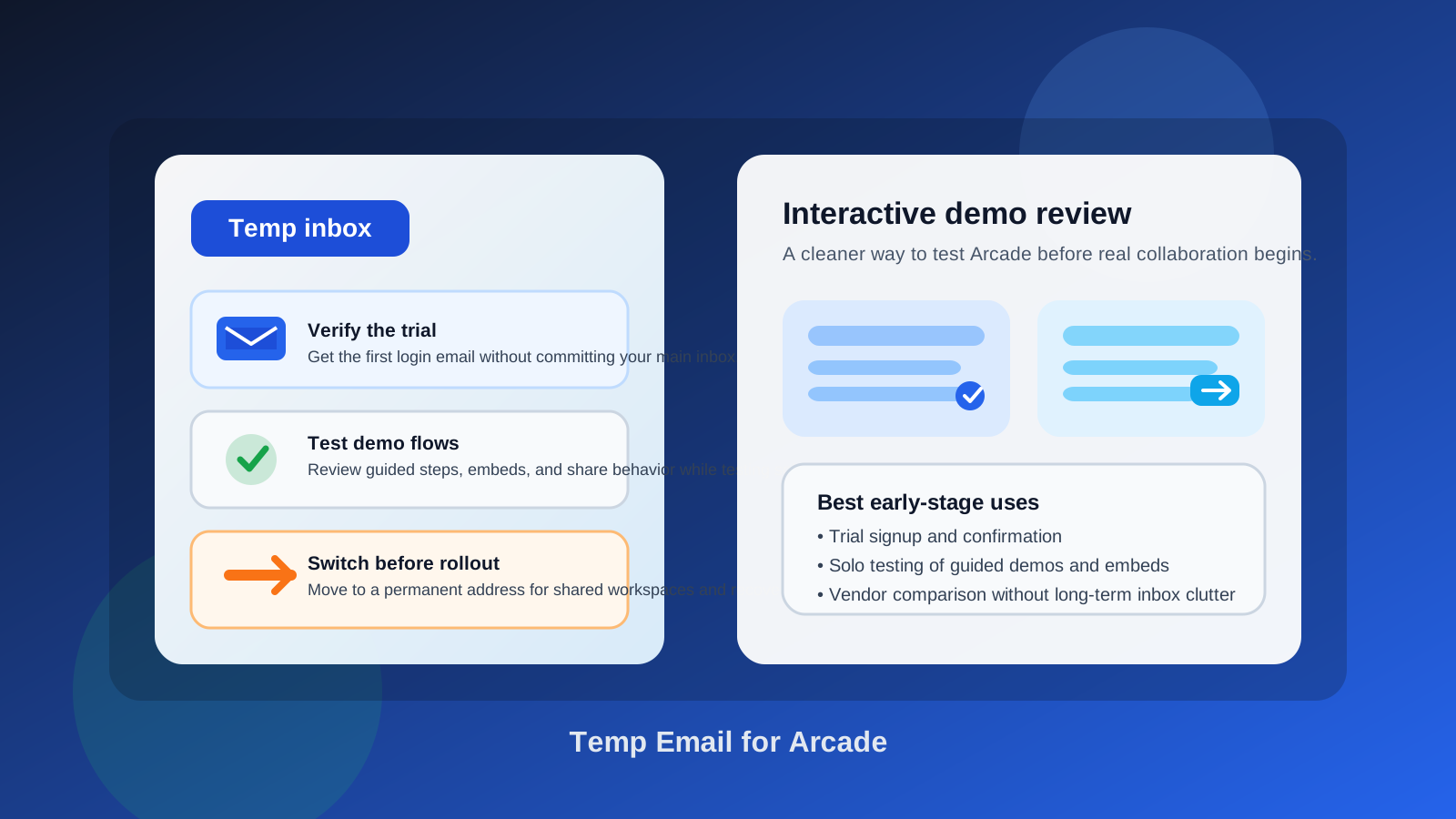
Why people search for a temp email for Arcade
Interactive demo platforms are easy to get curious about and even easier to over-subscribe to. One signup turns into a stream of onboarding prompts, feature updates, sales follow-ups, and reminders to finish your workspace setup. If you are comparing multiple demo tools in the same week, that noise piles up fast.
That is the practical case for a temporary inbox. You get the verification message, the first-run walkthrough, and enough access to judge the product without immediately feeding your main work email into another long vendor sequence. It is not about secrecy. It is about keeping the evaluation phase separate from the account you actually rely on every day.
Arcade fits this pattern well because the first question most teams ask is simple: does this tool actually help us show the product better? You do not need a permanent inbox to answer that. You need a clean trial, a little space to test, and a way to back out if it is not the right fit.
When a temporary inbox is actually useful
A temp email is most useful when you are still in low-stakes testing mode. That usually means:
- Trial verification: you only need the signup email and first login access.
- Solo exploration: one person is checking the editor, navigation, and basic sharing flow.
- Vendor comparison: you are evaluating Arcade alongside Storylane, Supademo, Navattic, Walnut, Tourial, or similar tools.
- Inbox hygiene: you want the setup information without months of follow-up email if the product is not a fit.
- Shortlisting: you want to know whether Arcade deserves a deeper internal review before you attach a real business identity to the account.
That is the sweet spot. A disposable address helps you gather the important first-step messages while keeping the trial in its own lane.
When a temp email stops being a smart idea
The problem starts when the account moves from testing to real use. Demo tools are not isolated toys. Once they start touching public links, team workflows, or buyer-facing experiences, the email attached to the workspace matters more than people expect.
- Shared workspaces: if teammates need access, the account should sit on an address your team controls.
- Public demo links: if you are sending demos to prospects, the workspace is now part of your go-to-market motion.
- Ownership and admin changes: somebody needs to retain stable control over the account.
- Billing or plan upgrades: a disposable inbox is the wrong foundation for a tool that may become a paid asset.
- Account recovery: losing access to a throwaway inbox is annoying during testing and dangerous once the workspace matters.
In other words, a temp email is fine for evaluating whether Arcade is interesting. It is risky for running anything your teammates or prospects may depend on later.
A practical way to use a temp email for Arcade
1. Create the inbox before you sign up
Do not type your main work email by reflex. Start by generating the temporary inbox first so the entire trial stays separated from your day-to-day communications. If you use a service like Anonibox, the benefit is simple: your test account, vendor follow-ups, and verification messages all stay in one controlled place.
2. Use the temp address for the first checkpoint only
Your goal in the first session is not to commit. It is to answer a short list of questions: can you get into the product easily, does the editing flow make sense, and does the demo experience feel worth a deeper review? A temp inbox is perfect for that first checkpoint.
3. Save the messages that matter
Usually you only need a few messages from the trial stage: the account verification email, the quick-start prompt, maybe a shared link or setup note. Capture the useful details early. Temporary inboxes are intentionally lightweight, which means you should not treat them as permanent records.
4. Decide quickly whether Arcade is a real contender
If the product is clearly not right, walk away without handing over a more permanent address. If it looks promising, switch to a stable work email before you invite teammates, build public-facing assets, or tie the workspace to any ongoing process.
What to evaluate in Arcade before switching to a permanent email
The trial is only worth something if you use it to test the right things. Looking around the dashboard is not enough. You want to know whether the tool fits how your team actually explains the product.
Can you build a demo that feels clear, not staged?
Many interactive demo tools look polished during signup but become awkward when you try to build a realistic journey. Pay attention to whether the steps feel natural, whether the pacing makes sense, and whether a viewer would understand what matters without extra explanation.
Do the share and embed flows feel usable?
Public links are a big part of why teams adopt demo software in the first place. Test what happens when you move beyond the editor. Does the share experience feel clean? Is the handoff to a viewer obvious? Could a prospect reach the next step without confusion?
Would another teammate be able to maintain it?
Early trials often hide an important truth: the person who builds the first demo is not always the person who maintains it. Check whether updates feel manageable. If every small change feels fiddly, the tool may create internal friction later.
Does it fit your actual motion?
Think about the broader workflow. Are you using demos for top-of-funnel education, sales qualification, product marketing, onboarding, or internal enablement? The tool should match the motion you already have, not force you into a new one just because the editor looks sleek.
Does the value still hold after the first ten minutes?
Plenty of products win the novelty round. A better test is whether the value still feels real after you imagine updating several demos, sharing them with real people, and coordinating changes over time. That is usually the moment when a disposable test either graduates into a serious evaluation or gets ruled out.
Common mistakes people make
- Keeping the temp inbox too long: what started as harmless testing becomes the root account for something important.
- Inviting teammates too early: shared work should not sit on an address you may not control later.
- Confusing clean signup with product fit: easy onboarding does not guarantee the workflow will hold up.
- Forgetting about recovery: if you would care about losing access, you already waited too long to switch.
- Judging the product by vendor follow-up volume: the inbox strategy should reduce noise, not replace product evaluation.
What a temp email does not solve
A temporary inbox helps with privacy and inbox clutter. It does not solve ownership, governance, internal process, or procurement. It also does not guarantee that every service will accept a disposable domain forever. Some platforms flag or reject certain temporary inbox providers, and that is their choice.
It also does not fix an unclear demo strategy. If your team does not know who owns demo content, how links are reviewed, or when something becomes safe to send externally, the email address is only a small part of the risk. Good evaluation still needs a clear owner and a sensible handoff once the tool proves useful.
When you should switch to a permanent address
Use a real work email as soon as any of these become true:
- You want to invite teammates into the workspace.
- You are building demos that may be shared outside your company.
- You need a stable admin owner for settings, billing, or support.
- You are moving from casual testing to a real proof of concept.
- You would consider it a problem if the inbox disappeared tomorrow.
That transition point matters. A disposable inbox is good for low-commitment testing. Anything tied to reputation, collaboration, or external links deserves a stable address your team can keep.
A fast decision checklist
- Am I only evaluating Arcade, or am I already relying on it?
- Will this workspace need multiple collaborators soon?
- Could this account end up tied to public-facing demo links?
- Do I want this vendor in my primary inbox before they make the shortlist?
- If I lost the inbox today, would anything important break?
If you are still in the evaluation phase, a temp email is reasonable. If several answers point toward real ownership or external use, switch now instead of later.
Final takeaway
Using a temp email for Arcade is a practical move when you want to verify the trial, explore guided demos, and compare interactive demo platforms without committing your primary inbox to another vendor relationship too early.
It stops being a good idea once the workspace becomes shared, public, or operationally important. Use the disposable inbox for the first pass, then move to a permanent address before collaboration, public demo links, billing, or recovery become part of the picture. That gives you the privacy upside without creating a cleanup problem later.