Using a temporary email for career webinars can be a smart way to get the registration link, recording, or slides without giving every recruiter, coach, or vendor long-term access to your main inbox.
Yes, a temporary email can work well for career webinars when the signup is low-commitment and you mainly want one event or resource. But if the webinar is tied to an employer, recruiter, or community you genuinely want to hear from again, a stable job-search inbox is usually the better choice.
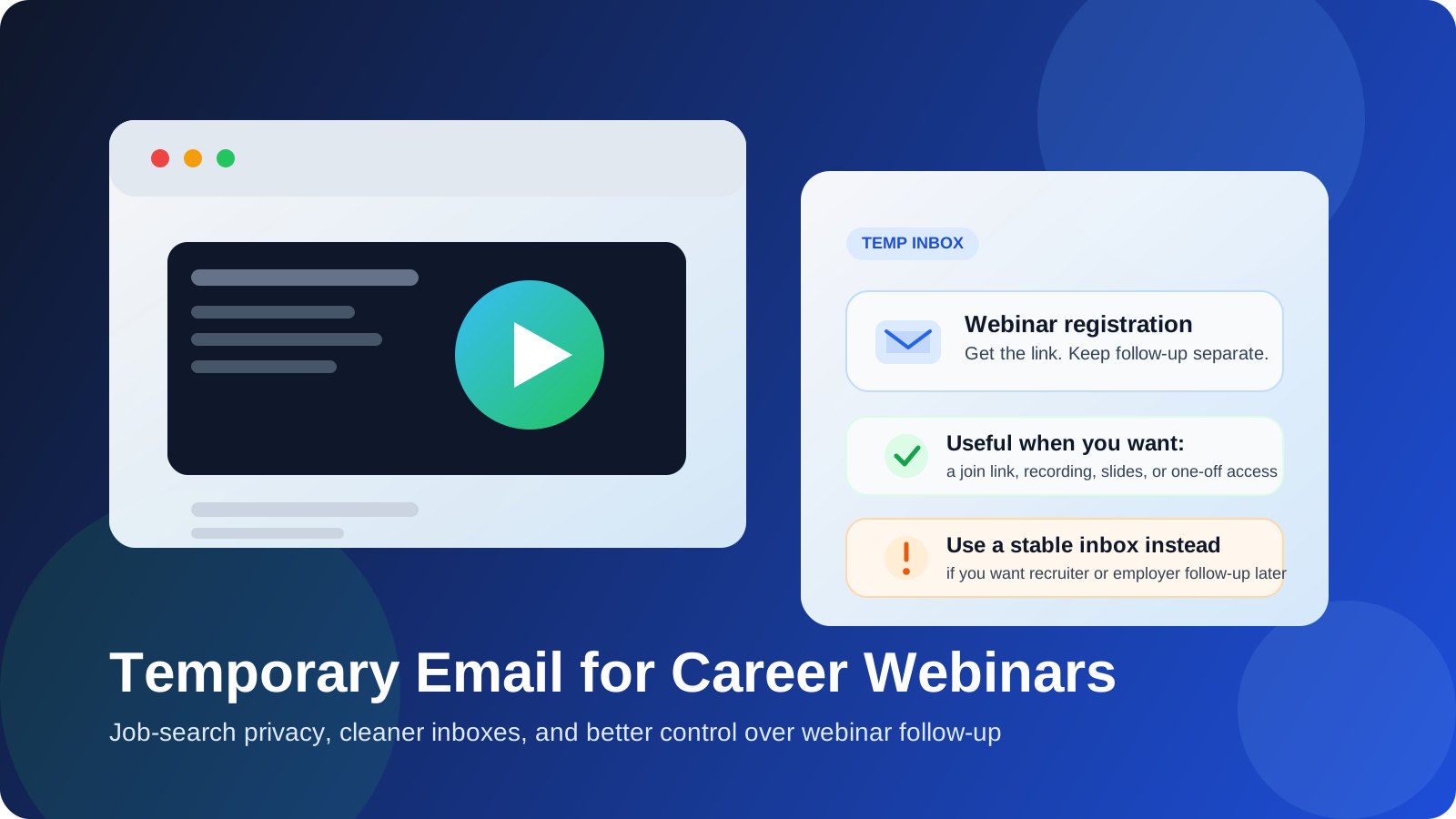
That distinction matters because career webinars sit in an awkward middle ground. They often look educational on the surface, but many are also lead-generation funnels. A session about salary negotiation, interviewing, résumé strategy, remote hiring, or breaking into a new field may be genuinely useful, yet the signup can also trigger weeks or months of follow-up emails. If you attend a lot of job-search events, that follow-up builds up fast.
A temporary inbox helps you keep first contact proportional to your actual level of interest. You still get the join link and the first useful messages, but you do not automatically turn every webinar registration into a permanent relationship with your personal inbox.
Why career webinars create more inbox clutter than people expect
Most career webinars are not just one isolated calendar invite. They often come with an entire sequence wrapped around the event:
- confirmation emails and reminder emails
- “we’re starting soon” alerts
- follow-up messages with recordings or slide decks
- promotions for coaching, courses, communities, or premium reports
- invitations to future webinars in the same series
- recruiter or sponsor outreach after the event
That does not mean the webinar is bad. In many cases, the content is useful and the follow-up is part of how the organizer measures interest. The issue is volume and persistence. If you sign up for five or ten webinars while exploring a career move, your inbox can fill with reminders, nurture campaigns, and recycled offers long after the original session is over.
This is why temporary email is appealing in the first place. The value of the webinar is often immediate, while the email burden lasts much longer.
When a temporary email makes sense for career webinars
A temporary email is usually a good fit when the webinar is informational, exploratory, or low-trust rather than relationship-driven. That includes situations like:
- you want a one-off session on interviewing, salary negotiation, résumé writing, or remote work
- you are comparing several webinar hosts and are not sure which ones are actually useful
- you want the recording or slides but do not need an ongoing relationship with the organizer
- the event looks marketing-heavy and you expect a lot of follow-up
- you are researching quietly and do not want every signup touching your main inbox
In these cases, the goal is simple: get access, watch or save the material, and decide later whether the source deserves a permanent place in your workflow.
When a temporary email is the wrong choice
Career webinars sometimes lead to more than content. A recruiter may reply to a question you asked. A hiring team may invite attendees to apply. A coach or niche community may turn out to be worth staying connected with. That is where a temporary inbox can become a liability.
Be more careful when:
- the webinar is hosted by an employer you seriously want to work for
- the event is run by a recruiter you may want future contact from
- you expect follow-up about applications, referrals, or job openings
- the webinar is part of a cohort, challenge, or longer learning series
- you know in advance that you want future updates from the organizer
If the potential value extends beyond a single session, a separate permanent job-search inbox is usually smarter than a fully temporary one. Reliability matters more when the relationship might continue.
The best workflow: temporary first, stable later if the source earns it
The most practical approach is staged rather than absolute.
- Use a temporary inbox for first contact. Register for the webinar, confirm the address, and see what kind of communication actually arrives.
- Judge the follow-up. Did the organizer send a clean confirmation and a useful recording, or did they immediately dump you into aggressive marketing?
- Promote good sources to a stable inbox. If the host consistently sends useful events or relevant job-search content, sign up again later with a separate long-term search address.
- Let low-value funnels expire. If the webinar was mostly a sales pitch, you lose almost nothing.
This is where Anonibox fits naturally. If you are exploring career events, salary talks, hiring panels, or coach-led sessions from several sources at once, a temporary inbox gives you a low-friction way to test each source before it earns access to your real long-term inbox.
How to use a temporary email for career webinars without missing what matters
1. Decide what you actually want from the signup
Before you register, ask whether you only want this webinar or whether you are hoping to build a longer relationship with the organizer. If it is just one event, temporary email is usually fine. If you are treating the webinar as a bridge to jobs, referrals, or mentorship, use a stable inbox instead.
2. Save the important logistics immediately
Do not assume you will keep checking the inbox forever. Once the registration arrives, save the webinar link, add the event to your calendar, and download any promised workbook or slide deck as soon as it becomes available.
3. Watch the first few follow-up messages
The first day or two tells you a lot. A useful organizer may send a clean replay link, clear notes, or a relevant next event. A low-value organizer often jumps straight into daily sales emails, countdown offers, or repetitive generic content.
4. Keep research signups separate from real opportunities
A webinar about job-search strategy is not the same thing as an employer actively reviewing your application. Keep disposable or temporary email for exploration, and use a dependable inbox for real recruiting conversations.
5. Move worthwhile sources to a dedicated search inbox
If one host keeps producing genuinely useful events, switch future signups to a stable job-search address that you control long term. You still protect your main personal inbox, but you keep continuity where it matters.
Practical examples
Here are a few situations where temporary email usually works well:
- You want to attend a public webinar called “2026 Tech Salary Trends” but do not want ongoing sales emails from three sponsoring vendors.
- You are testing whether a career coach’s free webinar contains real advice or just pushes a paid package.
- You want access to a one-off interview-prep session and only care about the replay link and worksheet.
And here are situations where it is less suitable:
- You are attending an employer-hosted hiring webinar for a company on your short list.
- You are joining a recruiter Q&A where follow-up could lead to real openings.
- You are signing up for a multi-week workshop or community where future messages are part of the value.
Common mistakes to avoid
- Using temporary email for everything: not every webinar is disposable, and some really do lead to useful relationships later.
- Forgetting to save the link or recording: if the whole point was the event, capture the useful material quickly.
- Mixing temporary signups with active job conversations: reliability should win once real hiring communication begins.
- Assuming all follow-up is junk: sometimes the second email contains the replay, deck, or notes you actually wanted.
- Giving your main inbox too early: if a source has not earned long-term access, default to containment.
A quick checklist before you register
- Do I only want this webinar once, or do I want future contact from this organizer?
- Would I care if I never heard from this source again after the replay arrives?
- Is this mainly research, or could it turn into a real employer or recruiter relationship?
- Would a separate permanent job-search inbox be a better fit than a temporary one?
- Am I ready to save the link, recording, and slides right away?
If your answers lean toward one-off learning, temporary email is usually the cleanest option. If they lean toward ongoing opportunity, use a stable inbox instead.
Final answer
Using a temporary email for career webinars is a practical way to get access to useful sessions without letting every host, recruiter, or sponsor turn one registration into a long-term email funnel. It works best for exploratory signups, one-off recordings, and low-commitment learning.
The key is to match the inbox to the level of trust. Use temporary email when you mainly want access, and switch to a stable job-search inbox when the organizer proves useful or the relationship starts to matter. That keeps your research flexible, your inbox cleaner, and your job-search communication easier to control.